8 Free Templates
Free Investing & Trading Templates for Excel & Google Sheets
Portfolio trackers, trading journals, and investment analysis tools.
About These Investing & Trading Templates
Portfolio trackers, trading journals, and investment analysis tools. Each template includes a dashboard with key metrics, formula-driven calculations, and realistic sample data. Download any template instantly - they work in Microsoft Excel, Google Sheets, and LibreOffice Calc with no setup required.
All Investing & Trading Templates
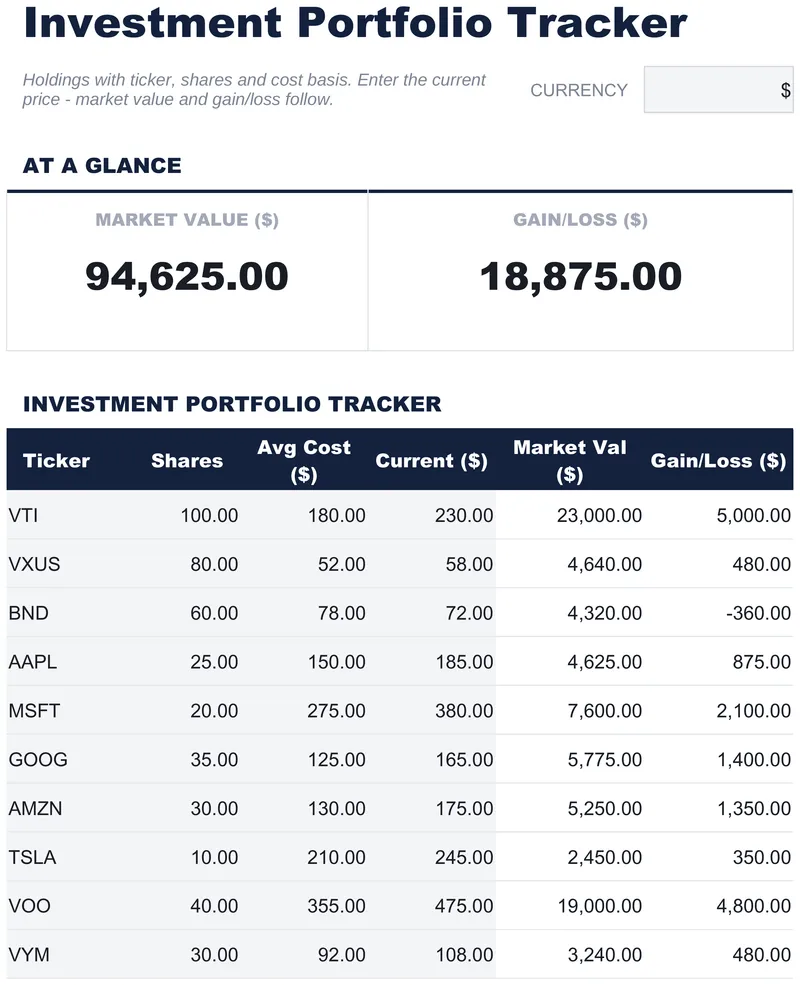
Investment Portfolio Tracker
A row per position with ticker, shares and average cost, plus a current price column you keep up to date yourself, and market value and gain or loss against cost fall out of it. The Free Investment Portfolio Tracker spreadsheet template holds 16 positions on one working sheet, with How to Use on a second tab. Google Sheets or Excel, one file. No macros, no VBA.
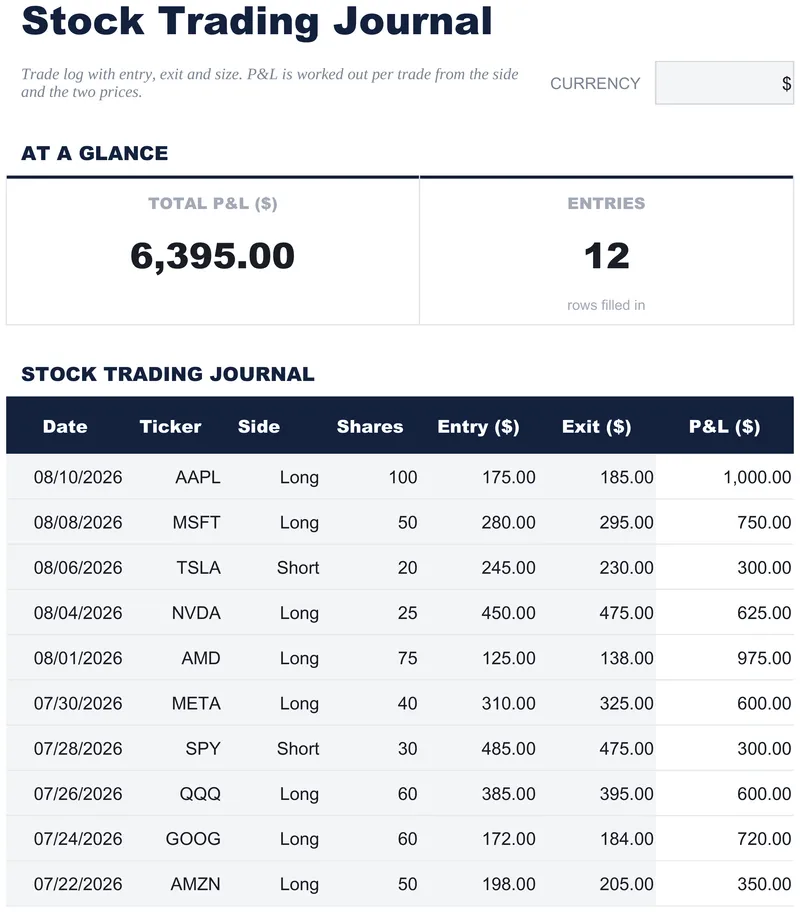
Stock Trading Journal
Sixteen rows, one per finished trade, each with the date, the ticker, the side, the size and both prices side by side, and a result you record yourself. The Free Stock Trading Journal spreadsheet template carries the net figure across every row in a strip above, counts how many trades are logged, and takes its currency from a dropdown. Quick enough to fill in as a trade closes. One working sheet, Google Sheets or Excel. No macros, no VBA.
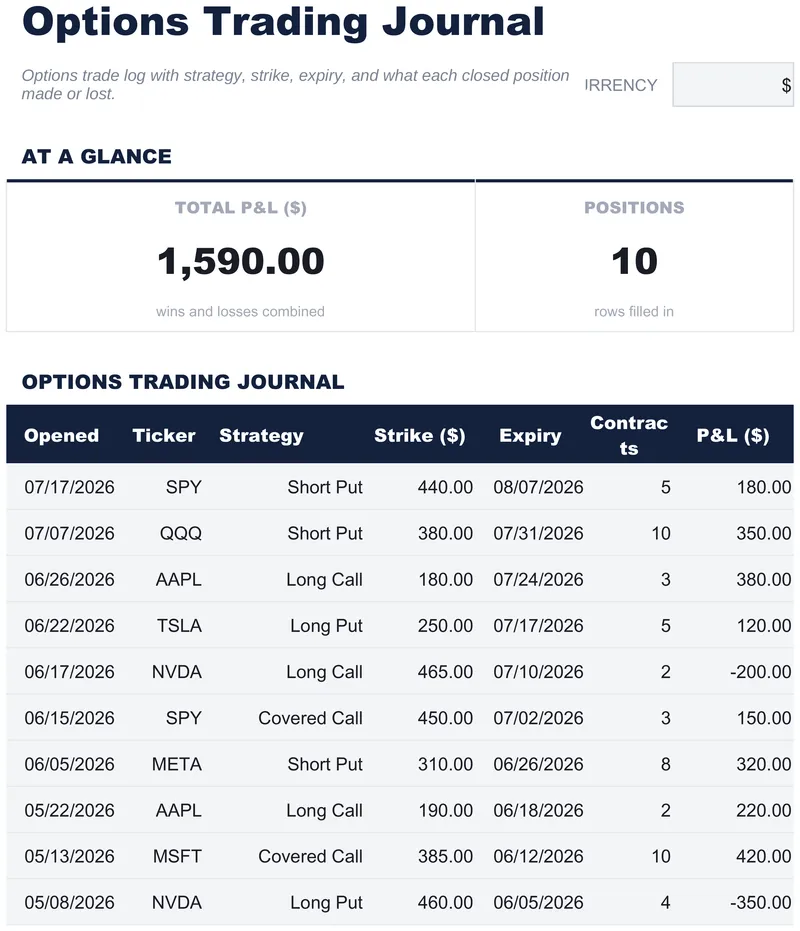
Options Trading Journal
Date, ticker, strategy, strike, expiry and contract count on every entry, with the result recorded alongside in a column you fill yourself. The Free Options Trading Journal spreadsheet template gives you fourteen rows on one working sheet, leaves the strategy label as free text so any structure can be recorded, and carries the net figure across all trades and the number logged in a strip above. Google Sheets or Excel, one file. No macros, no VBA.
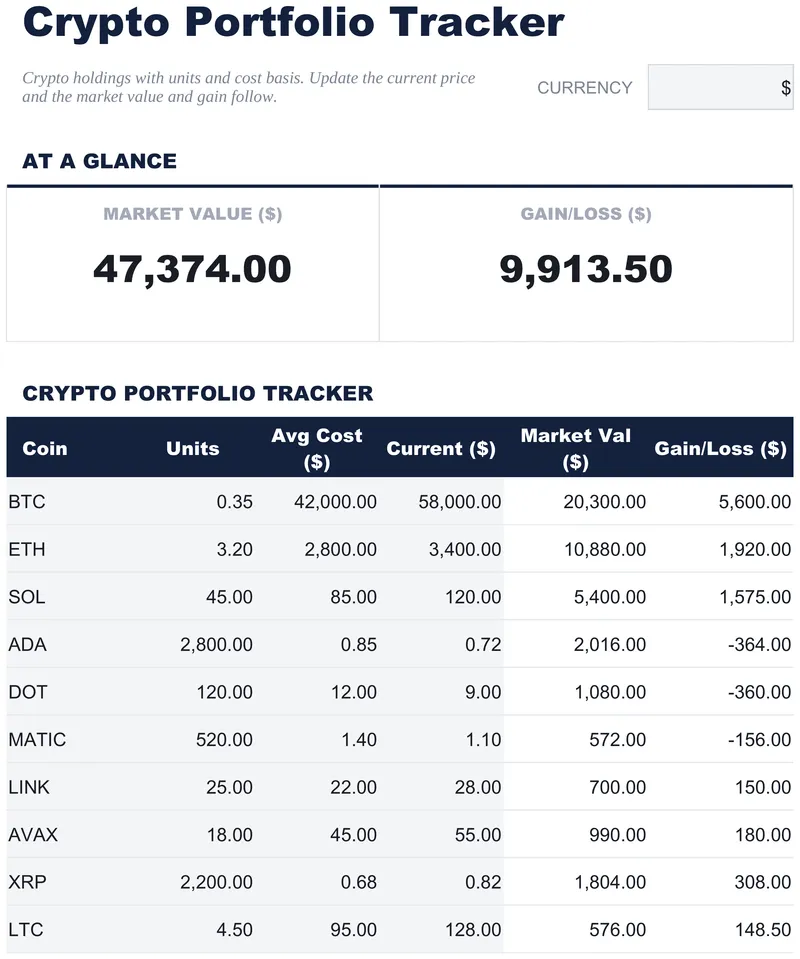
Crypto Portfolio Tracker
Sixteen rows, one holding each: the units you hold, what you paid per unit, what one is worth today. The Free Crypto Portfolio Tracker spreadsheet template derives market value and gain or loss from those three and totals the portfolio in a strip at the top. Fractional quantities need no rounding, currency switches from a dropdown, and the How to Use guide sits on a second tab. Google Sheets or Excel, one file. No macros, no VBA.
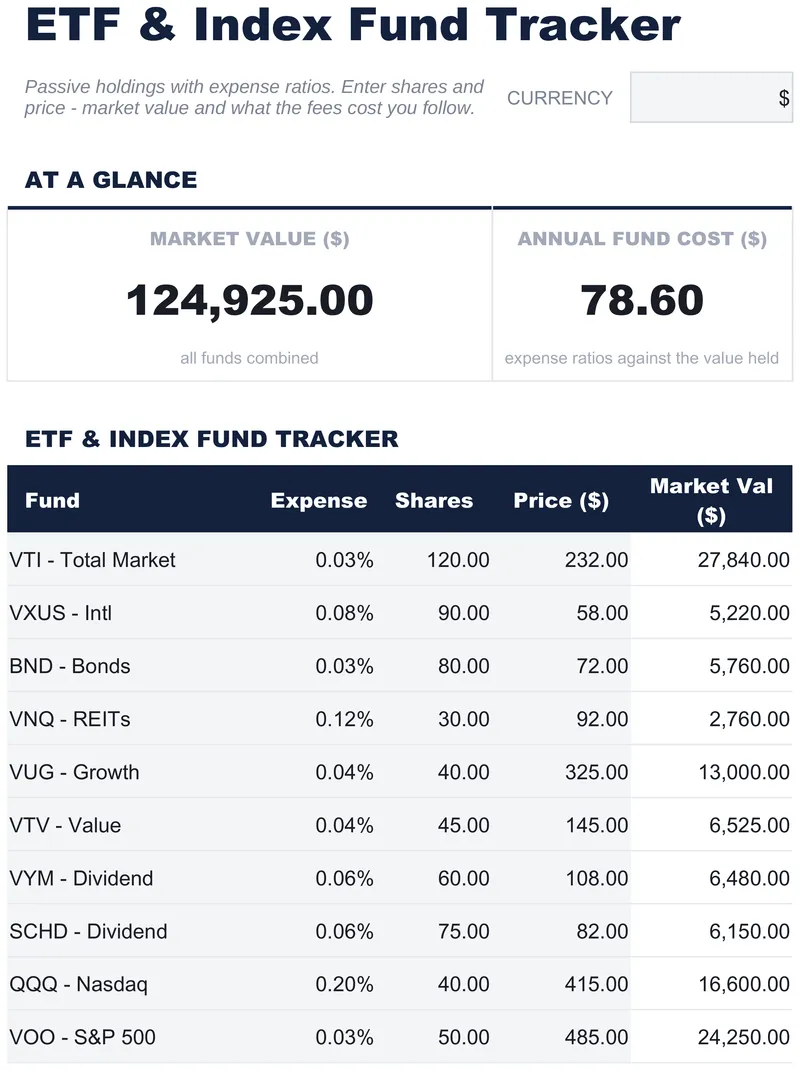
ETF & Index Fund Tracker
Fourteen funds, each with the share count and price you type in rather than a figure pulled from a feed. Market value follows per row, and a strip at the top carries the total across the portfolio alongside the annual cost of holding it - the Free ETF & Index Fund Tracker spreadsheet template records the annual charge beside every holding. One working sheet, a currency dropdown, a How to Use tab. Google Sheets or Excel. No macros, no VBA.
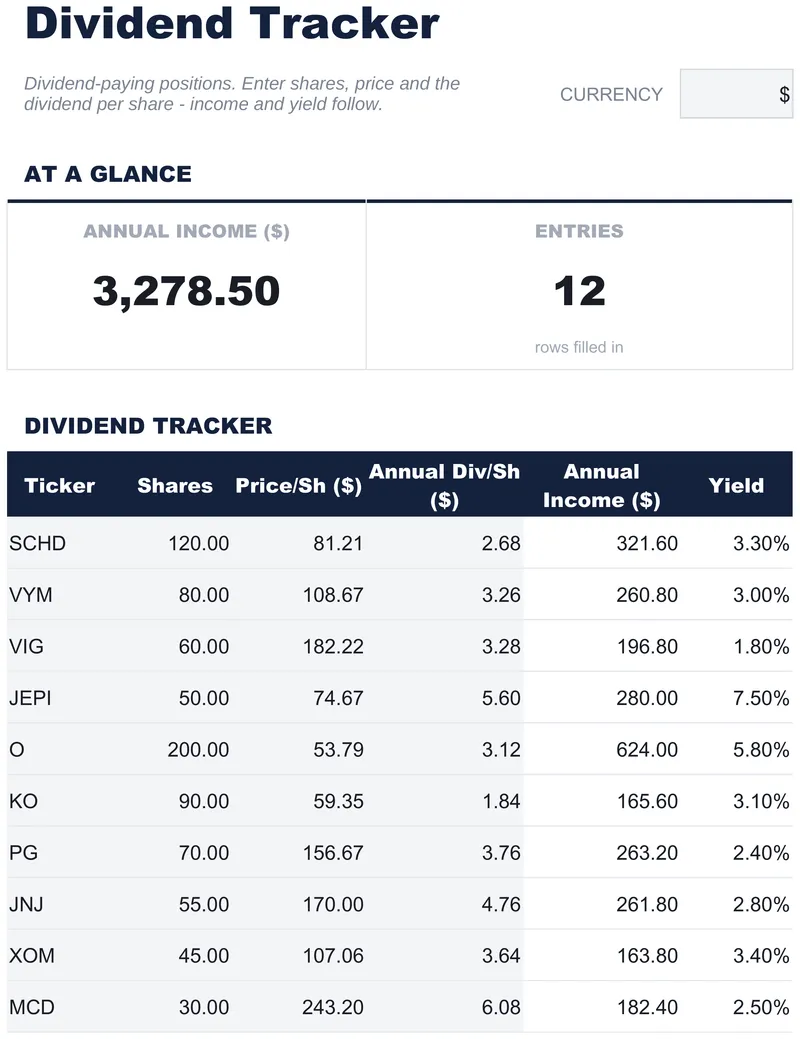
Dividend Tracker
Sixteen rows, one per holding: enter the shares you own and the dividend declared per share, and the annual income and the yield follow. The Free Dividend Tracker spreadsheet template carries a strip across the top with the income for the whole portfolio and the number of holdings, and keeps its How to Use guide on a second tab. Forward-looking - what the portfolio is set to pay, not a log of what landed. Google Sheets or Excel, one file. No macros, no VBA.
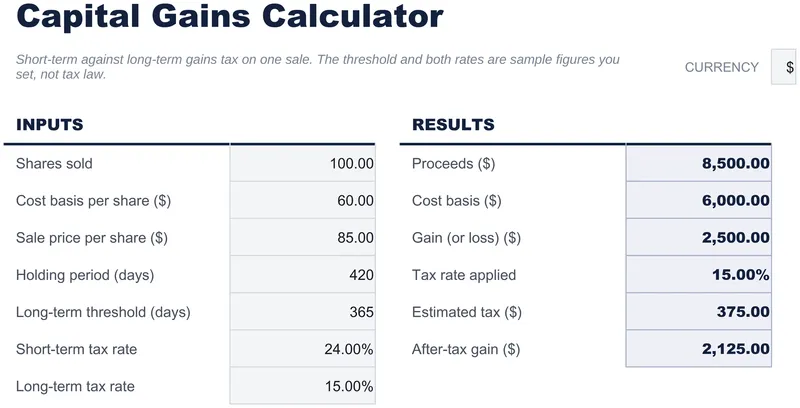
Capital Gains Calculator
One sale worked through end to end: proceeds and cost basis built from the per-share figures you enter, the gain or loss between them, and what is left once tax comes off. The Free Capital Gains Calculator spreadsheet template takes a holding period and a long-term threshold, which together select which of your two rates applies - and both rates are yours to set rather than assumed. One working sheet. Google Sheets or Excel. No macros, no VBA.
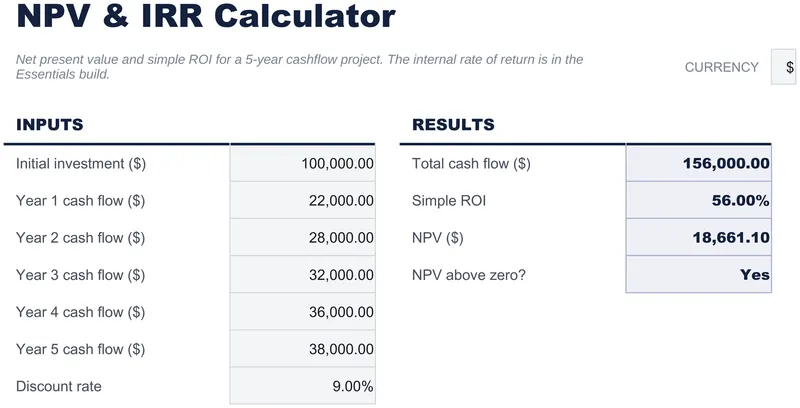
NPV & IRR Calculator
An initial investment, five years of expected cash flow, and a discount rate kept as its own visible input. Back comes total cash flow before discounting, simple ROI, and net present value once the rate is applied, so the difference the discounting makes is there on the page. The Free NPV & IRR Calculator spreadsheet template holds all of it on one working sheet with a How to Use tab. Google Sheets or Excel, one file. No macros, no VBA.
Need more advanced features?
Our premium spreadsheet templates include multi-sheet dashboards, advanced formulas, native charts, and ongoing updates.