50/30/20 Budget Essentials Template
Organize spending into needs, wants, and savings using the 50/30/20 framework. Useful for those who prefer a percentage-based approach to budgeting.
What's Included
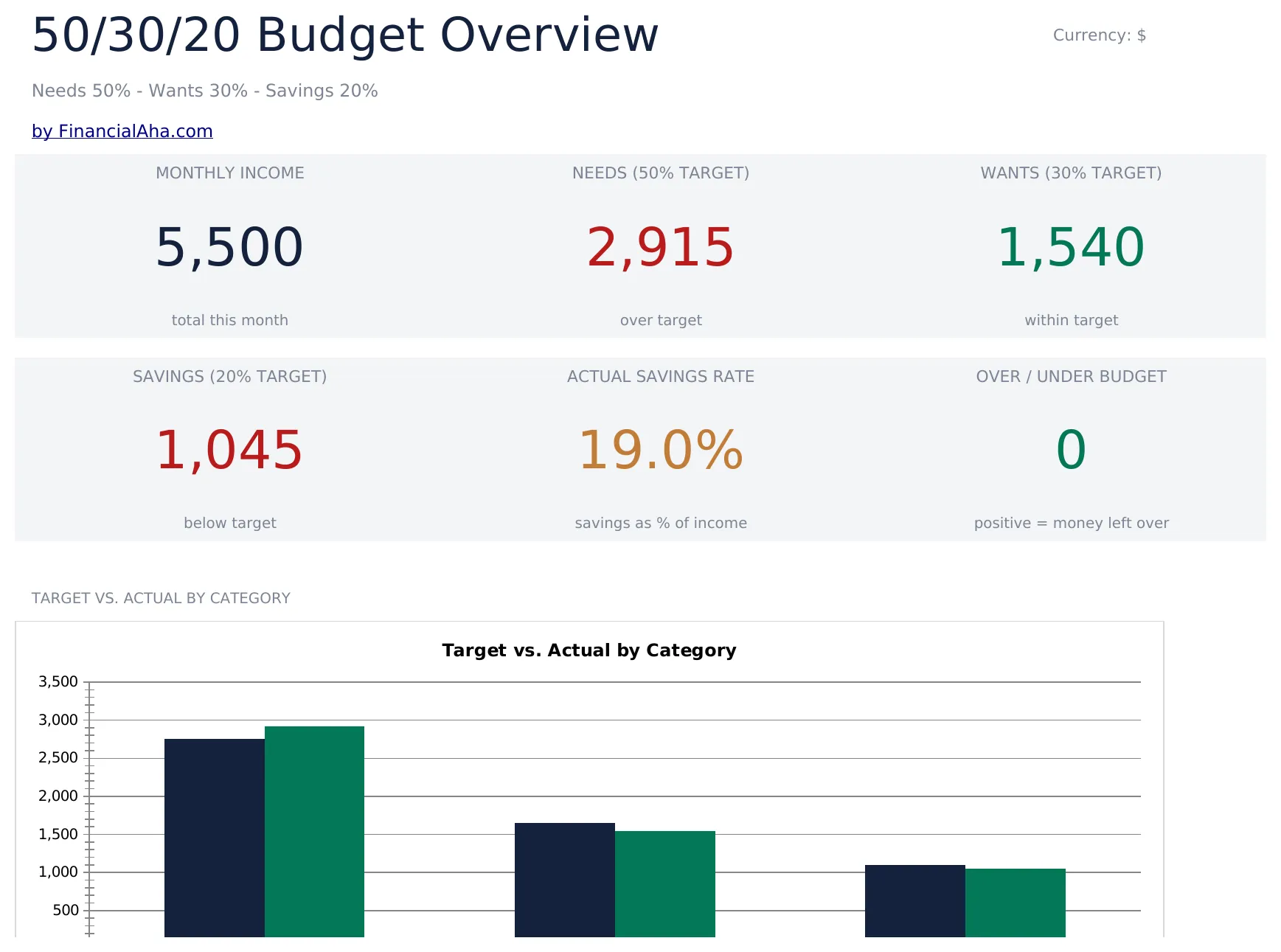
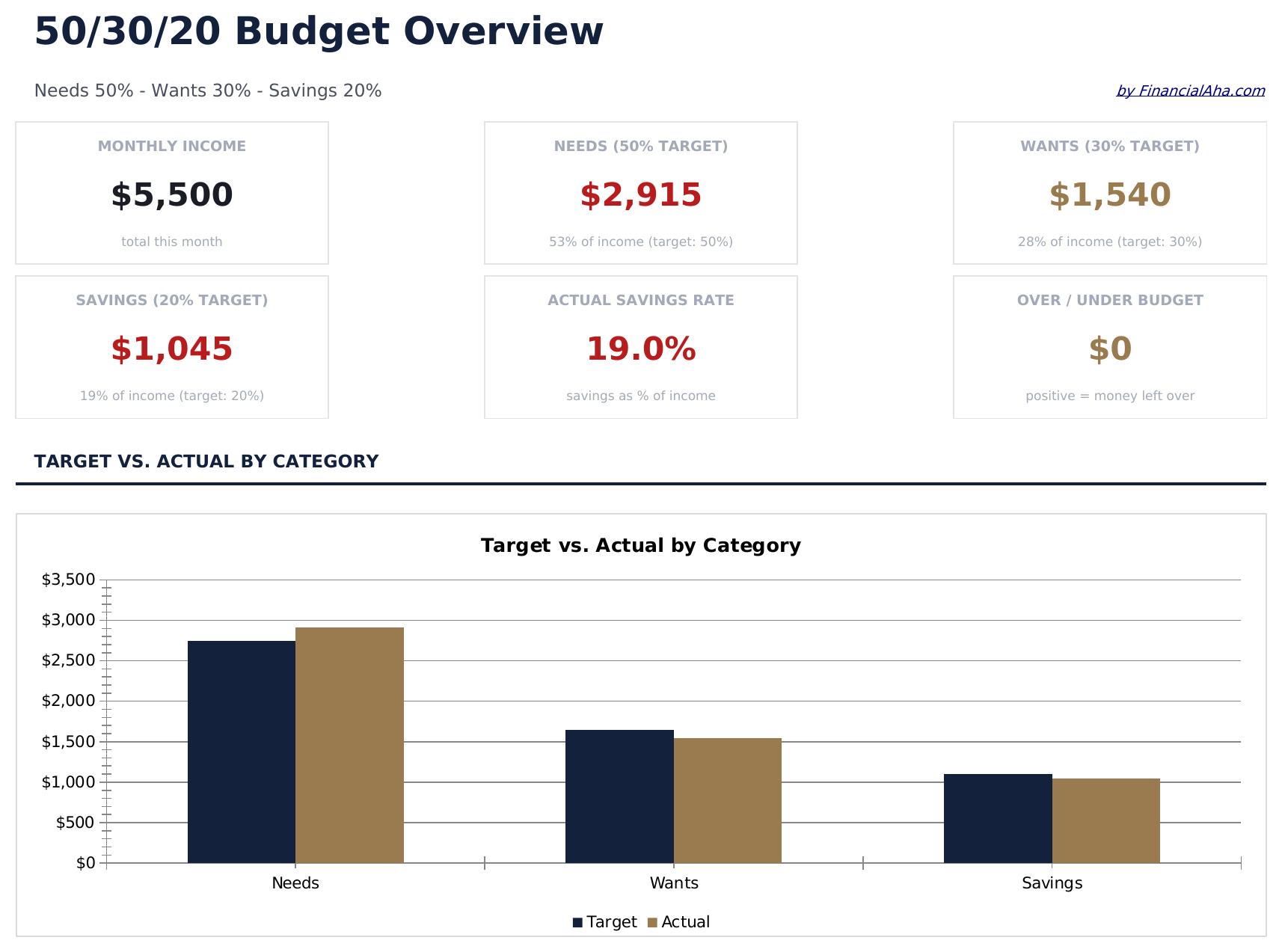
- Dashboard with visual 50/30/20 split showing needs, wants, and savings as percentage of income
- Automatic percentage calculations that update target amounts based on your total income entry
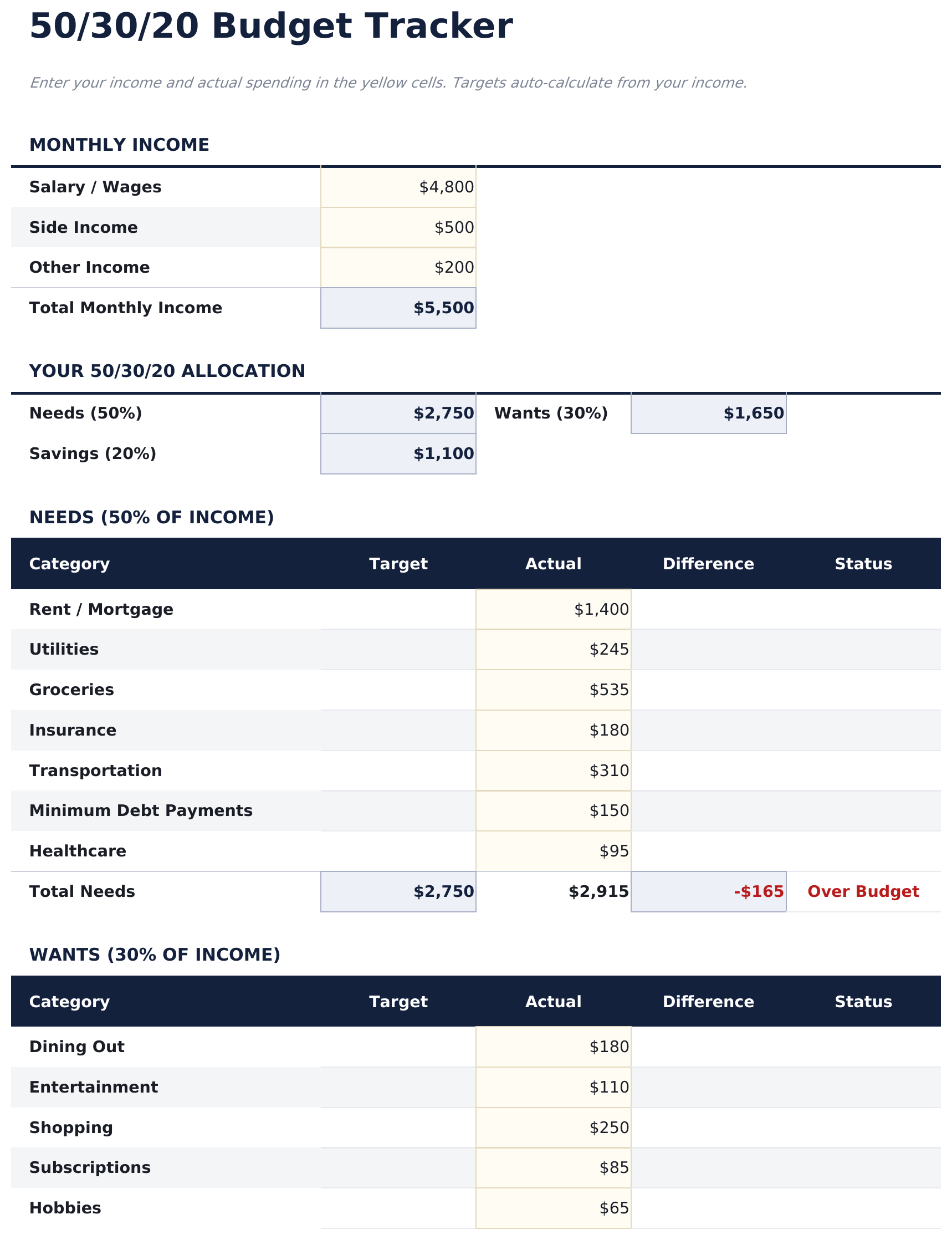
- Category-level budget tracker with pre-filled items for housing, groceries, insurance, and entertainment
- Income-based target amounts with real-time variance showing over or under budget per category
- Color-coded input cells and formatted result areas for a clean, easy-to-read budget layout
- Works in Microsoft Excel, Google Sheets, and LibreOffice Calc with no setup required
Need more from this template?
The Essentials version covers everyday tracking. Ultimate goes further with multi-entity support, scenario analysis, and ultimate-grade reporting.
- Dashboard with visual 50/30/20 split showing needs, wants, and savings as percentage of income
- Automatic percentage calculations that update target amounts based on your total income entry
- Category-level budget tracker with pre-filled items for housing, groceries, insurance, and entertainment
- Income-based target amounts with real-time variance showing over or under budget per category
- Income Targets sheet setting monthly income and calculating the 50/30/20 dollar targets for Needs, Wants, and Savings automatically
- Needs sheet for logging all essential expenses - housing, utilities, groceries, insurance, transportation - with category subtotals and 50% target comparison
- Wants sheet for discretionary spending - dining, entertainment, shopping, subscriptions - with category subtotals and 30% target comparison
- Savings sheet tracking contributions to emergency fund, retirement, investments, and savings goals with 20% target comparison
- Dashboard with 6 KPI cards: total income, needs total, wants total, savings total, overall budget balance, and current month savings rate
Preview
See what's inside this template
How to Use This 50/30/20 Budget Template
Enter total income
Type your monthly after-tax income at the top. The template calculates 50%, 30%, and 20% target amounts automatically.
Categorize your spending
Assign each expense to needs, wants, or savings. The pre-filled categories give you a starting point you can customize.
Check your split
The dashboard shows how your actual spending compares to the 50/30/20 targets with percentage breakdowns per bucket.
Rebalance as needed
If one bucket is over target, look for expenses to shift or reduce. The variance columns highlight where adjustments may help.
Customer Reviews
What Our Customers Say
"If I get half as good at handling my finances as you are at customer service, this'll be the best $26 I've spent lately."
"Great tool! Simplifies financial planning without the hassle of complex spreadsheets."
"I recently purchased your super convenient spreadsheet, it really helps me!"
"They're great and super intuitive. Thank you!"
Built by Claude AI. Perfected by us.
We use Claude AI to draft each template, after a deep research. Then our team steps in. We refine the layout, stress-test every formula, fix edge cases, and polish the design until it feels like something we would actually use ourselves. The AI gets us 80% there. The last 20% is all human judgment.
Frequently Asked Questions
What counts as needs vs wants?
Needs are essentials like housing, groceries, insurance, and minimum debt payments. Wants are non-essentials like dining out, entertainment, and subscriptions. The template includes pre-filled examples in each category.
Is the split based on gross or net income?
The template is designed for after-tax (net) income. Enter the amount you actually receive in your paycheck or bank account.
Can I change the percentage split?
Yes. The percentage cells are editable, so you can adjust to 60/20/20 or any other ratio that fits your situation.
What if my needs exceed 50%?
The template still tracks everything accurately. The variance column shows how far over or under you are, which is useful for seeing where your money goes even if the split differs.
How do I open this in Google Sheets?
Upload the .xlsx file to Google Drive, then open it with Google Sheets. All formulas and formatting will be preserved.
More Essentials Personal Budgeting Templates
Highlights:
Looking for premium spreadsheet templates?
Our paid templates include advanced multi-sheet dashboards, native Excel charts, and ongoing updates.
Get every Ultimate template instead
All 58 Ultimate templates in one purchase for $299 - $1,102 value, you keep $803.