Essentials Payroll & HR Templates
8 payroll & hr spreadsheet templates in their fuller Essentials builds, with more worked out for you rather than typed. One-time $19 per template.
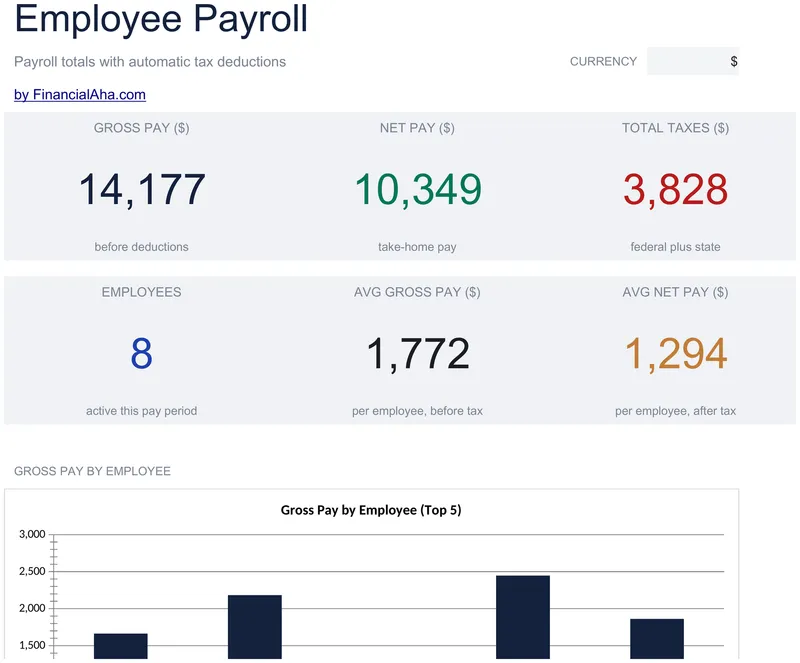
Employee Payroll
Tax rates sit at the top of the sheet where they can be checked and changed once, rather than buried in formulas. The Essentials Employee Payroll spreadsheet template keeps regular and overtime hours in separate columns, pays overtime at one and a half times the base rate, and derives gross pay, each deduction and net pay for up to ten people. A Dashboard carries gross, net and total taxes for the period. Google Sheets and Excel, one file. No macros, no VBA.
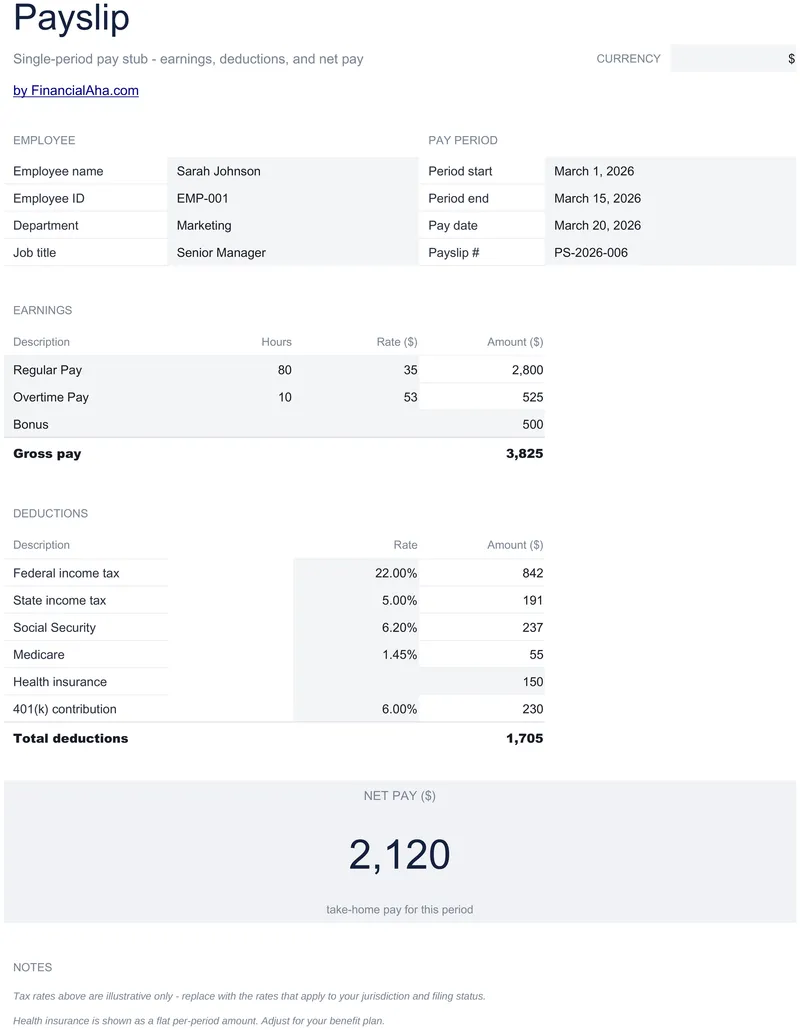
Payslip Template
Laid out as a pay statement you can hand over: employee name, ID, department and job title at the top, then the pay period start and end dates with the pay date alongside. The Essentials Payslip Template template itemises earnings - regular hours against their rate, overtime against its own, a bonus - and every deduction beneath, each percentage taken from gross pay, with a flat insurance amount charged per period. Google Sheets and Excel, one file.
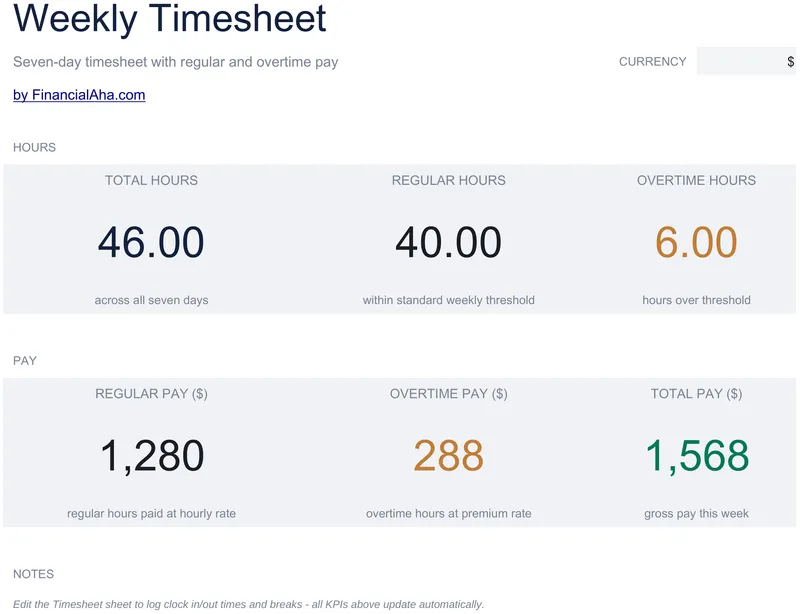
Weekly Timesheet
Seven days, taking a time in, a time out and a break entered as a decimal. The Essentials Weekly Timesheet spreadsheet template works the hours out from the clock, deducts the break from each day, and splits the week into regular and overtime against a standard-hours threshold you set - with an overtime multiplier you set too, or 1.0 to remove the premium entirely. Two working sheets. One file for Google Sheets and Excel. No macros, no VBA.
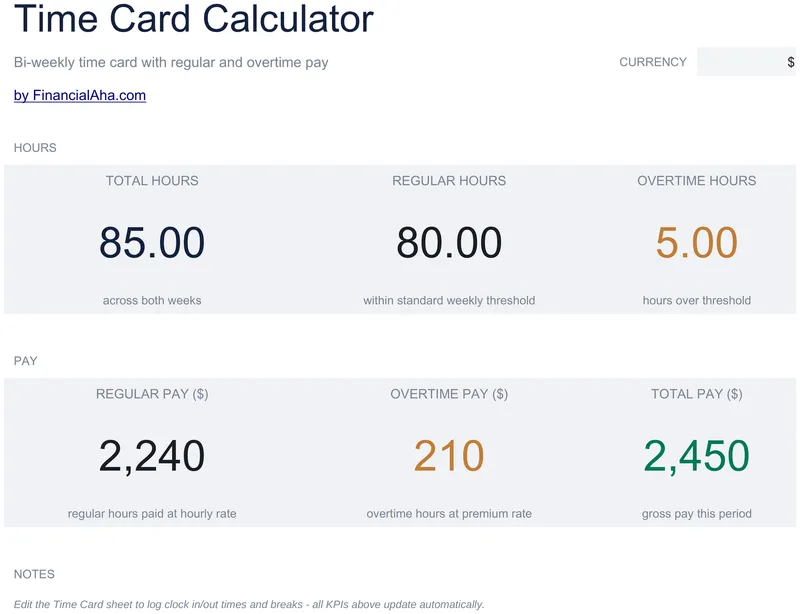
Time Card Calculator
A two-week pay period laid out as two separate weeks, hours read off the clock times rather than typed, and the break deducted from each day as a decimal. The Essentials Time Card Calculator spreadsheet template records employee name, identifier and the period dates at the top, and takes a standard weekly hours threshold you set yourself, which is what splits the fortnight into regular and overtime. Google Sheets and Excel, one file. No macros, no VBA.
Vacation / PTO Tracker
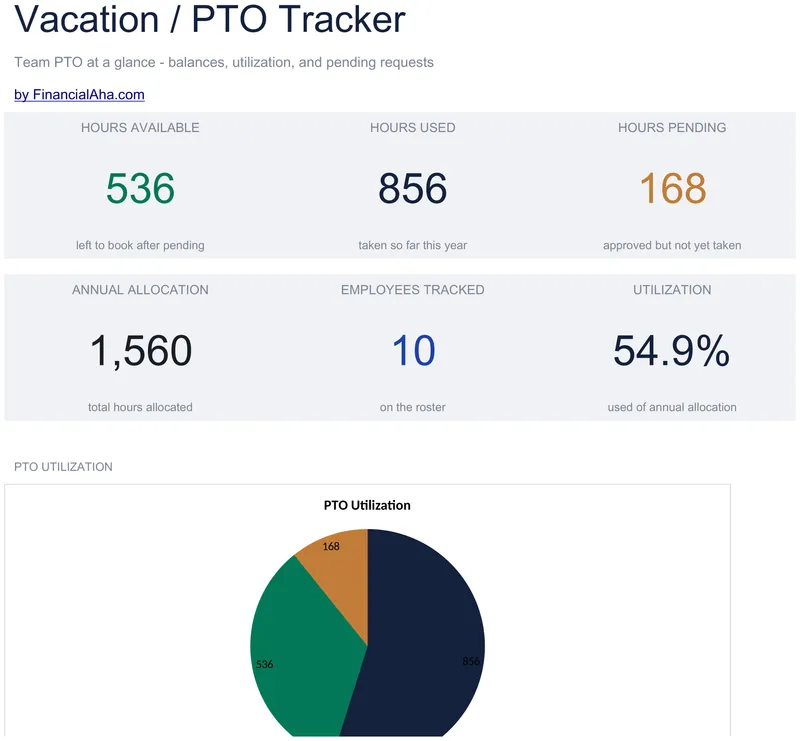
Counted in hours, explicitly: an annual allocation, the hours used, the balance between them, and a pending column for hours approved but not yet taken, on a row per person. The Essentials Vacation / PTO Tracker spreadsheet template reports utilization - what has been used as a share of what was allocated - on a dashboard of six team figures with two charts. Two working sheets, Google Sheets or Excel. No macros, no VBA.
Employee Leave Tracker
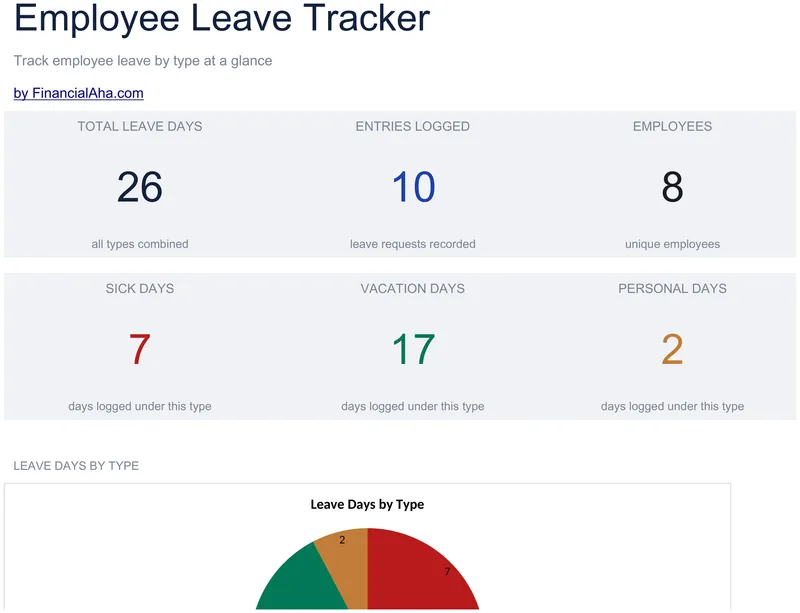
Thirty leave records, each carrying the employee, the date, the type, the day count, the approver who signed it off, and a notes column for the context a date cannot hold. The Essentials Employee Leave Tracker spreadsheet template adds a Dashboard totalling days taken and running a genuine distinct count of employees, so one person with several absences counts once. Three tabs including How to Use, in Google Sheets or Excel. No macros, no VBA.
Expense Reimbursement Form
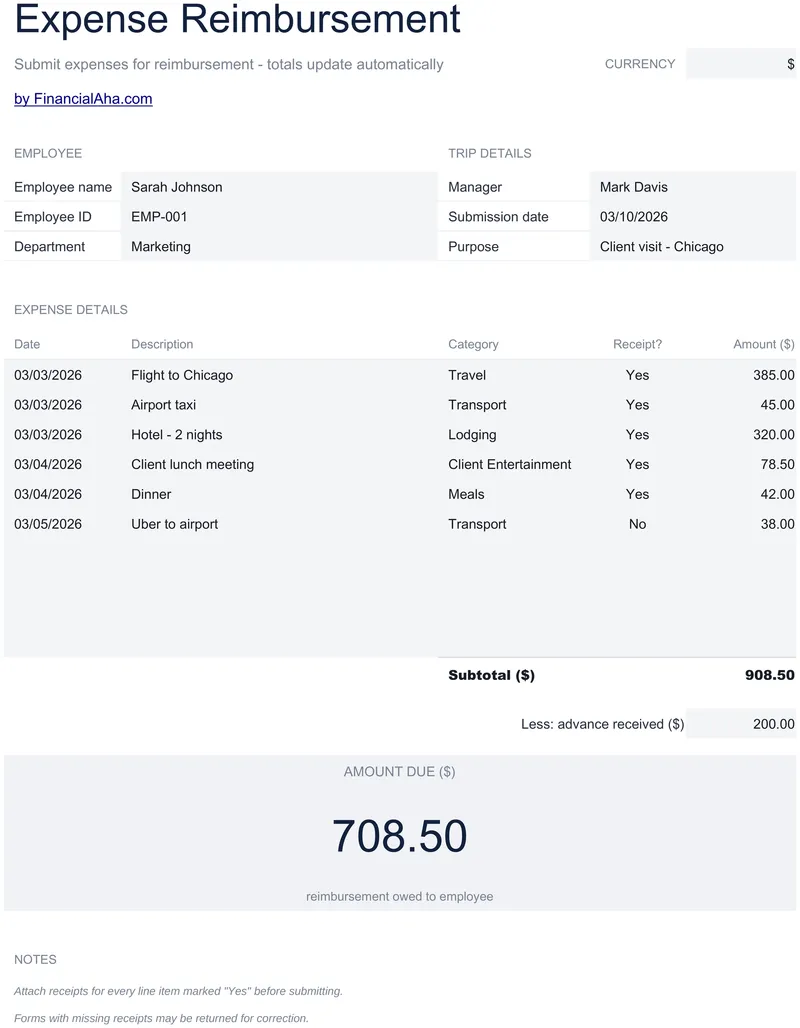
Every one of the ten expense lines carries its own date and a receipt-held marker, so a claim can be checked line by line. The Essentials Expense Reimbursement Form spreadsheet template records the employee by name, identifier and department, notes the manager, the submission date and the purpose of the trip, and subtracts any advance already received before the amount owed. One working sheet in Google Sheets or Excel. No macros, no VBA.
Take-Home Pay Calculator
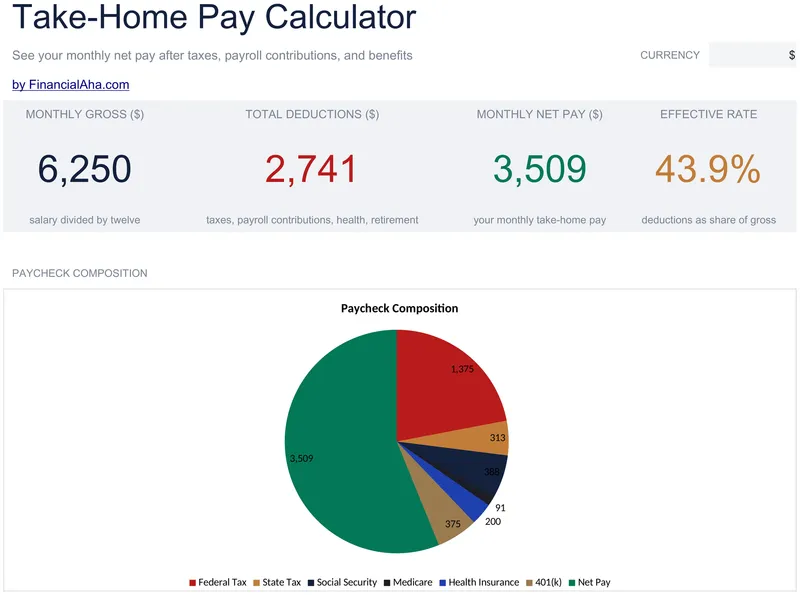
The two payroll contributions stay separate rates here instead of one blended figure, with an earnings ceiling applied to the first. Add a monthly premium for cover and a retirement contribution rate, and the Essentials Take-Home Pay Calculator spreadsheet template shows every deduction as its own monthly line on a Dashboard fed by a Setup sheet. The rates stay yours to fill in. Three tabs, Google Sheets and Excel. No macros, no VBA.
Not sure which to pick?
Try the free version of any payroll & hr template first. When you're ready for the dashboard and extra capacity, upgrade to Essentials - a one-time $19 purchase.