Sales Invoice Essentials Template
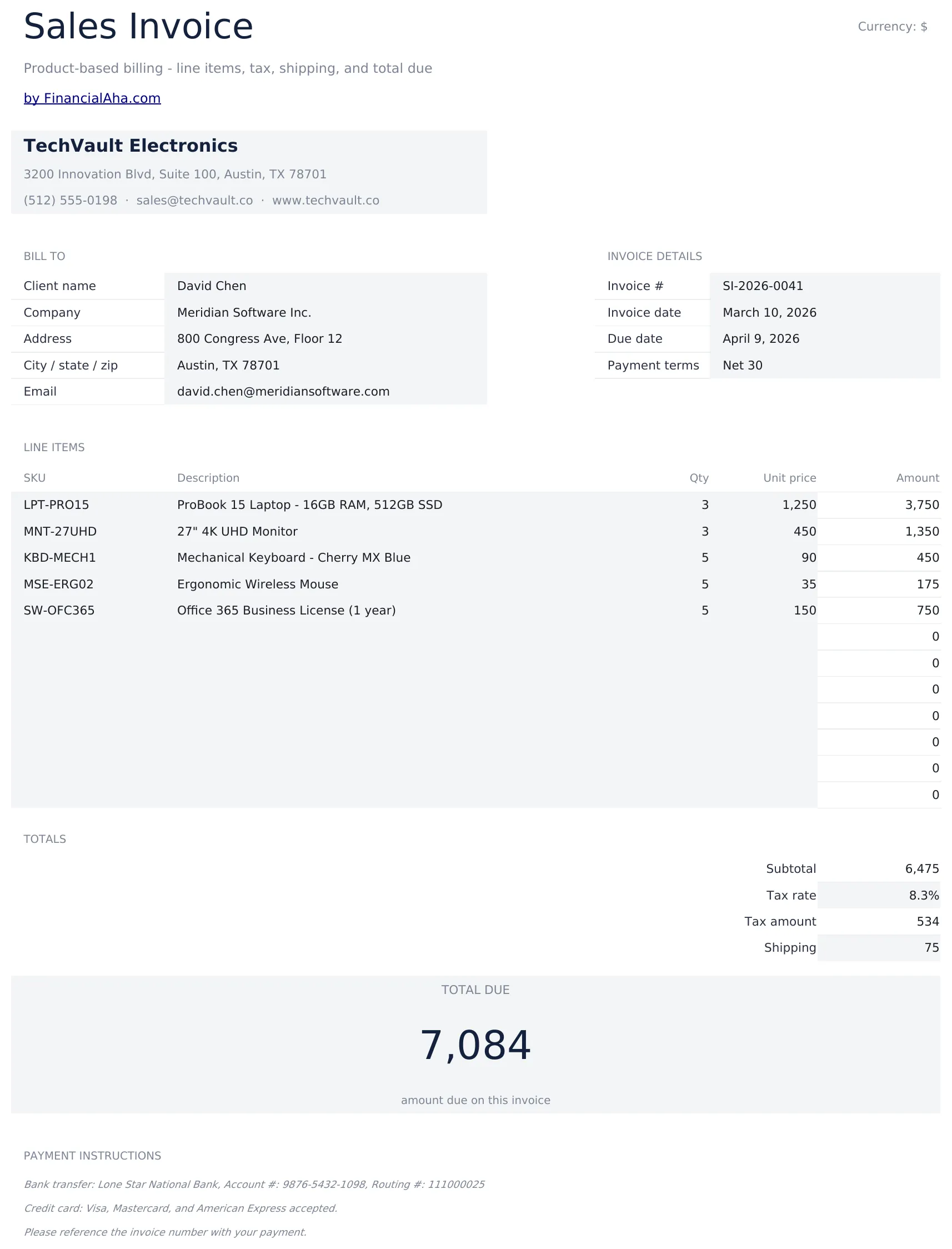
Invoice template for product-based sales. List items with quantities, unit prices, and descriptions - totals and taxes calculate automatically.
What's Included
- Product sales invoice layout with item name, SKU or reference, quantity, and unit price columns
- Automatic line total, subtotal, and tax calculations that update as you enter product quantities and prices
- Shipping and discount fields with separate rows for shipping charges, discounts, and adjustments before total
- Order reference number and purchase order fields for matching the invoice to the original customer order
- Print-ready professional format with company and customer details plus color-coded input cells for entry
- Works in Microsoft Excel, Google Sheets, and LibreOffice Calc with no setup required
Preview
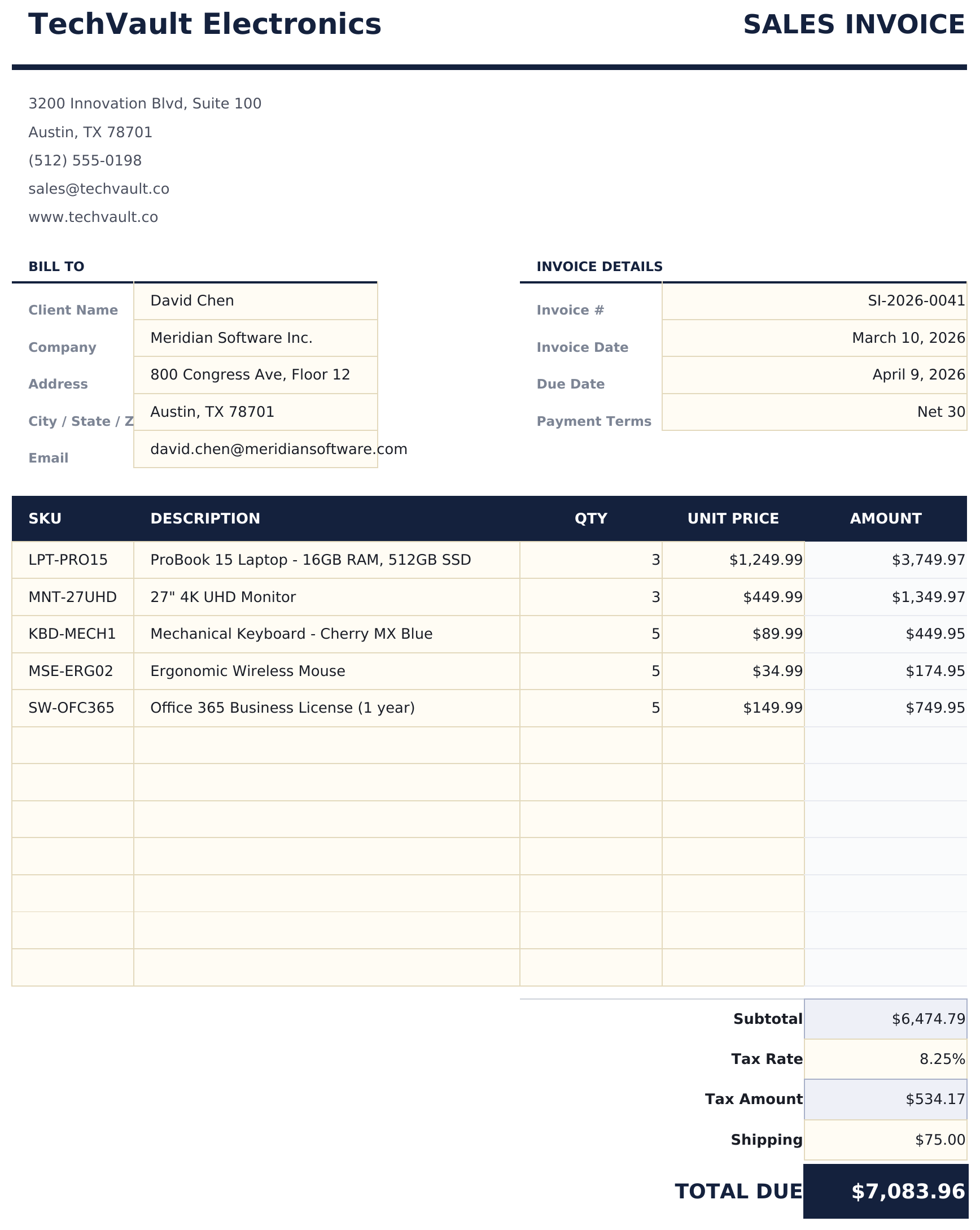
See what's inside this template
How to Use This Sales Invoice Template
Enter seller and buyer info
Fill in your company details and the customer name, address, and purchase order number if applicable.
Add product line items
Enter each product with name, SKU or reference, quantity ordered, and unit price. Line totals calculate automatically.
Apply discounts and shipping
Enter any discounts, shipping charges, or adjustments in the designated rows before the final total.
Finalize the invoice
Review the subtotal, tax, and grand total. Add the invoice date, payment terms, and due date before sending.
Customer Reviews
What Our Customers Say
"If I get half as good at handling my finances as you are at customer service, this'll be the best $26 I've spent lately."
"Great tool! Simplifies financial planning without the hassle of complex spreadsheets."
"I recently purchased your super convenient spreadsheet, it really helps me!"
"They're great and super intuitive. Thank you!"
Built by Claude AI. Perfected by us.
We use Claude AI to draft each template, after a deep research. Then our team steps in. We refine the layout, stress-test every formula, fix edge cases, and polish the design until it feels like something we would actually use ourselves. The AI gets us 80% there. The last 20% is all human judgment.
Frequently Asked Questions
Can I add a purchase order number?
Yes. The template includes fields for purchase order number and order reference to match invoices with customer orders.
How do I apply a discount?
Enter the discount amount or percentage in the discount row. The grand total subtracts the discount from the subtotal before adding tax.
Does it handle shipping charges?
Yes. A separate shipping row lets you add shipping costs that are included in the grand total but calculated outside of tax if needed.
Can I include SKU numbers?
Yes. Each line item has a SKU or reference field alongside the product name and description.
How do I open this in Google Sheets?
Upload the .xlsx file to Google Drive, then open it with Google Sheets. All formulas and formatting will be preserved.
More Essentials Invoicing & Billing Templates
Highlights:
Looking for premium spreadsheet templates?
Our paid templates include advanced multi-sheet dashboards, native Excel charts, and ongoing updates.
Get every Ultimate template instead
All 58 Ultimate templates in one purchase for $299 - $1,102 value, you keep $803.