Mejor valor Paquete Todo-en-Uno de Planificación Financiera
✓ Planificación Financiera✓ Rastreador de Patrimonio Neto✓ Presupuesto Mensual✓ Planificador de Presupuesto de Viaje✓ Planificador de Presupuesto Anual✓ Rastreador de Gastos Mensuales✓ Planificador de Impuestos Anual✓ Planificación de Jubilación
Ver paquete →
Plantilla Essentials - Excel y Google Sheets

Donation and Giving Tracker Plantilla Essentials

Log charitable donations and contributions throughout the year. Track deductible giving amounts for tax preparation purposes.

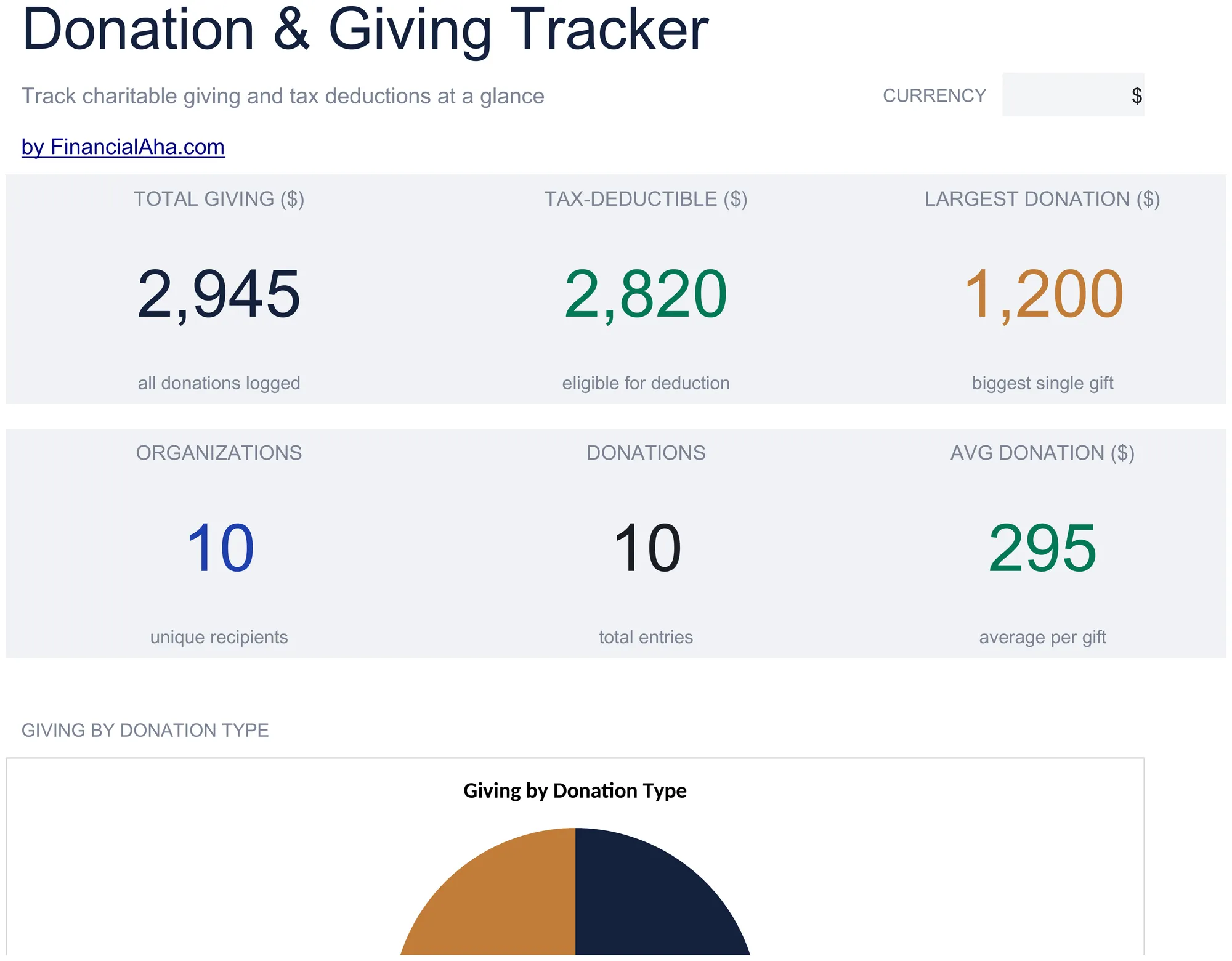
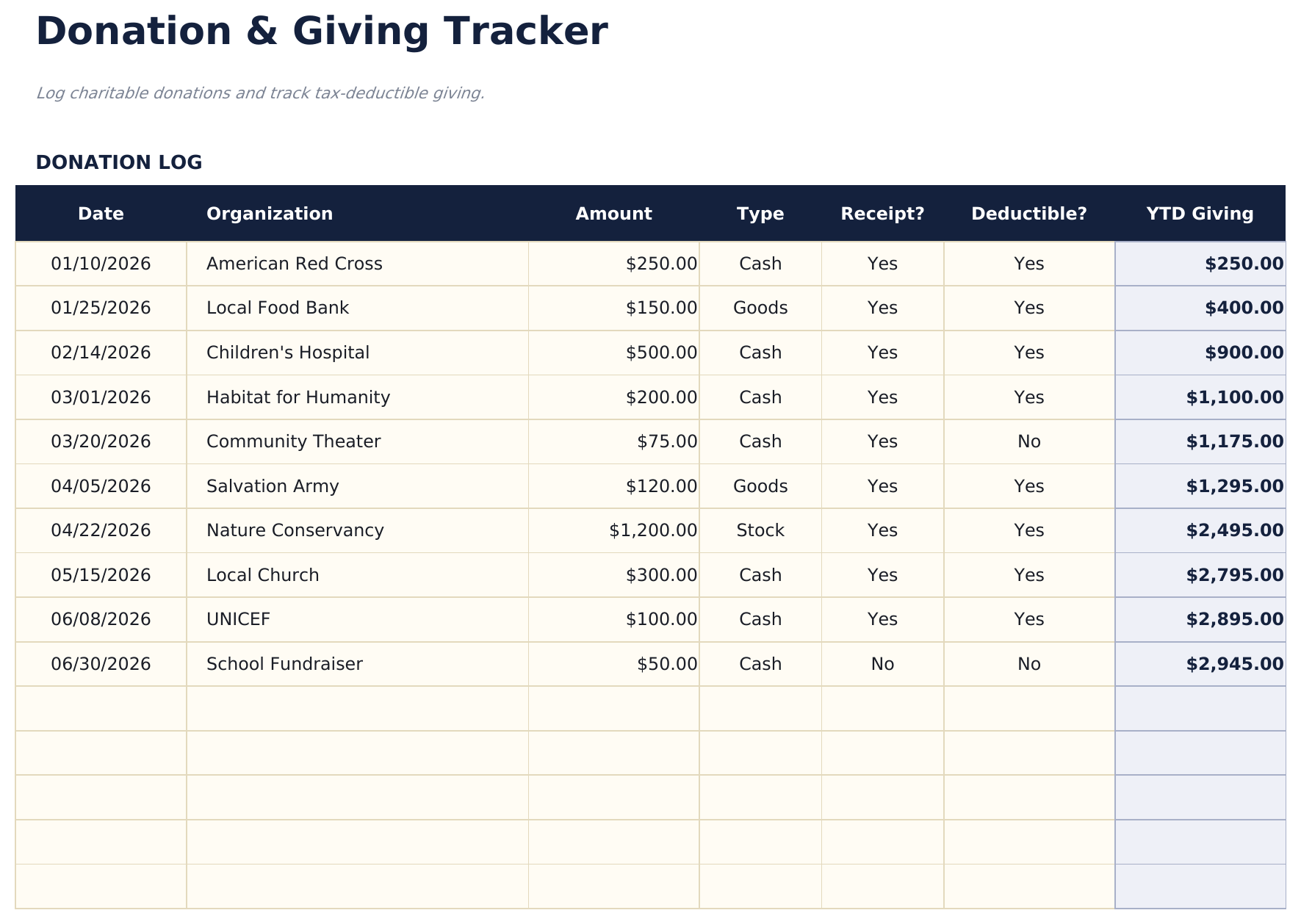
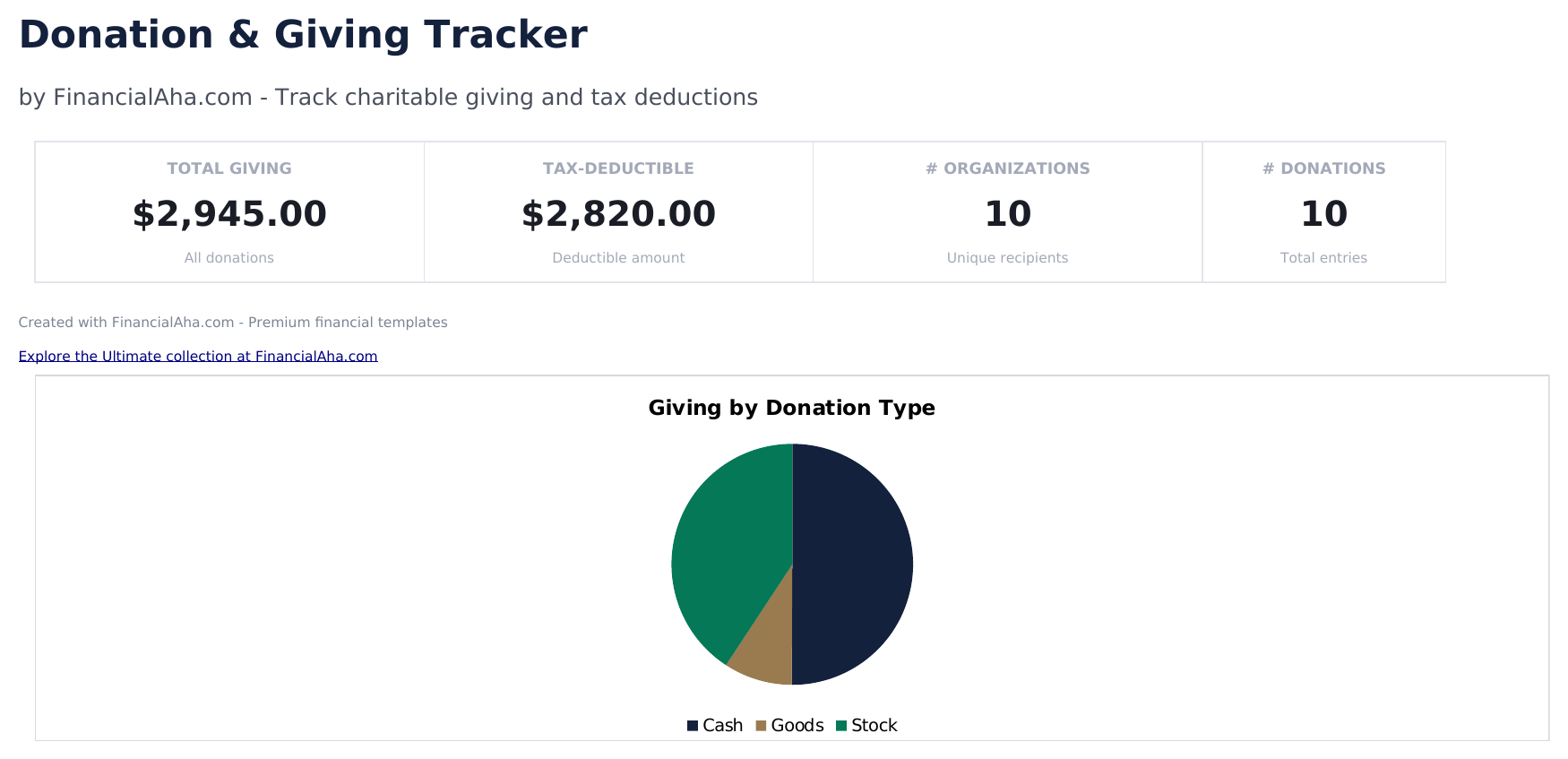
Donation and Giving Tracker preview

Qué incluye

  • Dashboard with giving summary showing total cash donations, total non-cash donations, and combined annual giving
  • Donation log with organization name, date, donation type, fair market value, and deductible amount per entry
  • Cash and non-cash donation tracking with separate columns for monetary gifts and donated goods or property
  • Receipt and acknowledgment tracking with fields to note whether a written acknowledgment was received per donation
  • Annual giving totals by category with color-coded input cells (yellow) and auto-calculated donation sums (blue)
  • Works in Microsoft Excel, Google Sheets, and LibreOffice Calc with no setup required

Cómo usar esta plantilla de Donation and Giving Tracker

1

Log each donation

Enter the organization name, donation date, type (cash or non-cash), amount or fair market value, and deductible amount.

2

Record cash vs non-cash

The template separates monetary donations from donated goods or property. Enter each type in the appropriate column.

3

Track acknowledgments

Note whether you received a written acknowledgment from the organization for each donation over $250.

4

Review annual totals

The dashboard shows total cash donations, non-cash donations, and combined annual giving for tax preparation.

Creadas por Claude AI. Perfeccionadas por nosotros.

Usamos Claude AI para crear el borrador de cada plantilla, después de una investigación profunda. Luego nuestro equipo interviene. Refinamos el diseño, probamos cada fórmula a fondo, corregimos casos especiales y pulimos el diseño hasta que se siente como algo que realmente usaríamos nosotros mismos. La IA nos lleva al 80%. El último 20% es criterio humano.

Preguntas frecuentes

Do I need written acknowledgment?

The IRS requires written acknowledgment from the charity for single donations of $250 or more. The template tracks whether you received one for each entry.

How do I value non-cash donations?

Use fair market value - what the item would sell for in its current condition. For items over $5,000, a qualified appraisal may be required.

Are all donations tax-deductible?

Only donations to qualified 501(c)(3) organizations are tax-deductible. Verify the organization status before claiming the deduction.

Can I track giving to multiple organizations?

Yes. Each row has an organization field. The template totals all giving and can be filtered by organization to see per-charity contributions.

¿Cómo abro esto en Google Sheets?

Sube el archivo .xlsx a Google Drive y luego ábrelo con Google Sheets. Todas las fórmulas y el formato se conservarán.

Más plantillas Essentials de Tax Planning

¿Buscas plantillas premium?

Nuestras plantillas de pago incluyen paneles avanzados con múltiples hojas, gráficos nativos de Excel y actualizaciones continuas.

Privado y seguro

Sus datos financieros permanecen en su dispositivo. Nunca los vemos.

Saber más →

¿Necesita ayuda?

Consulte nuestras guías o contáctenos con preguntas.

Ver FAQ →