Miglior valore Pacchetto Completo di Pianificazione Finanziaria
✓ Pianificazione Finanziaria✓ Tracker Patrimonio Netto✓ Budget Mensile✓ Pianificatore Budget Viaggio✓ Pianificatore Budget Annuale✓ Tracker Spese Mensili✓ Pianificatore Fiscale Annuale✓ Pianificazione Pensione
Vedi pacchetto →
Modello Essentials - Excel e Google Sheets

Donation and Giving Tracker Modello Essentials

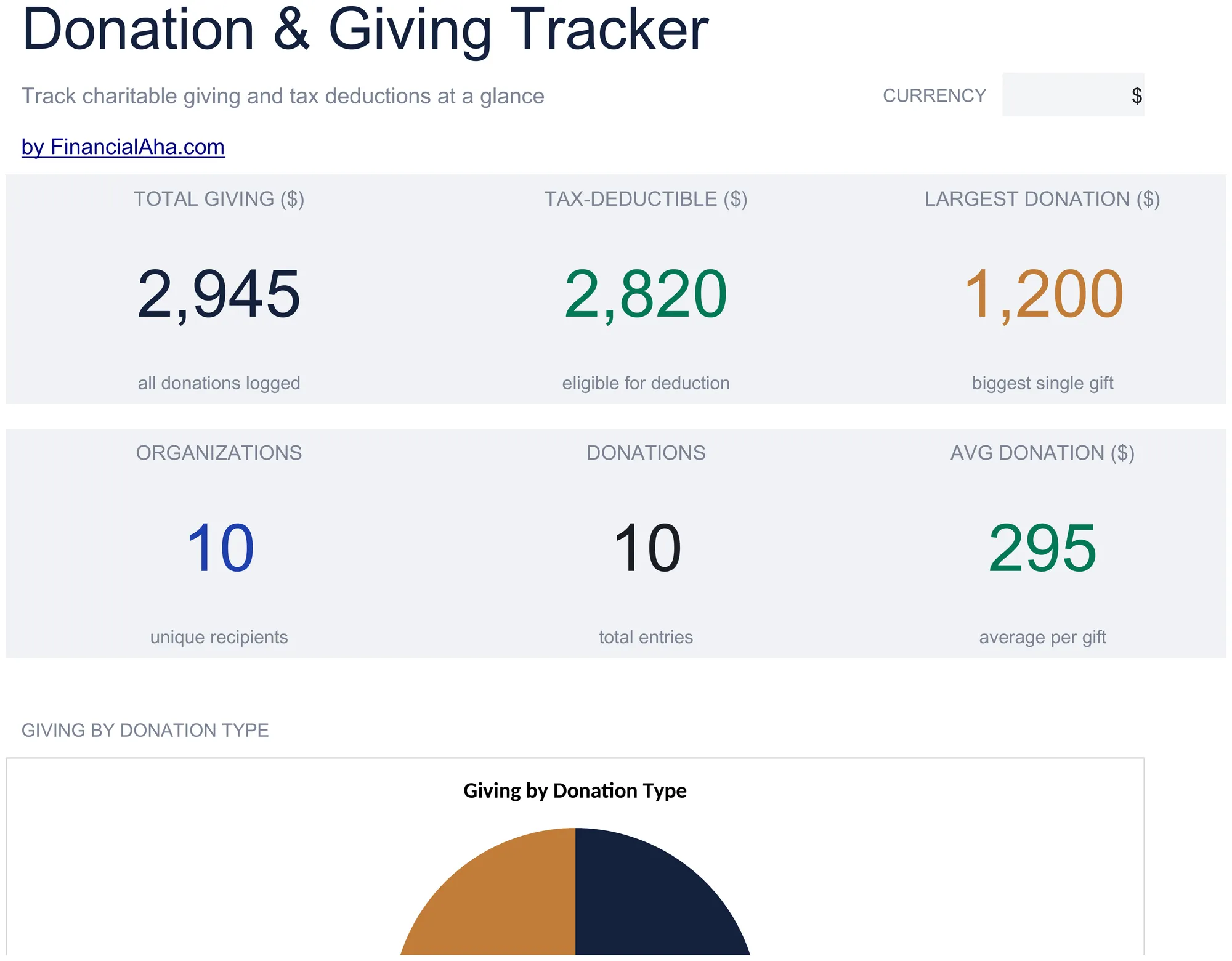
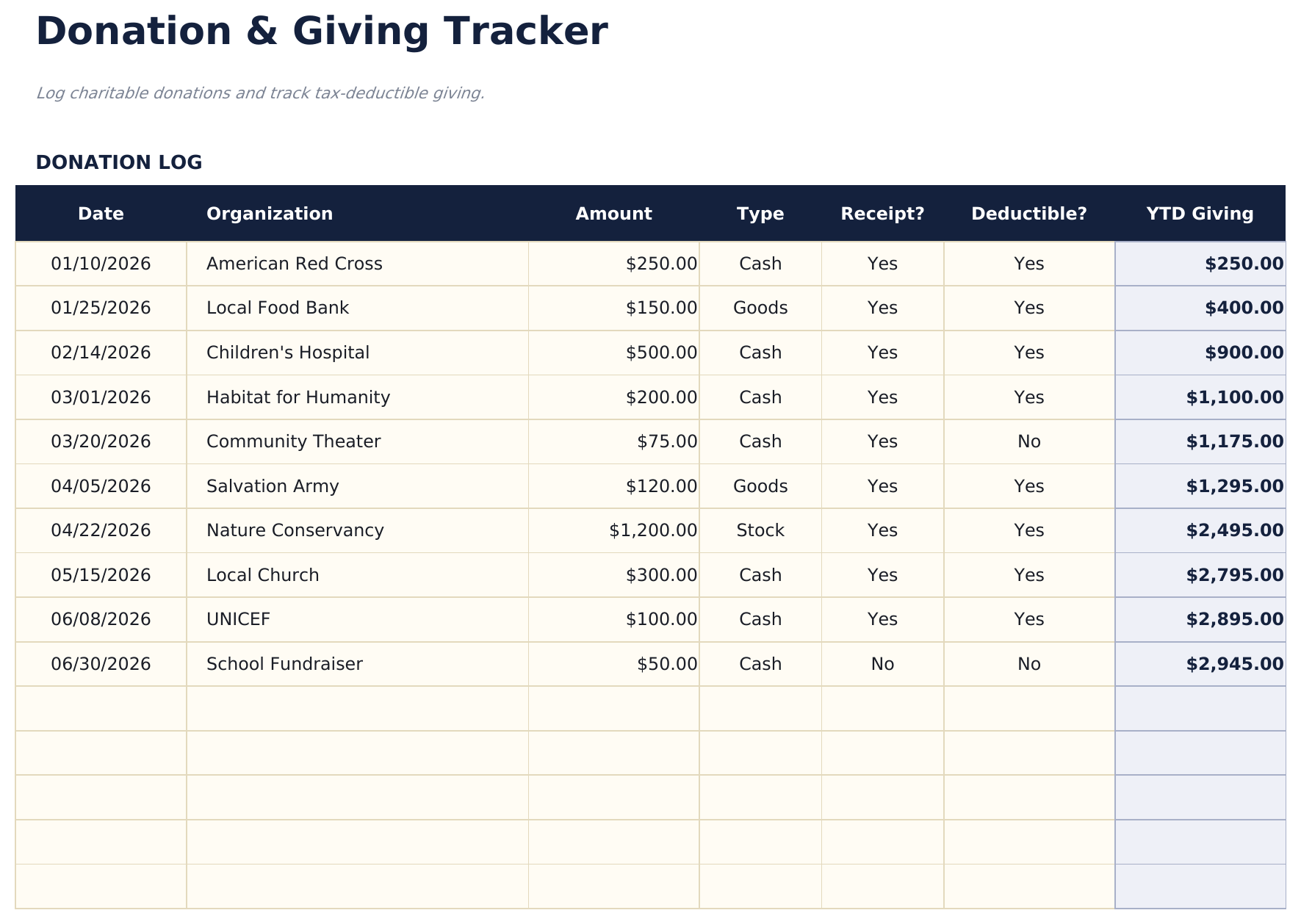
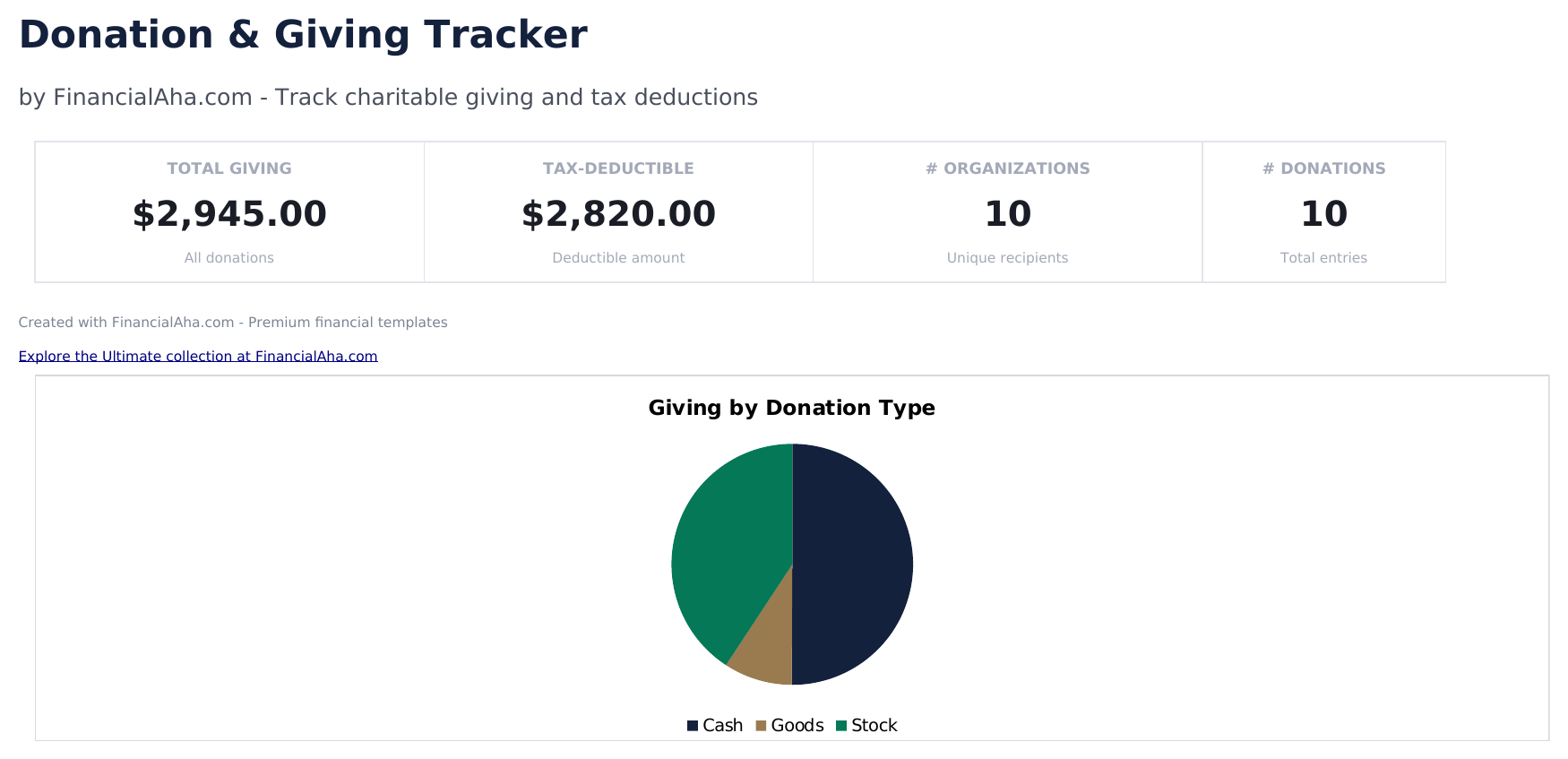
Log charitable donations and contributions throughout the year. Track deductible giving amounts for tax preparation purposes.

Donation and Giving Tracker preview

Cosa include

  • Dashboard with giving summary showing total cash donations, total non-cash donations, and combined annual giving
  • Donation log with organization name, date, donation type, fair market value, and deductible amount per entry
  • Cash and non-cash donation tracking with separate columns for monetary gifts and donated goods or property
  • Receipt and acknowledgment tracking with fields to note whether a written acknowledgment was received per donation
  • Annual giving totals by category with color-coded input cells (yellow) and auto-calculated donation sums (blue)
  • Works in Microsoft Excel, Google Sheets, and LibreOffice Calc with no setup required

Come usare questo modello Donation and Giving Tracker

1

Log each donation

Enter the organization name, donation date, type (cash or non-cash), amount or fair market value, and deductible amount.

2

Record cash vs non-cash

The template separates monetary donations from donated goods or property. Enter each type in the appropriate column.

3

Track acknowledgments

Note whether you received a written acknowledgment from the organization for each donation over $250.

4

Review annual totals

The dashboard shows total cash donations, non-cash donations, and combined annual giving for tax preparation.

Creati da Claude AI. Perfezionati da noi.

Utilizziamo Claude AI per creare ogni modello, dopo una ricerca approfondita. Poi interviene il nostro team. Miglioriamo il layout, testiamo ogni formula, correggiamo i casi limite e rifiniamo il design fino a ottenere qualcosa che useremmo noi stessi. L'AI ci porta all'80%. L'ultimo 20% è tutto giudizio umano.

Domande frequenti

Do I need written acknowledgment?

The IRS requires written acknowledgment from the charity for single donations of $250 or more. The template tracks whether you received one for each entry.

How do I value non-cash donations?

Use fair market value - what the item would sell for in its current condition. For items over $5,000, a qualified appraisal may be required.

Are all donations tax-deductible?

Only donations to qualified 501(c)(3) organizations are tax-deductible. Verify the organization status before claiming the deduction.

Can I track giving to multiple organizations?

Yes. Each row has an organization field. The template totals all giving and can be filtered by organization to see per-charity contributions.

Come posso aprirlo in Google Sheets?

Carica il file .xlsx su Google Drive, poi aprilo con Google Sheets. Tutte le formule e la formattazione saranno conservate.

Altri modelli Essentials Tax Planning

Cerchi modelli di fogli di calcolo premium?

I nostri modelli a pagamento includono dashboard multi-foglio avanzate, grafici nativi Excel e aggiornamenti continui.

Privato e sicuro

I tuoi dati finanziari restano sul tuo dispositivo. Non li vediamo mai.

Scopri di piu →

Hai bisogno di aiuto?

Consulta le nostre guide o contattaci per domande.

Vedi FAQ →