Bester Wert All-in-One Finanzplanungs-Bundle
✓ Finanzplanung✓ Vermögens-Tracker✓ Monatliches Budget✓ Reisebudget-Planer✓ Jahresbudget-Planer✓ Monatlicher Ausgaben-Tracker✓ Jährlicher Steuerplaner✓ Altersvorsorgeplanung
Bundle ansehen →
Essentials-Vorlage - Excel & Google Sheets

Donation and Giving Tracker Essentials-Vorlage

Log charitable donations and contributions throughout the year. Track deductible giving amounts for tax preparation purposes.

Donation and Giving Tracker preview

Was enthalten ist

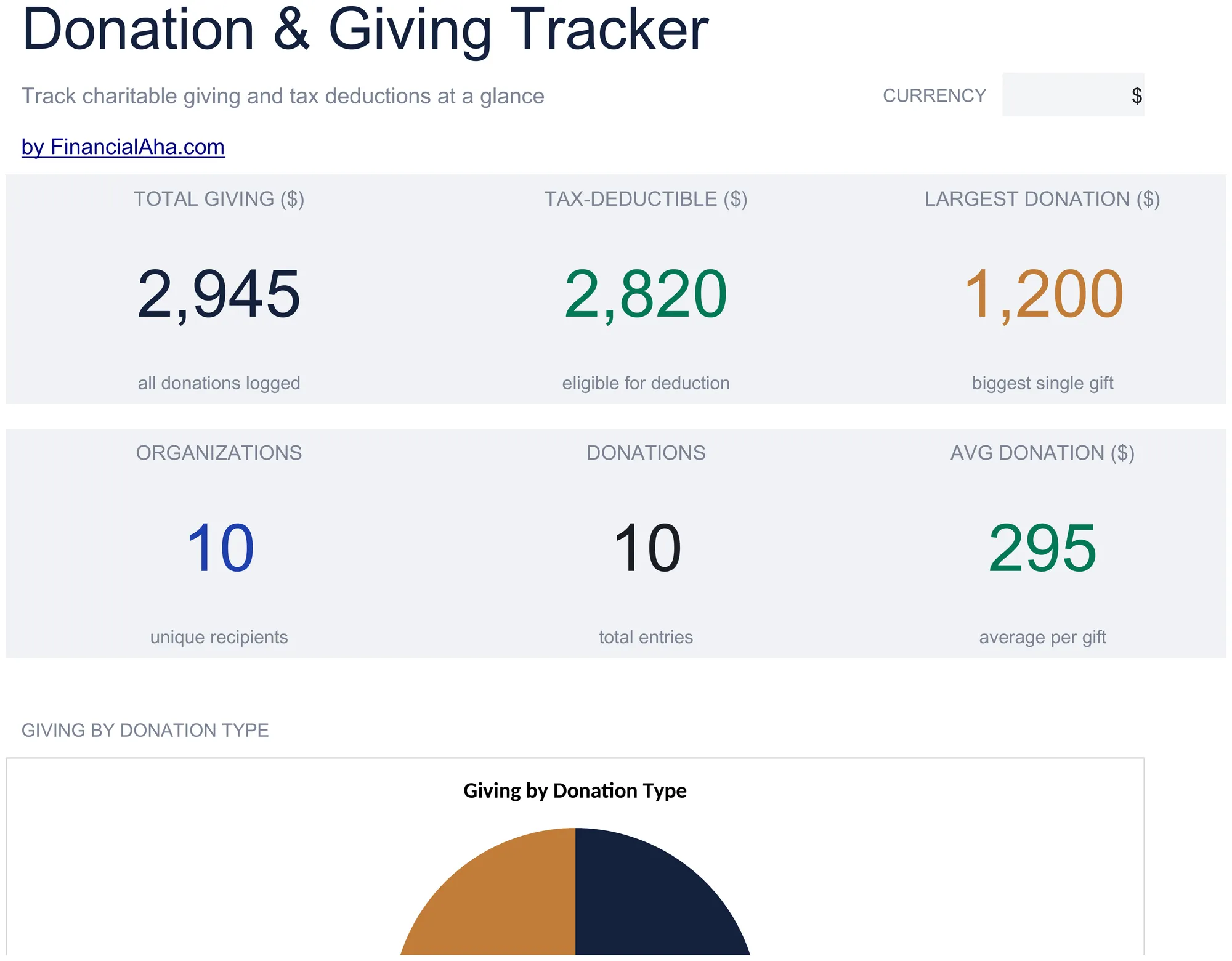
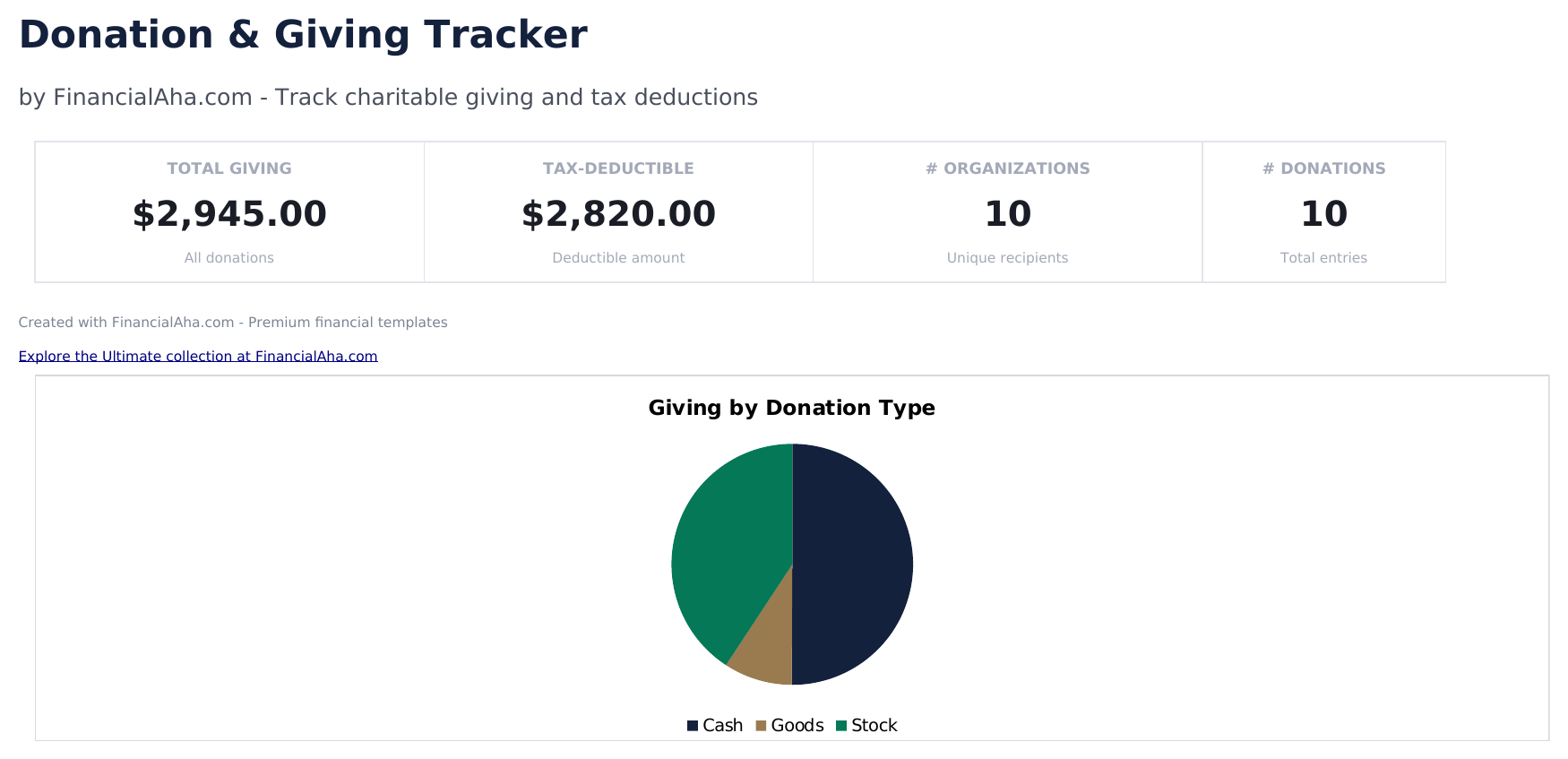
  • Dashboard with giving summary showing total cash donations, total non-cash donations, and combined annual giving
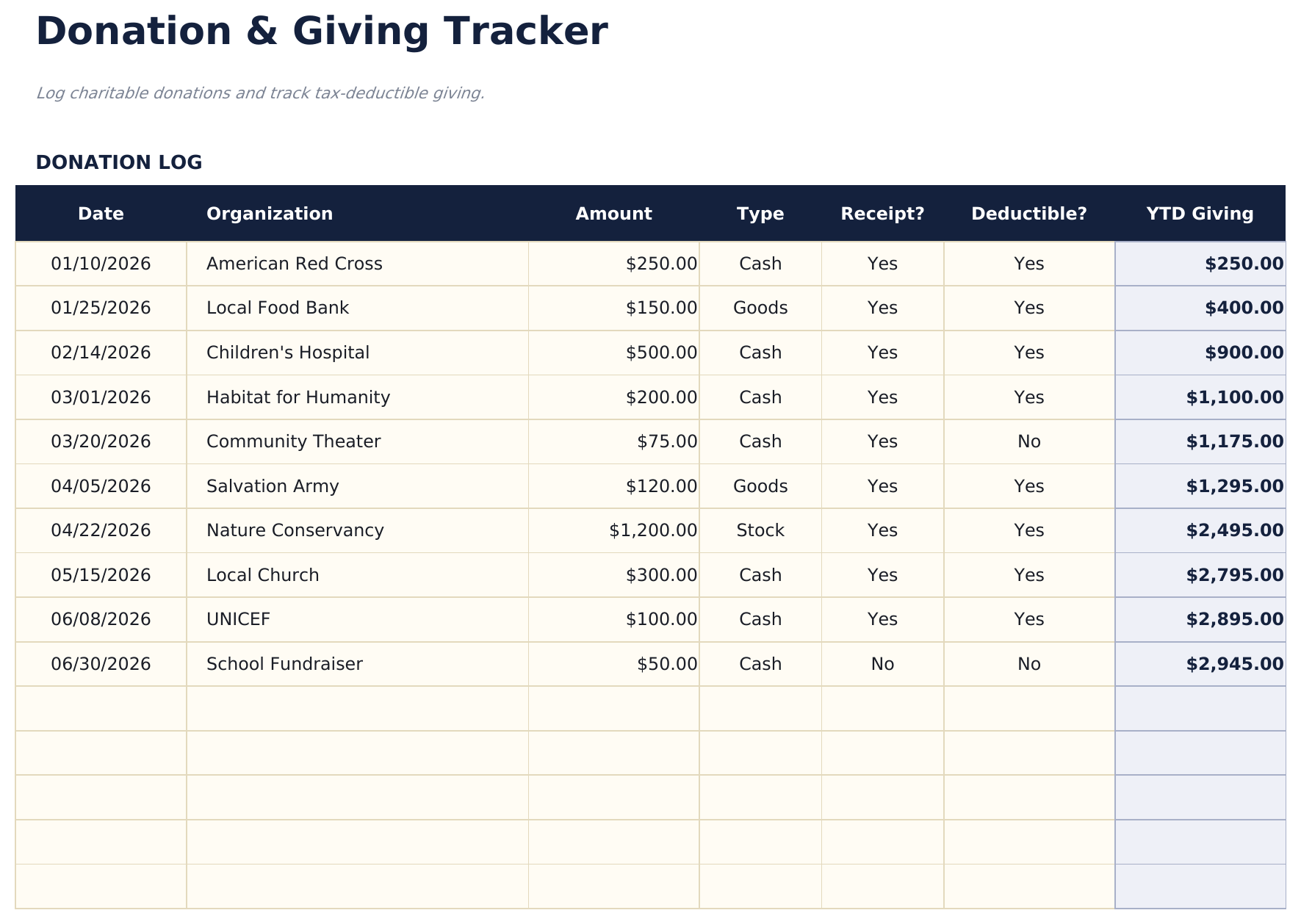
  • Donation log with organization name, date, donation type, fair market value, and deductible amount per entry
  • Cash and non-cash donation tracking with separate columns for monetary gifts and donated goods or property
  • Receipt and acknowledgment tracking with fields to note whether a written acknowledgment was received per donation
  • Annual giving totals by category with color-coded input cells (yellow) and auto-calculated donation sums (blue)
  • Works in Microsoft Excel, Google Sheets, and LibreOffice Calc with no setup required

So verwenden Sie diese Donation and Giving Tracker-Vorlage

1

Log each donation

Enter the organization name, donation date, type (cash or non-cash), amount or fair market value, and deductible amount.

2

Record cash vs non-cash

The template separates monetary donations from donated goods or property. Enter each type in the appropriate column.

3

Track acknowledgments

Note whether you received a written acknowledgment from the organization for each donation over $250.

4

Review annual totals

The dashboard shows total cash donations, non-cash donations, and combined annual giving for tax preparation.

Erstellt von Claude AI. Verfeinert von uns.

Wir verwenden Claude AI, um jede Vorlage nach gründlicher Recherche zu entwerfen. Dann greift unser Team ein. Wir verfeinern das Layout, testen jede Formel auf Herz und Nieren, beheben Grenzfälle und polieren das Design, bis es sich anfühlt wie etwas, das wir selbst verwenden würden. Die KI bringt uns 80 % ans Ziel. Die letzten 20 % sind rein menschliches Urteilsvermögen.

Häufig gestellte Fragen

Do I need written acknowledgment?

The IRS requires written acknowledgment from the charity for single donations of $250 or more. The template tracks whether you received one for each entry.

How do I value non-cash donations?

Use fair market value - what the item would sell for in its current condition. For items over $5,000, a qualified appraisal may be required.

Are all donations tax-deductible?

Only donations to qualified 501(c)(3) organizations are tax-deductible. Verify the organization status before claiming the deduction.

Can I track giving to multiple organizations?

Yes. Each row has an organization field. The template totals all giving and can be filtered by organization to see per-charity contributions.

Wie öffne ich diese Vorlage in Google Sheets?

Laden Sie die .xlsx-Datei auf Google Drive hoch und öffnen Sie sie mit Google Sheets. Alle Formeln und Formatierungen bleiben erhalten.

Weitere Essentials-Vorlagen: Tax Planning

Auf der Suche nach Premium-Tabellenvorlagen?

Unsere kostenpflichtigen Vorlagen umfassen erweiterte mehrseitige Dashboards, native Excel-Diagramme und laufende Aktualisierungen.

Privat & sicher

Ihre Finanzdaten bleiben auf Ihrem Gerät. Wir sehen sie nie.

Mehr erfahren →

Brauchen Sie Hilfe?

Schauen Sie in unsere Anleitungen oder kontaktieren Sie uns.

FAQ ansehen →