Mejor valor Paquete Todo-en-Uno de Planificación Financiera
✓ Planificación Financiera✓ Rastreador de Patrimonio Neto✓ Presupuesto Mensual✓ Planificador de Presupuesto de Viaje✓ Planificador de Presupuesto Anual✓ Rastreador de Gastos Mensuales✓ Planificador de Impuestos Anual✓ Planificación de Jubilación
Ver paquete →
Ultimate Versión Ultimate disponible - Calculadora FIRE Ultimate
Plantilla Essentials - Excel y Google Sheets

FIRE Calculator Plantilla Essentials

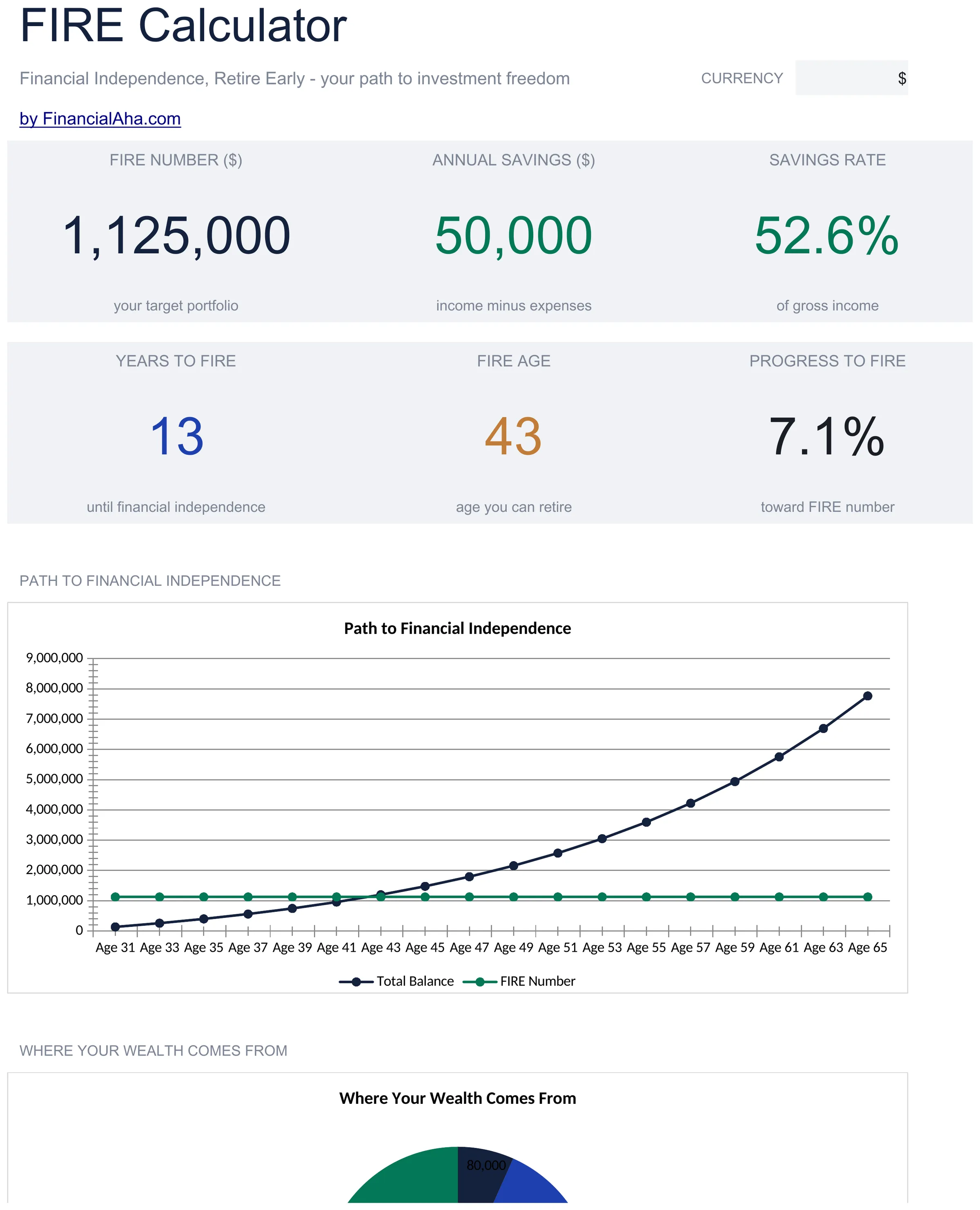
Calculate financial independence targets based on annual expenses and savings rate. Project when investment income could cover living costs.

Ver versión Ultimate →
FIRE Calculator preview

Qué incluye

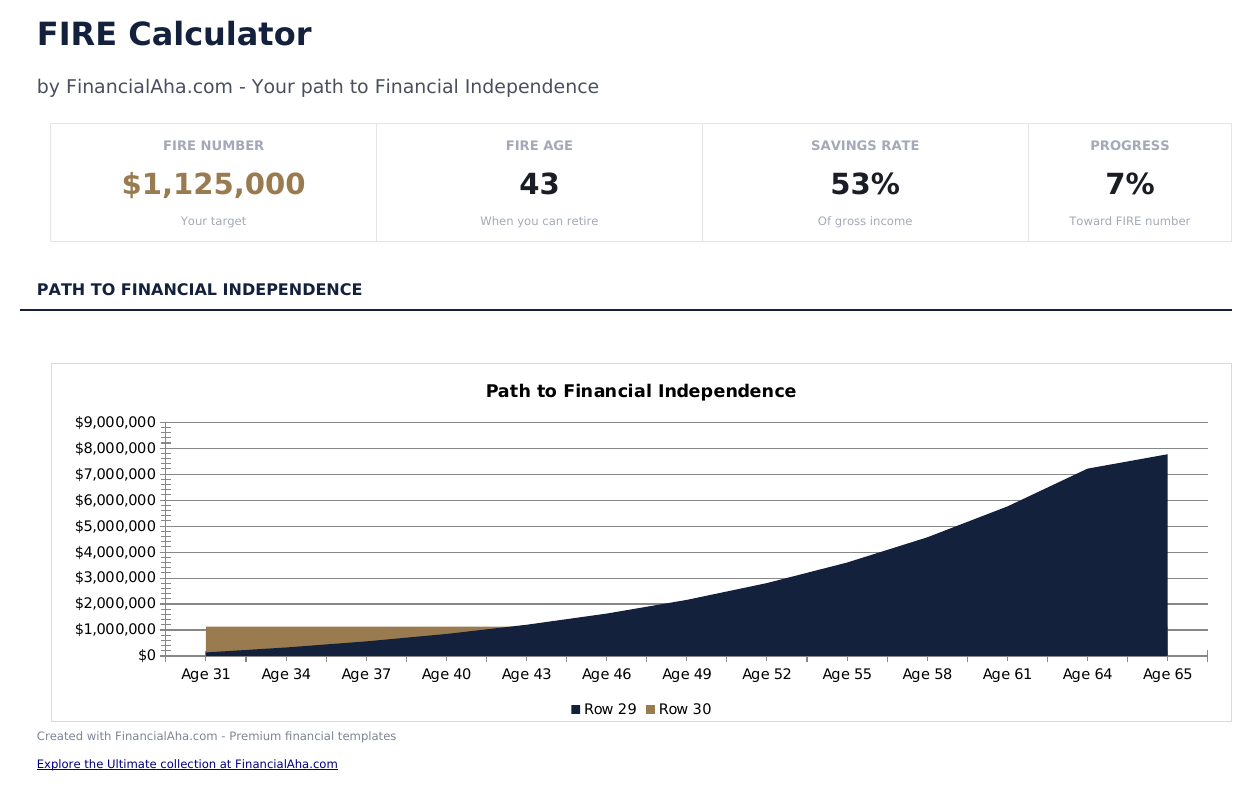
  • Dashboard with FIRE target number and projected timeline to financial independence based on current inputs
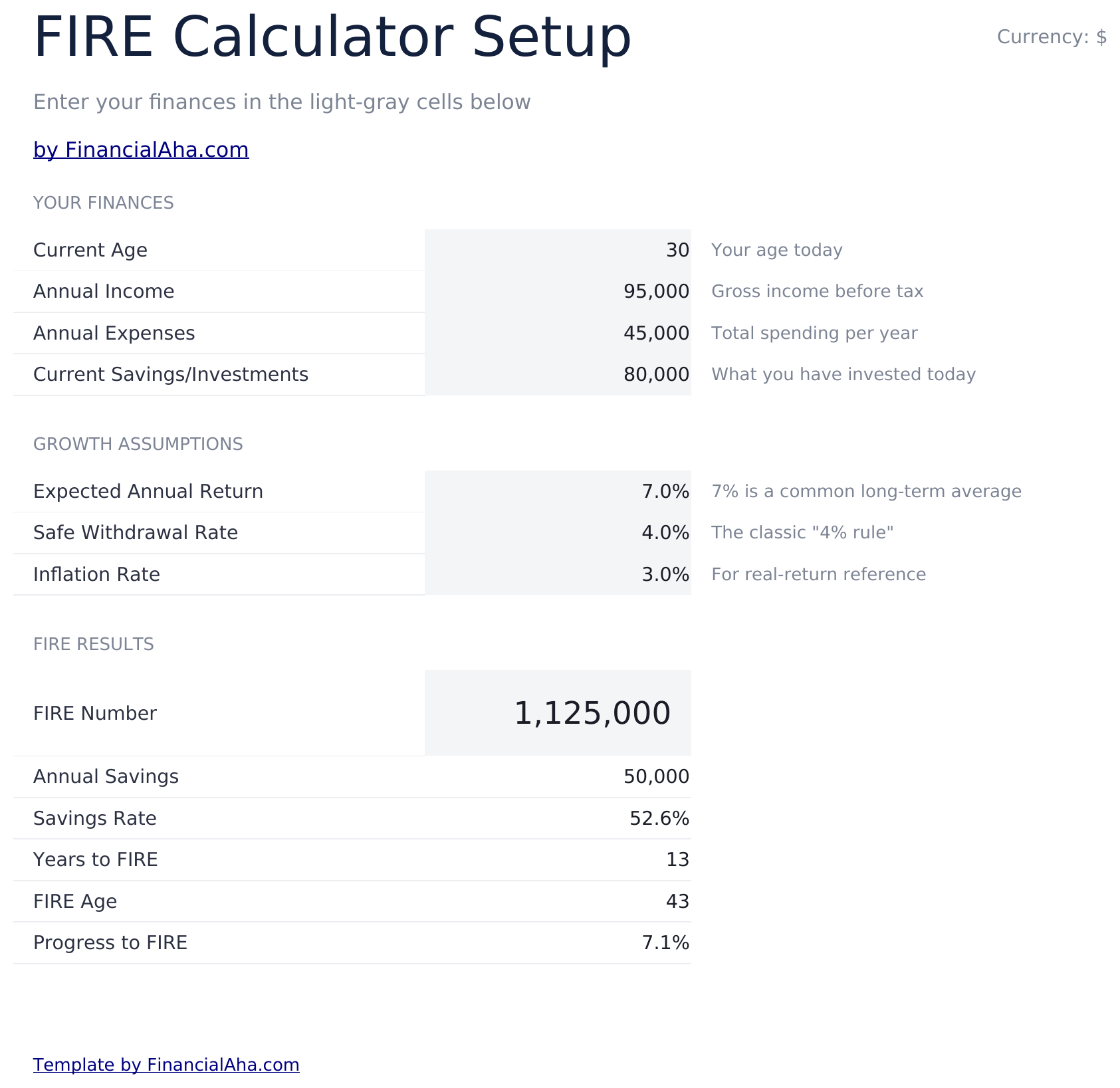
  • Calculator with annual expenses, current savings, annual income, and savings rate input fields
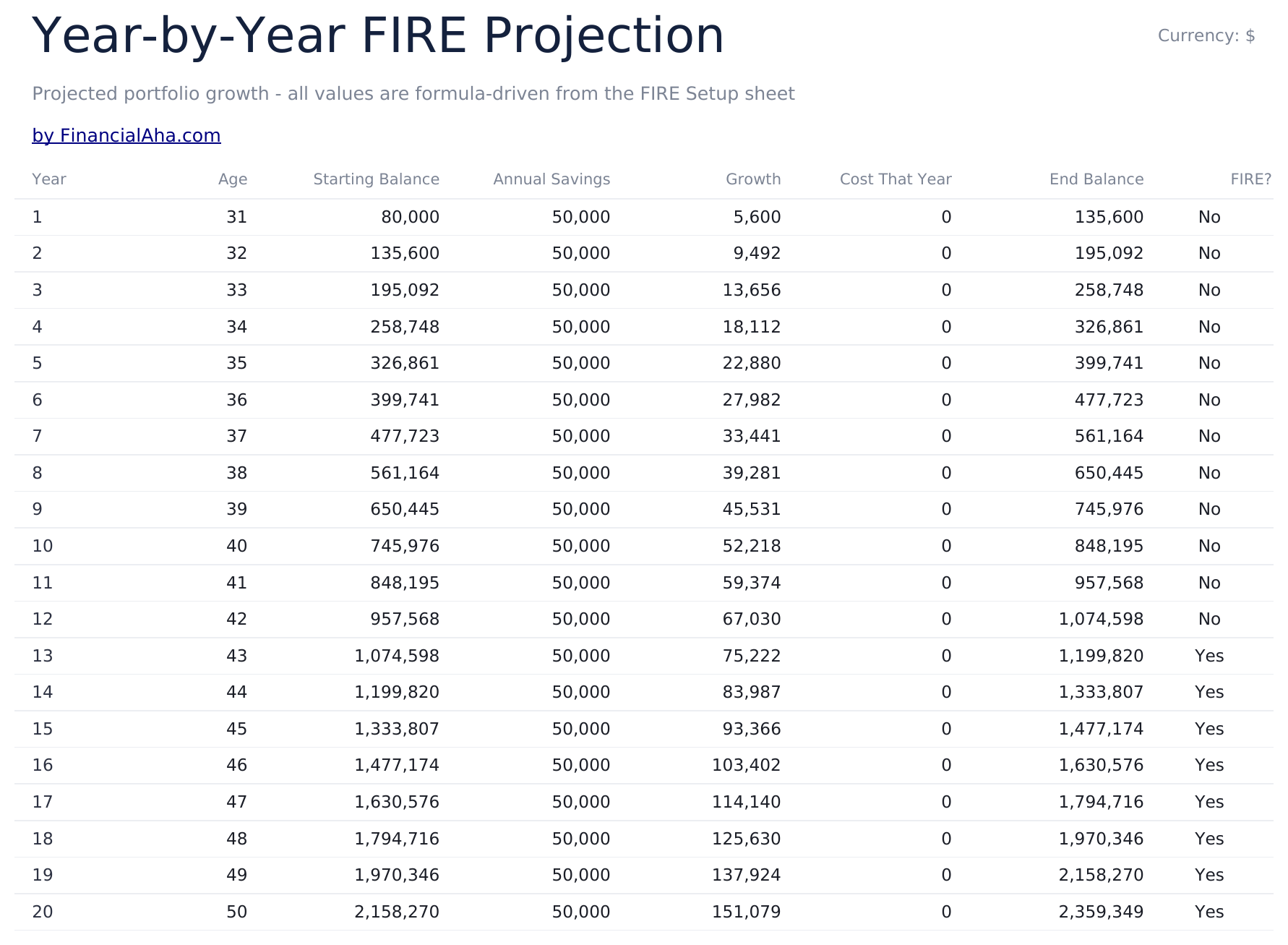
  • Investment growth projections showing year-by-year portfolio balance on the path to financial independence
  • Safe withdrawal rate modeling using the 4% rule and customizable withdrawal percentages for planning
  • Multiple FIRE number scenarios including lean, traditional, and fat FIRE targets with color-coded inputs
  • Works in Microsoft Excel, Google Sheets, and LibreOffice Calc with no setup required
Ultimate Version Available

Need more from this template?

The Essentials version covers everyday tracking. Ultimate goes further with multi-entity support, scenario analysis, and ultimate-grade reporting.

Essentials - $12
  • Dashboard with FIRE target number and projected timeline to financial independence based on current inputs
  • Calculator with annual expenses, current savings, annual income, and savings rate input fields
  • Investment growth projections showing year-by-year portfolio balance on the path to financial independence
  • Safe withdrawal rate modeling using the 4% rule and customizable withdrawal percentages for planning
Ultimate - $19
  • Múltiples escenarios de metas FIRE comparando lean, tradicional, fat y barista FIRE lado a lado
  • Panel con 6 KPIs: número FIRE, años para FIRE, tasa de ahorro actual, valor del portafolio, gastos anuales y monto de retiro seguro
  • Análisis de Coast FIRE mostrando cuándo tu portafolio puede crecer hasta el número FIRE sin aportes adicionales
  • Proyección de portafolio año a año mostrando ahorro, crecimiento de inversión y progreso hacia la meta FIRE
  • Modelado de tasa de retiro comparando tasas de 3%, 3.5%, 4% y 4.5% con estimaciones de longevidad del portafolio
See what's in the Ultimate version One-time purchase. No subscription.

Cómo usar esta plantilla de FIRE Calculator

1

Enter annual expenses

Input your current annual living expenses. This figure drives the FIRE number calculation based on the withdrawal rate.

2

Add savings and income

Enter current savings balance, annual income, and your current savings rate. The template computes the gap to financial independence.

3

Review FIRE targets

The dashboard shows lean, traditional, and fat FIRE numbers based on your expenses and the selected withdrawal rate.

4

Check the timeline

Year-by-year projections estimate when your portfolio could reach the FIRE target at your current savings and investment growth rates.

Creadas por Claude AI. Perfeccionadas por nosotros.

Usamos Claude AI para crear el borrador de cada plantilla, después de una investigación profunda. Luego nuestro equipo interviene. Refinamos el diseño, probamos cada fórmula a fondo, corregimos casos especiales y pulimos el diseño hasta que se siente como algo que realmente usaríamos nosotros mismos. La IA nos lleva al 80%. El último 20% es criterio humano.

Ver versión Ultimate →

Preguntas frecuentes

What is the FIRE number?

The FIRE number is the portfolio size needed for investment income to cover living expenses. Using the 4% rule, it equals annual expenses multiplied by 25.

What is the difference between lean, traditional, and fat FIRE?

Lean FIRE targets a minimal lifestyle, traditional FIRE matches current spending, and fat FIRE targets a more comfortable or higher-spending lifestyle.

Can I change the withdrawal rate?

Yes. The withdrawal rate field is editable. Lower rates (3%) require a larger portfolio but may be more sustainable. Higher rates (5%) need less but carry more risk.

Does it account for Social Security?

Not directly. If you expect Social Security income, reduce your annual expense input by that amount to see the portfolio needed to cover the remaining gap.

¿Cómo abro esto en Google Sheets?

Sube el archivo .xlsx a Google Drive y luego ábrelo con Google Sheets. Todas las fórmulas y el formato se conservarán.

Más plantillas Essentials de Savings & Retirement

¿Buscas plantillas premium?

Nuestras plantillas de pago incluyen paneles avanzados con múltiples hojas, gráficos nativos de Excel y actualizaciones continuas.

Privado y seguro

Sus datos financieros permanecen en su dispositivo. Nunca los vemos.

Saber más →

¿Necesita ayuda?

Consulte nuestras guías o contáctenos con preguntas.

Ver FAQ →