أفضل قيمة حزمة التخطيط المالي الشاملة
✓ التخطيط المالي✓ متتبع صافي الثروة✓ الميزانية الشهرية✓ مخطط ميزانية السفر✓ مخطط الميزانية السنوية✓ متتبع النفقات الشهرية✓ مخطط الضرائب السنوي✓ تخطيط التقاعد
عرض الحزمة →
احترافي النسخة الاحترافية متوفرة - إدارة الرواتب Ultimate
قالب احترافي - Excel و Google Sheets

Employee Payroll قالب Essentials

Calculate employee pay with deductions, taxes, and net pay. Process payroll for multiple employees with automatic calculations.

عرض نسخة Ultimate ←
Employee Payroll preview

ماذا يتضمن

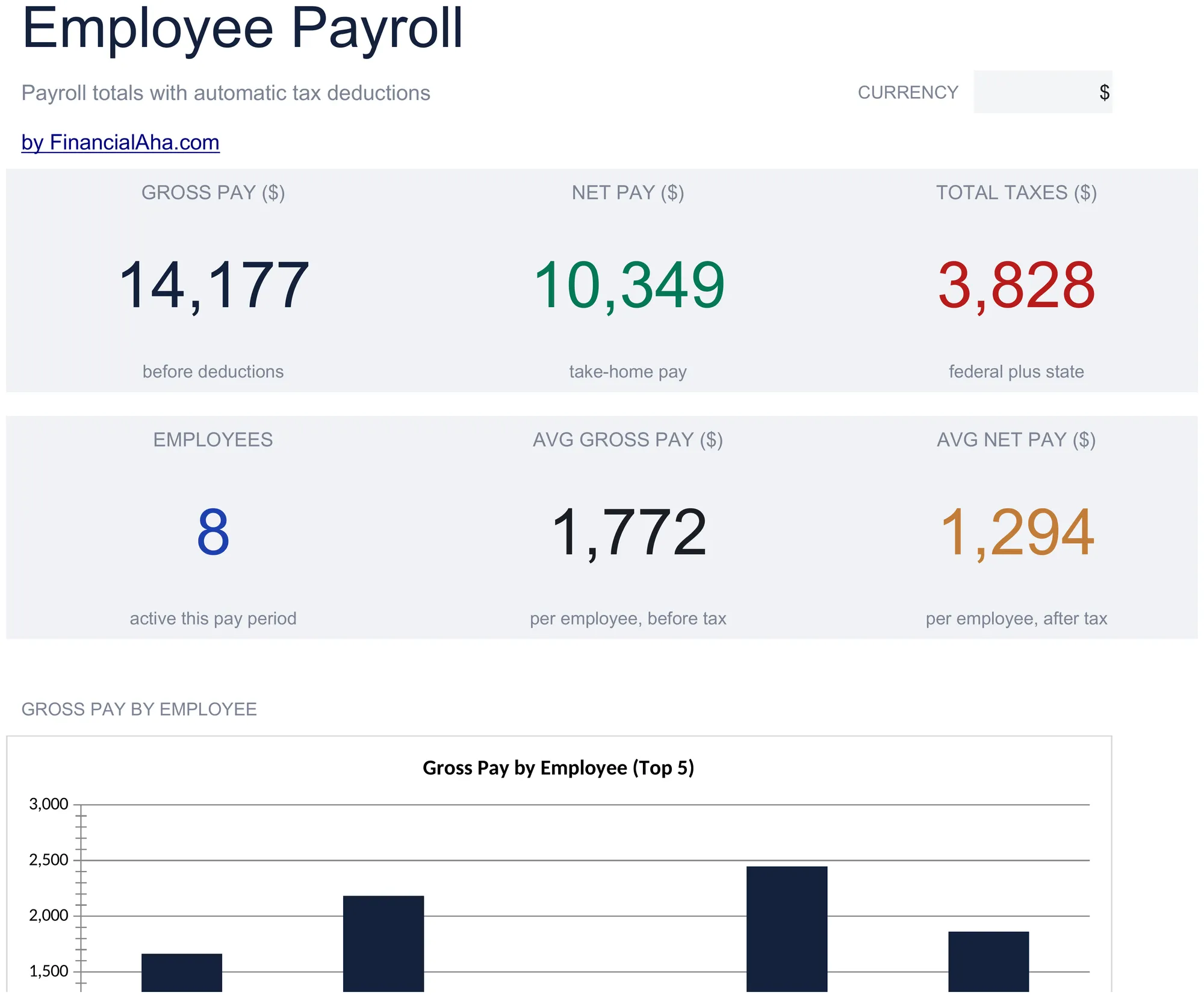
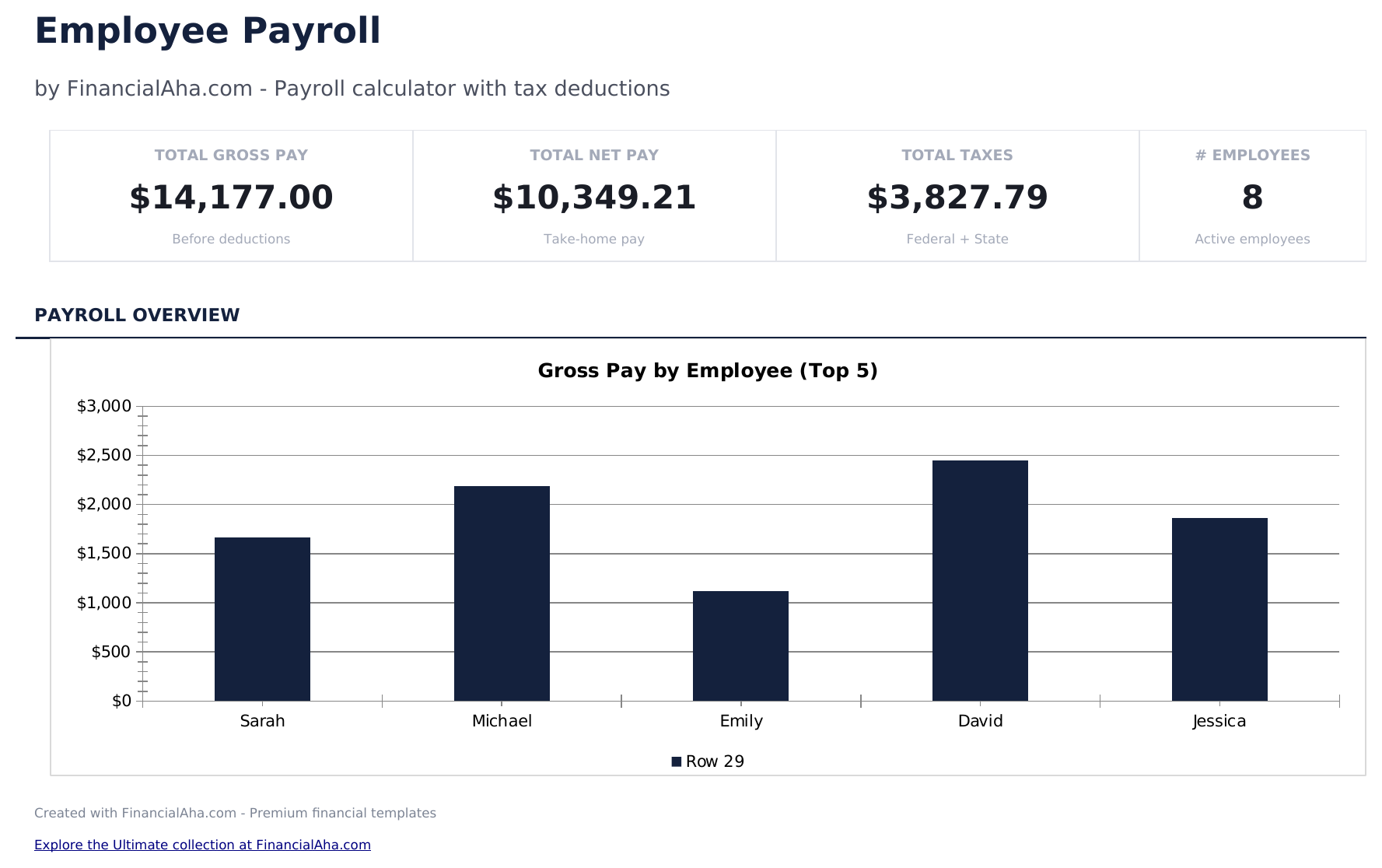
  • Dashboard with payroll summary showing total gross pay, total deductions, total taxes, and total net pay
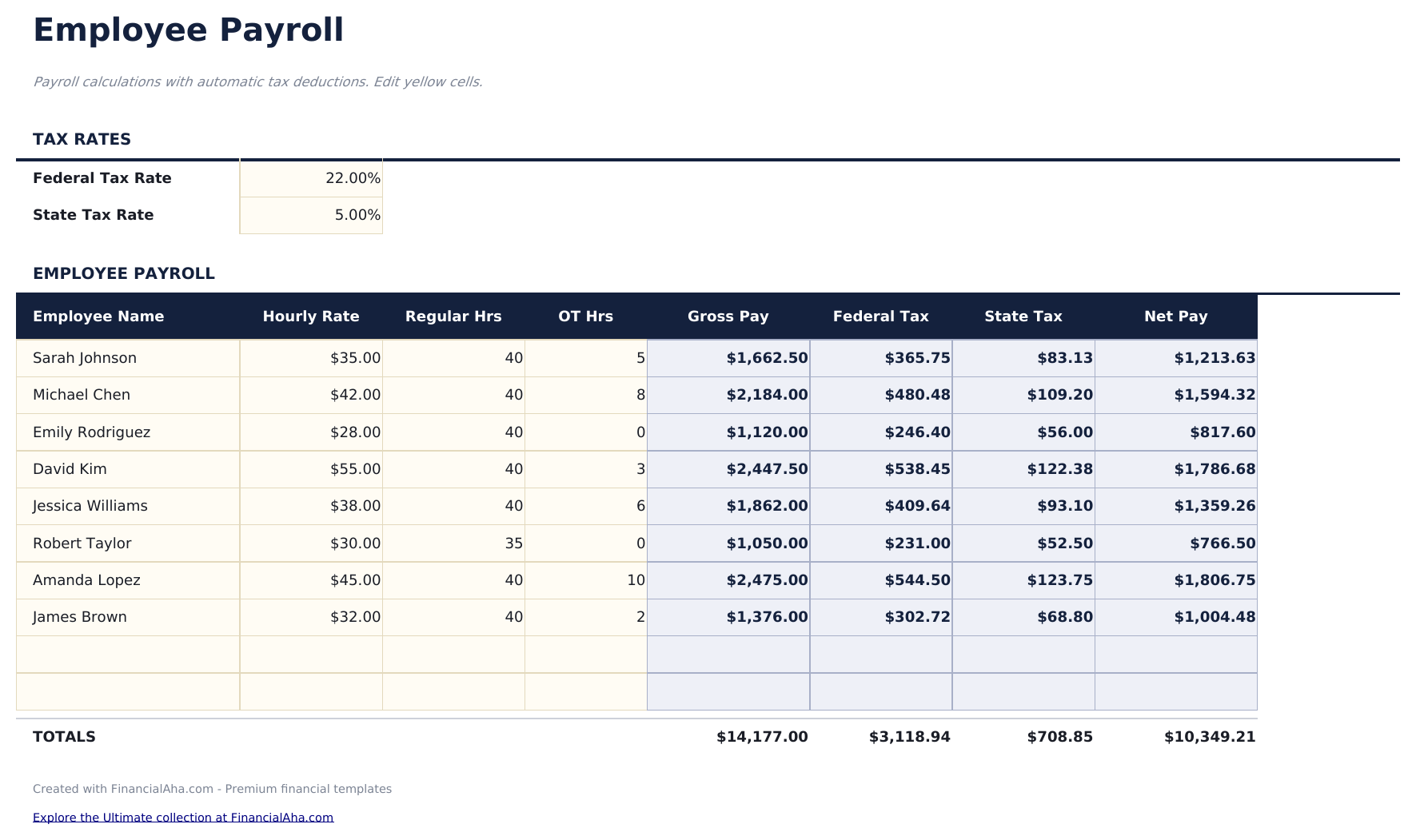
  • Payroll worksheet with employee name, pay rate, hours worked, overtime hours, and pay period columns
  • Gross pay and deduction calculations including health insurance, retirement contributions, and other withholdings
  • Tax withholding fields for federal income tax, state income tax, Social Security, and Medicare deductions
  • Net pay calculation per employee with color-coded input cells (yellow) and auto-calculated payroll totals (blue)
  • Works in Microsoft Excel, Google Sheets, and LibreOffice Calc with no setup required
Ultimate Version Available

Need more from this template?

The Essentials version covers everyday tracking. Ultimate goes further with multi-entity support, scenario analysis, and ultimate-grade reporting.

Essentials - $12
  • Dashboard with payroll summary showing total gross pay, total deductions, total taxes, and total net pay
  • Payroll worksheet with employee name, pay rate, hours worked, overtime hours, and pay period columns
  • Gross pay and deduction calculations including health insurance, retirement contributions, and other withholdings
  • Tax withholding fields for federal income tax, state income tax, Social Security, and Medicare deductions
Ultimate - $19
  • قائمة الموظفين لحتى 20 موظفاً مع الاسم والقسم ونوع الأجر ومعدل الأجر والحالة الضريبية والإعفاءات واختيارات المزايا
  • ورقة الرواتب الشهرية تحسب الأجر الإجمالي والاستقطاعات الفيدرالية والولائية والتأمينات الاجتماعية والصحية وصافي الأجر لكل موظف
  • لوحة معلومات مع 6 بطاقات KPI: إجمالي الرواتب الإجمالية وإجمالي صافي الرواتب وإجمالي الاستقطاعات وإجمالي تكاليف المزايا وعدد الموظفين ومتوسط الراتب
  • ورقة الاستقطاعات مع معدلات فيدرالية وولائية قابلة للتعديل ومعدلات التأمينات الاجتماعية والصحية ونسب مساهمة صاحب العمل
  • ملخص المزايا يتتبع مساهمات التأمين الصحي وطب الأسنان والبصريات والتقاعد لكل موظف مع حصة صاحب العمل والموظف
See what's in the Ultimate version One-time purchase. No subscription.

كيفية استخدام قالب Employee Payroll هذا

1

Enter employee details

Add each employee name, pay rate, and pay type (hourly or salary) on the payroll worksheet.

2

Record hours worked

Enter regular hours and overtime hours for each employee in the current pay period.

3

Review deductions

Check the calculated deductions - federal tax, state tax, Social Security, Medicare, and benefit withholdings.

4

Verify net pay

The template calculates gross pay minus all deductions to show net pay for each employee and the total payroll amount.

صُممت بواسطة Claude AI. أتقنّاها نحن.

نستخدم Claude AI لصياغة كل قالب بعد بحث معمّق. ثم يتدخل فريقنا. نحسّن التصميم، ونختبر كل صيغة، ونعالج الحالات الاستثنائية، وننقّح التصميم حتى يصبح شيئاً نستخدمه نحن فعلاً. الذكاء الاصطناعي يوصلنا إلى 80%. الـ 20% المتبقية هي حكم بشري بالكامل.

عرض نسخة Ultimate ←

الأسئلة الشائعة

Does it calculate overtime?

Yes. Enter overtime hours separately and the template applies the overtime rate (typically 1.5x the regular rate) to calculate overtime pay.

What deductions are included?

Pre-built deductions include federal income tax, state income tax, Social Security, Medicare, health insurance, and retirement contributions.

Can I add more employees?

Yes. Add rows for additional employees. The dashboard totals update to include all employees in the payroll.

Does it generate pay stubs?

This template calculates payroll totals. For individual pay stubs, use the Payslip Template alongside this payroll calculator.

كيف أفتح هذا في Google Sheets؟

ارفع ملف .xlsx إلى Google Drive، ثم افتحه باستخدام Google Sheets. جميع الصيغ والتنسيقات ستبقى محفوظة.

المزيد من قوالب Essentials في Payroll & HR

تبحث عن قوالب جداول بيانات احترافية؟

القوالب المدفوعة تشمل لوحات معلومات متعددة الأوراق متقدمة، ورسوم بيانية أصلية في Excel، وتحديثات مستمرة.

خاص وآمن

بياناتك المالية تبقى على جهازك. نحن لا نراها أبداً.

تعرف على المزيد →

هل تحتاج مساعدة؟

راجع أدلتنا أو تواصل معنا لأي أسئلة.

عرض الأسئلة الشائعة →