أفضل قيمة حزمة التخطيط المالي الشاملة
✓ التخطيط المالي✓ متتبع صافي الثروة✓ الميزانية الشهرية✓ مخطط ميزانية السفر✓ مخطط الميزانية السنوية✓ متتبع النفقات الشهرية✓ مخطط الضرائب السنوي✓ تخطيط التقاعد
عرض الحزمة →
احترافي النسخة الاحترافية متوفرة - سجل تداول الأسهم Ultimate
قالب احترافي - Excel و Google Sheets

Stock Trading Journal قالب Essentials

Log stock trades with entry, exit, and profit/loss details. Track trading performance over time with running P&L calculations.

عرض نسخة Ultimate ←
Stock Trading Journal preview

ماذا يتضمن

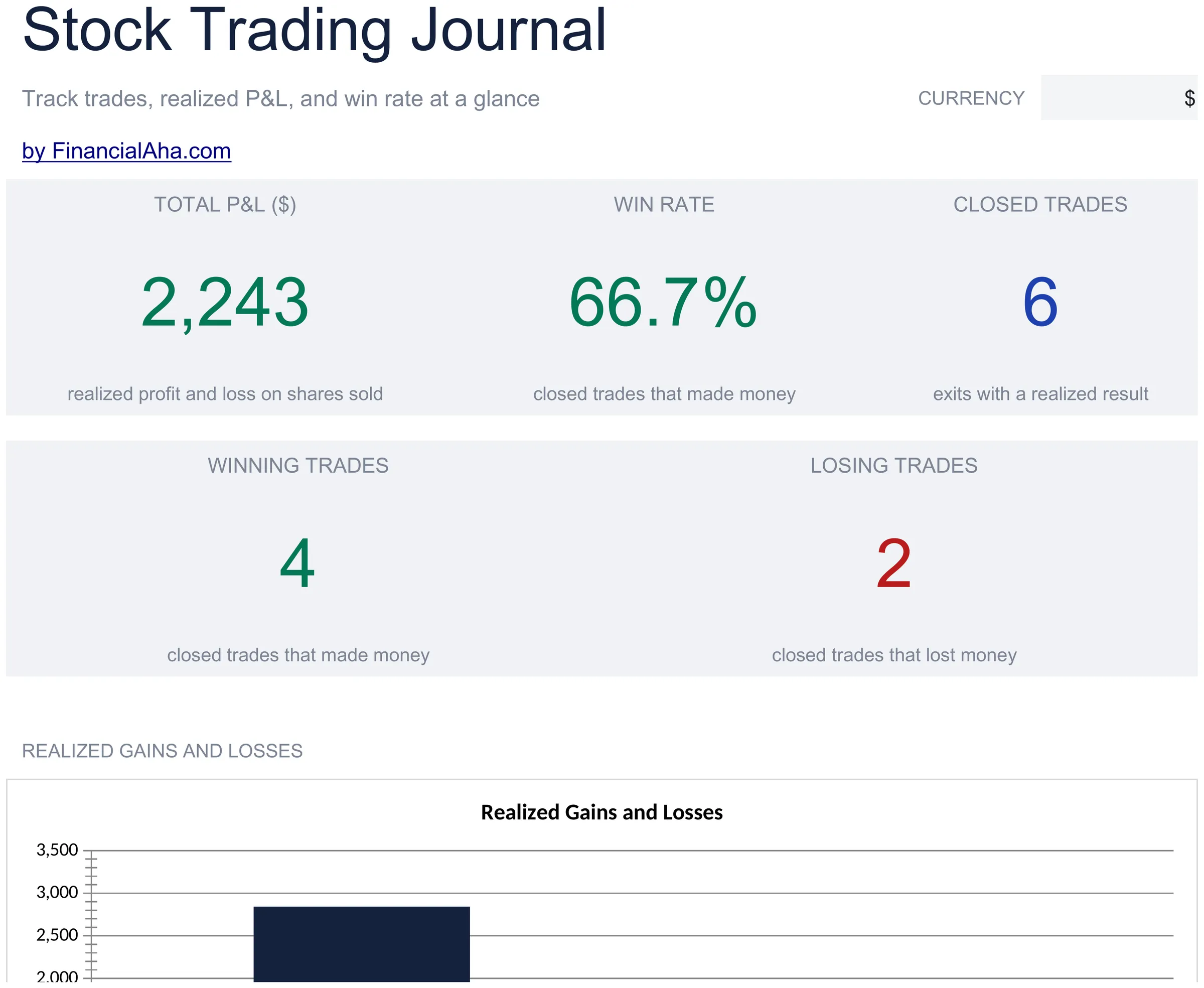
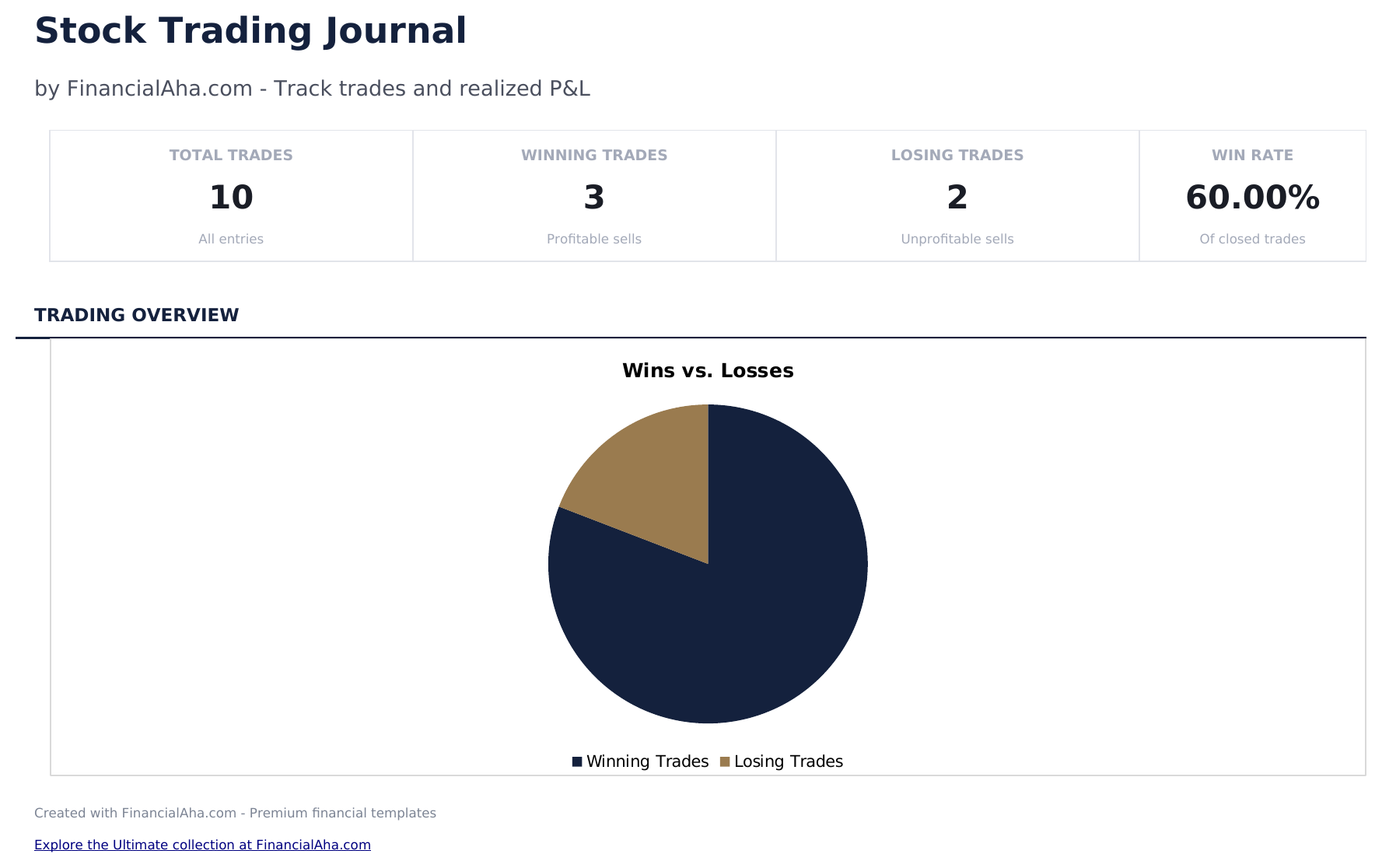
  • Dashboard with trading performance metrics showing total trades, win rate, average return, and cumulative P&L
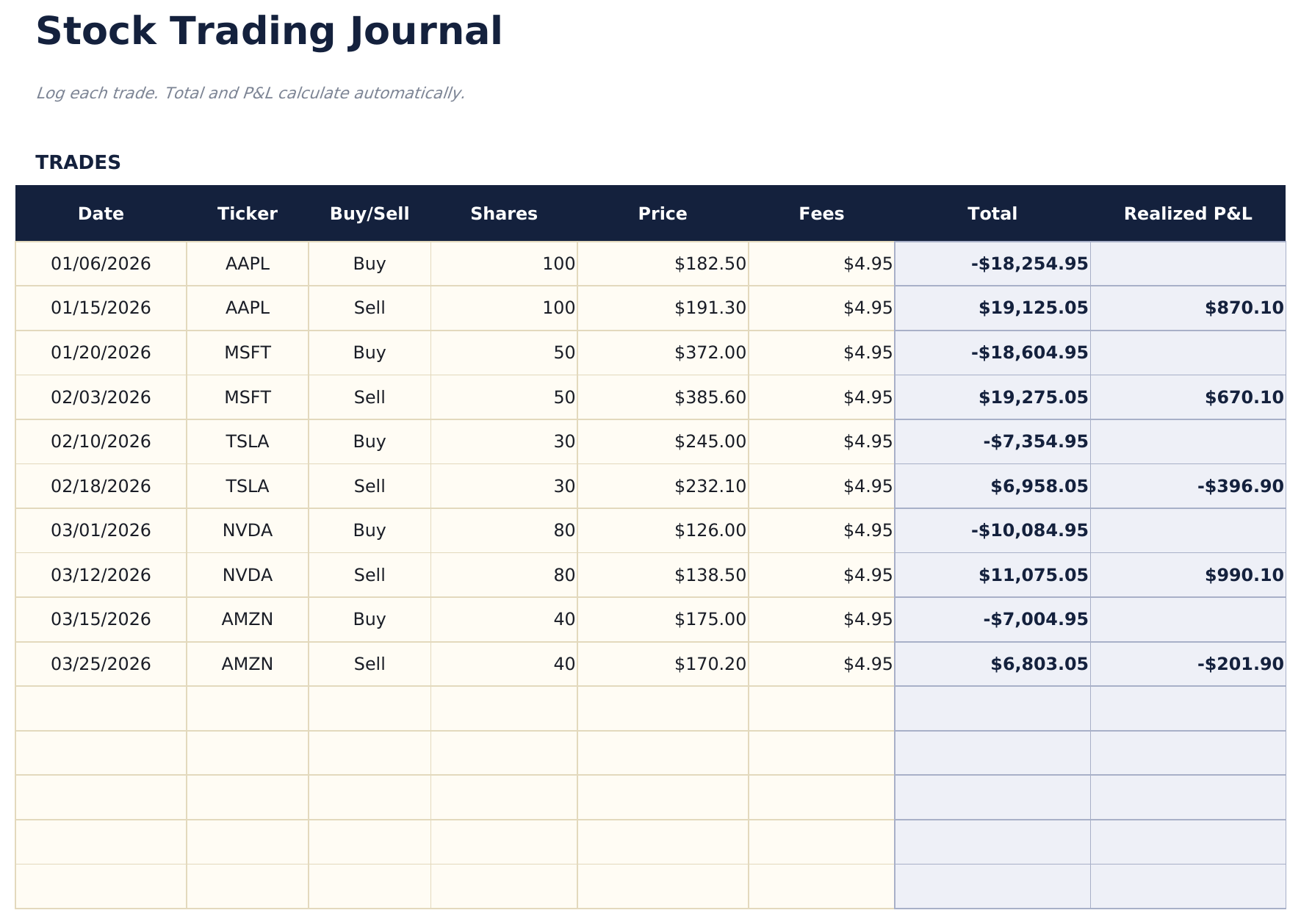
  • Trade log with columns for ticker, date entered, entry price, date exited, exit price, shares, and profit or loss
  • Profit and loss per trade calculated automatically from entry price, exit price, shares, and any commission costs
  • Win rate and average return calculations updated after each trade entry with separate long and short stats
  • Running cumulative P&L with color-coded input cells (yellow) and auto-calculated performance metrics (blue)
  • Works in Microsoft Excel, Google Sheets, and LibreOffice Calc with no setup required
Ultimate Version Available

Need more from this template?

The Essentials version covers everyday tracking. Ultimate goes further with multi-entity support, scenario analysis, and ultimate-grade reporting.

Essentials - $12
  • Dashboard with trading performance metrics showing total trades, win rate, average return, and cumulative P&L
  • Trade log with columns for ticker, date entered, entry price, date exited, exit price, shares, and profit or loss
  • Profit and loss per trade calculated automatically from entry price, exit price, shares, and any commission costs
  • Win rate and average return calculations updated after each trade entry with separate long and short stats
Ultimate - $19
  • سجل حتى 200 صفقة مع الرمز والتاريخ والاتجاه (شراء/بيع على المكشوف) والكمية وسعر الدخول وسعر الخروج والاستراتيجية والملاحظات
  • لوحة معلومات مع 6 بطاقات KPI: إجمالي الأرباح/الخسائر ومعدل الفوز وأفضل صفقة ومتوسط الربح ومتوسط الخسارة وعدد الصفقات
  • ملخص الأداء يعرض الصفقات الكلية والرابحة والخاسرة ومعدل الفوز ومتوسط الربح والخسارة وأكبر ربح وخسارة حسب الرمز
  • ورقة الأرباح والخسائر الشهرية تجمع الصفقات حسب الشهر مع عدد الصفقات والرابحة والخاسرة والربح الإجمالي والخسارة الإجمالية وصافي الأرباح/الخسائر
  • تحليل الاستراتيجيات يحلل الأداء حسب استراتيجية التداول: معدل الفوز ومتوسط الأرباح/الخسائر وصافيها وعدد الصفقات لكل استراتيجية
See what's in the Ultimate version One-time purchase. No subscription.

كيفية استخدام قالب Stock Trading Journal هذا

1

Log each trade

Enter the ticker, entry date, entry price, exit date, exit price, and number of shares for every completed trade.

2

Record your rationale

Add notes about why you entered and exited each position. This helps review decision patterns over time.

3

Review trade results

Profit or loss per trade calculates automatically from entry price, exit price, shares, and commissions.

4

Check performance metrics

The dashboard shows total trades, win rate, average gain, average loss, and cumulative P&L.

صُممت بواسطة Claude AI. أتقنّاها نحن.

نستخدم Claude AI لصياغة كل قالب بعد بحث معمّق. ثم يتدخل فريقنا. نحسّن التصميم، ونختبر كل صيغة، ونعالج الحالات الاستثنائية، وننقّح التصميم حتى يصبح شيئاً نستخدمه نحن فعلاً. الذكاء الاصطناعي يوصلنا إلى 80%. الـ 20% المتبقية هي حكم بشري بالكامل.

عرض نسخة Ultimate ←

الأسئلة الشائعة

Does it calculate win rate?

Yes. Win rate is the number of profitable trades divided by total trades. The dashboard updates after each new trade entry.

Can I track commissions?

Yes. Add commission costs per trade. They are subtracted from the profit or added to the loss for each position.

Does it support short selling?

Yes. For short trades, enter the short sale price as the entry and the cover price as the exit. The P&L calculation works correctly for both directions.

Can I see performance by ticker?

Filter or sort by ticker to see all trades in a single stock. This helps identify which tickers are most profitable.

كيف أفتح هذا في Google Sheets؟

ارفع ملف .xlsx إلى Google Drive، ثم افتحه باستخدام Google Sheets. جميع الصيغ والتنسيقات ستبقى محفوظة.

المزيد من قوالب Essentials في Investing & Trading

تبحث عن قوالب جداول بيانات احترافية؟

القوالب المدفوعة تشمل لوحات معلومات متعددة الأوراق متقدمة، ورسوم بيانية أصلية في Excel، وتحديثات مستمرة.

خاص وآمن

بياناتك المالية تبقى على جهازك. نحن لا نراها أبداً.

تعرف على المزيد →

هل تحتاج مساعدة؟

راجع أدلتنا أو تواصل معنا لأي أسئلة.

عرض الأسئلة الشائعة →