Stock Trading Journal Essentials 模板
Log stock trades with entry, exit, and profit/loss details. Track trading performance over time with running P&L calculations.
包含内容
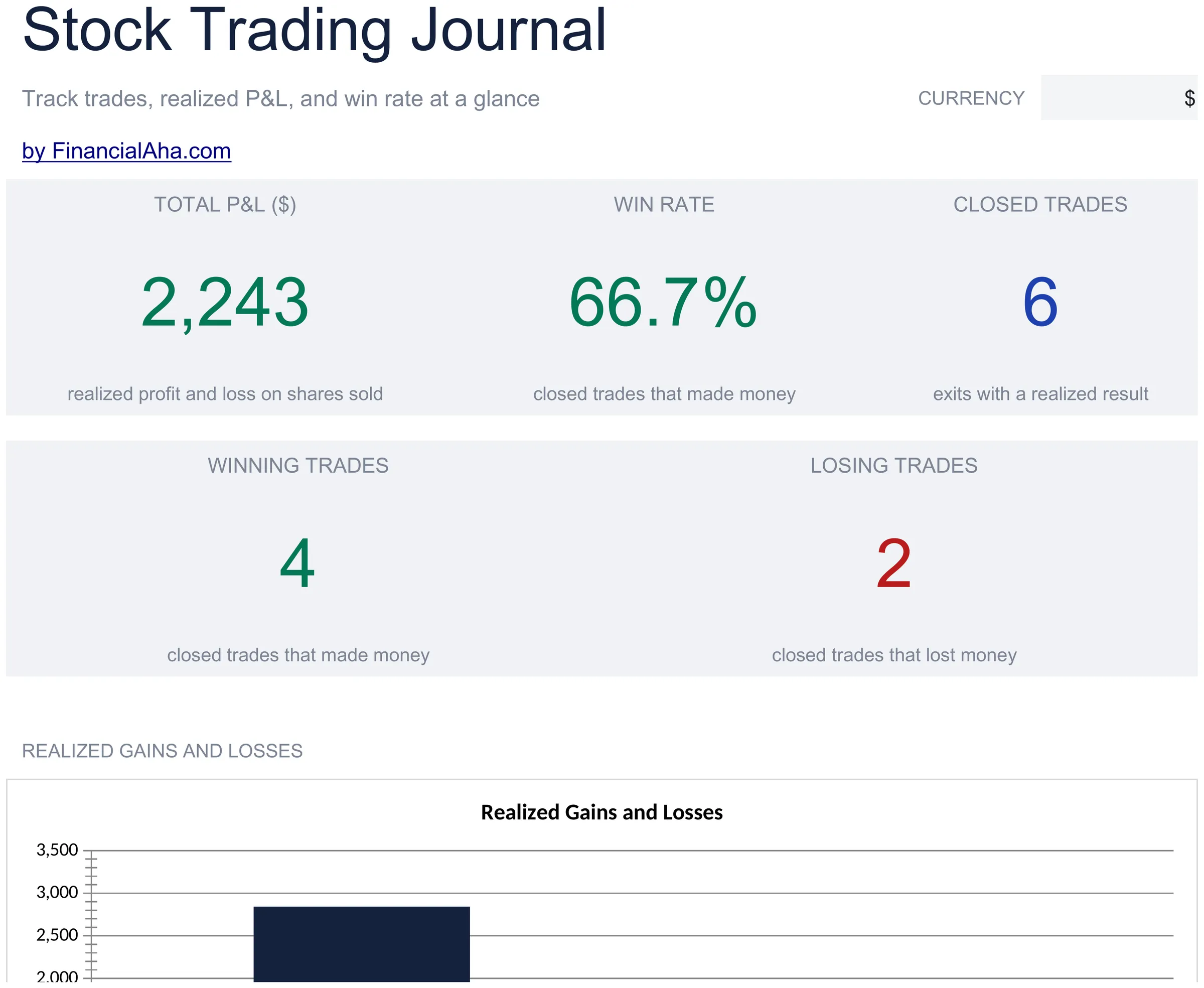
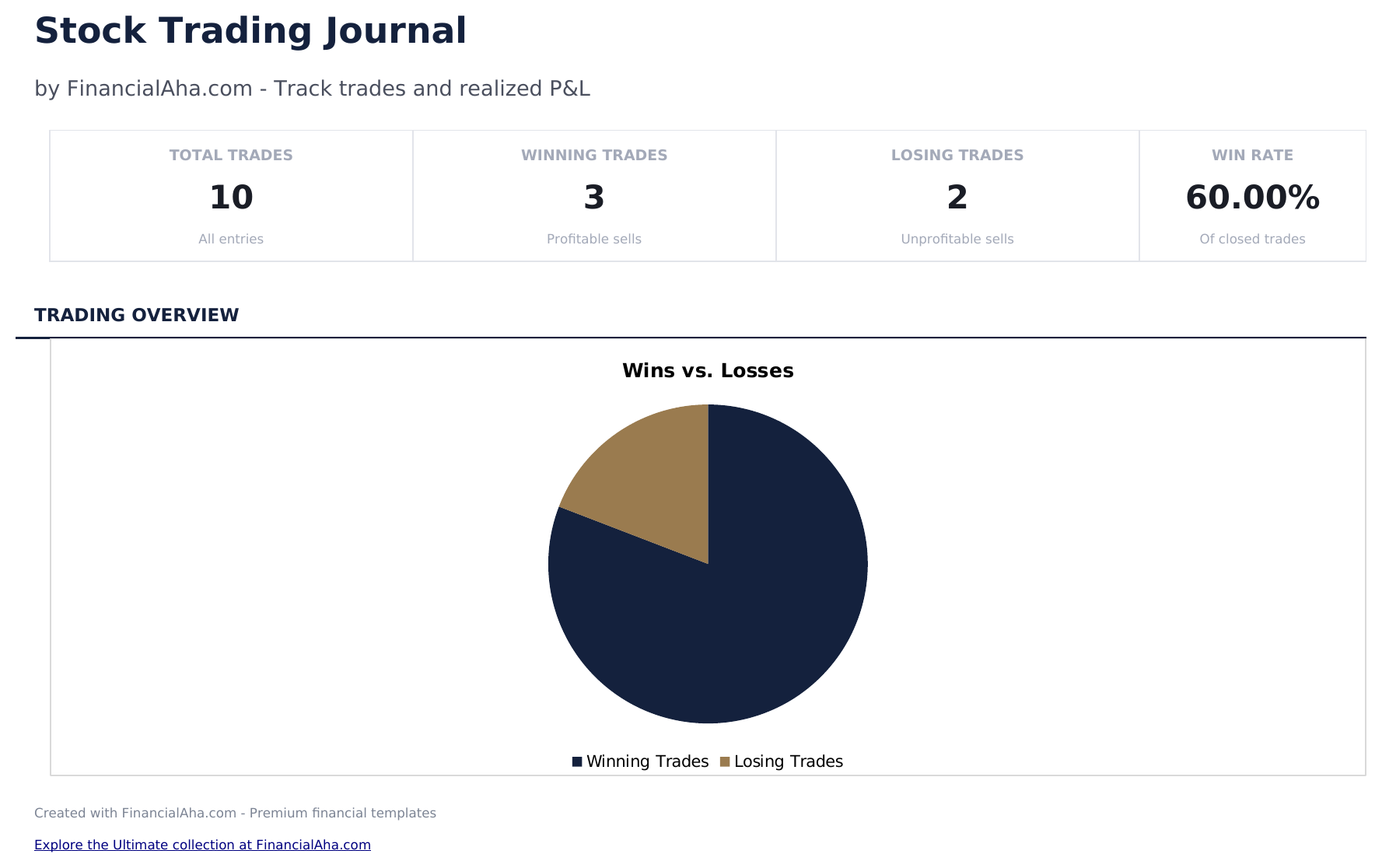
- Dashboard with trading performance metrics showing total trades, win rate, average return, and cumulative P&L
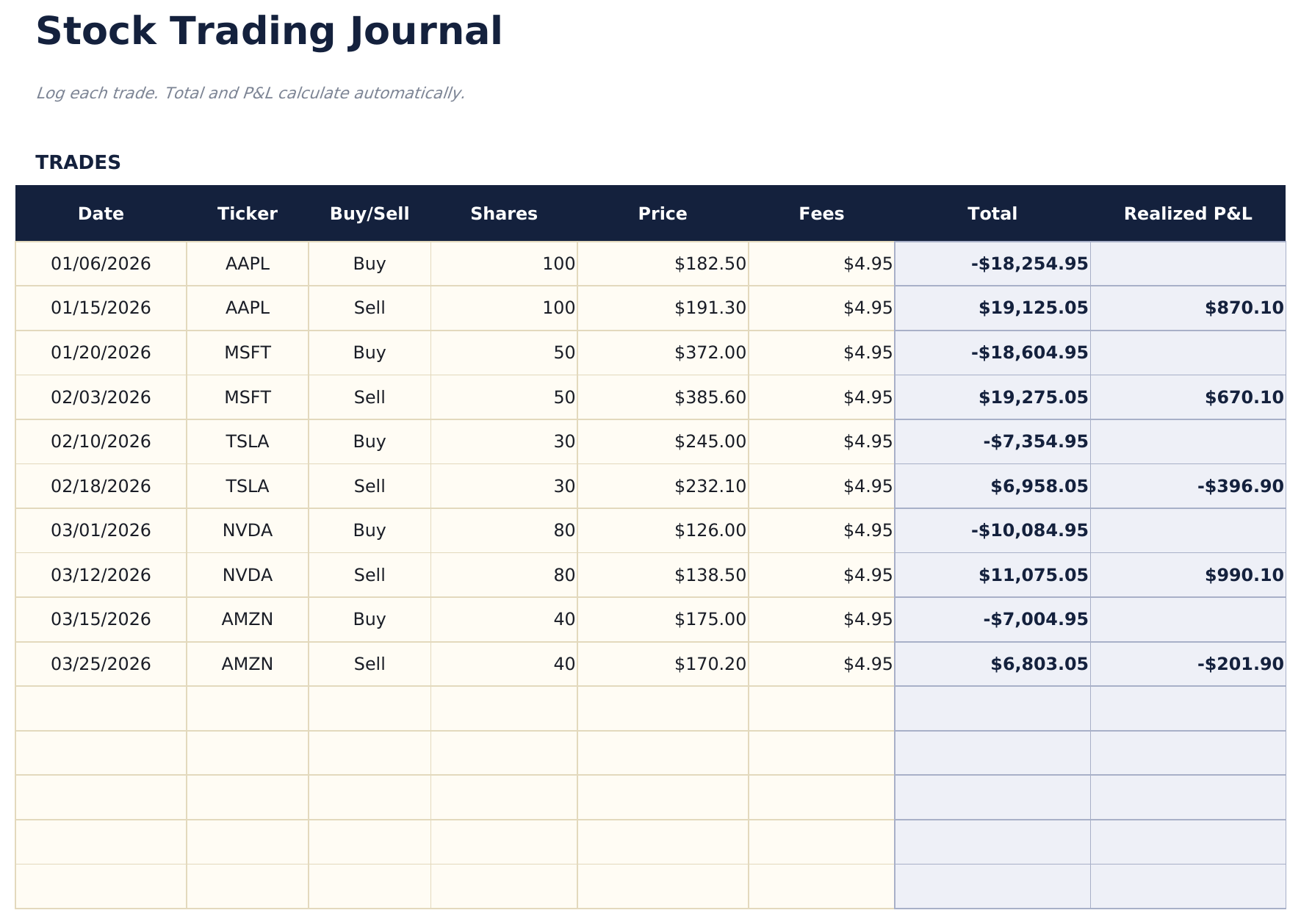
- Trade log with columns for ticker, date entered, entry price, date exited, exit price, shares, and profit or loss
- Profit and loss per trade calculated automatically from entry price, exit price, shares, and any commission costs
- Win rate and average return calculations updated after each trade entry with separate long and short stats
- Running cumulative P&L with color-coded input cells (yellow) and auto-calculated performance metrics (blue)
- Works in Microsoft Excel, Google Sheets, and LibreOffice Calc with no setup required
Need more from this template?
The Essentials version covers everyday tracking. Ultimate goes further with multi-entity support, scenario analysis, and ultimate-grade reporting.
- Dashboard with trading performance metrics showing total trades, win rate, average return, and cumulative P&L
- Trade log with columns for ticker, date entered, entry price, date exited, exit price, shares, and profit or loss
- Profit and loss per trade calculated automatically from entry price, exit price, shares, and any commission costs
- Win rate and average return calculations updated after each trade entry with separate long and short stats
- 记录最多200笔交易,含股票代码、日期、方向(做多/做空)、股数、入场价、出场价、策略和备注
- 仪表板包含6个KPI卡片:总盈亏、胜率、最佳交易、平均盈利、平均亏损和总交易数
- 绩效摘要显示总交易数、盈利数、亏损数、胜率、平均盈利、平均亏损以及按股票代码的最大盈利和亏损
- 月度盈亏表按月汇总交易:总交易数、盈利数、亏损数、总利润、总亏损和每月净盈亏
- 策略分析按交易策略分解绩效:胜率、平均盈亏、净盈亏和每种策略的交易数
预览
查看此模板的内容


如何使用这个Stock Trading Journal模板
Log each trade
Enter the ticker, entry date, entry price, exit date, exit price, and number of shares for every completed trade.
Record your rationale
Add notes about why you entered and exited each position. This helps review decision patterns over time.
Review trade results
Profit or loss per trade calculates automatically from entry price, exit price, shares, and commissions.
Check performance metrics
The dashboard shows total trades, win rate, average gain, average loss, and cumulative P&L.
由 Claude AI 构建,经我们精心打磨。
我们使用 Claude AI 在深入研究后起草每个模板。然后由团队接手,优化布局、全面测试每个公式、修复边界情况,并打磨设计,直到达到我们自己愿意使用的标准。AI 完成了 80% 的工作,最后 20% 靠的是人工判断。
常见问题
Does it calculate win rate?
Yes. Win rate is the number of profitable trades divided by total trades. The dashboard updates after each new trade entry.
Can I track commissions?
Yes. Add commission costs per trade. They are subtracted from the profit or added to the loss for each position.
Does it support short selling?
Yes. For short trades, enter the short sale price as the entry and the cover price as the exit. The P&L calculation works correctly for both directions.
Can I see performance by ticker?
Filter or sort by ticker to see all trades in a single stock. This helps identify which tickers are most profitable.
如何在 Google Sheets 中打开?
将 .xlsx 文件上传到 Google Drive,然后使用 Google Sheets 打开。所有公式和格式都会保留。
更多 Investing & Trading Essentials 模板
Investment Portfolio Tracker
Track investment holdings across stocks, bonds, and funds. Monitor portfolio value, allocation, and performance in one dashboard.
$12Options Trading Journal
Log options trades with contract details, premiums, and outcomes. Track strategy performance across puts, calls, and multi-leg positions.
$12Crypto Portfolio Tracker
Track cryptocurrency holdings across multiple coins and tokens. Monitor portfolio value, cost basis, and unrealized gains.
$12ETF and Index Fund Tracker
Track ETF and index fund holdings with cost basis, current value, and performance. Designed for passive investment portfolio monitoring.
$12