超值优惠 一站式财务规划套餐
✓ 财务规划✓ 净资产追踪器✓ 月度预算✓ 旅行预算规划器✓ 年度预算规划器✓ 月度支出追踪器✓ 年度税务规划器✓ 退休规划
查看套餐 →
Ultimate Ultimate 版本可用 - 专业版 NPV 与 IRR 计算器
Essentials 模板 - Excel 和 Google Sheets

NPV and IRR Calculator Essentials 模板

Calculate net present value and internal rate of return for investment projects. Enter cash flows and a discount rate to evaluate potential investments.

查看 Ultimate 版本 →
NPV and IRR Calculator preview

包含内容

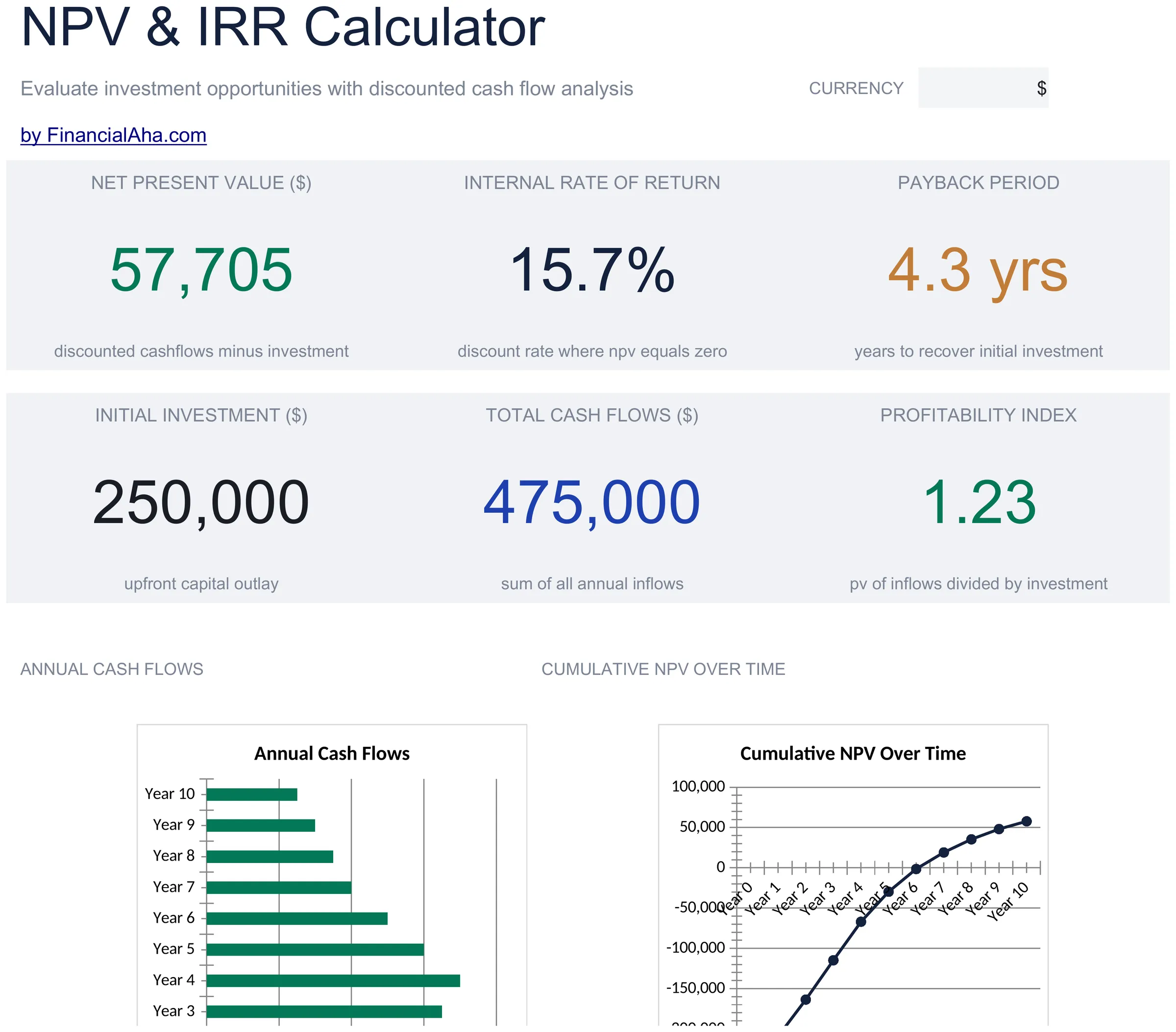
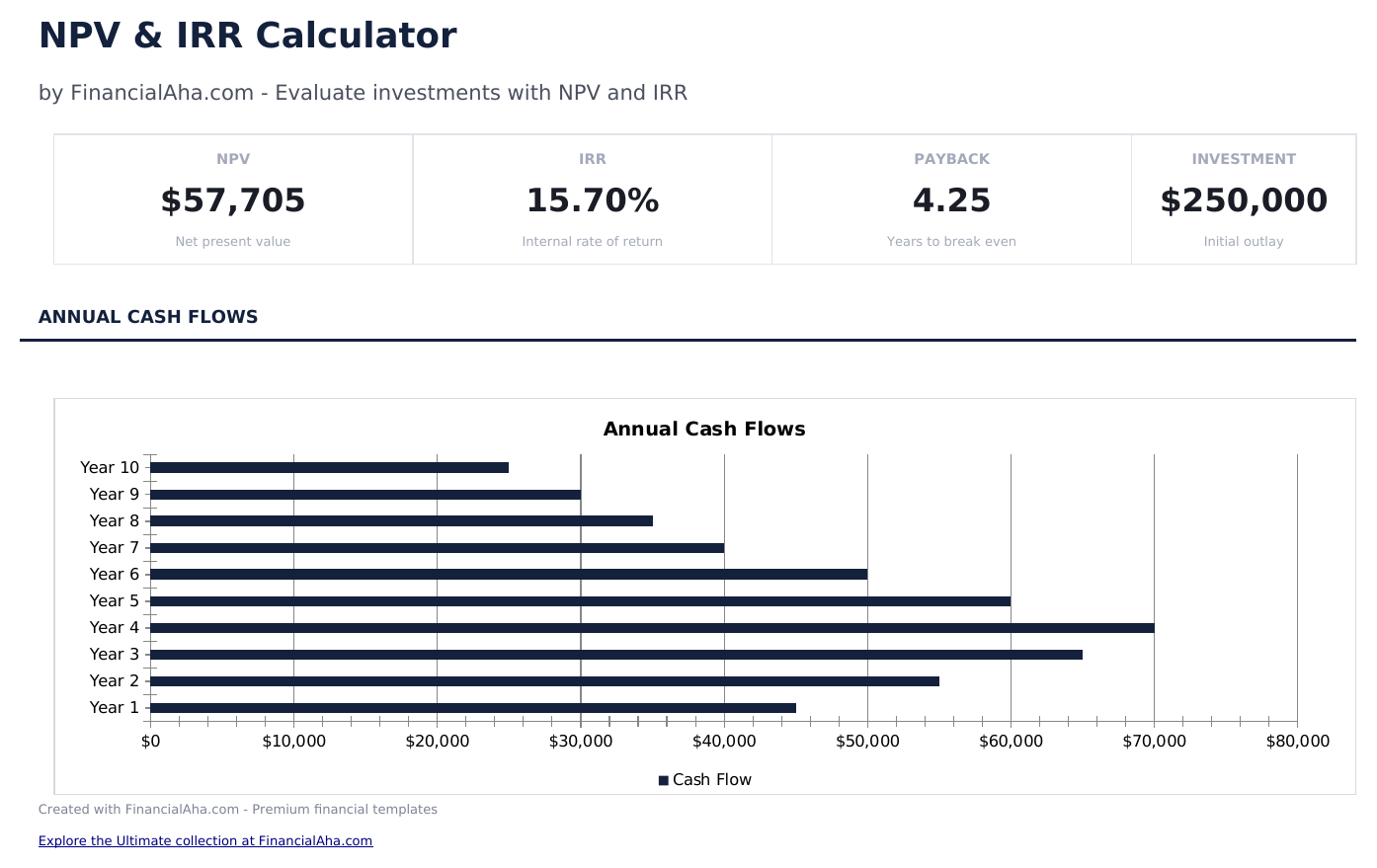
  • Dashboard with NPV and IRR results displaying the net present value, internal rate of return, and payback period
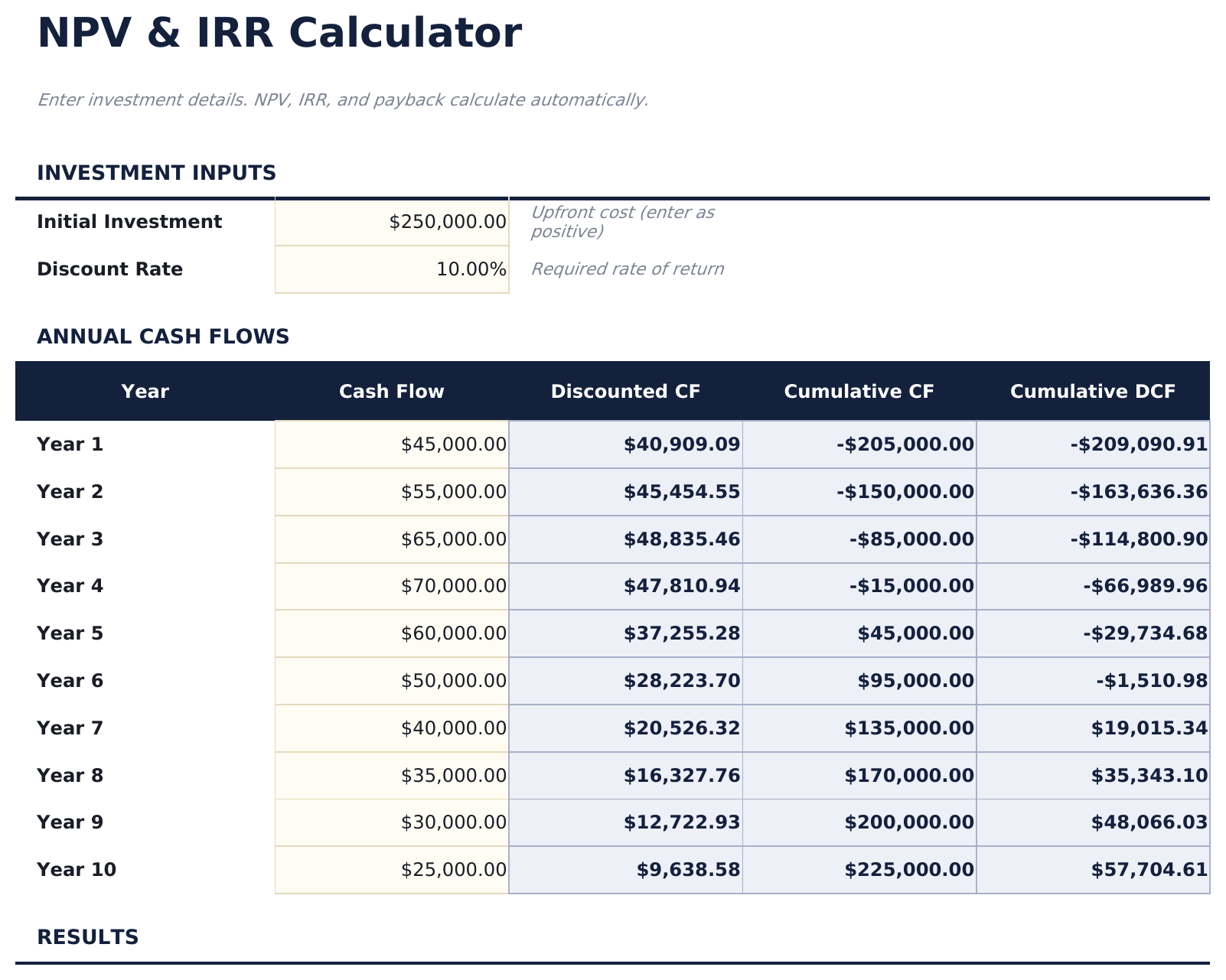
  • Cash flow entry by period with columns for year, description, cash inflow, cash outflow, and net cash flow
  • Discount rate input field that adjusts the NPV calculation to reflect your required rate of return on the investment
  • Automatic NPV calculation using Excel NPV formula applied to the net cash flow series at the specified discount rate
  • IRR computation with color-coded input cells (yellow) and auto-calculated investment evaluation metrics (blue)
  • Works in Microsoft Excel, Google Sheets, and LibreOffice Calc with no setup required
Ultimate Version Available

Need more from this template?

The Essentials version covers everyday tracking. Ultimate goes further with multi-entity support, scenario analysis, and ultimate-grade reporting.

Essentials - $12
  • Dashboard with NPV and IRR results displaying the net present value, internal rate of return, and payback period
  • Cash flow entry by period with columns for year, description, cash inflow, cash outflow, and net cash flow
  • Discount rate input field that adjusts the NPV calculation to reflect your required rate of return on the investment
  • Automatic NPV calculation using Excel NPV formula applied to the net cash flow series at the specified discount rate
Ultimate - $19
  • 并排比较最多3个投资项目,每个项目有独立的现金流预测
  • 每个项目有专属工作表,包含15年现金流表、折现因子、现值和累计现值
  • 仪表板包含投资组合关键指标:最佳 NPV、项目数量、总投资额,以及包含接受/拒绝决策的汇总表
  • 对比工作表按 NPV、回收期和盈利指数对所有项目进行排名
  • 敏感性分析显示每个项目在9种不同折现率下的 NPV、盈利指数和接受/拒绝结果
See what's in the Ultimate version One-time purchase. No subscription.

如何使用这个NPV and IRR Calculator模板

1

Enter cash flows

List each period cash flow - the initial investment (negative) and subsequent inflows and outflows by year.

2

Set the discount rate

Enter your required rate of return or cost of capital. The NPV calculation uses this rate to discount future cash flows.

3

Review NPV

The dashboard shows the net present value. A positive NPV indicates the investment returns more than the required rate.

4

Check IRR

The internal rate of return shows the actual return rate implied by the cash flows. Compare it to your discount rate.

由 Claude AI 构建,经我们精心打磨。

我们使用 Claude AI 在深入研究后起草每个模板。然后由团队接手,优化布局、全面测试每个公式、修复边界情况,并打磨设计,直到达到我们自己愿意使用的标准。AI 完成了 80% 的工作,最后 20% 靠的是人工判断。

查看 Ultimate 版本 →

常见问题

What does a positive NPV mean?

A positive NPV means the investment projected returns exceed your required rate of return. The higher the NPV, the more value the project adds.

How does IRR compare to the discount rate?

If IRR exceeds the discount rate, the investment clears your return threshold. If IRR is below the discount rate, the project does not meet your requirement.

What discount rate should I use?

Use your cost of capital, required return, or opportunity cost - the rate you could earn on an alternative investment of similar risk.

Can I enter monthly cash flows?

The template is set up for annual periods. For monthly cash flows, change the period labels and use a monthly discount rate (annual rate divided by 12).

如何在 Google Sheets 中打开?

将 .xlsx 文件上传到 Google Drive,然后使用 Google Sheets 打开。所有公式和格式都会保留。

更多 Investing & Trading Essentials 模板

在寻找付费电子表格模板?

我们的付费模板包含高级多工作表仪表盘、原生 Excel 图表,并持续更新。

私密且安全

您的财务数据保留在您的设备上。我们永远看不到。

了解更多 →

需要帮助?

查看我们的指南或提出问题。

查看常见问题 →