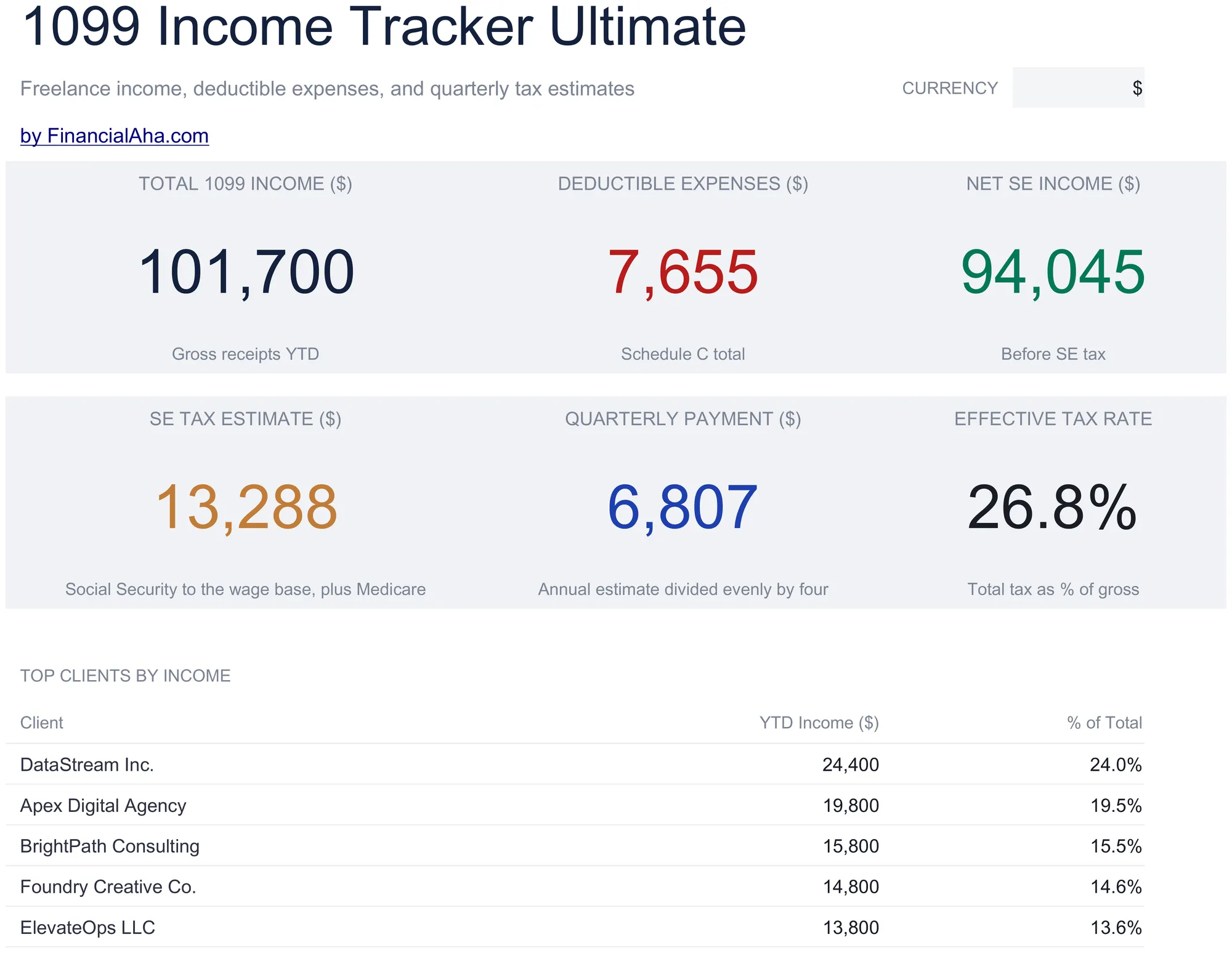
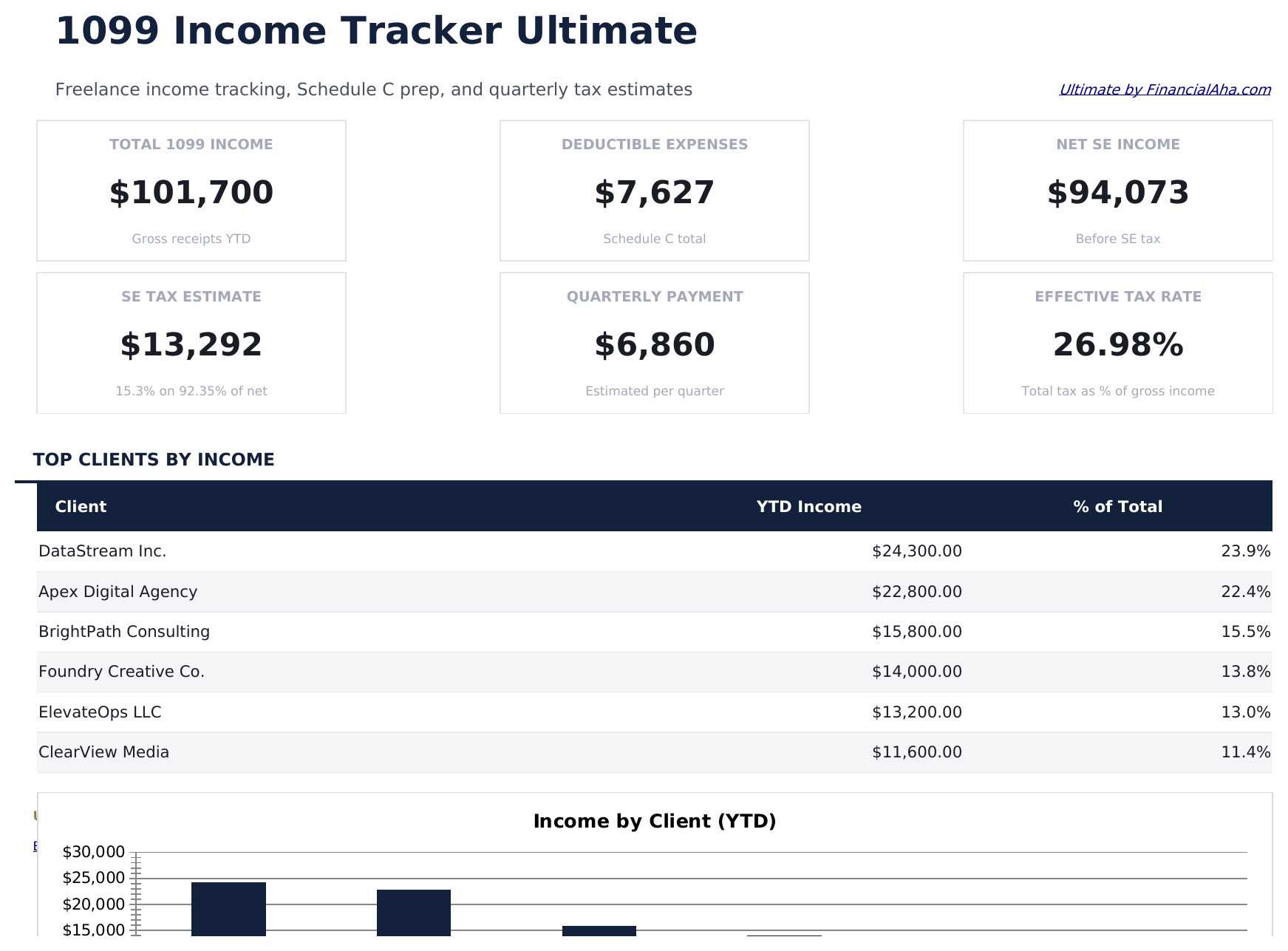
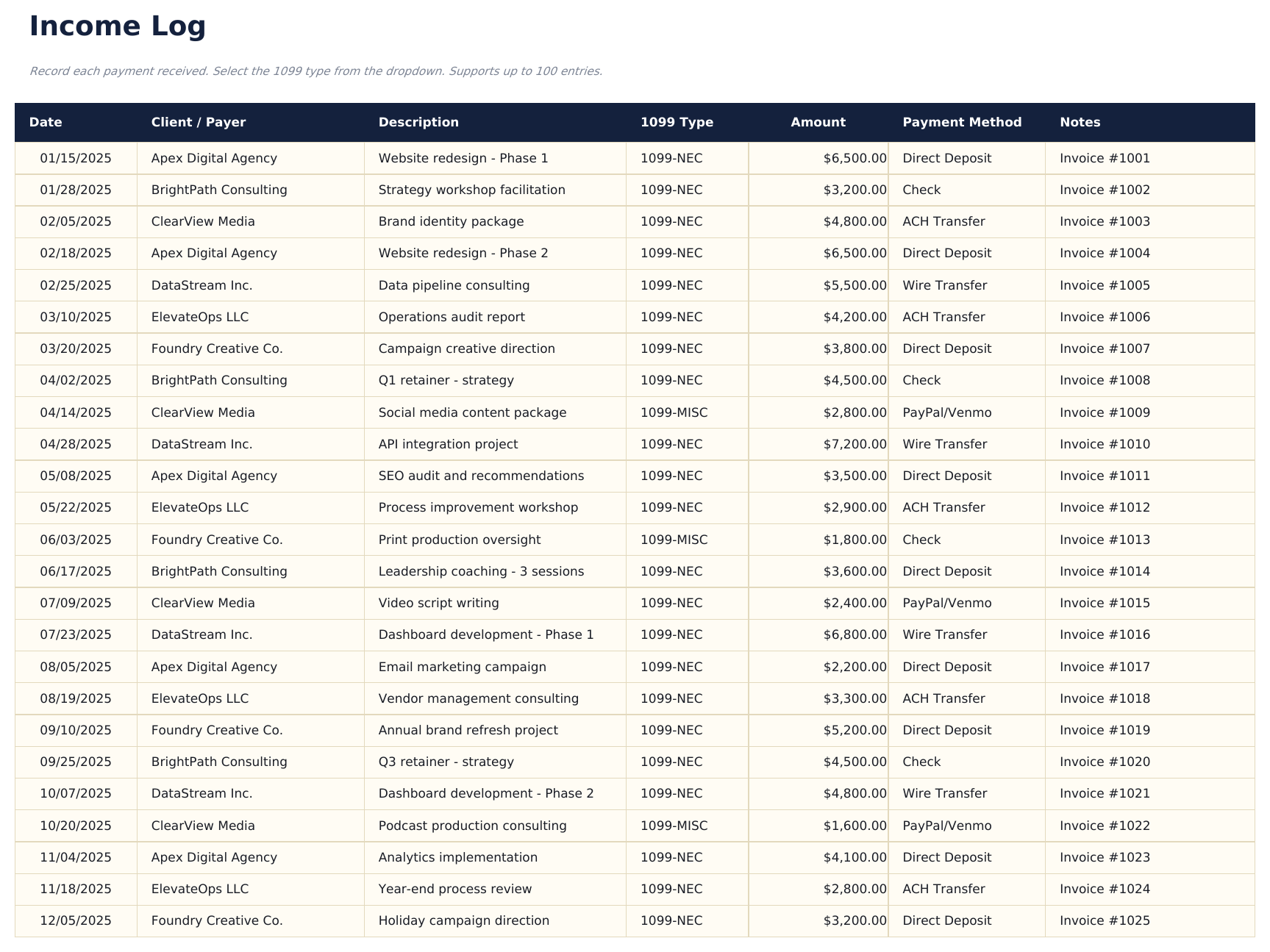
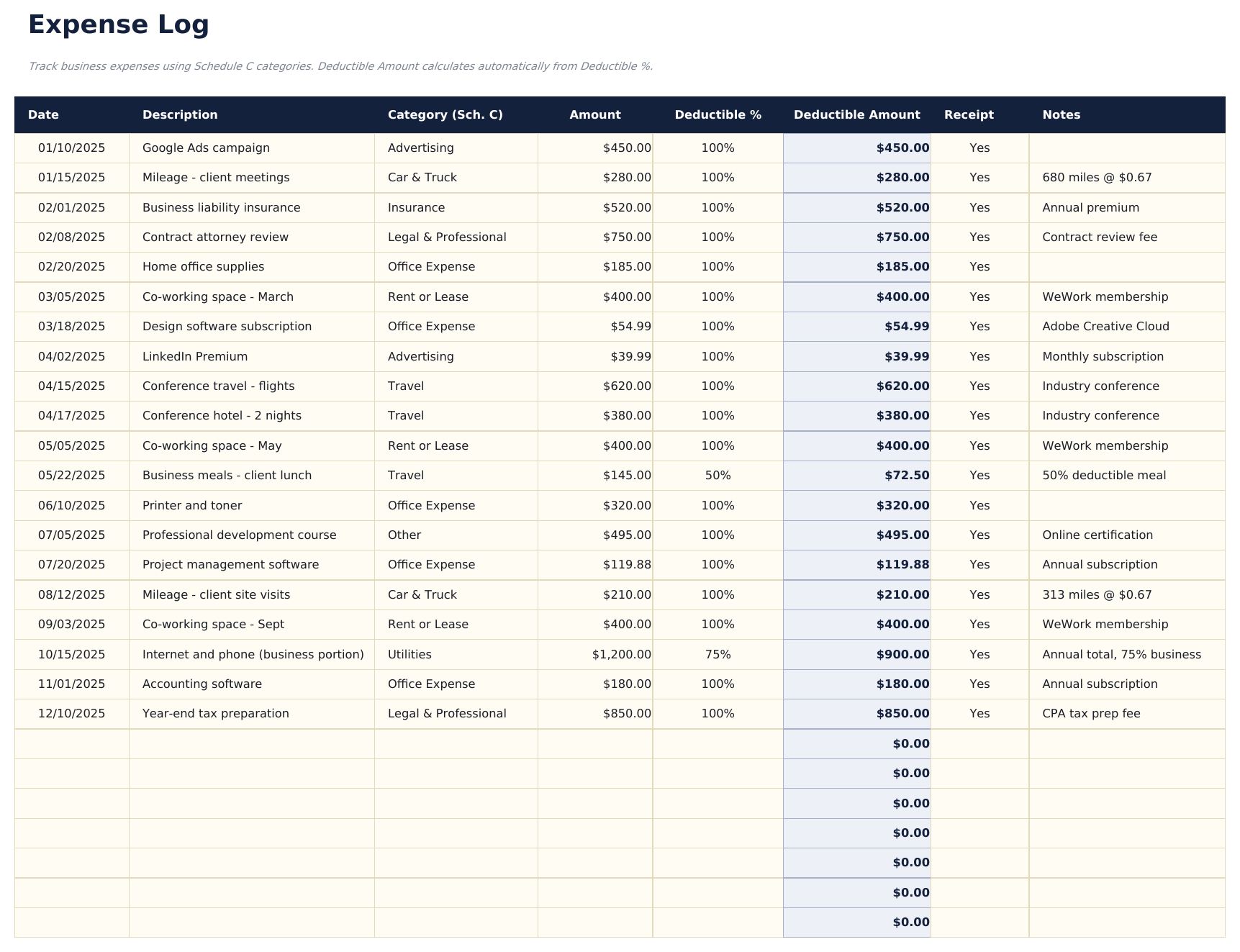
Ultimate 1099 Income Tracker Spreadsheet template for Google Sheets
Upload the Ultimate 1099 Income Tracker Spreadsheet Template to Drive and choose "Open with Google Sheets" - or use File then Import from inside an existing spreadsheet. Nothing needs converting first and the tab order survives, so the Dashboard stays first and How to Use stays last. Every figure in this Ultimate 1099 Income Tracker Google Sheets template behaves exactly as it does in Excel, and the dropdowns and currency selector carry across.
Ultimate 1099 Income Tracker Google Sheets template setup
The logs stay responsive in Sheets, and every report updates as soon as a row lands. Editing is collaborative in the usual way, so a shared copy of the Ultimate 1099 Income Tracker Google Sheets template works if a bookkeeper logs alongside you, and version history means an overwritten figure is recoverable.
Working in the Ultimate 1099 Income Tracker Google Sheet day to day
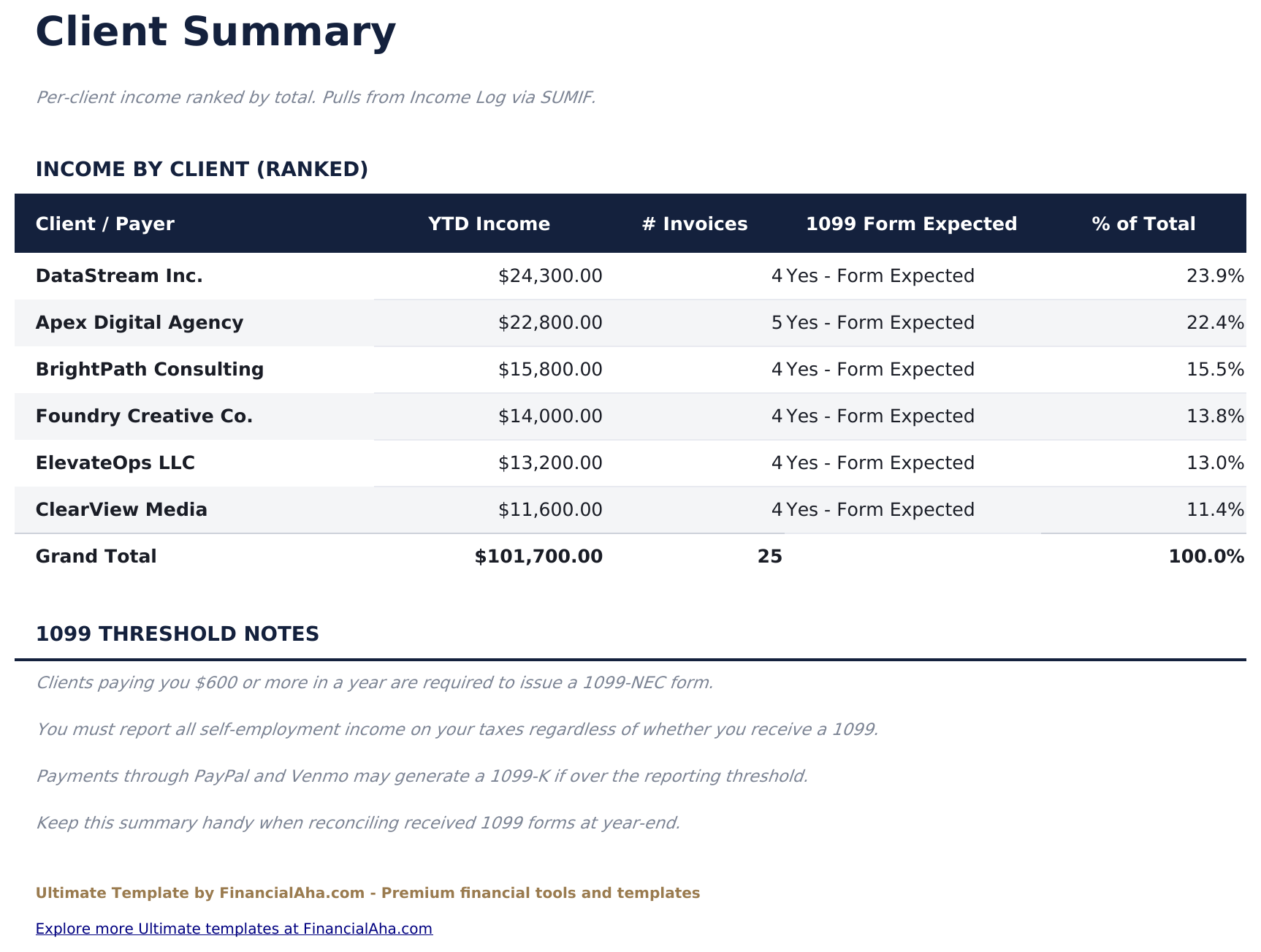
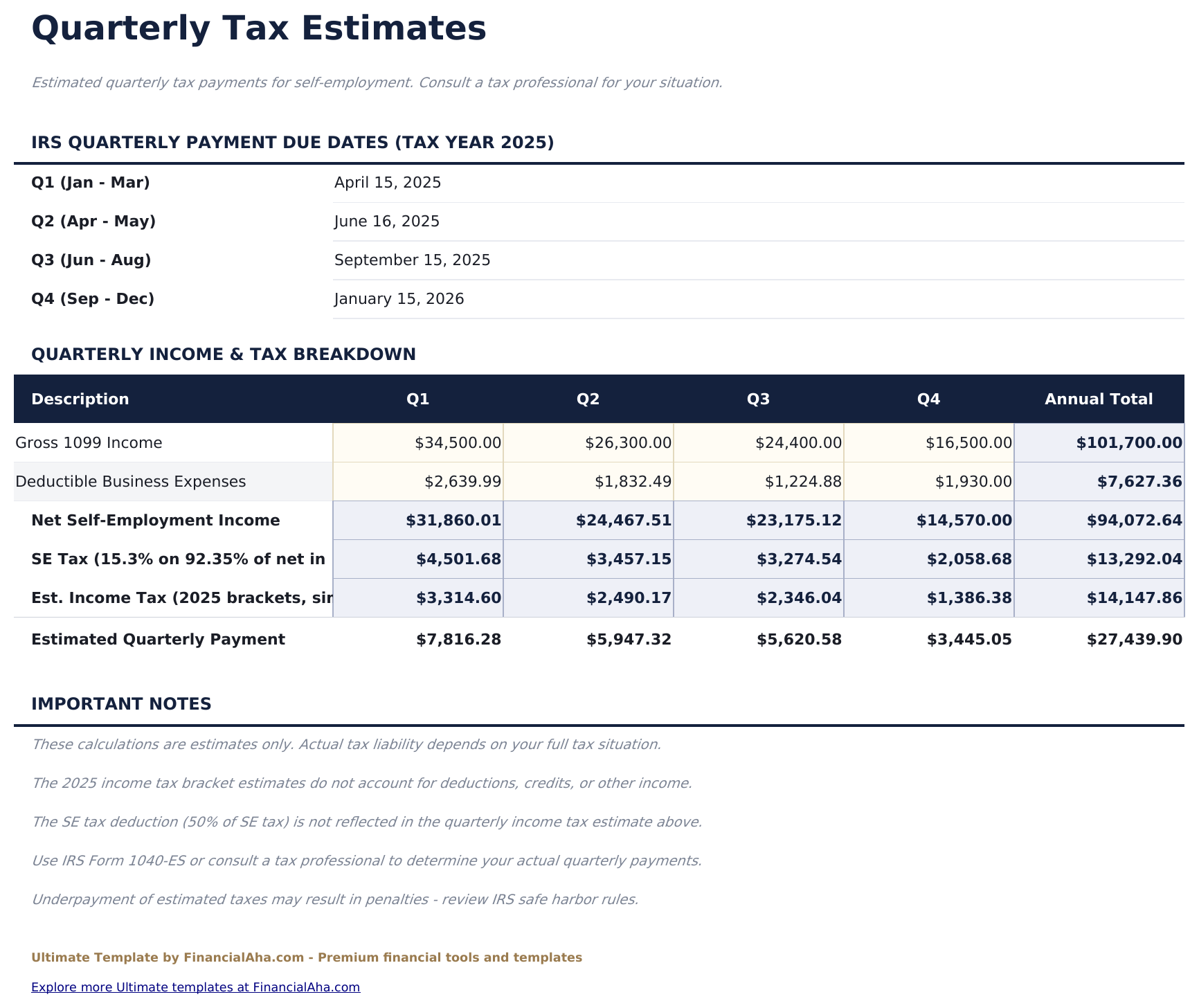
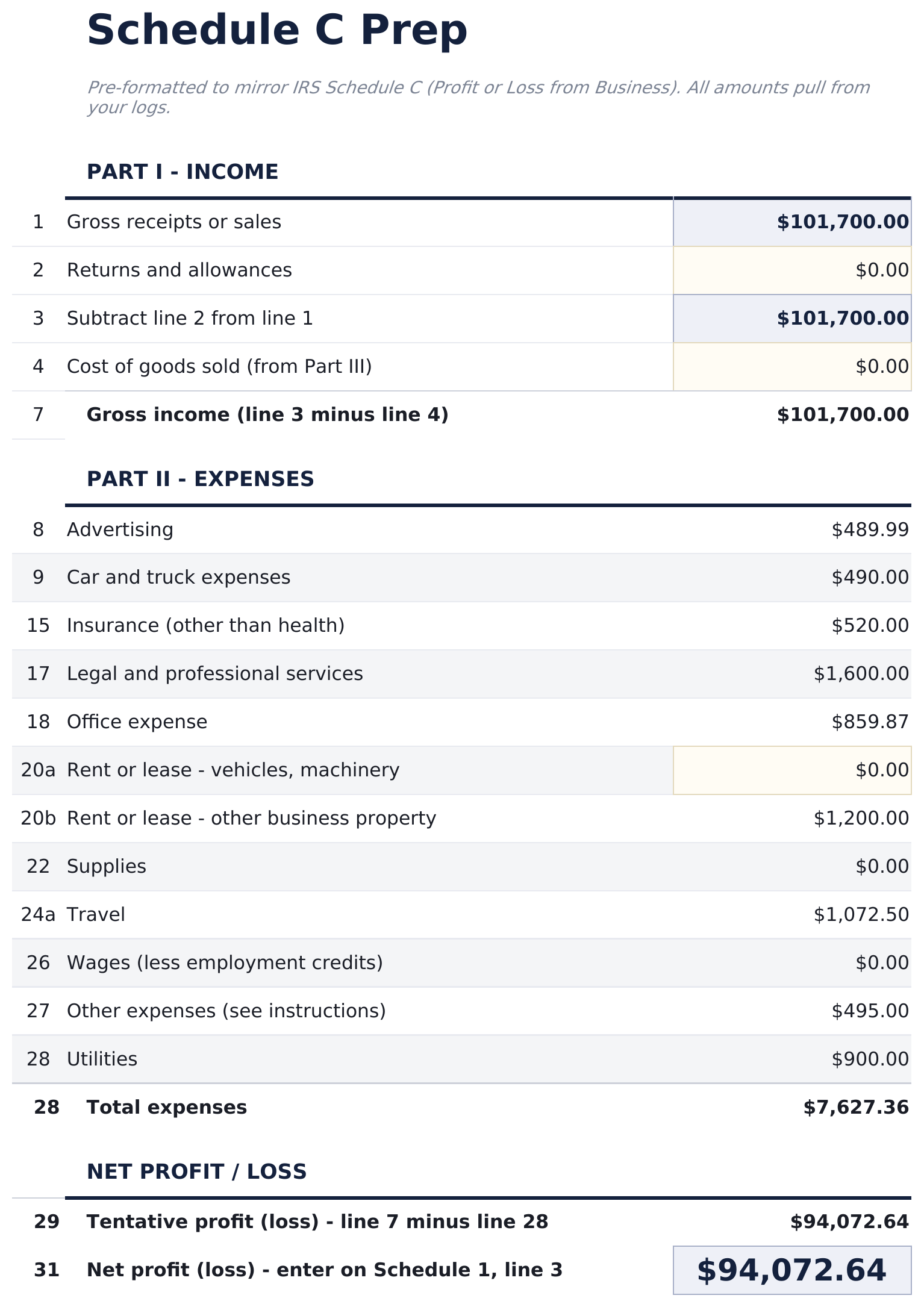
Day to day the Ultimate 1099 Income Tracker Google Sheet carries the most weight of the three builds, and it holds up: add one payment and the dashboard, the client summary, the quarterly split and the Schedule C reference all resolve together. It opens in the Sheets mobile app too, though the wider report sheets read better on a larger screen.