Google Sheets Templates for Tax Preparers
Help clients organize their finances throughout the year - so tax season is less chaotic. Income tracking, deduction organizers, and quarterly payment planners in Google Sheets.
In Depth
Year-Round Organization Reduces Everyone's Tax Season Stress
Tax preparers know a truth that their clients often do not: the quality of tax preparation depends heavily on the quality of the data coming in. A client who arrives with twelve months of organized financial records will receive more thorough service than one who brings a box of receipts. The templates serve as an organizational framework that clients maintain throughout the year, which directly improves the preparer's ability to do their work well.
Quarterly check-ins built around template data create a relationship model that benefits both parties. For the tax preparer, these touchpoints catch changes in income, missed deductions, and estimated payment issues before they become problems. For clients, quarterly reviews transform the tax preparer from someone they see once a year into an ongoing financial partner. This shift in relationship dynamic often leads to stronger client retention.
The customization aspect matters particularly for tax preparers because no two clients have identical tax situations. A freelancer needs categories for 1099 income, home office deductions, and mileage tracking. A retiree needs to track Social Security income, required minimum distributions, and medical deductions. A real estate investor needs rental income, property expenses, and depreciation schedules. The ability to set up each client with categories that match their specific tax profile saves time during preparation and reduces the risk of missed deductions.
Why Tax Preparers Need Client-Ready Tools
Common Challenges
Clients show up unprepared at tax time
The January-April rush is stressful enough without chasing clients for missing receipts and incomplete records. When clients track their finances throughout the year using a structured template, they arrive with organized data instead of a shoebox of receipts.
Quarterly estimated payments get missed
Self-employed clients and those with significant non-wage income need to make quarterly payments. Without a system to track and remind them, missed payments lead to penalties - and clients blaming their tax preparer for not warning them.
Year-round engagement is hard to maintain
Most client contact happens during tax season. Giving clients a year-round financial tracking tool creates touchpoints throughout the year and builds a stronger professional relationship. It also leads to better-prepared returns.
Every client's situation is different
W-2 employees, freelancers, rental property owners, small business operators - each needs different categories and tracking. Rigid software forces clients into one structure. Customizable spreadsheets adapt to each client's specific tax situation.
See The Templates
What's inside the bundle
8 professional templates covering budgeting, net worth, tax planning, retirement projections, and more.
- Financial planning dashboard
- Monthly and annual budgets
- Net worth tracking over time
- Retirement projections
- Tax planning worksheet
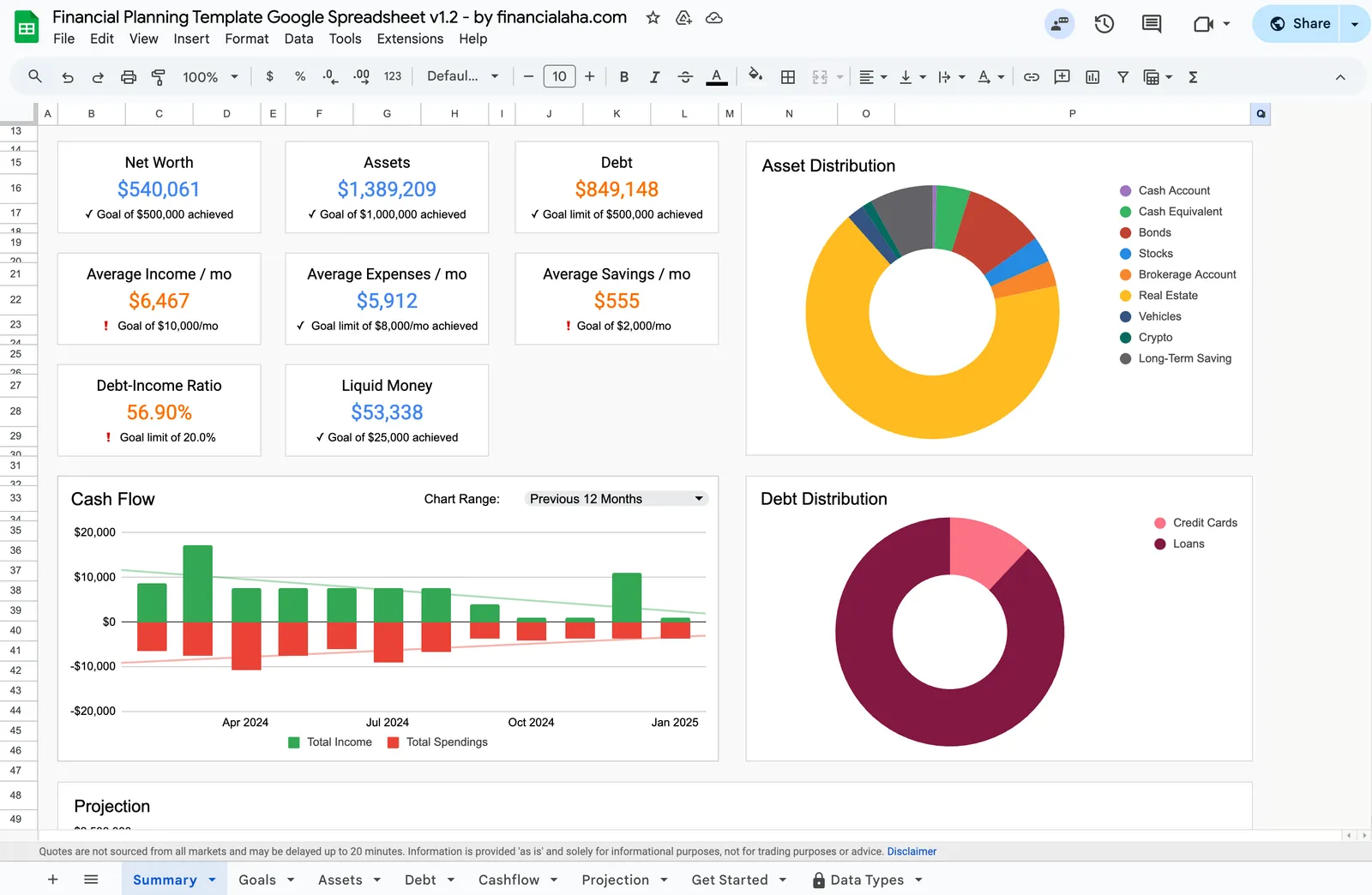
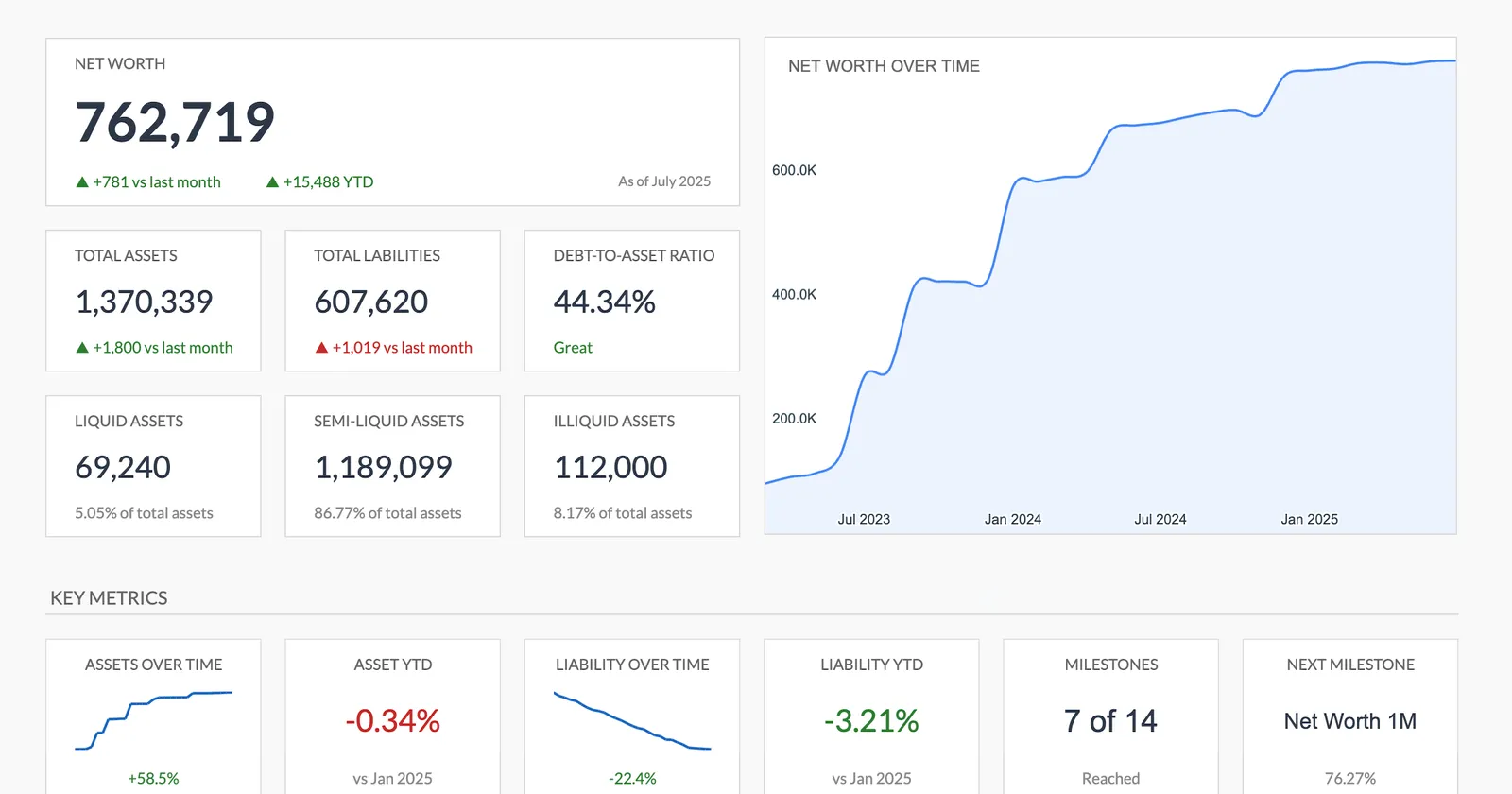
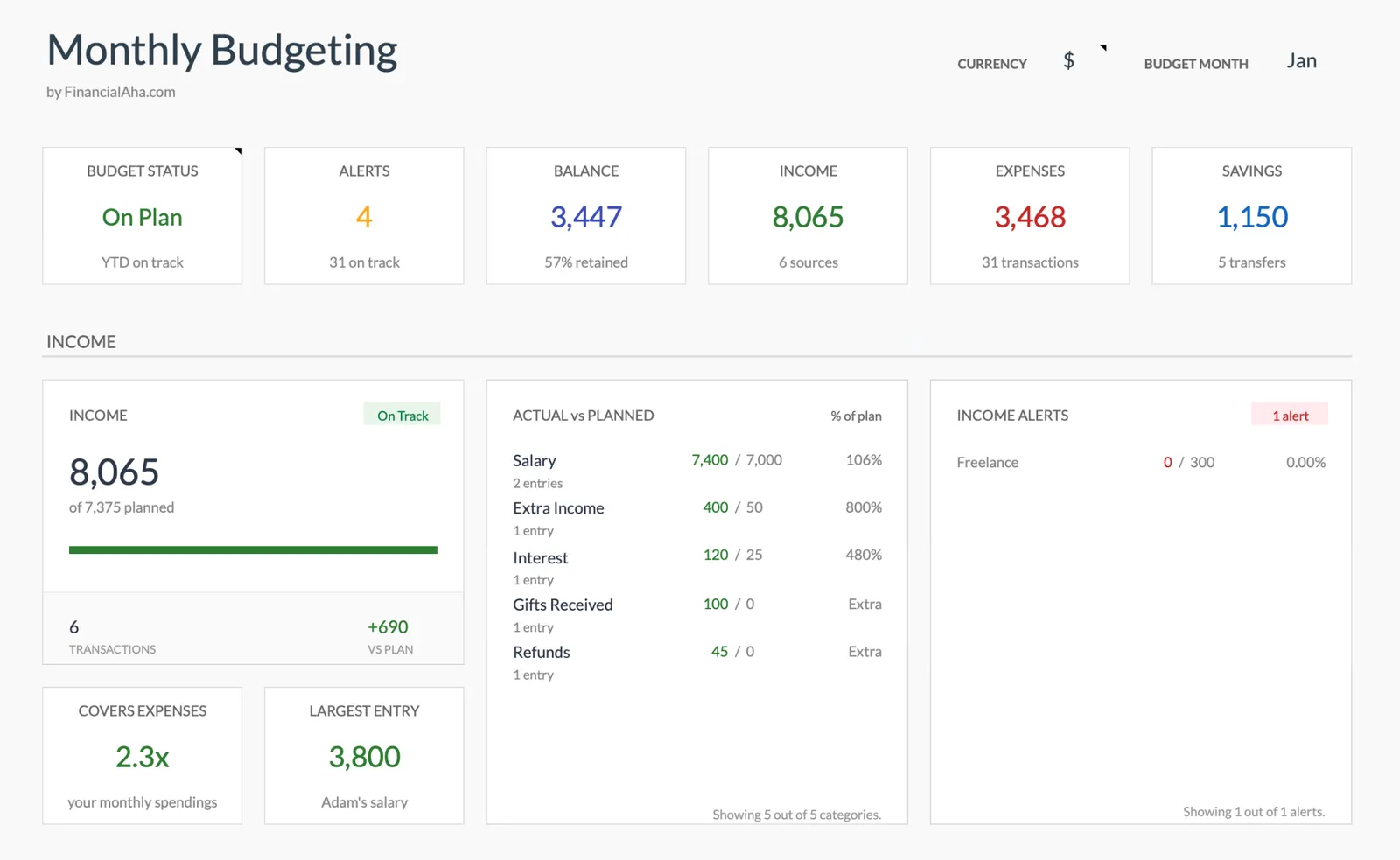
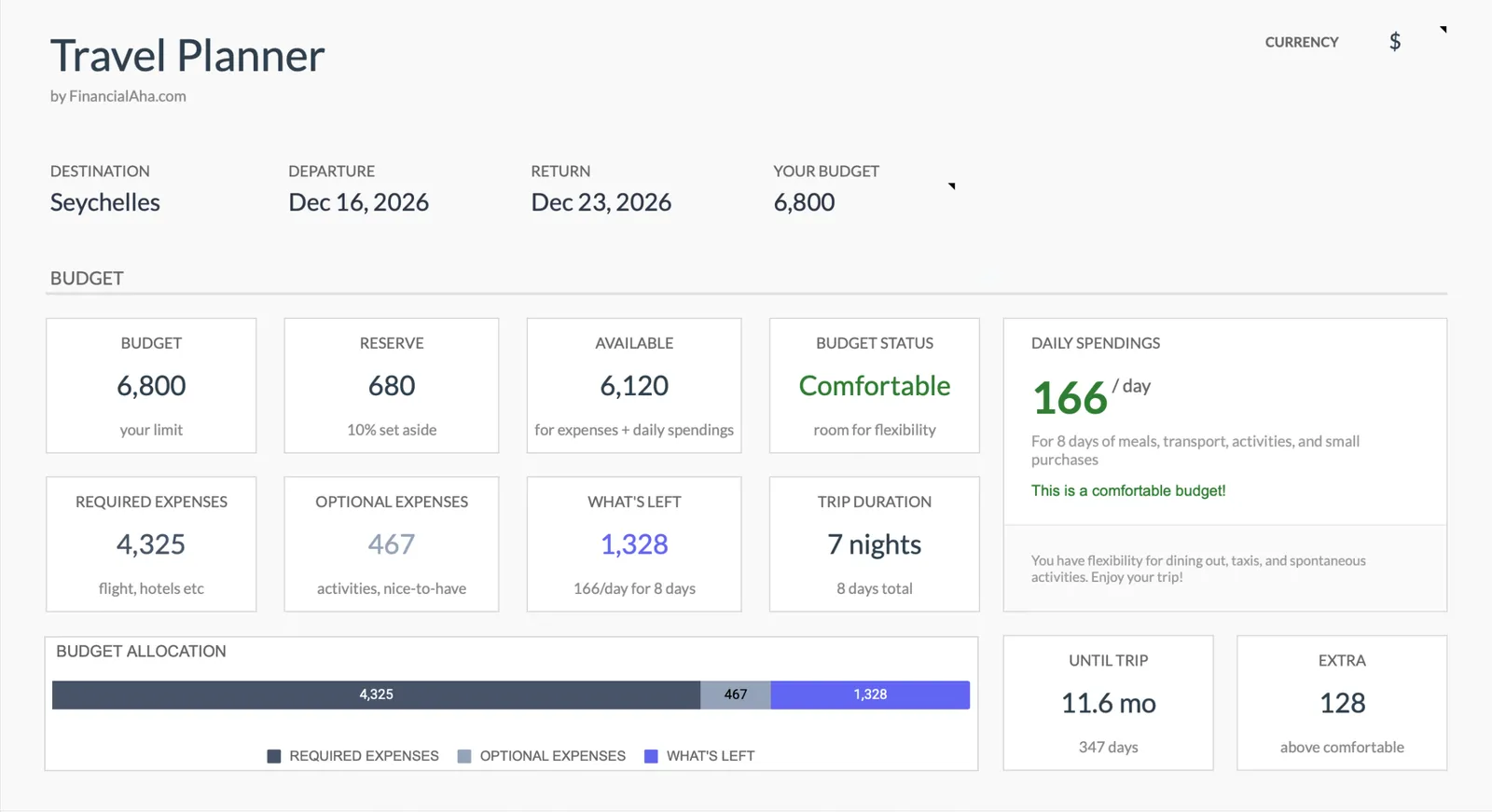
Financial Planning
Net Worth Tracker
Monthly Budgeting
Travel Budget Planner
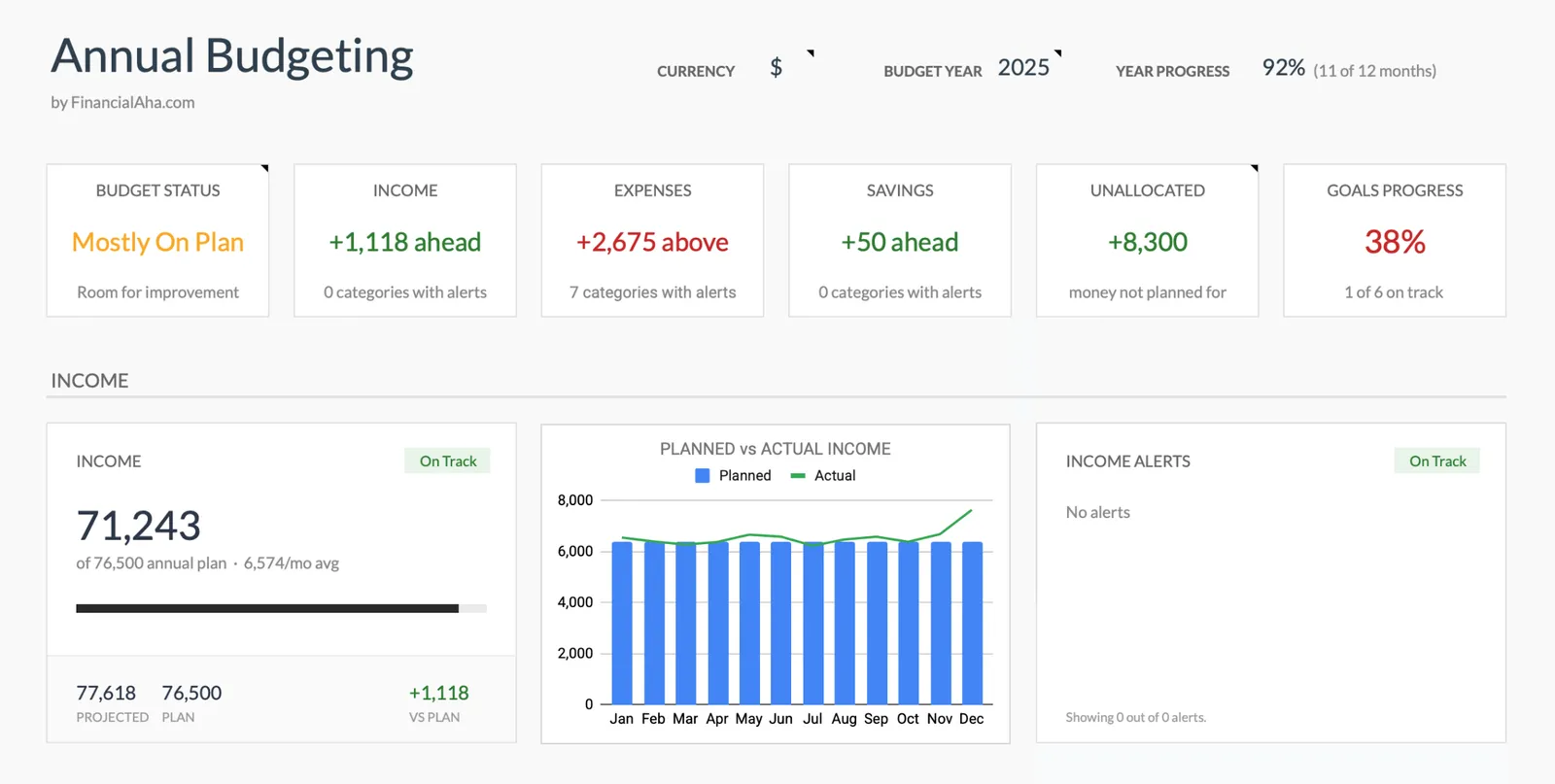
Annual Budgeting Planner
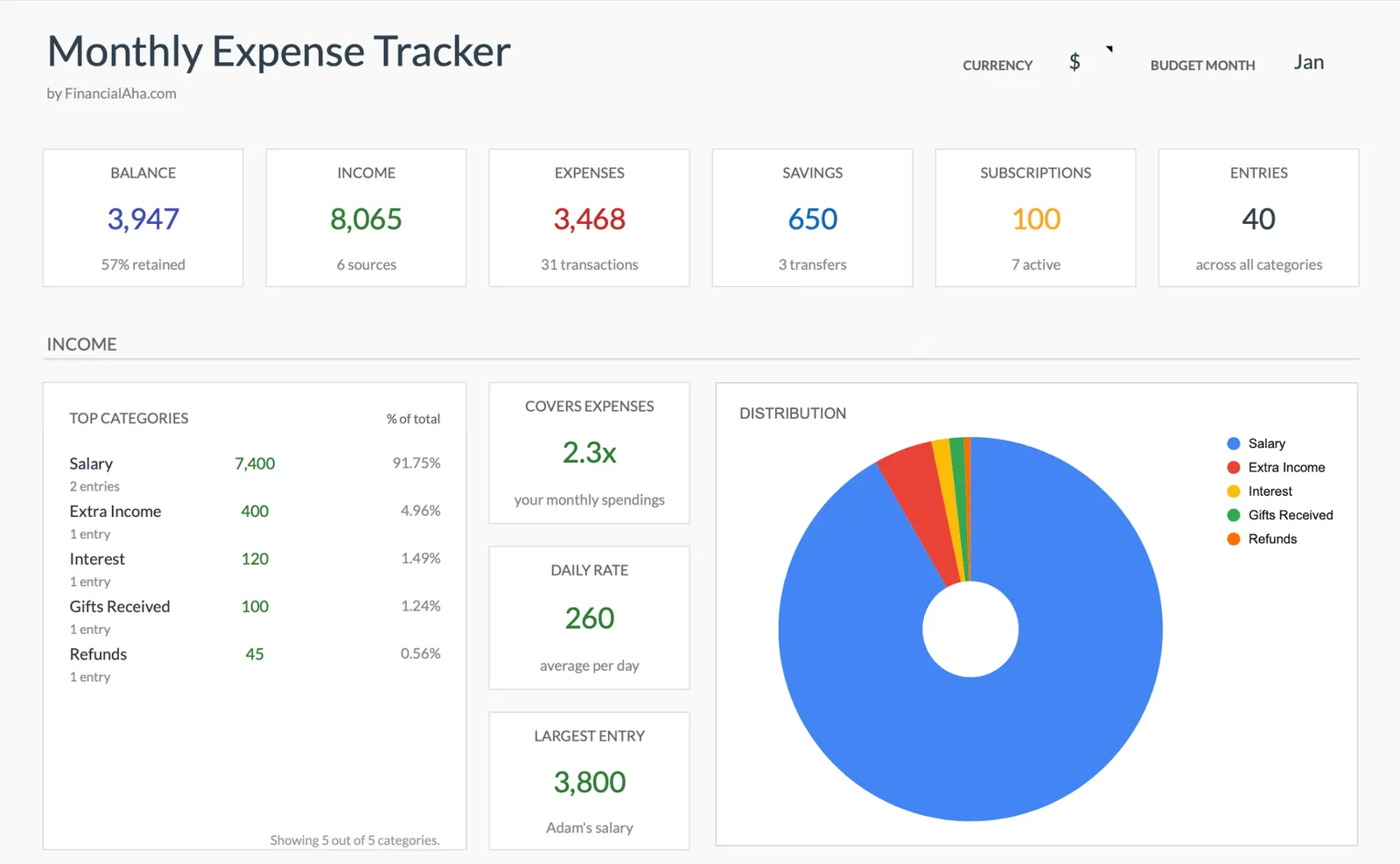
Monthly Expense Tracker
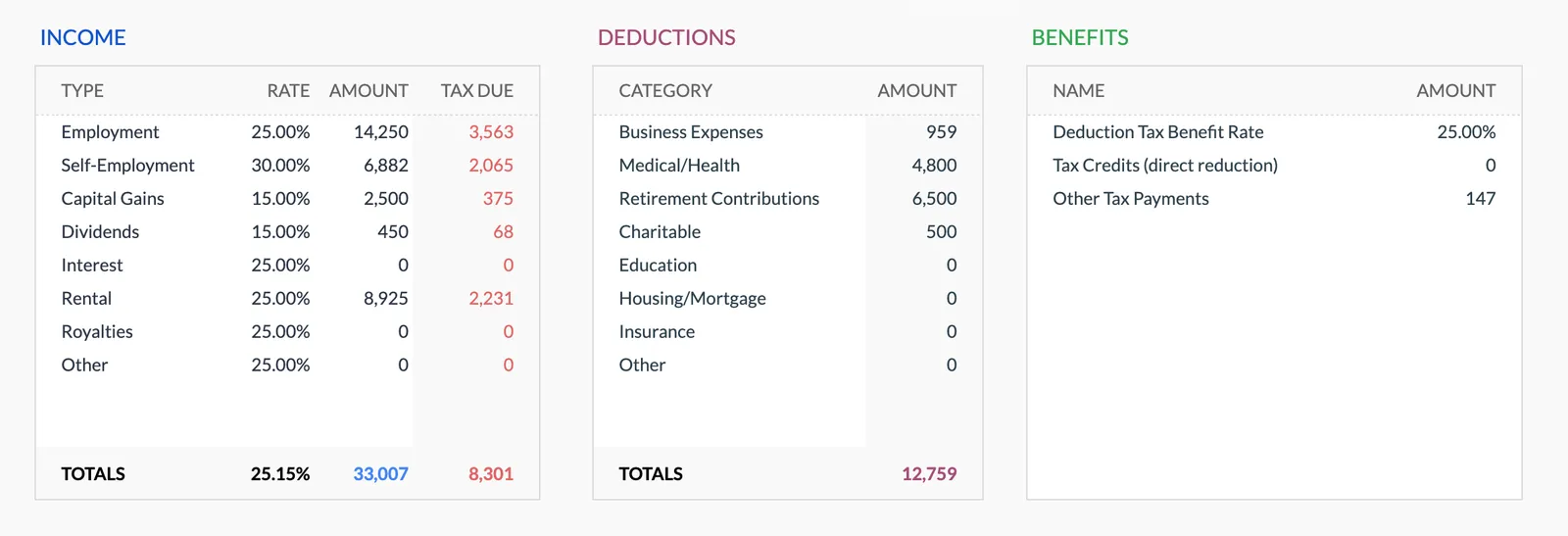
Annual Tax Planner
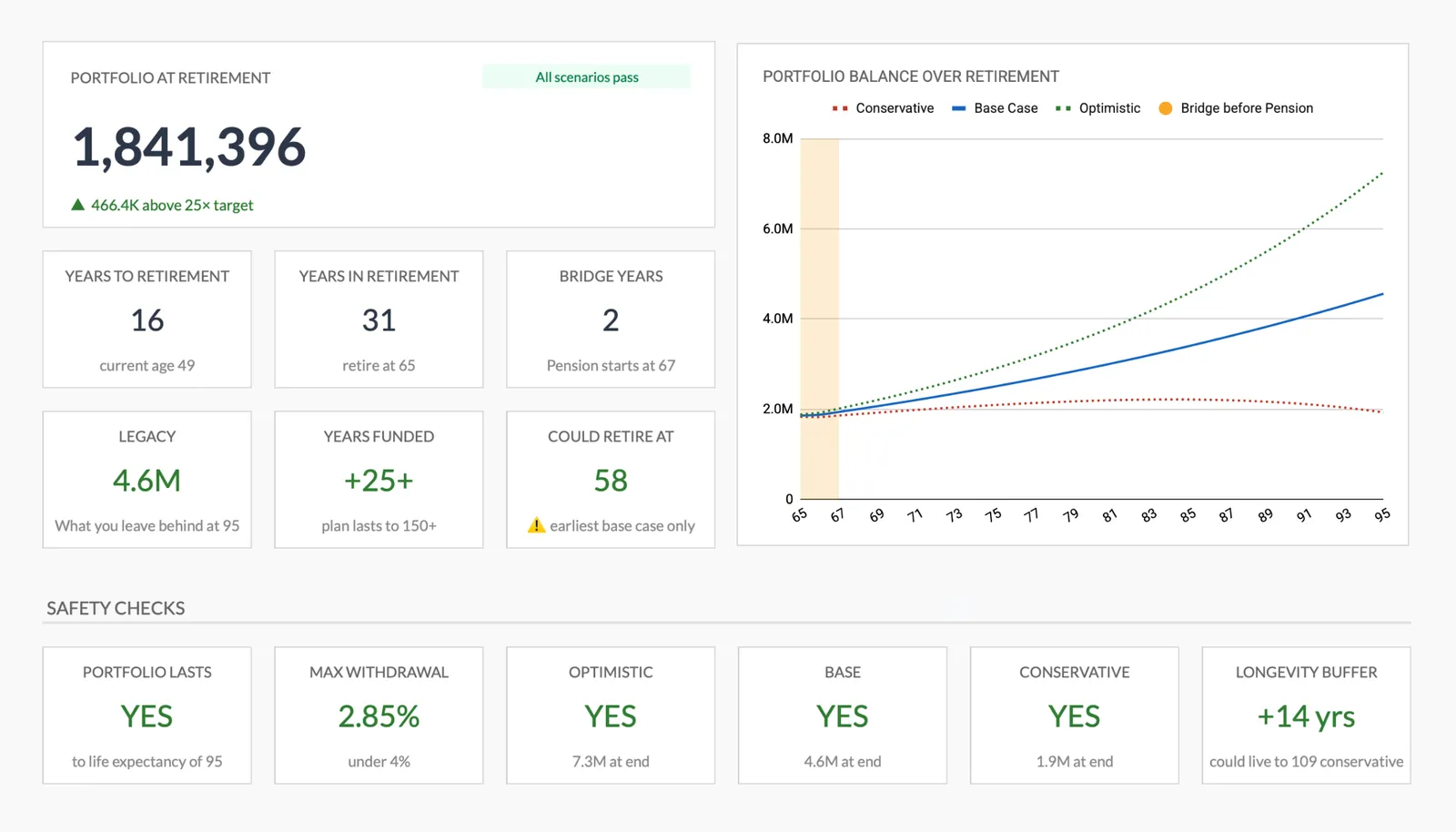
Retirement Planning
What's Included
Template Features
Annual tax planning worksheet
Track income from all sources, organize deductions by category, and estimate tax liability throughout the year. Reduces surprises at filing time.
Quarterly payment tracker
Calculate and track estimated quarterly payments with due date awareness. Particularly useful for self-employed clients and those with investment income.
Expense categorization by deduction type
The monthly expense tracker can be customized with tax-relevant categories - business expenses, medical costs, charitable contributions, home office deductions.
Income source tracking
Track multiple income streams in one place: W-2 wages, 1099 income, rental income, investment gains. Makes it straightforward to reconcile with tax documents.
Year-over-year comparison
The annual budget template lets clients compare this year to last year. Useful for spotting changes that might affect their tax situation.
Client-owned data
Data stays in the client's Google account. They control access, and you can request view or edit access as needed for tax preparation.
Getting Started
How to Use These Templates With Your Clients
Set up after filing
The post-filing meeting is the right time to set clients up with tracking templates for the new year. They're motivated and the previous year's pain points are fresh.
Customize for the client's tax situation
Adjust categories to match the client's income types and deduction areas. A freelancer needs different categories than a W-2 employee with rental properties.
Schedule quarterly check-ins
Use the template data as a reason to touch base quarterly. Review their tracking, check estimated payment calculations, and catch any changes early.
Request access before tax season
In December or January, ask clients to share their tracking spreadsheet with you. You'll have organized data ready for preparation instead of waiting for documents.
Use prior year data for planning
With a year of tracked data, you can have more informed conversations about tax planning strategies for the upcoming year.
All Templates
8 Templates in the Bundle
Complete financial planning template for managing your personal finances.
View templateMonitor your assets and liabilities to track your net worth over time.
View templateTrack and manage your monthly income and expenses effectively.
View templatePlan your trip expenses, bookings, and packing list in one place.
View templatePlan and track your entire year's finances with monthly breakdowns and goal tracking.
View templateTrack income, expenses, savings, and subscriptions. See where your money goes each month.
View templateTrack income, deductions, and quarterly payments. Multi-currency support and document checklist included.
View templateDetailed projections for your retirement income and expenses.
View templateCommon Questions
FAQ for Tax Preparers
Can I set up templates for all my tax clients?
Yes. The advisor bundle includes unlimited client use. Create a copy for every client, customize categories for their situation, and share it with them.
Does this replace tax preparation software?
No. These templates help clients organize their financial data throughout the year. They complement your tax preparation software by ensuring clients arrive with well-organized information.
Can I add specific deduction categories?
Absolutely. The templates are fully editable. Add categories for vehicle expenses, home office deductions, medical costs, or any other deduction types relevant to your clients' situations.
What about clients with complex tax situations?
The templates work well as organizing tools regardless of complexity. For clients with rental properties, multiple businesses, or significant investment income, you can customize categories to capture everything they need to track.
Is there integration with tax software?
Not directly. The templates are Google Sheets files. However, organized data in a spreadsheet is straightforward to reference when entering information into your tax preparation software. Some preparers find the organized format actually faster than importing from apps.
Can't find the answer you're looking for? Contact our team
One-time purchase
8 templates included:
Start Using These Templates With Your Clients
One purchase. All 8 templates. Unlimited clients. No monthly fees, ever.