Google Sheets Templates for Financial Advisors
Client-ready Google Sheets templates for budgeting, net worth tracking, retirement projections, and financial planning. One purchase covers unlimited clients - no per-seat fees.
In Depth
The Shift Toward Accessible Client Tools
The financial advisory industry has long relied on proprietary software platforms that lock both advisors and clients into specific ecosystems. These tools serve a purpose, but they also create dependencies - on licensing fees, on vendor stability, and on interfaces that clients often find intimidating. A growing number of advisors are discovering that simpler tools, shared through familiar platforms like Google Sheets, can be just as effective for many planning conversations.
The client engagement advantage of spreadsheets is underappreciated. When a client can open a familiar interface, enter their own numbers, and see the results update in real time, the dynamic shifts from passive recipient to active participant. This participatory approach tends to produce more accurate data (because clients are doing the entry themselves) and stronger engagement (because they understand what the numbers mean).
From a practice economics perspective, the difference between per-client software licensing and a one-time purchase is significant for growing practices. An advisor adding ten clients per year faces a compounding cost with subscription tools. A fixed-cost template library eliminates that variable entirely, which can make a meaningful difference to the profitability of a young or growing practice.
Why Financial Advisors Need Client-Ready Tools
Common Challenges
Client onboarding takes too long
Getting a complete picture of a new client's finances often involves scattered documents, back-and-forth emails, and manual data entry. A structured template that clients can fill in on their own time can reduce that onboarding process significantly - and give you cleaner data to work with.
Existing software charges per client
Most financial planning software bills monthly or per-client. For solo advisors or small practices, those costs add up quickly. A one-time purchase with unlimited client use changes the math entirely - especially when you are growing your client base.
Clients struggle with complex tools
Enterprise financial planning platforms are powerful but overwhelming for clients. When clients can't navigate the tool, they disengage. Google Sheets is familiar to most people, which means clients are more likely to actually use it and keep their data current.
Data privacy concerns keep growing
Clients are increasingly cautious about where their financial data lives. With Google Sheets templates, data stays in the client's own Google account. There's no third-party platform storing sensitive financial information - which can be a genuine differentiator in client conversations.
See The Templates
What's inside the bundle
8 professional templates covering budgeting, net worth, tax planning, retirement projections, and more.
- Financial planning dashboard
- Monthly and annual budgets
- Net worth tracking over time
- Retirement projections
- Tax planning worksheet
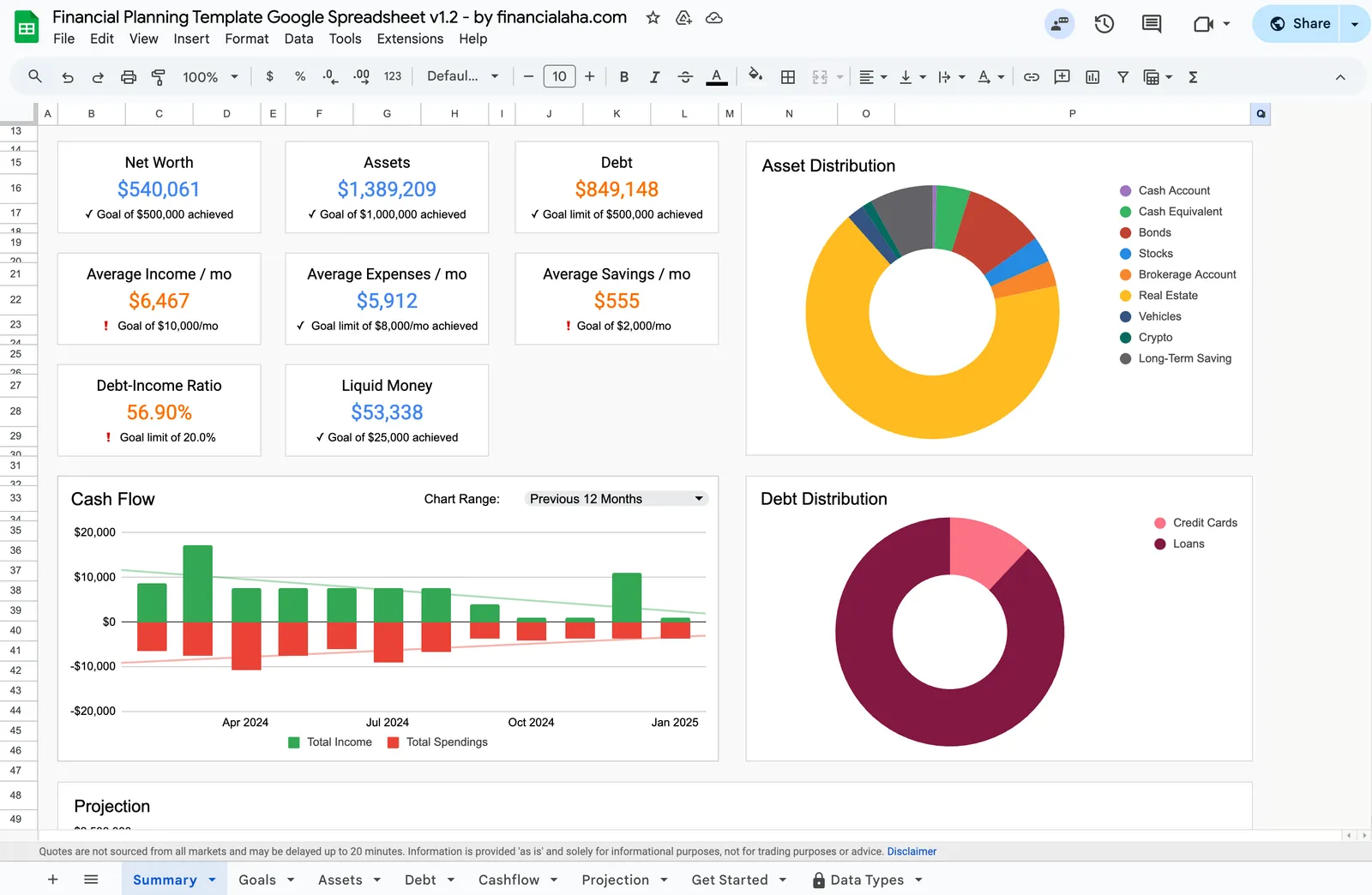
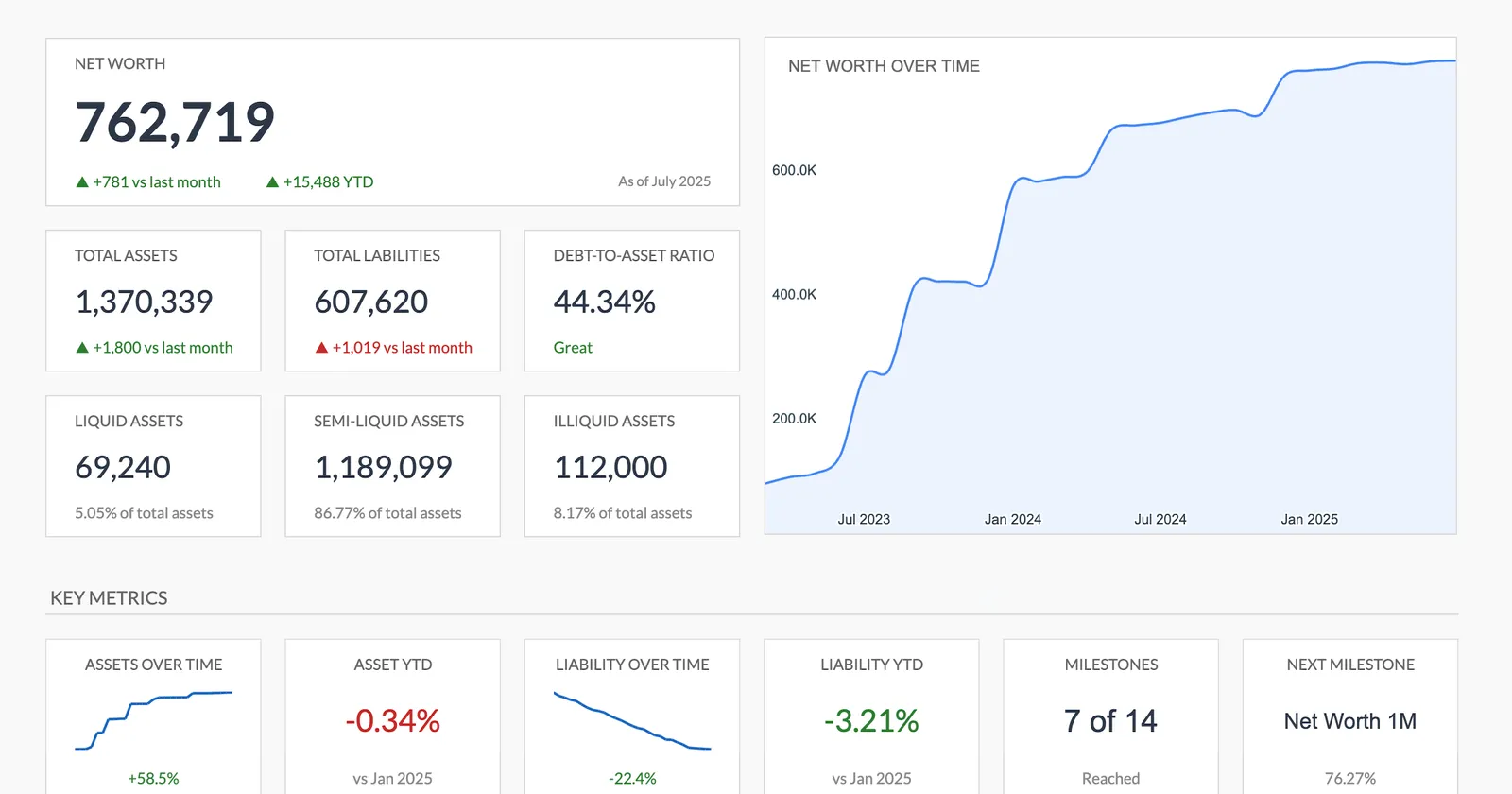
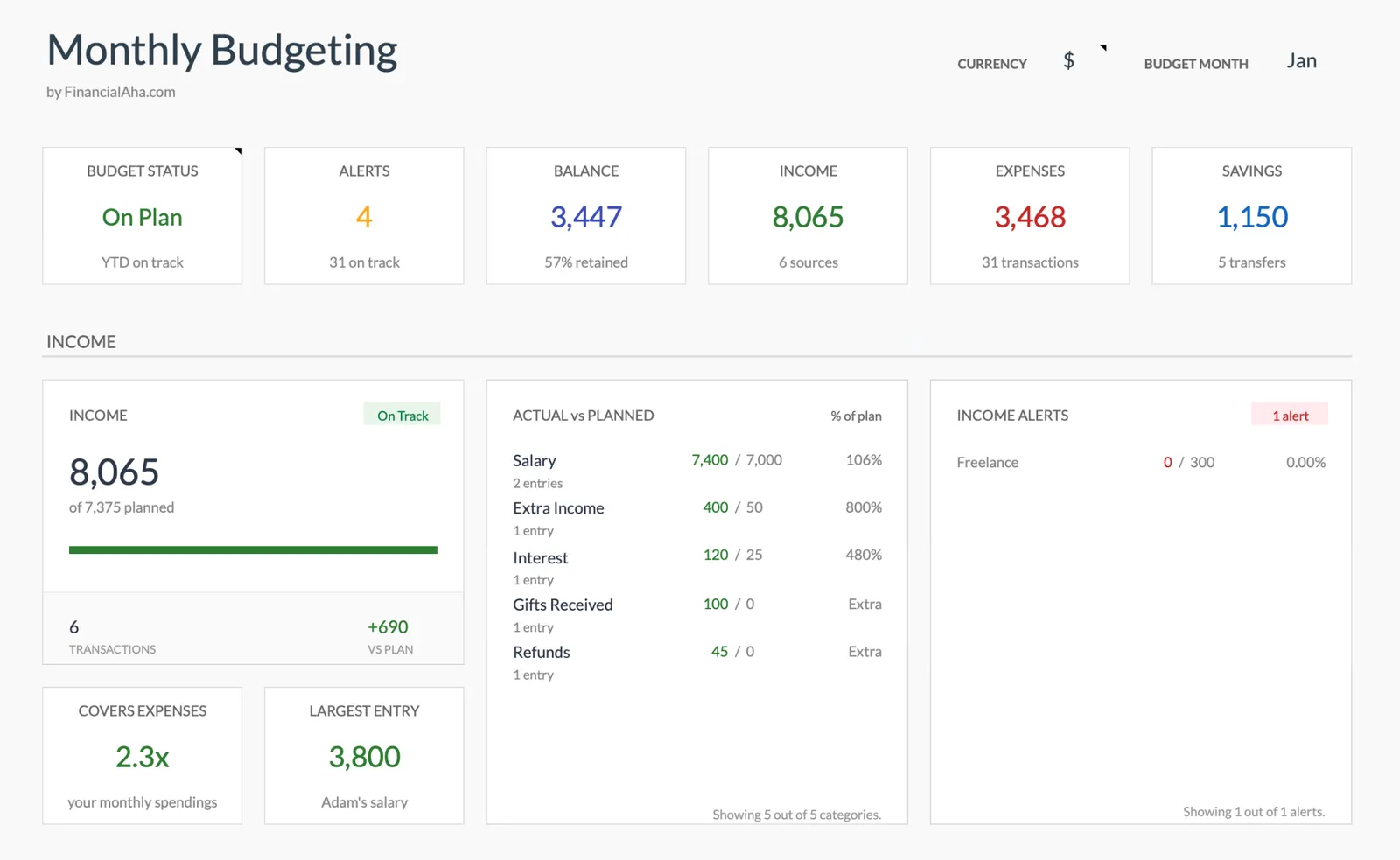
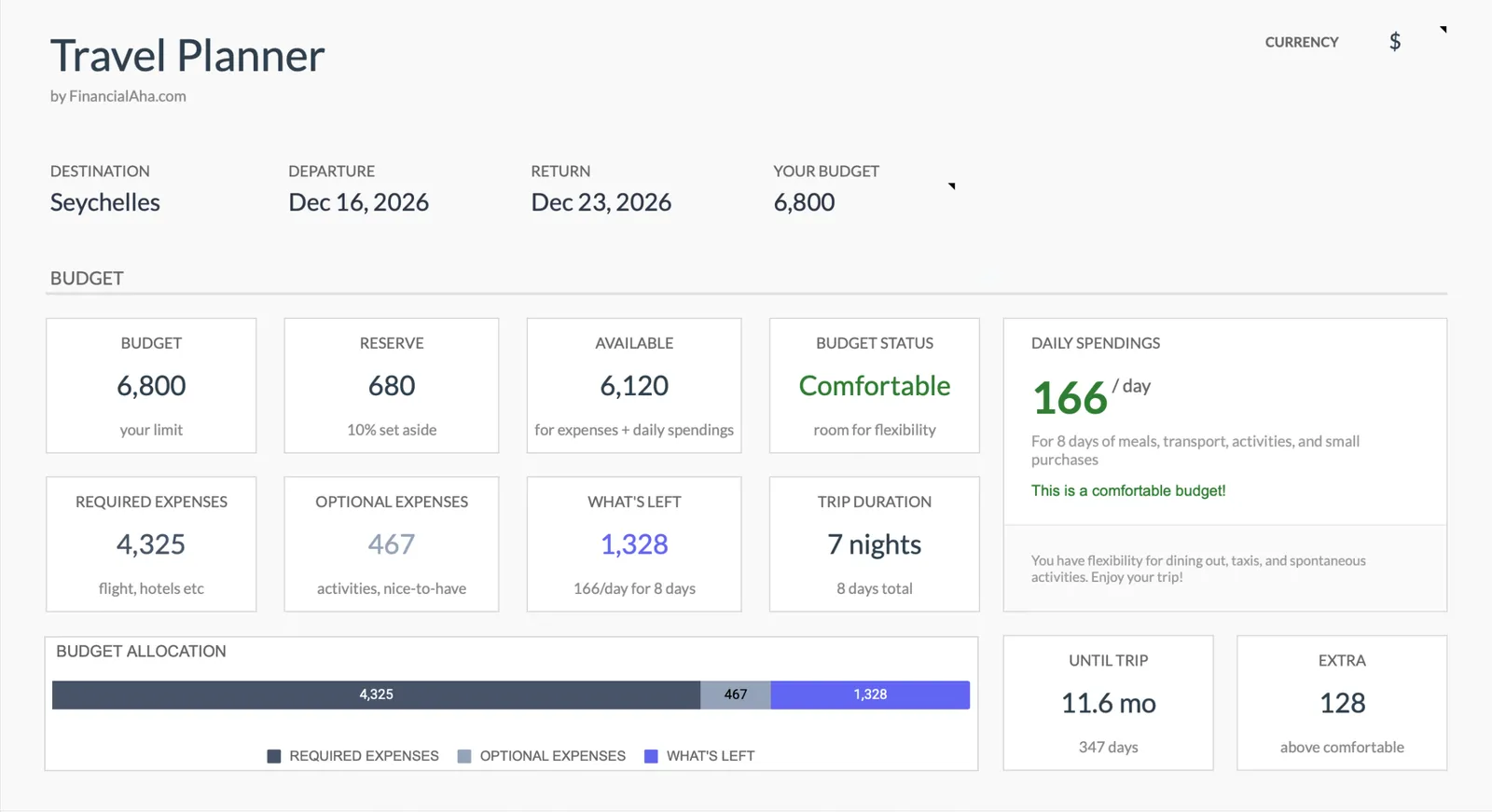
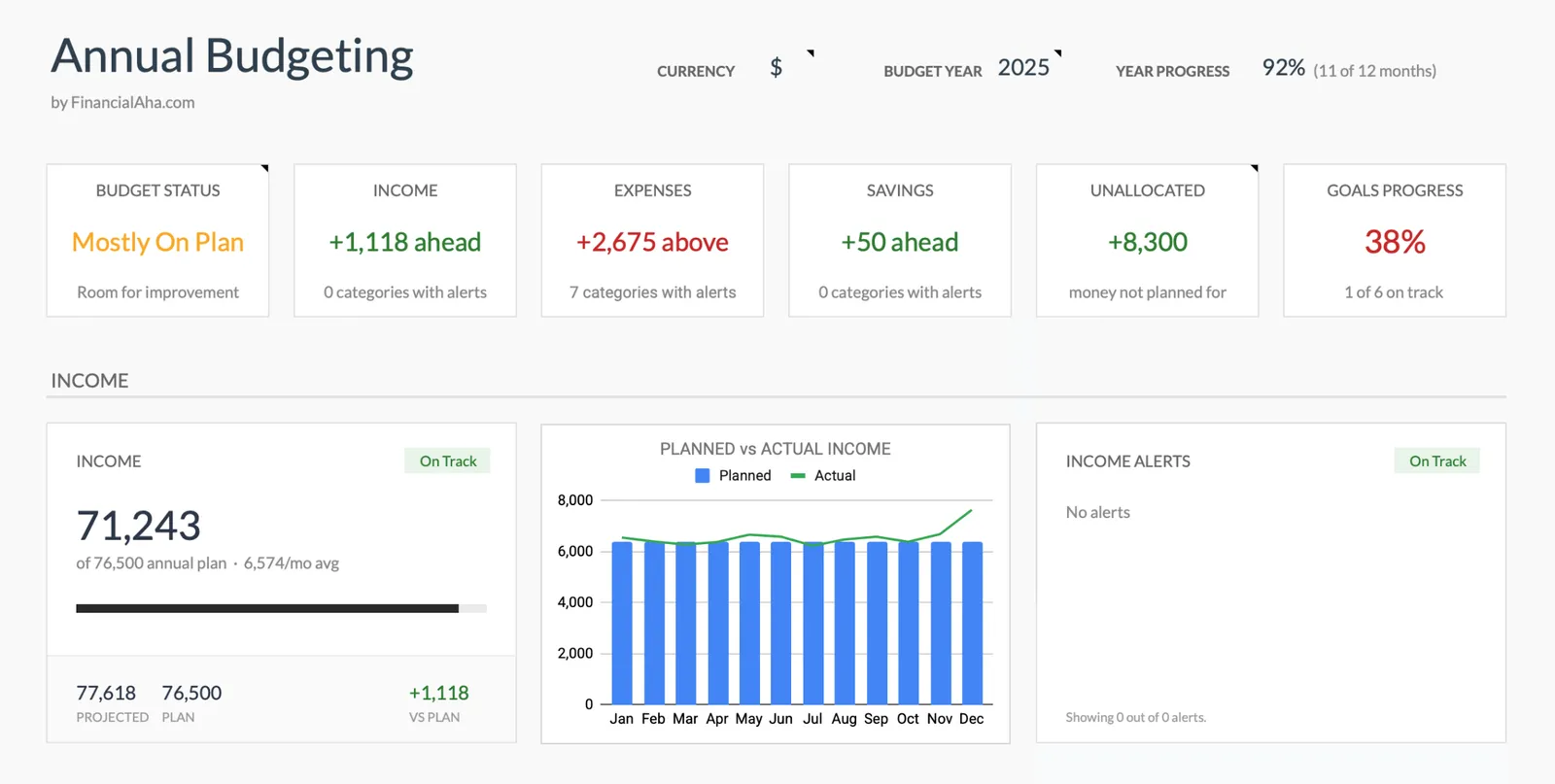
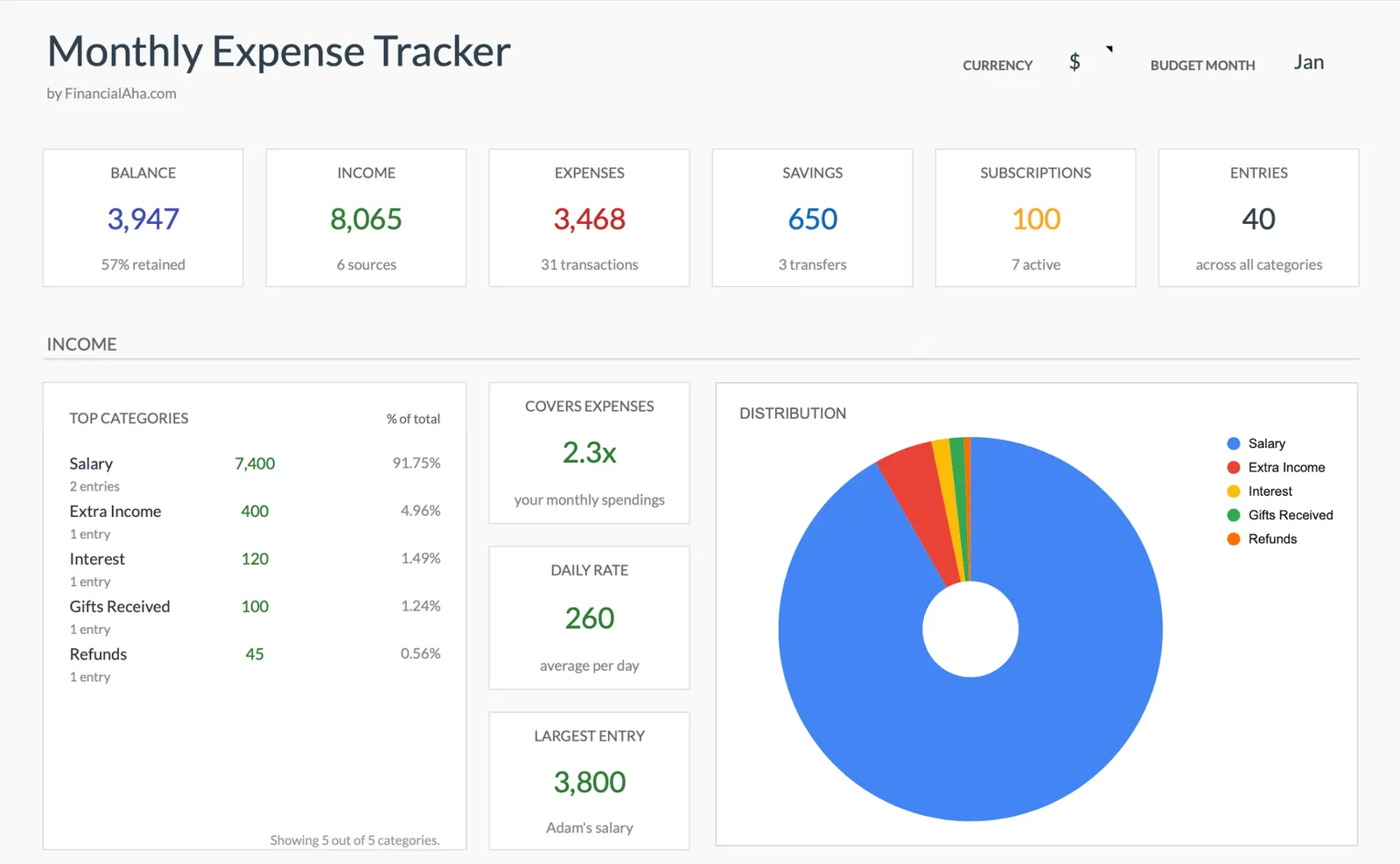
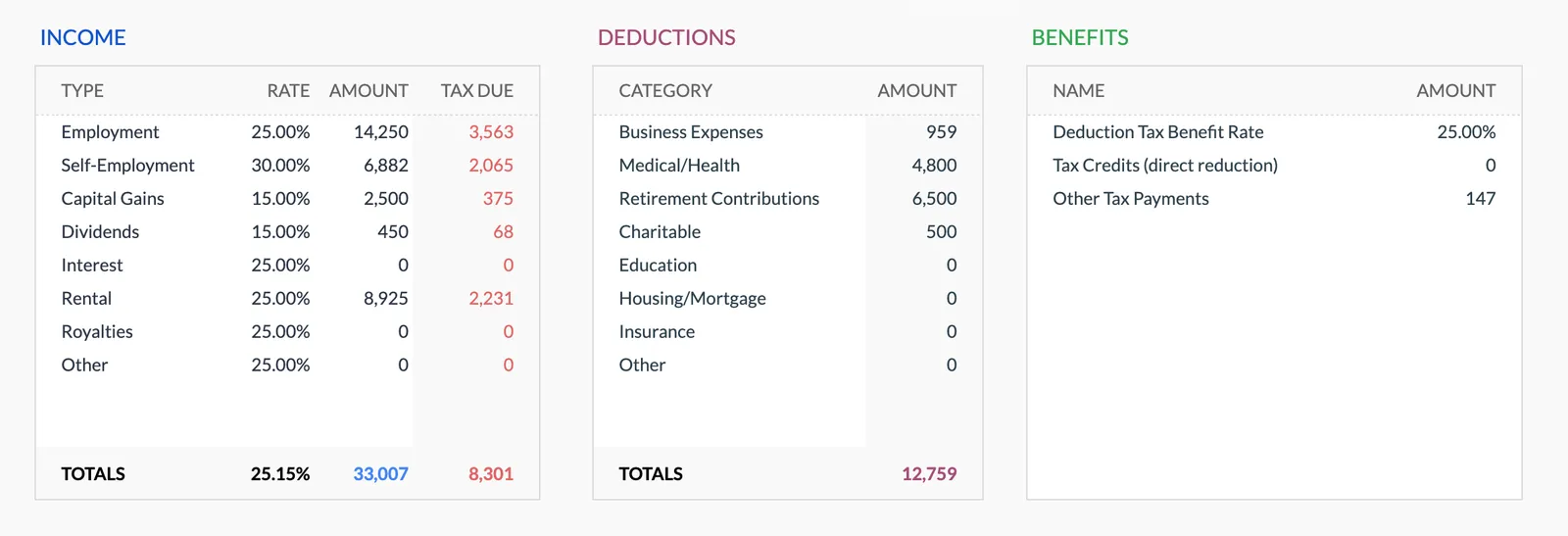
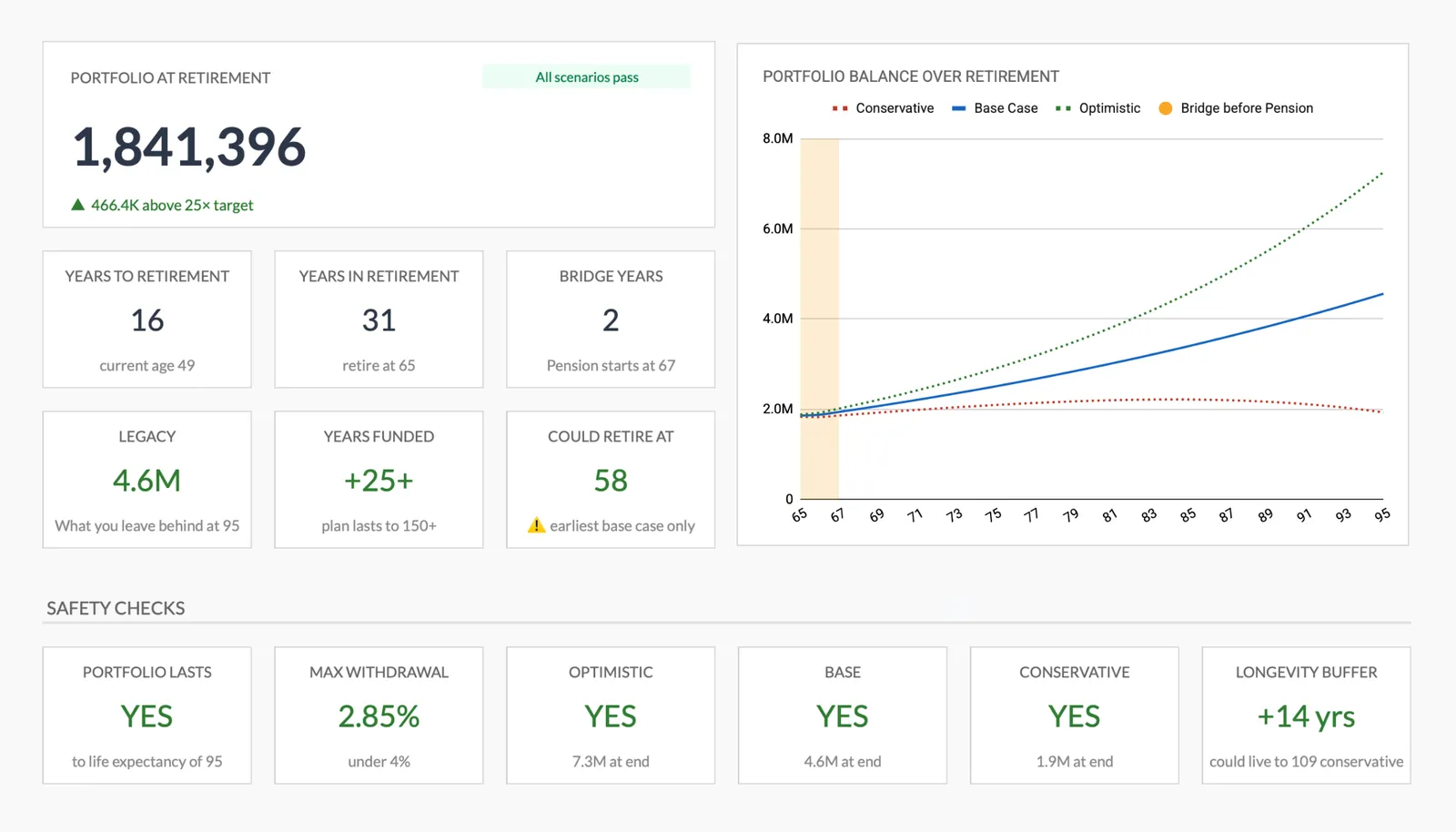
Financial Planning
Net Worth Tracker
Monthly Budgeting
Travel Budget Planner
Annual Budgeting Planner
Monthly Expense Tracker
Annual Tax Planner
Retirement Planning
What's Included
Template Features
Complete financial planning dashboard
A single-view overview of assets, liabilities, income, expenses, and net worth. Useful for annual reviews and initial consultations.
Monthly and annual budgeting
Help clients track spending against targets. The monthly template works for ongoing engagement, while the annual version suits yearly planning sessions.
Net worth tracking over time
Track how client net worth changes month to month. Visualizations make progress tangible and can strengthen the advisor-client relationship.
Retirement projections
Model retirement scenarios with adjustable assumptions. Clients can see how changes in savings rate, retirement age, or spending affect their timeline.
Tax planning worksheet
Annual tax planner for estimating quarterly payments, tracking deductions, and organizing income sources. Helpful during tax season and for proactive planning.
Fully customizable categories
Every template lets you rename categories, add new ones, and adapt the structure to match each client's financial situation. No rigid categories forcing clients into boxes that don't fit.
Getting Started
How to Use These Templates With Your Clients
Purchase the advisor bundle
One purchase gives you all templates with a professional license. No recurring fees, no per-client charges.
Make a copy for each client
In Google Sheets, go to File > Make a copy. Rename it with the client's name or case number. Each copy is independent - changes to one don't affect others.
Customize categories for the client
Adjust income sources, expense categories, and asset types to match the client's actual financial life. A retiree's template will look different from a young professional's.
Share with the client
Use Google Sheets sharing to give the client edit access. They can update their own numbers between meetings, and you can review their entries before each session.
Review together during meetings
Pull up the shared sheet during consultations. The dashboard view gives both of you a clear picture. Use the historical data to show progress over time.
All Templates
8 Templates in the Bundle
Complete financial planning template for managing your personal finances.
View templateMonitor your assets and liabilities to track your net worth over time.
View templateTrack and manage your monthly income and expenses effectively.
View templatePlan your trip expenses, bookings, and packing list in one place.
View templatePlan and track your entire year's finances with monthly breakdowns and goal tracking.
View templateTrack income, expenses, savings, and subscriptions. See where your money goes each month.
View templateTrack income, deductions, and quarterly payments. Multi-currency support and document checklist included.
View templateDetailed projections for your retirement income and expenses.
View templateCommon Questions
FAQ for Financial Advisors
Can I use these templates with all my clients?
Yes. The advisor bundle includes a professional license for unlimited client use. Create as many copies as you need - one per client, one per engagement, however your practice operates. No per-client fees or usage limits.
Do my clients need to pay anything?
No. Your purchase covers the license. Clients just need a free Google account to access the shared spreadsheet. There's nothing for them to buy, install, or subscribe to.
Can I customize the templates with my branding?
The templates are fully editable Google Sheets. You can add your firm's name, adjust colors, modify categories, and restructure sections. The only restriction is reselling or redistributing the templates themselves.
How do updates work?
When we improve a template, you get access to the updated version at no additional cost. Existing client copies won't change automatically - you can choose when to migrate clients to newer versions.
Is there a money-back guarantee?
All sales are final. Because these are digital products delivered instantly, we do not offer refunds.
Can't find the answer you're looking for? Contact our team
One-time purchase
8 templates included:
Start Using These Templates With Your Clients
One purchase. All 8 templates. Unlimited clients. No monthly fees, ever.