Monthly Expenses Tracker
Monthly Expenses Tracker for Freelancers
Track every expense and see exactly where freelance income goes, using categories you name so business costs stay apart from personal ones.
In Depth
Seeing the True Cost of Freelance Life
Freelancers often know their income down to the dollar but have a much hazier picture of their expenses. This is partly because freelance expenses blur the line between business and personal - a home office is both a living space and a workplace, an internet bill serves both clients and Netflix, and a laptop is both a work tool and a personal device. Tracking all expenses creates the clarity needed to understand what freelancing actually costs.
Variable income makes expense tracking more important for freelancers than for salaried workers. When income fluctuates, knowing the baseline monthly cost of living becomes essential information. That number - the minimum needed to keep everything running - is the foundation for decisions about which projects to take, when to raise rates, and how large an emergency buffer to maintain.
Tax-related expenses are another area where tracking pays off for freelancers. Self-employment tax, quarterly estimated payments, and deductible business expenses all require documentation. A consistent expense tracking habit produces the records needed at tax time without the frantic January search through bank statements and receipts.
Many freelancers also discover through tracking that their effective hourly rate is lower than they thought. When the hours spent on invoicing, marketing, client communication, and administrative tasks are factored in alongside the expenses of running a solo business, the per-hour number changes. Expense tracking is one piece of that calculation.
The Challenge
Why Freelancers Need Expense Visibility
Freelance income is hard enough to predict. Knowing exactly where it goes after it arrives is the minimum level of financial awareness that keeps a freelance business sustainable.
You cannot manage what you cannot see
When income varies, expense awareness becomes critical. A month when you earned $6,000 but spent $6,500 only shows up as a problem if you are tracking both numbers.
Business expenses hide in personal spending
That coffee meeting, the coworking day pass, the phone bill that is partly business - without tracking, these expenses are invisible at tax time and unmanaged in between.
Tax deductions require records
Every uncategorized business expense is a missed deduction. Tracking expenses consistently through the year means tax time is a review, not a reconstruction project.
Spending awareness informs pricing
When you know your actual monthly costs - business and personal - you can make informed decisions about rates and project selection. Many freelancers undercharge because they do not know their true cost of operating.
Ready to take control of your freelancer finances?
What You Get
Tracking Features for Freelance Expenses
Simple expense logging
Enter the amount, the date, a short name and a category from the dropdown. Quick enough to do after every transaction.
One category list covering both sides
The Categories sheet ships one editable expense list with Housing, Food, Transportation, Insurance and Taxes & Fees among the defaults. Rename spare rows for software, equipment or coworking.
Automatic category totals
See how much you spent in each category without any manual math. Totals update as you add entries.
Monthly spending summary
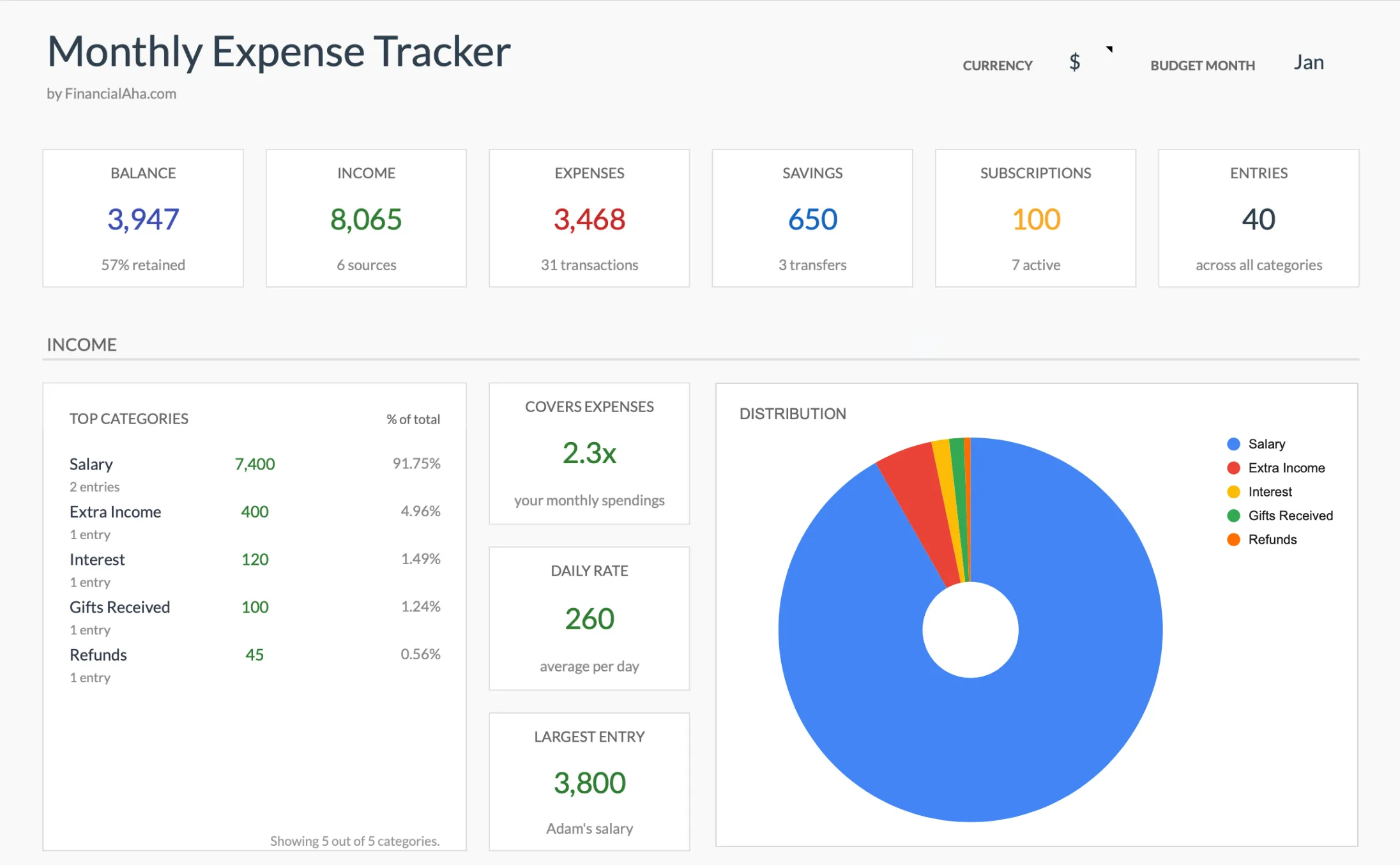
One expenses total for the month, the categories ranked by size with each one's share, a daily average, and the largest single expense.
Freelance income logged beside the costs
The income table ships with Freelance, Tips and Extra Income categories, so a variable month shows what came in next to what went out.
No budgeting required
Pure tracking. No targets to set up, no goals to configure. Record what you spend and see where it goes.
See It In Action
What the template looks like
Browse through the template to see how it handles expense logging, category breakdowns, and spending analysis.
- Dashboard with key metrics at a glance
- Transaction logging with categories
- Expense tracking and summaries
- Visual charts and breakdowns
- Fully customizable categories
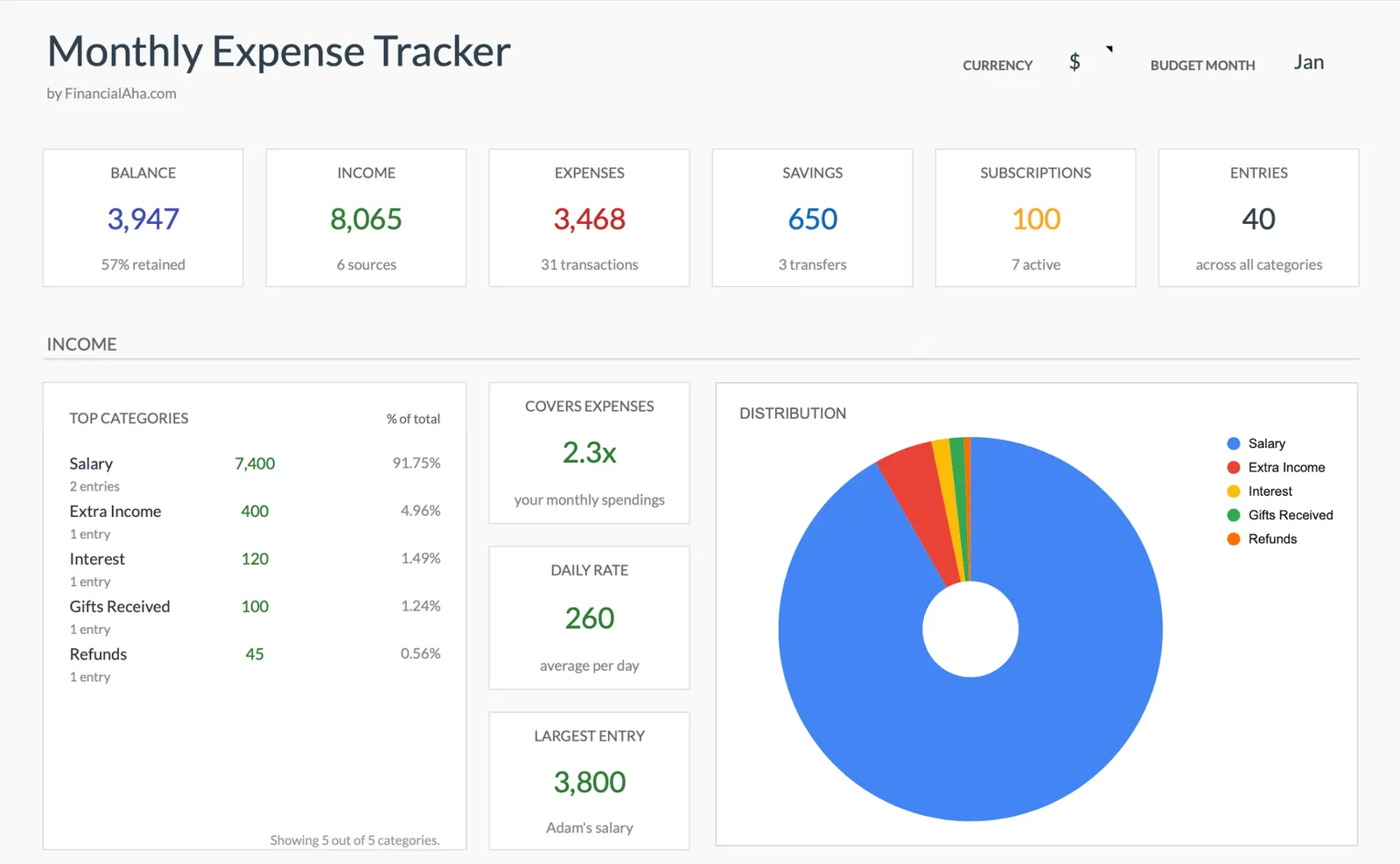
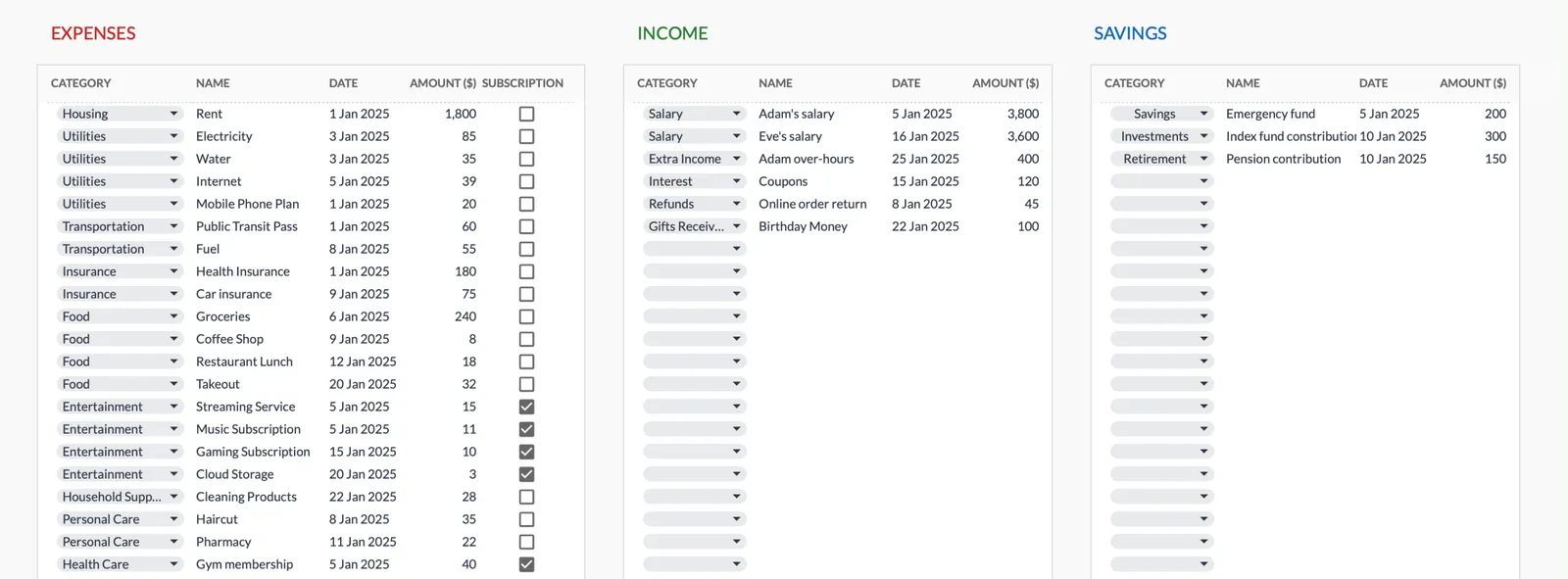
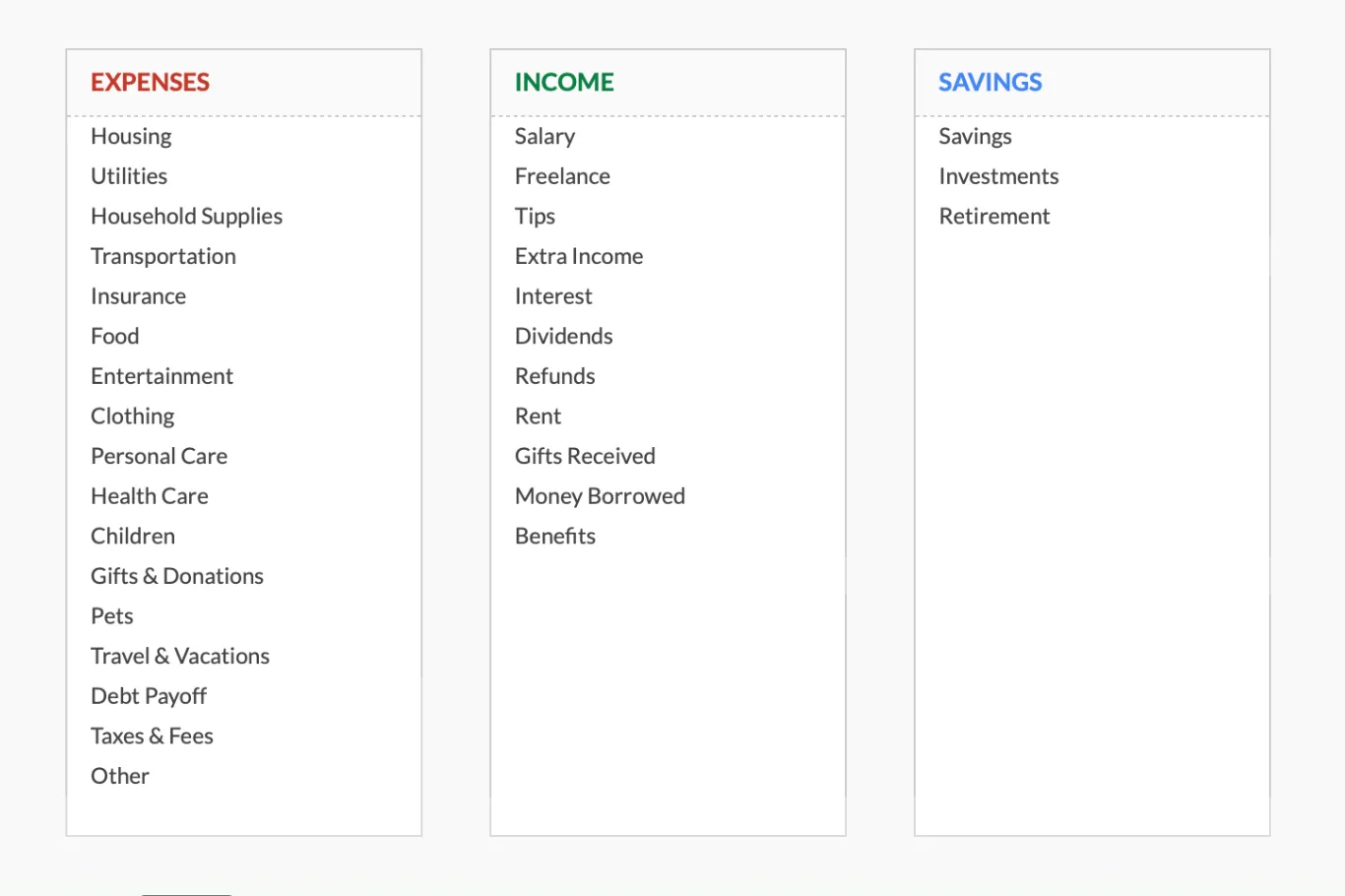
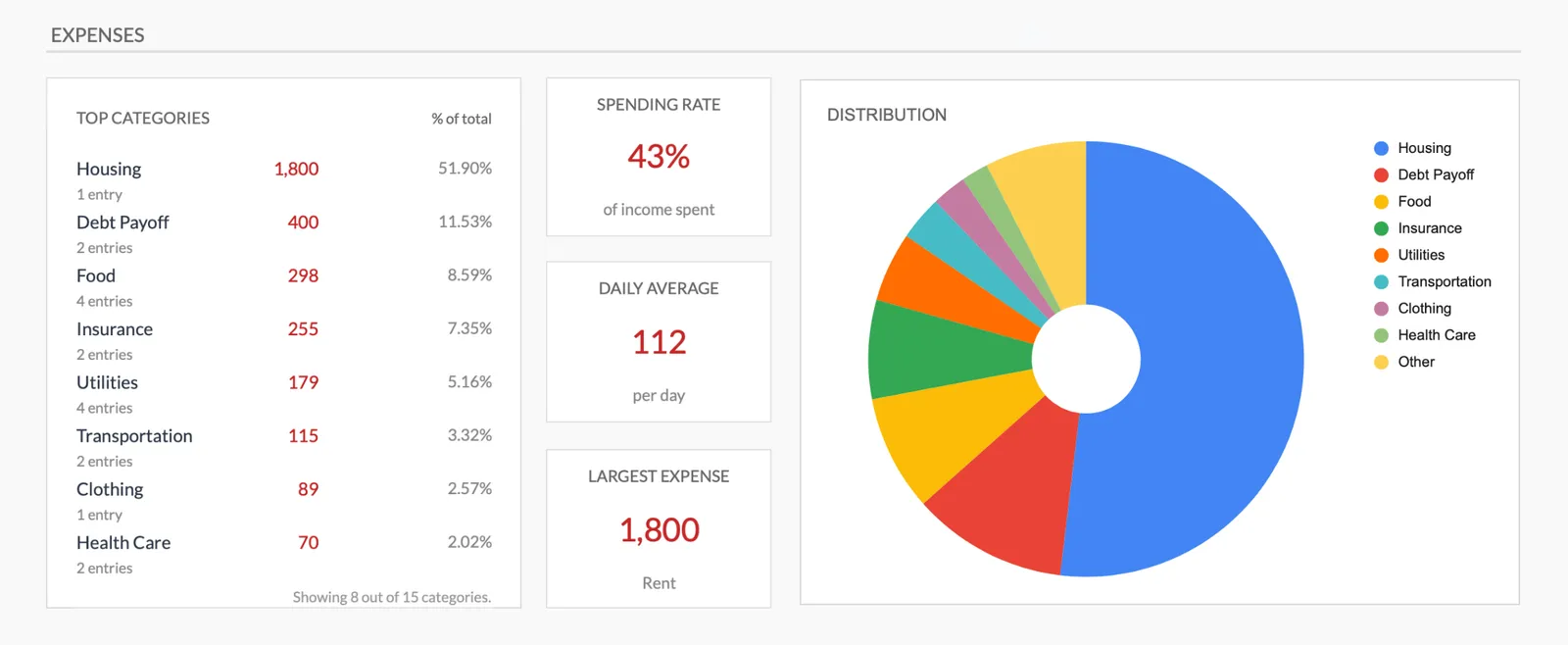
Monthly expense overview with charts
Log every expense with dates and categories
Organize spending into customizable categories
Detailed breakdown of all expenses
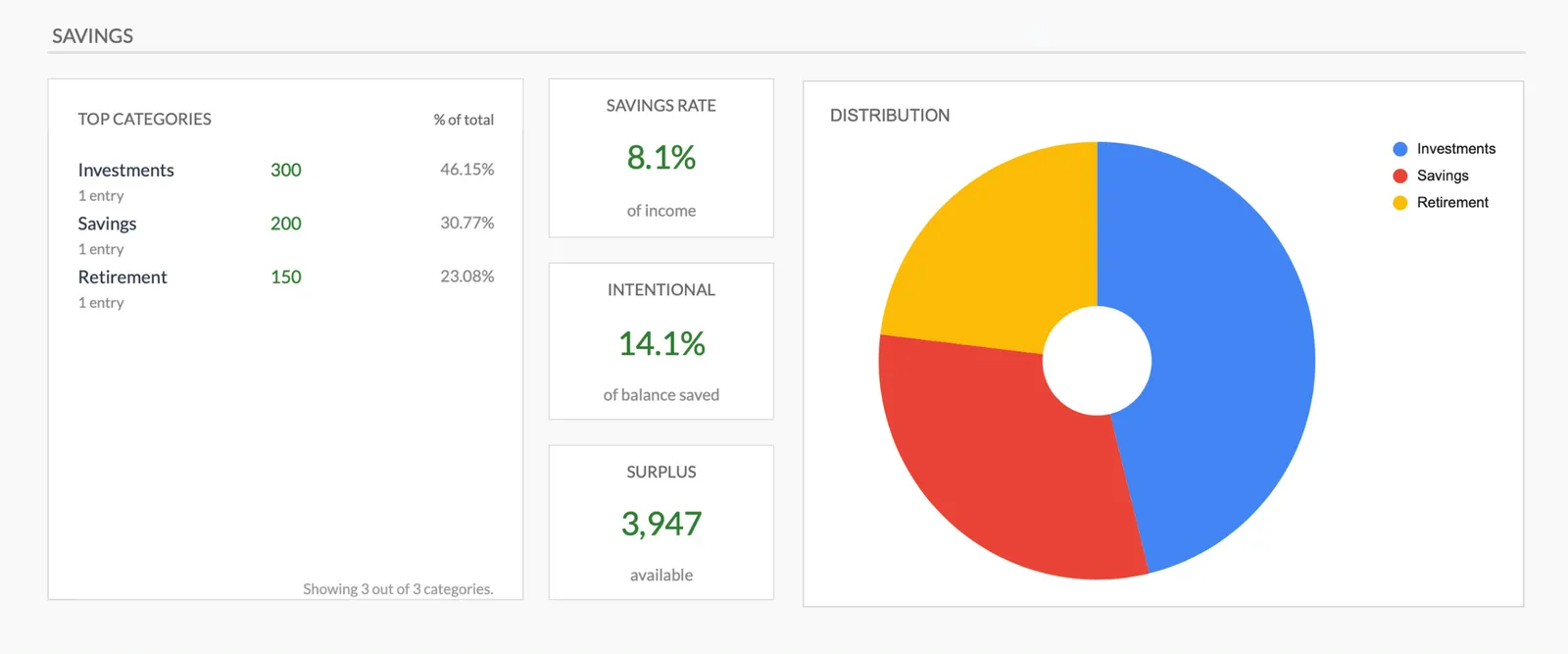
Track savings alongside expenses
Getting Started
Start Tracking Freelance Expenses
Set up your categories
Review the pre-built categories and add any that are specific to your freelance work. This takes five minutes.
Log every expense
Business and personal. Pick the category that fits each one. The separation pays off at tax time and helps you understand your true costs.
Check totals weekly
A quick weekly glance shows whether spending is on pace with income. No formal review needed - just awareness.
Review the monthly summary
See where money went this month. Compare total spending against total income for the month.
Use the data at tax time
The categories you named for business costs become a ready-made list of potential deductions. No more digging through bank statements.
Common Questions
Expenses Tracker for Freelancers- FAQ
How is this different from the monthly budget template?
The budget template adds spending targets and tax set-asides to compare against. This tracker records expenses, income and savings transfers with nothing to hit, which makes it the starting point if you want visibility before full budgeting.
Can I use this for tax preparation?
The categories you name for business costs give you a categorized record of deductible expenses. It is not a substitute for accounting software, but it provides useful organized data for your tax preparer.
What if an expense is partly business and partly personal?
Log it in the most appropriate category and use the name field to record the split. For example, a phone bill that is 60% business can go in a business category with the personal portion noted in the name.
How often should I log expenses?
Daily is ideal - it takes seconds per entry and you remember details. Weekly is workable if you reference bank statements. Monthly catch-ups are unreliable because memory fades.
Should I track cash expenses?
Yes. Cash spending is the easiest to lose track of. Even approximate amounts for cash purchases give a more complete picture than ignoring them.
Will this work alongside invoicing software?
Yes. Invoicing software handles client billing. This template records what you spend, plus the payments as they land on the income side. Together they give you both sides of the equation.
Can't find the answer you're looking for? Contact our team
Start tracking expenses as a freelancer
One-time purchase. No subscription. Your financial data stays in your Google Drive.