Free Capital Gains Calculator Spreadsheet Template
Calculate capital gains and losses from investment sales. Track tax lots with purchase and sale details for tax reporting.
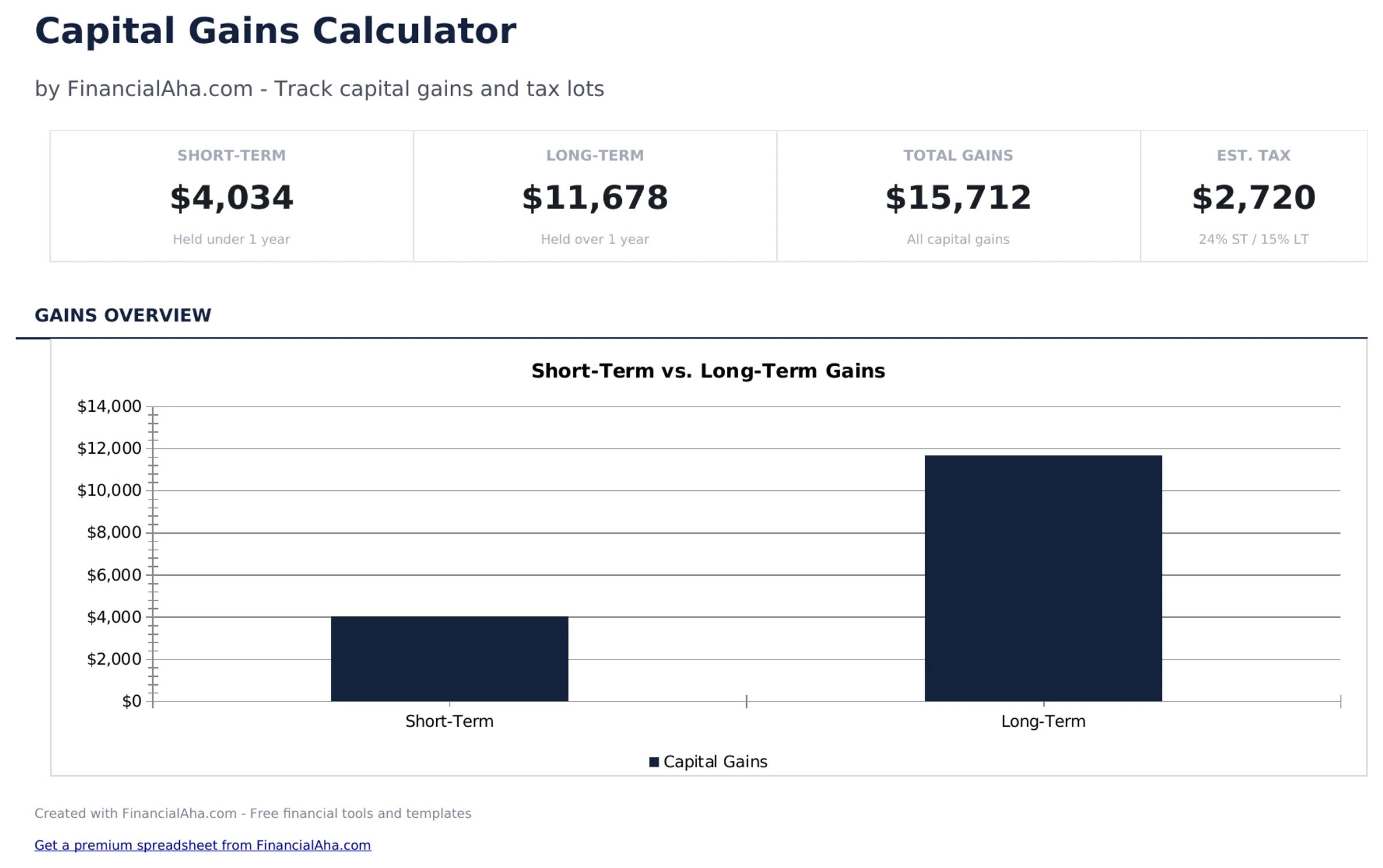
What's Included
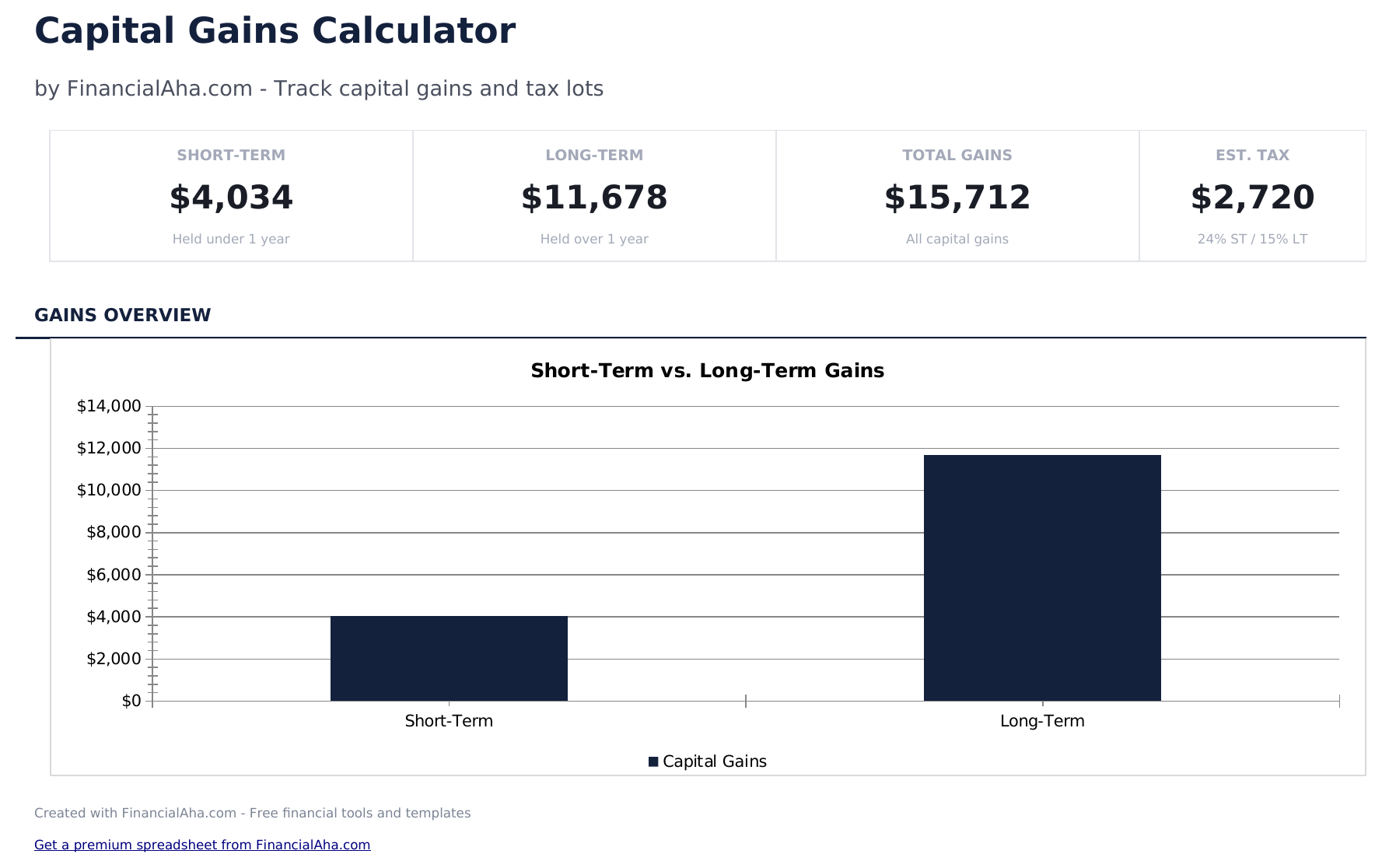
- Dashboard with gains and losses summary showing total short-term gains, long-term gains, and net capital gain
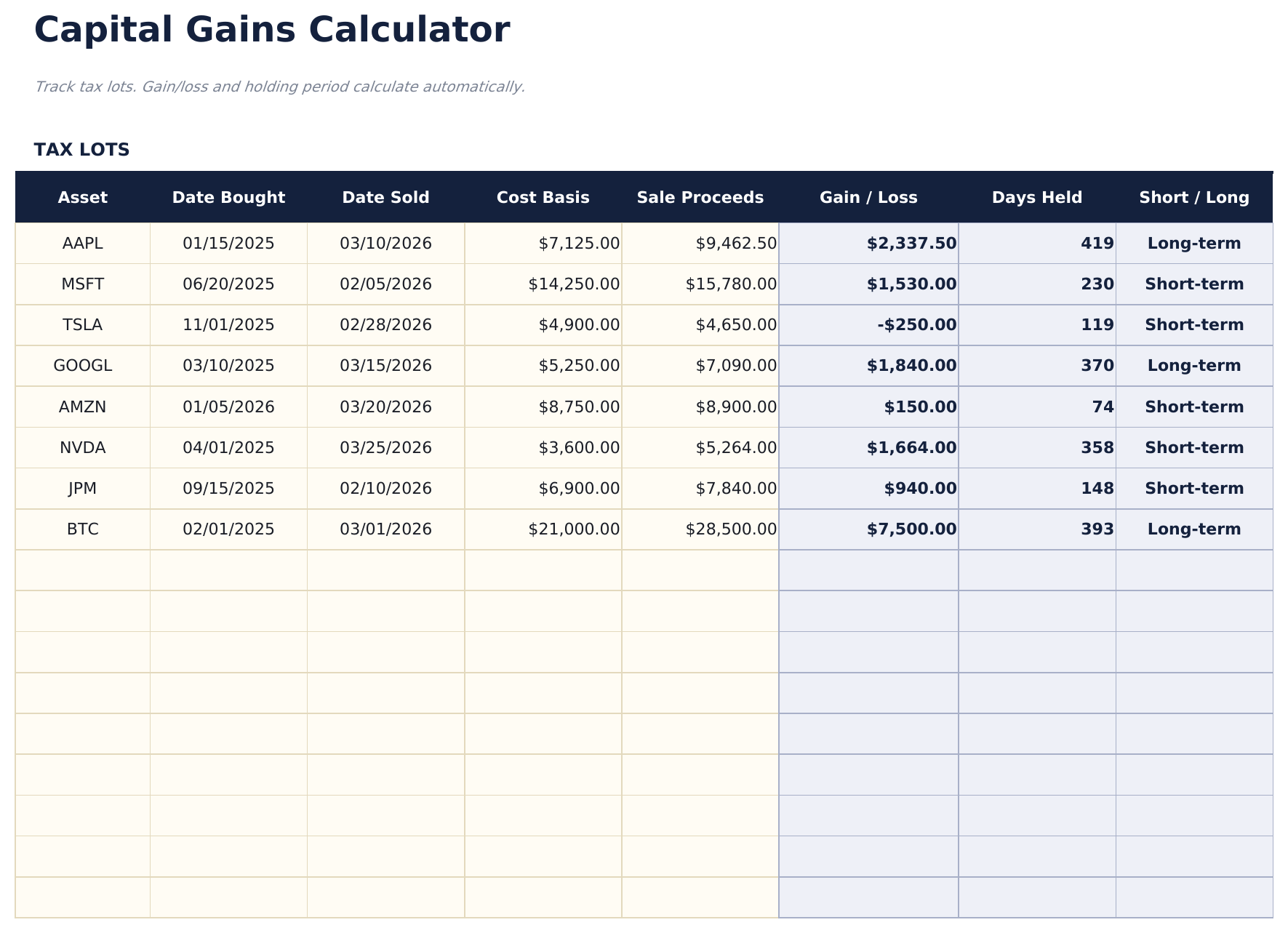
- Tax lot tracking with purchase date, purchase price, sale date, sale price, shares, and automatic gain or loss
- Short-term vs. long-term classification based on holding period with automatic categorization per tax lot sold
- Automatic gain and loss calculations per lot factoring in cost basis, proceeds, and any commission or fee adjustments
- Net capital gain summary with color-coded input cells (yellow) and auto-calculated tax lot results (blue)
- Works in Microsoft Excel, Google Sheets, and LibreOffice Calc with no setup required
Need more from this template?
The free version covers the basics. The Pro version goes further.
- Track up to 20 tax lots with asset, dates, cost basis, and proceeds
- Dashboard with total gains, short-term vs long-term breakdown
- Automatic holding period classification
- Works in Excel and Google Sheets
- Track up to 50 realized transactions with asset, shares, dates bought and sold, cost basis, and proceeds
- Dashboard with 6 KPIs: total gains, short-term gains, long-term gains, estimated tax, effective rate, and transaction count
- Automatic short-term vs long-term classification based on holding period (over 365 days = long-term)
- Tax Summary with editable short-term and long-term tax rates, broken down by holding period with after-tax gains calculation
- Sensitivity analysis grid showing estimated tax at 7 short-term rates crossed with 5 long-term rates (35 scenarios)
Preview
See what's inside this template
How to Use This Capital Gains Calculator Template
Enter each sale
For every investment sold, enter the purchase date, purchase price, sale date, sale price, and number of shares.
Review holding period
The template classifies each sale as short-term (held under one year) or long-term (held one year or more) automatically.
Check gain or loss
Each tax lot shows the calculated gain or loss based on proceeds minus cost basis, adjusted for any commissions.
See the summary
The dashboard totals short-term gains, long-term gains, and net capital gain for the tax year.
Built by Claude AI. Perfected by us.
We use Claude AI to draft each template, after a deep research. Then our team steps in. We refine the layout, stress-test every formula, fix edge cases, and polish the design until it feels like something we would actually use ourselves. The AI gets us 80% there. The last 20% is all human judgment.
Frequently Asked Questions
What is a tax lot?
A tax lot is a record of a specific purchase - the date, price, and shares bought. When you sell, matching the sale to a tax lot determines the gain or loss.
Why does holding period matter?
Short-term gains (under one year) are typically taxed at ordinary income rates. Long-term gains (over one year) may qualify for lower capital gains tax rates.
Can I include commission costs?
Yes. Add commissions to the cost basis or subtract them from proceeds. This reduces the taxable gain or increases the deductible loss.
Does it handle wash sales?
The template does not automatically detect wash sales. If a wash sale applies, manually adjust the cost basis of the replacement shares.
How do I open this in Google Sheets?
Upload the .xlsx file to Google Drive, then open it with Google Sheets. All formulas and formatting will be preserved.
What license is this template under?
All free templates are released under CC BY 4.0 (Creative Commons Attribution). You can use, modify, and share them freely - including for commercial purposes - as long as you credit FinancialAha.com. They are provided as-is and do not constitute financial advice.
More Free Investing & Trading Templates
Looking for premium spreadsheet templates?
Our paid templates include advanced multi-sheet dashboards, native Excel charts, and ongoing updates.