Meilleur rapport qualité-prix Pack Complet de Planification Financière
✓ Planification Financière✓ Suivi du Patrimoine Net✓ Budget Mensuel✓ Planificateur de Budget Voyage✓ Planificateur de Budget Annuel✓ Suivi des Dépenses Mensuelles✓ Planificateur Fiscal Annuel✓ Planification de Retraite
Voir le pack →
Modèle Essentials - Excel et Google Sheets

Money Management for Kids Modèle Essentials

A simple money tracker designed for children learning about finances. Log allowance, earnings, spending, and savings with easy-to-follow layout.

Money Management for Kids preview

Ce qui est inclus

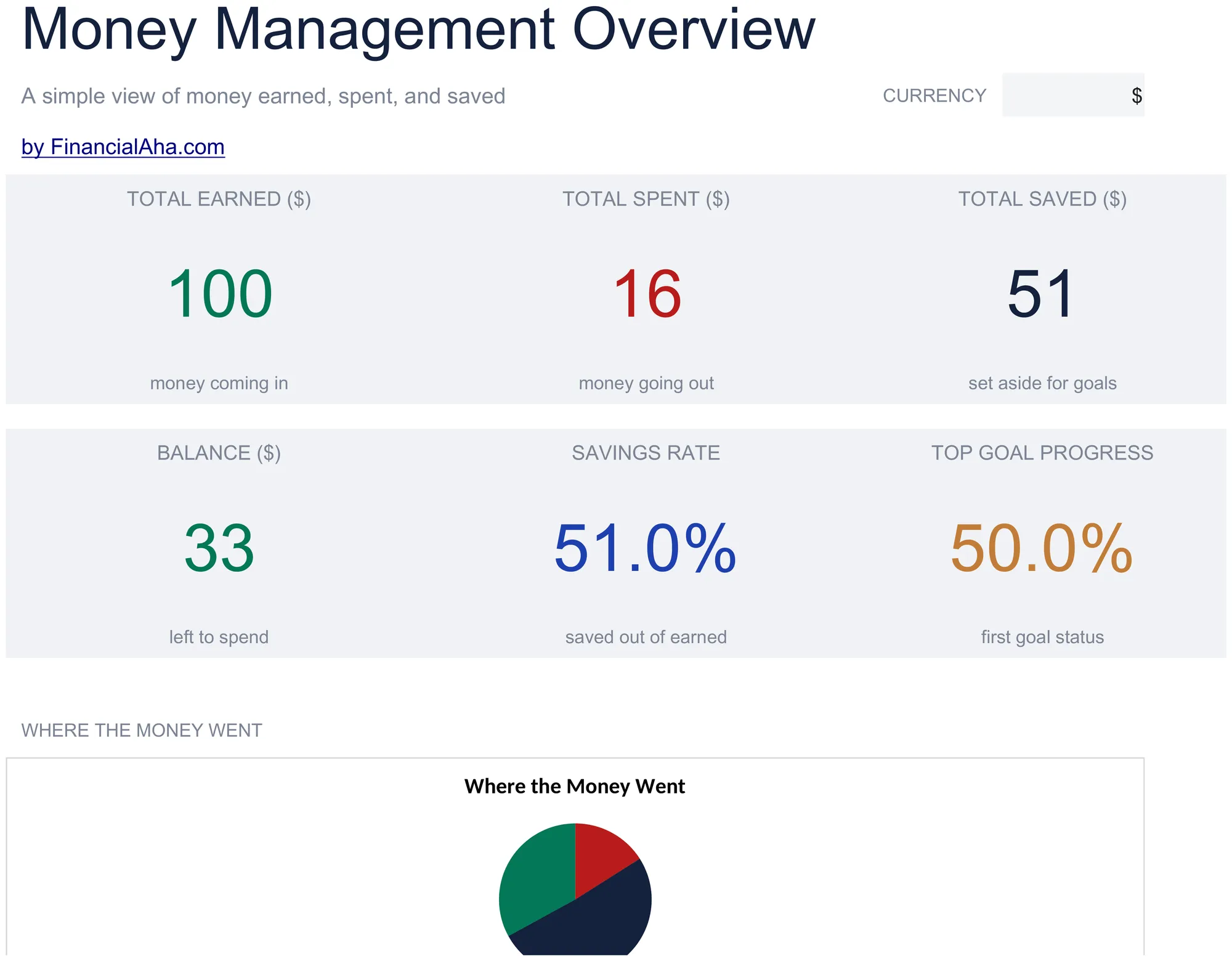
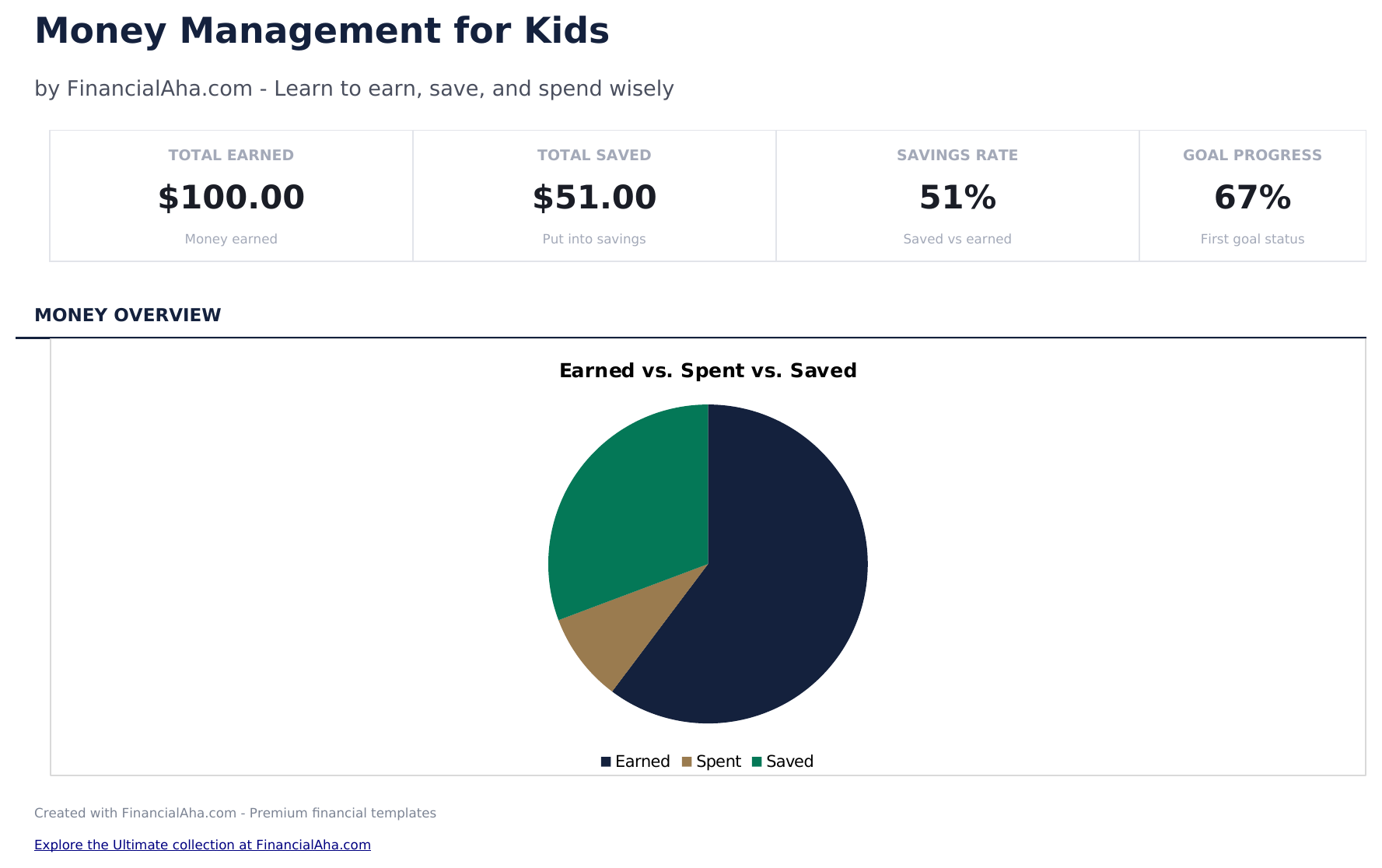
  • Dashboard with savings and spending overview showing total earned, total spent, total saved, and current balance
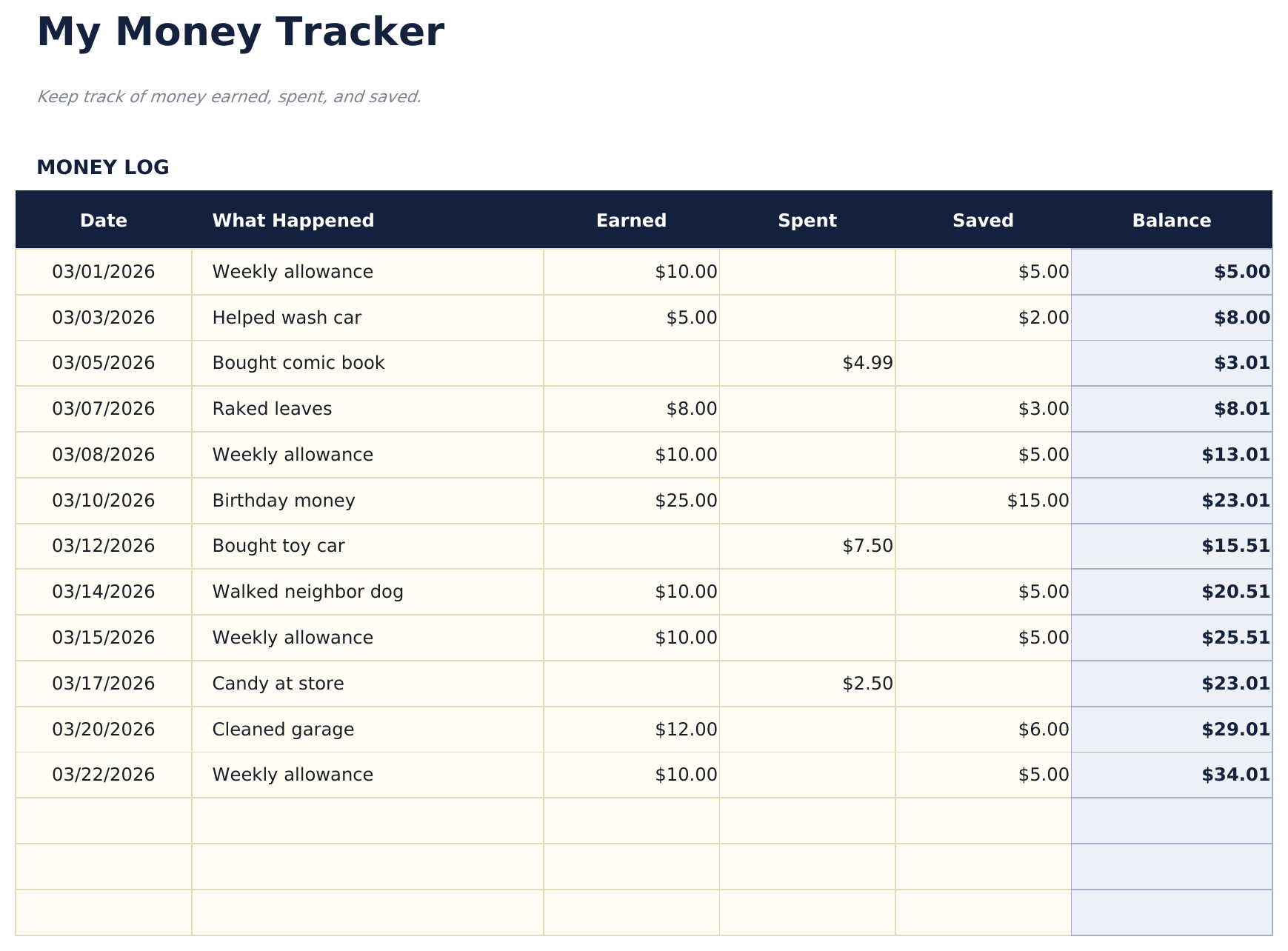
  • Money tracker with simple categories like allowance, chores, birthday money, toys, snacks, and savings deposits
  • Allowance and earnings logging with date, source, and amount columns designed for young learners to fill in
  • Spending and savings tracking with separate sections so kids can see how much goes to purchases vs. savings
  • Visual progress toward savings goals with color-coded cells and simple layout designed for children
  • Works in Microsoft Excel, Google Sheets, and LibreOffice Calc with no setup required

Comment utiliser ce modèle Money Management for Kids

1

Set up the tracker

Enter the child name and starting balance. The template uses simple categories that kids can understand.

2

Log money received

Record allowance, birthday money, chores earnings, or other income with the date, source, and amount.

3

Track spending

When the child spends money, enter what they bought, the date, and the amount. The balance updates automatically.

4

Review savings progress

The dashboard shows total earned, total spent, total saved, and the current balance with visual progress toward savings goals.

Créés par Claude AI. Perfectionnés par nos soins.

Nous utilisons Claude AI pour rédiger chaque modèle, après une recherche approfondie. Puis notre équipe prend le relais. Nous affinons la mise en page, testons chaque formule en conditions réelles, corrigeons les cas limites et peaufinons le design jusqu'à obtenir un résultat que nous utiliserions nous-mêmes. L'IA nous amène à 80 %. Les 20 % restants, c'est du jugement humain.

Questions fréquentes

What age is this designed for?

The template uses simple language and categories suitable for children ages 6 and up. Parents can help younger children with data entry.

Does it teach saving?

Yes. The savings section separates money set aside from money available to spend. Kids can set a savings goal and track progress toward it.

What spending categories are included?

Simple categories include toys, snacks, games, books, and savings. Rename them to match what your child actually spends on.

Can parents and kids use it together?

Yes. The layout is simple enough for kids to enter amounts while parents can review the dashboard and help with the savings goals section.

Comment ouvrir ce fichier dans Google Sheets ?

Importez le fichier .xlsx dans Google Drive, puis ouvrez-le avec Google Sheets. Toutes les formules et la mise en forme seront conservées.

Plus de modèles Essentials Special Purpose

Vous recherchez des modèles de tableurs premium ?

Nos modèles payants incluent des tableaux de bord multi-feuilles avancés, des graphiques Excel natifs et des mises à jour régulières.

Privé et sécurisé

Vos données financières restent sur votre appareil. Nous ne les voyons jamais.

En savoir plus →

Besoin d'aide?

Consultez nos guides ou contactez-nous pour toute question.

Voir FAQ →