أفضل قيمة حزمة التخطيط المالي الشاملة
✓ التخطيط المالي✓ متتبع صافي الثروة✓ الميزانية الشهرية✓ مخطط ميزانية السفر✓ مخطط الميزانية السنوية✓ متتبع النفقات الشهرية✓ مخطط الضرائب السنوي✓ تخطيط التقاعد
عرض الحزمة →
قالب احترافي - Excel و Google Sheets

Money Management for Kids قالب Essentials

A simple money tracker designed for children learning about finances. Log allowance, earnings, spending, and savings with easy-to-follow layout.

Money Management for Kids preview

ماذا يتضمن

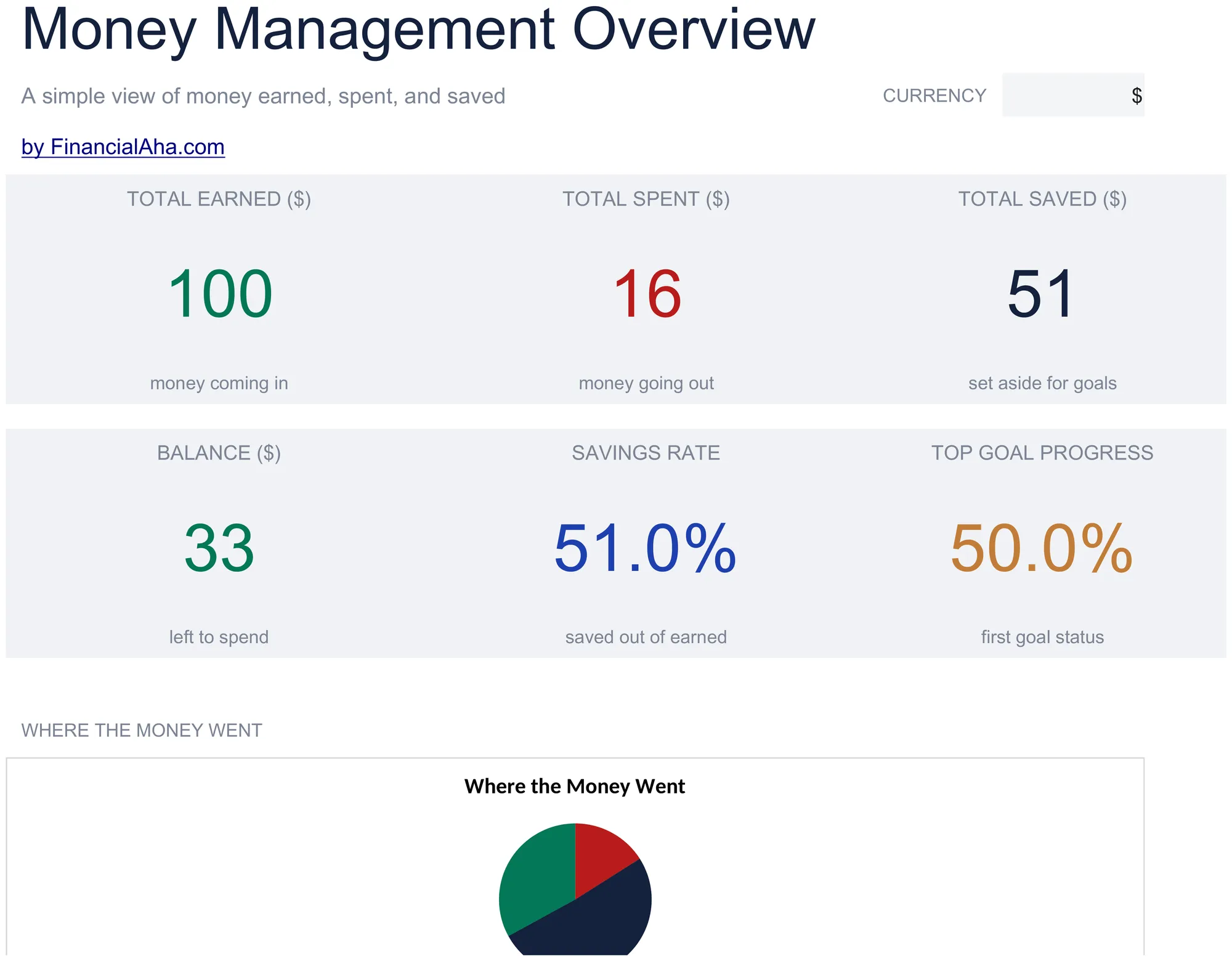
  • Dashboard with savings and spending overview showing total earned, total spent, total saved, and current balance
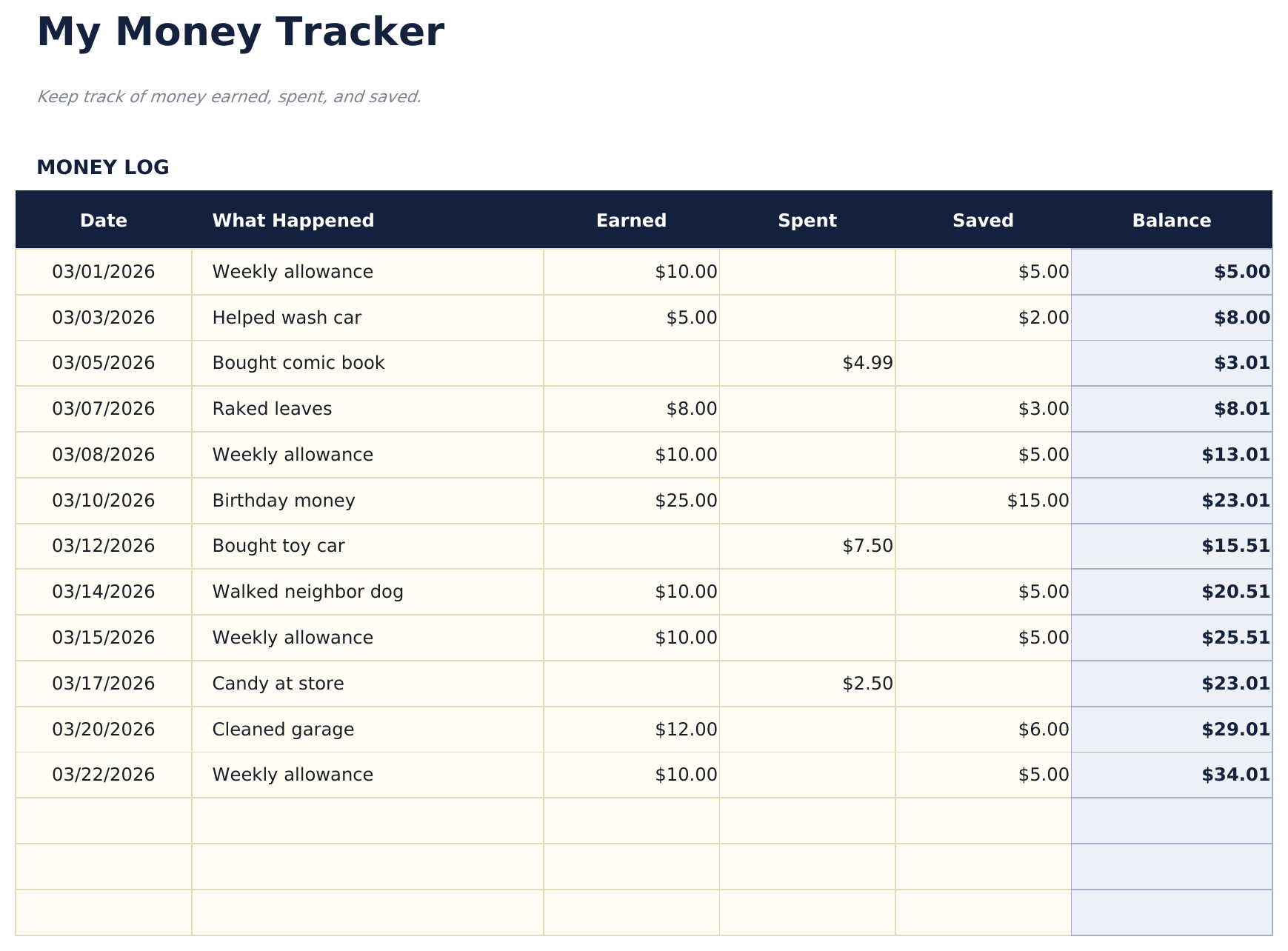
  • Money tracker with simple categories like allowance, chores, birthday money, toys, snacks, and savings deposits
  • Allowance and earnings logging with date, source, and amount columns designed for young learners to fill in
  • Spending and savings tracking with separate sections so kids can see how much goes to purchases vs. savings
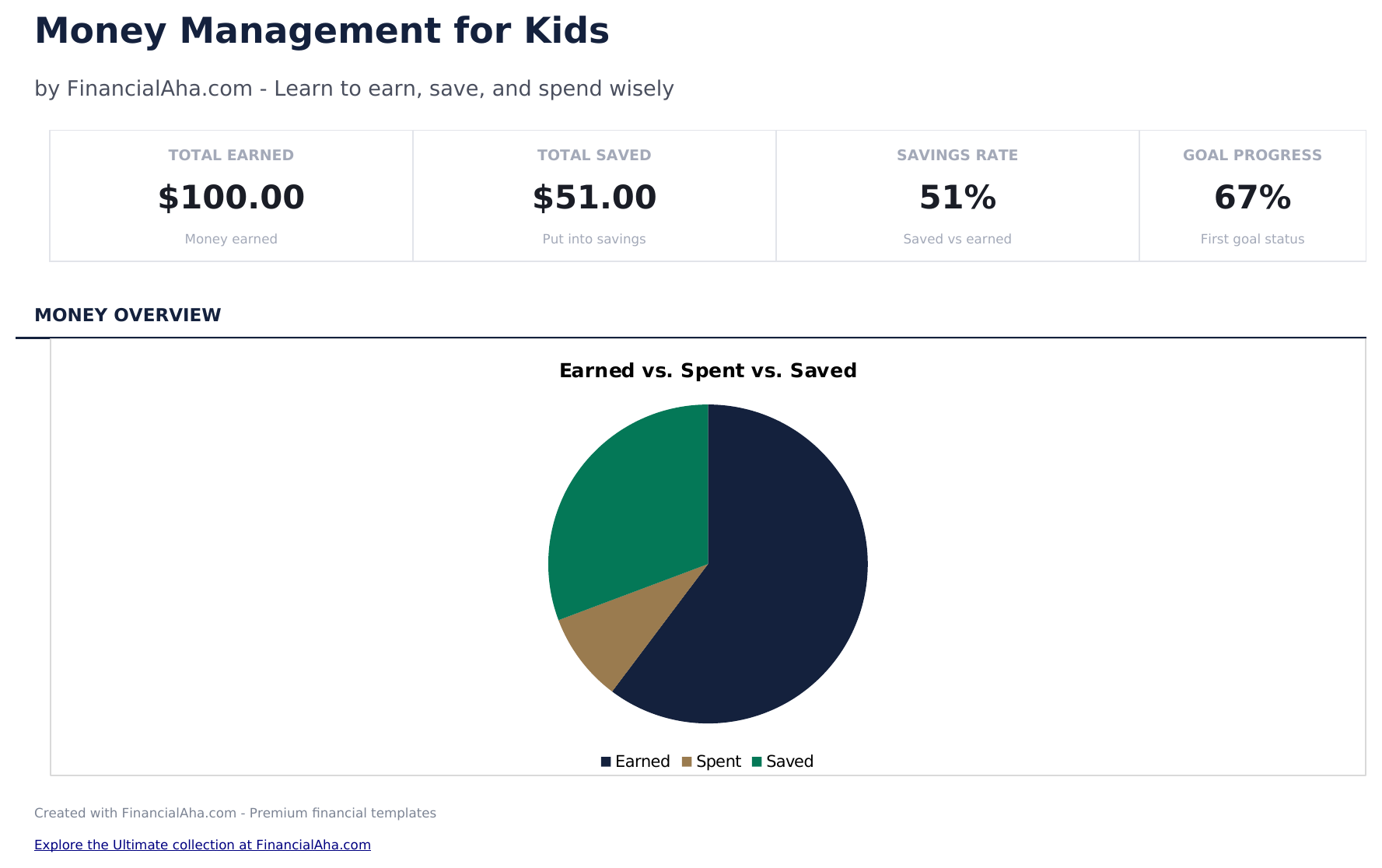
  • Visual progress toward savings goals with color-coded cells and simple layout designed for children
  • Works in Microsoft Excel, Google Sheets, and LibreOffice Calc with no setup required

كيفية استخدام قالب Money Management for Kids هذا

1

Set up the tracker

Enter the child name and starting balance. The template uses simple categories that kids can understand.

2

Log money received

Record allowance, birthday money, chores earnings, or other income with the date, source, and amount.

3

Track spending

When the child spends money, enter what they bought, the date, and the amount. The balance updates automatically.

4

Review savings progress

The dashboard shows total earned, total spent, total saved, and the current balance with visual progress toward savings goals.

صُممت بواسطة Claude AI. أتقنّاها نحن.

نستخدم Claude AI لصياغة كل قالب بعد بحث معمّق. ثم يتدخل فريقنا. نحسّن التصميم، ونختبر كل صيغة، ونعالج الحالات الاستثنائية، وننقّح التصميم حتى يصبح شيئاً نستخدمه نحن فعلاً. الذكاء الاصطناعي يوصلنا إلى 80%. الـ 20% المتبقية هي حكم بشري بالكامل.

الأسئلة الشائعة

What age is this designed for?

The template uses simple language and categories suitable for children ages 6 and up. Parents can help younger children with data entry.

Does it teach saving?

Yes. The savings section separates money set aside from money available to spend. Kids can set a savings goal and track progress toward it.

What spending categories are included?

Simple categories include toys, snacks, games, books, and savings. Rename them to match what your child actually spends on.

Can parents and kids use it together?

Yes. The layout is simple enough for kids to enter amounts while parents can review the dashboard and help with the savings goals section.

كيف أفتح هذا في Google Sheets؟

ارفع ملف .xlsx إلى Google Drive، ثم افتحه باستخدام Google Sheets. جميع الصيغ والتنسيقات ستبقى محفوظة.

المزيد من قوالب Essentials في Special Purpose

تبحث عن قوالب جداول بيانات احترافية؟

القوالب المدفوعة تشمل لوحات معلومات متعددة الأوراق متقدمة، ورسوم بيانية أصلية في Excel، وتحديثات مستمرة.

خاص وآمن

بياناتك المالية تبقى على جهازك. نحن لا نراها أبداً.

تعرف على المزيد →

هل تحتاج مساعدة؟

راجع أدلتنا أو تواصل معنا لأي أسئلة.

عرض الأسئلة الشائعة →