Essentials Savings & Retirement Templates
12 savings & retirement spreadsheet templates in their fuller Essentials builds, with more worked out for you rather than typed. One-time $19 per template.
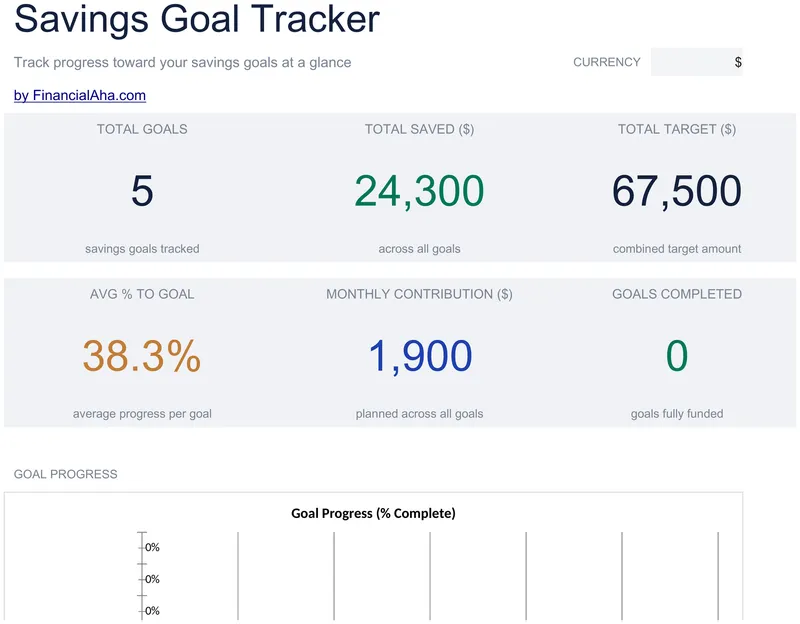
Savings Goal Tracker
Eight goals carrying a target, what is saved, a monthly contribution and a priority label. From those the Essentials Savings Goal Tracker spreadsheet template works out the percentage complete, the months remaining at your contribution rate, and an on-track status that reads Done once a target is met. Monthly tracking and a dashboard sit on their own tabs. Google Sheets and Excel, one file. No macros, no VBA.
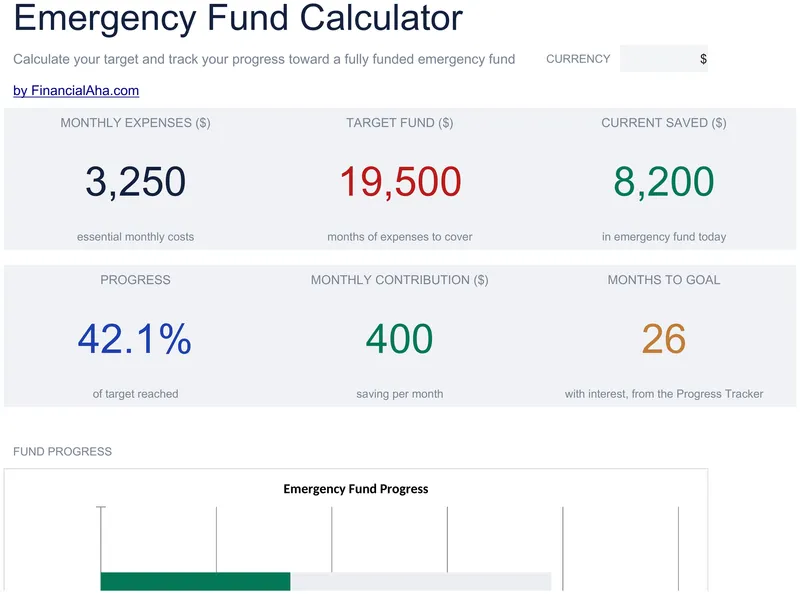
Emergency Fund Calculator
Ten lines for the essential expenses, totalled into the monthly figure the target follows from. The Essentials Emergency Fund Calculator spreadsheet template takes an interest rate for the account the fund sits in, then runs thirty-six months of plan with the balance compounding. A dashboard carries progress, the amount remaining and an estimated target date. Four sheets, Google Sheets and Excel. No macros, no VBA.
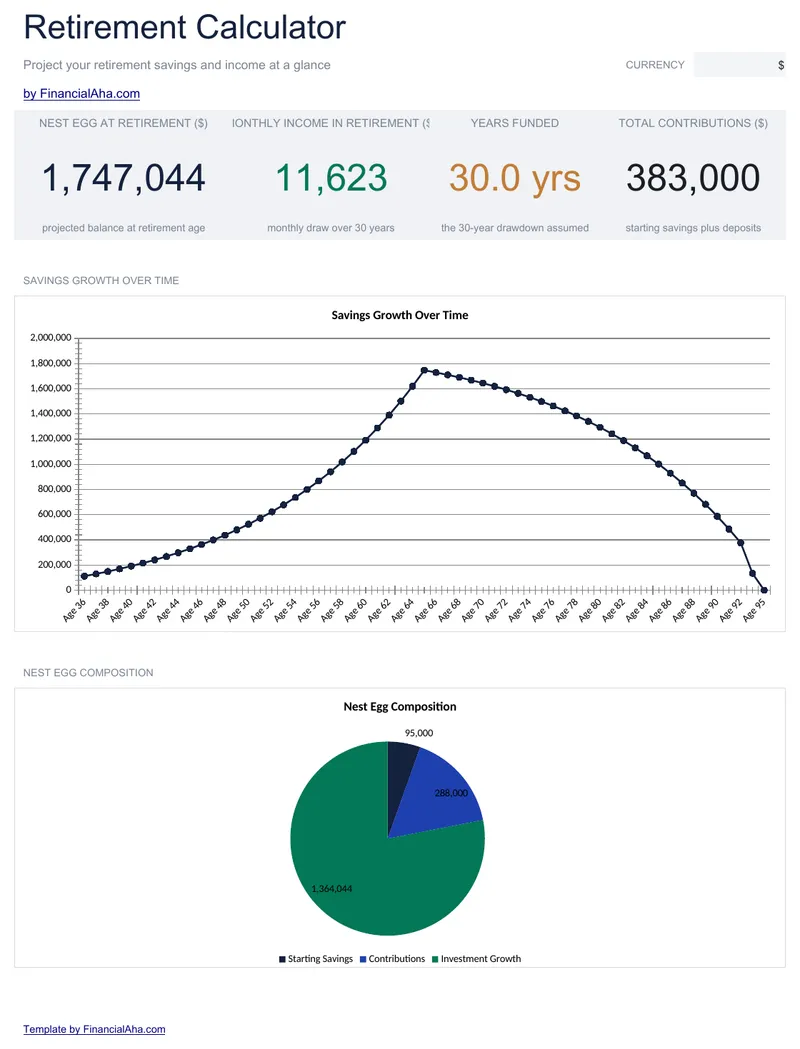
Retirement Calculator
The projection carries past the finish line: contributions through the working years, then withdrawals from the year after the retirement age you set, in one year-by-year table. The Essentials Retirement Calculator spreadsheet template reports the balance at retirement, a sustainable monthly income, the years it funds and total contributions, with a chart of the savings building and then drawing down. Three working sheets and two charts. Google Sheets and Excel. No macros, no VBA.
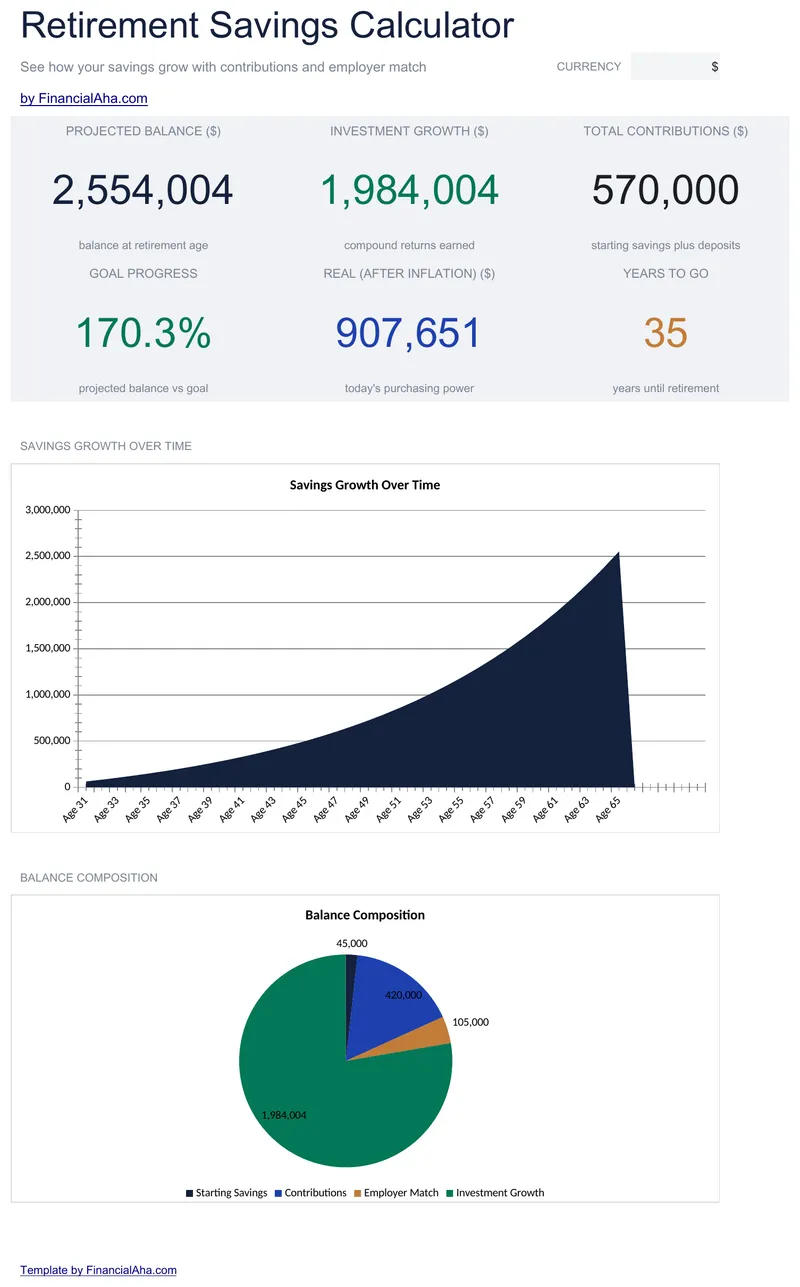
Retirement Savings Calculator
Current age and retirement age rather than a span of years, annual contribution and employer match as separate inputs, expected return and inflation rate both yours to set. The Essentials Retirement Savings Calculator spreadsheet template projects forward year by year to retirement age and measures the result against a savings goal you enter. Dashboard, Setup, Projection, How to Use. Google Sheets and Excel, one file. No macros, no VBA.
401k Calculator
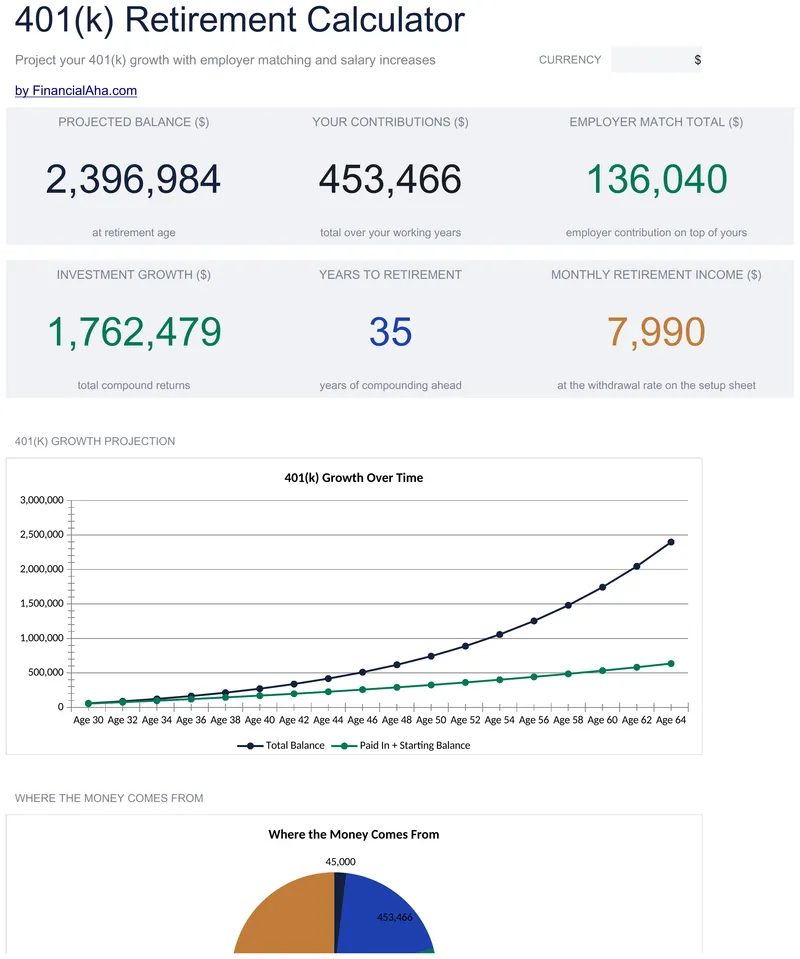
An employer match modelled the way real arrangements work: a proportion of what you put in, capped at a share of salary, with that ceiling reapplied each year as the salary grows. The Essentials 401k Calculator spreadsheet template lays out every year to retirement - age, salary, both contributions, growth, closing balance - and keeps your total and your employer's tracked apart. Three working sheets, two charts, and a starting balance if you already have one. Google Sheets and Excel. No macros, no VBA.
Traditional vs Roth Calculator
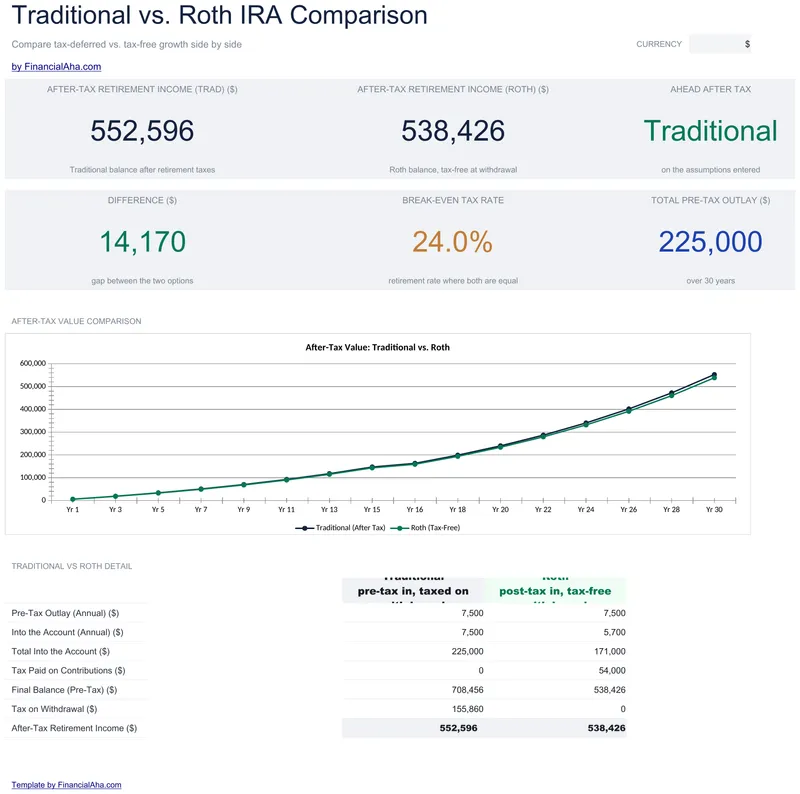
Annual contribution, both tax rates, a return and a number of years, projected year by year to retirement with both balances and both after-tax values on every row. The Essentials Traditional vs Roth Calculator spreadsheet template tracks the gap between the two accounts as it opens or closes, and works out the break-even retirement tax rate. Dashboard, Comparison Setup, Projection Table, How to Use. Google Sheets and Excel, one file. No macros, no VBA.
College Savings Calculator
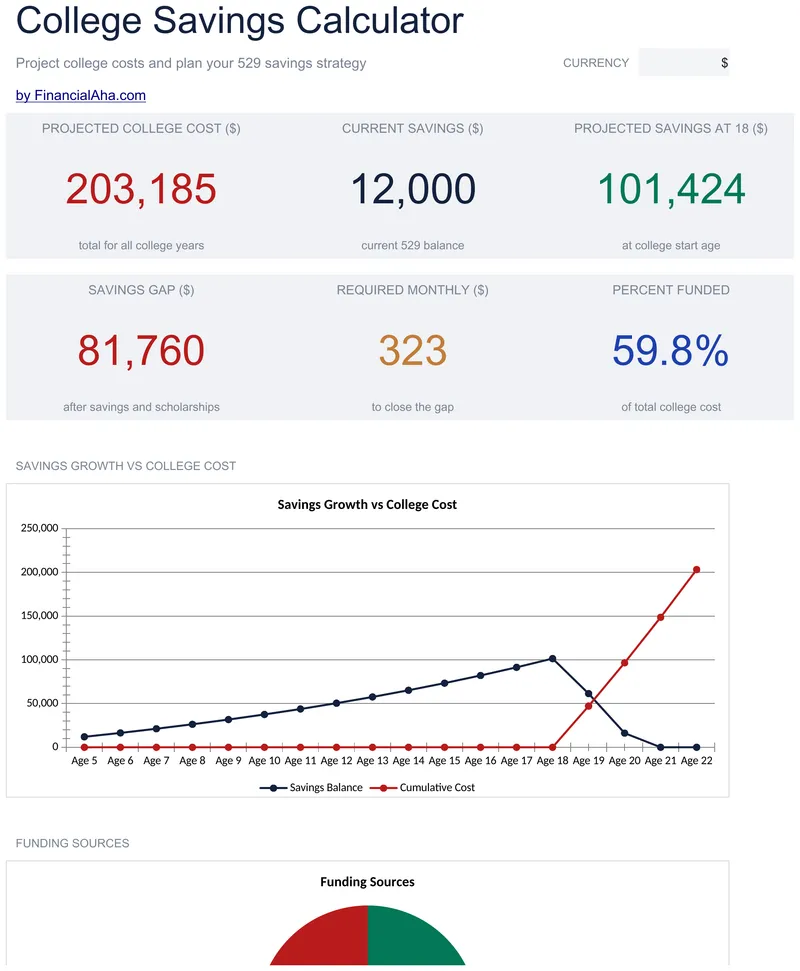
The child's age today and at college start drive the whole projection, with what you have already saved counted alongside the monthly contribution and a scholarship estimate taken off the total. The Essentials College Savings Calculator spreadsheet template builds the cost as an inflating series and runs the year-by-year table through college rather than stopping at eighteen, which is where the bill actually starts. Three working sheets. Google Sheets and Excel. No macros, no VBA.
Compound Interest Calculator
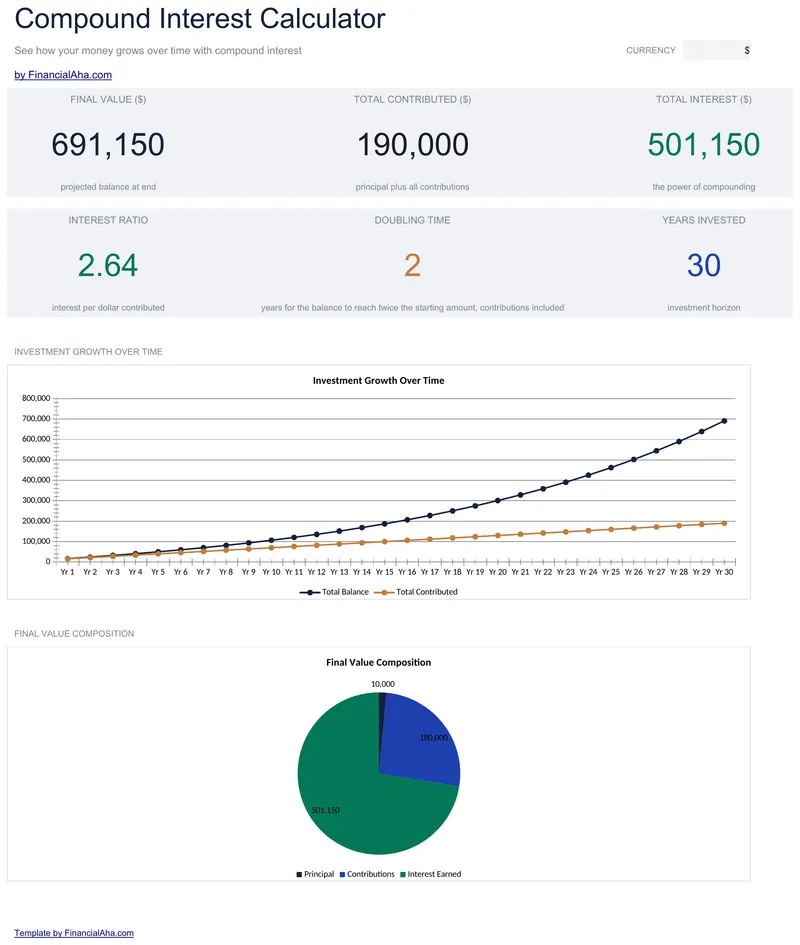
Choose how often interest is added - monthly, quarterly, half-yearly or annual - and the Essentials Compound Interest Calculator spreadsheet template lays the whole period out year by year, up to thirty of them, with the start balance, contributions, interest earned and end balance on every row. Running totals follow alongside, and the dashboard adds the interest ratio and the years it takes to double the starting principal. Google Sheets and Excel. No macros, no VBA.
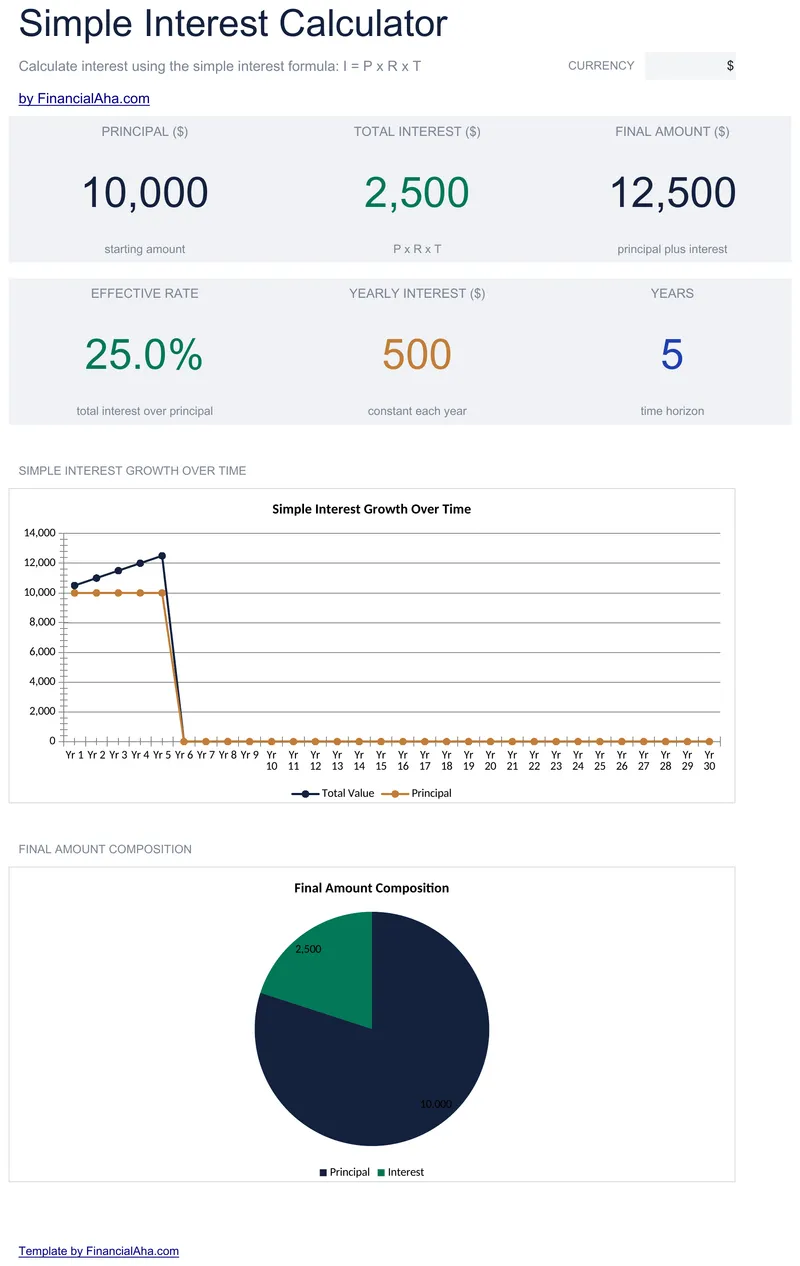
Simple Interest Calculator
The same principal, rate and time, with part-years accepted as decimals, produce the interest per year, per month and per day. The Essentials Simple Interest Calculator spreadsheet template also gives total interest, the final amount, an effective rate across the whole term rather than per year, and a thirty-year accrual schedule carrying the running total. Four sheets. Google Sheets and Excel, one file. No macros, no VBA.
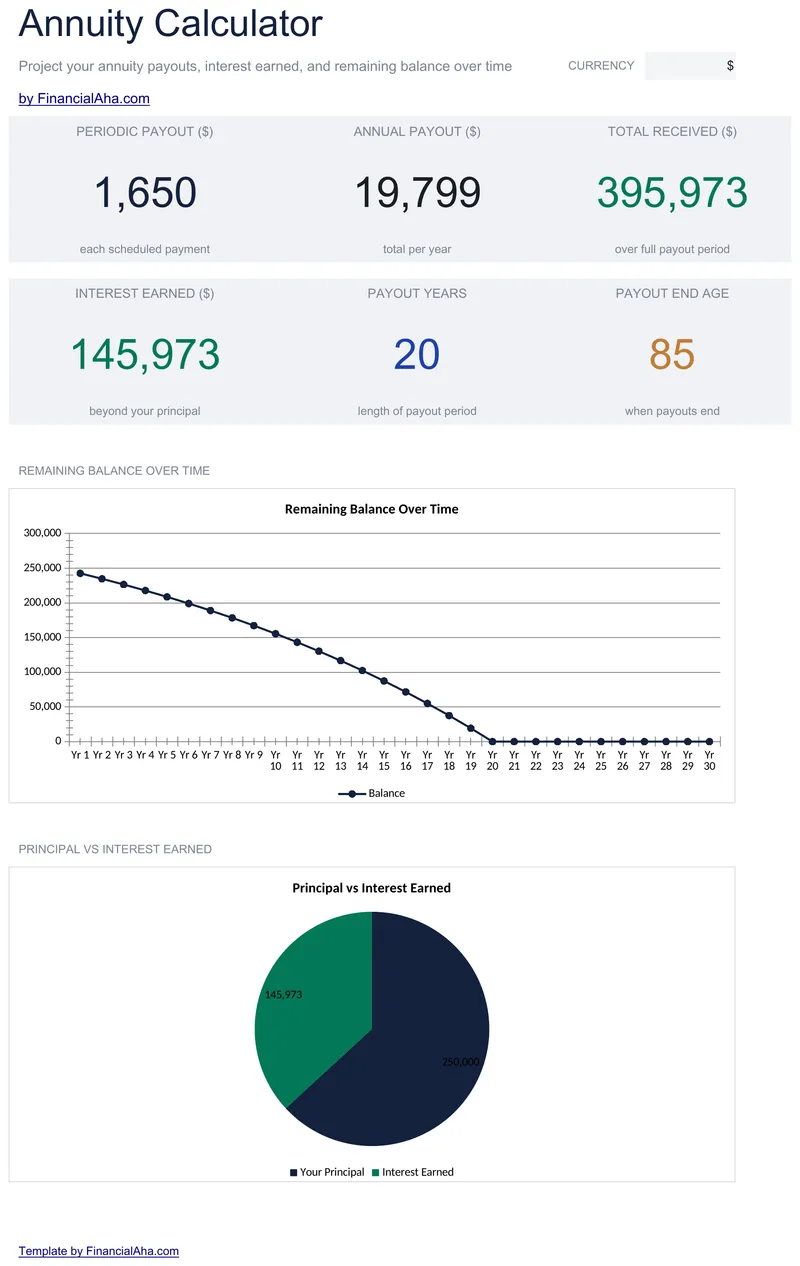
Annuity Calculator
Payouts per year is a setting rather than an assumption, so monthly, quarterly and annual all work from the same three inputs. The Essentials Annuity Calculator spreadsheet template takes a starting age and works out the age the payouts finish, lays the whole term out year by year, and shows the total received with the interest inside it. Three working sheets and a dashboard. Google Sheets and Excel. No macros, no VBA.
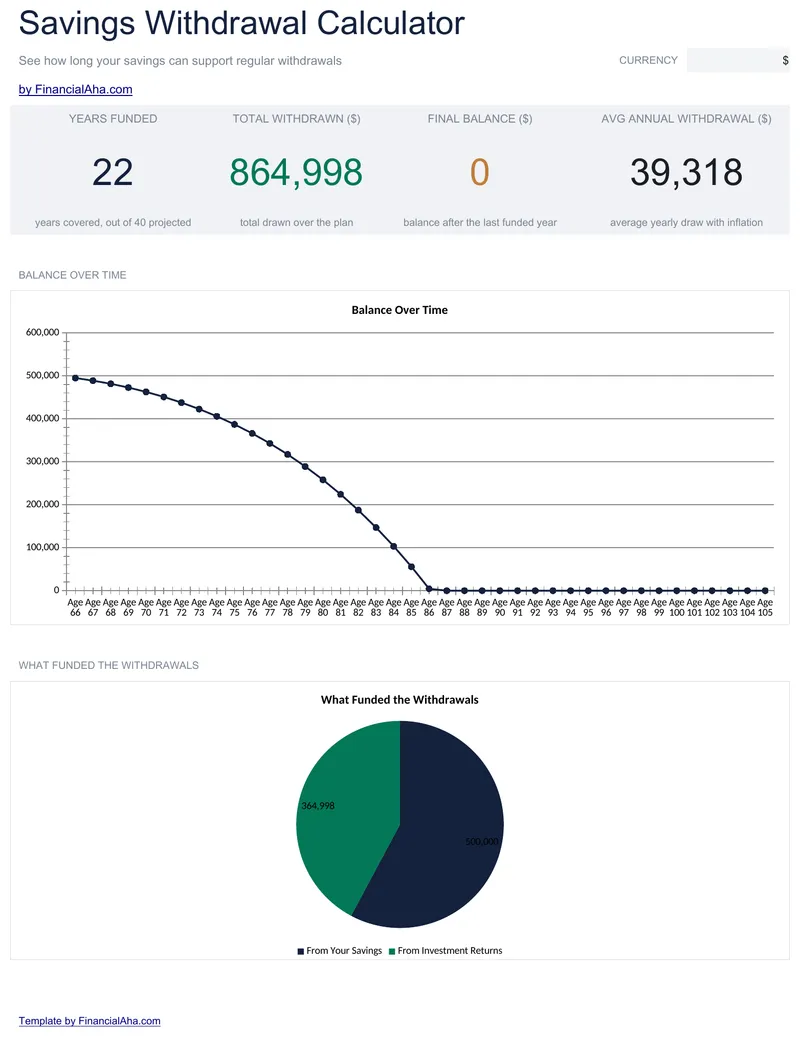
Savings Withdrawal Calculator
A withdrawal that rises each year by an inflation rate you set, and the whole plan laid out year by year with your age against each line. The Essentials Savings Withdrawal Calculator spreadsheet template keeps starting balance, expected return and starting age as visible inputs on a Setup tab, shows the interest earned on the remaining balance each year, and closes every year on a balance floored at nothing. Four tabs, Google Sheets and Excel. No macros, no VBA.
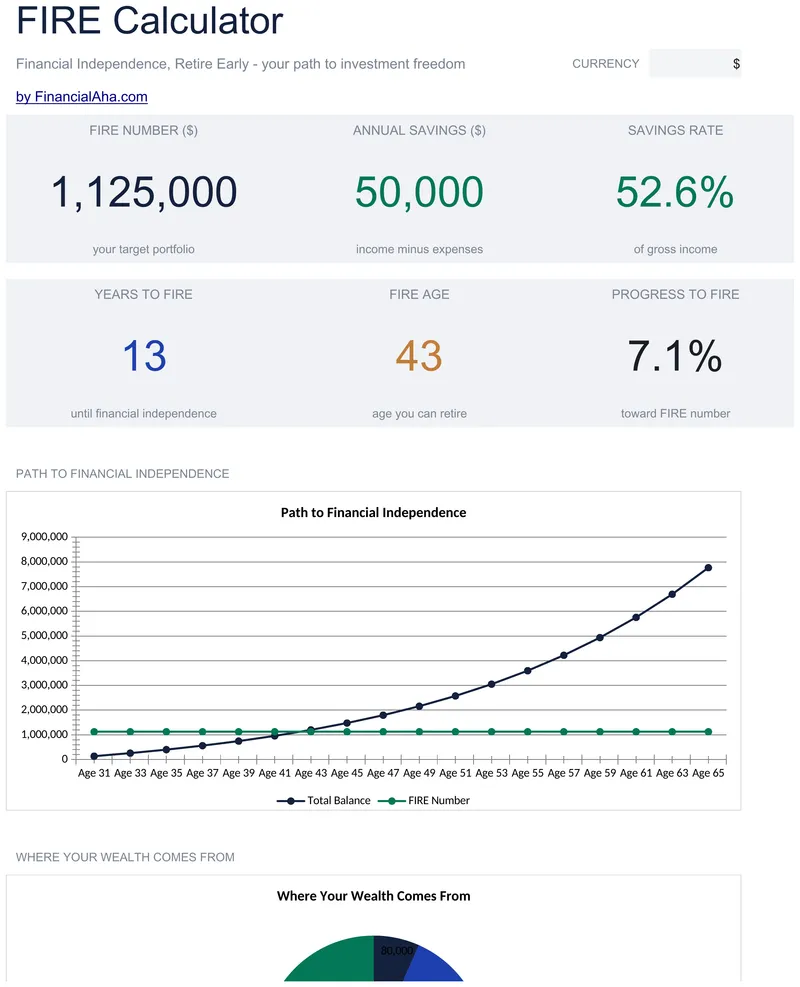
FIRE Calculator
The withdrawal rate becomes an input here, and the target portfolio is derived from whatever you set. Feed in your current age and the Essentials FIRE Calculator spreadsheet template answers with a year rather than a duration, laying the path out row by row with balance, savings, growth and retirement cost, and flagging the year the portfolio reaches target. Six figures on the Dashboard. Four tabs, Google Sheets and Excel. No macros, no VBA.
Not sure which to pick?
Try the free version of any savings & retirement template first. When you're ready for the dashboard and extra capacity, upgrade to Essentials - a one-time $19 purchase.