أفضل قيمة حزمة التخطيط المالي الشاملة
✓ التخطيط المالي✓ متتبع صافي الثروة✓ الميزانية الشهرية✓ مخطط ميزانية السفر✓ مخطط الميزانية السنوية✓ متتبع النفقات الشهرية✓ مخطط الضرائب السنوي✓ تخطيط التقاعد
عرض الحزمة →
احترافي النسخة الاحترافية متوفرة - ميزانية 70/20/10 Ultimate
قالب احترافي - Excel و Google Sheets

70/20/10 Budget قالب Essentials

Divide income into 70% living expenses, 20% savings, and 10% giving or debt. A minimalist percentage-based budgeting framework.

عرض نسخة Ultimate ←
70/20/10 Budget preview

ماذا يتضمن

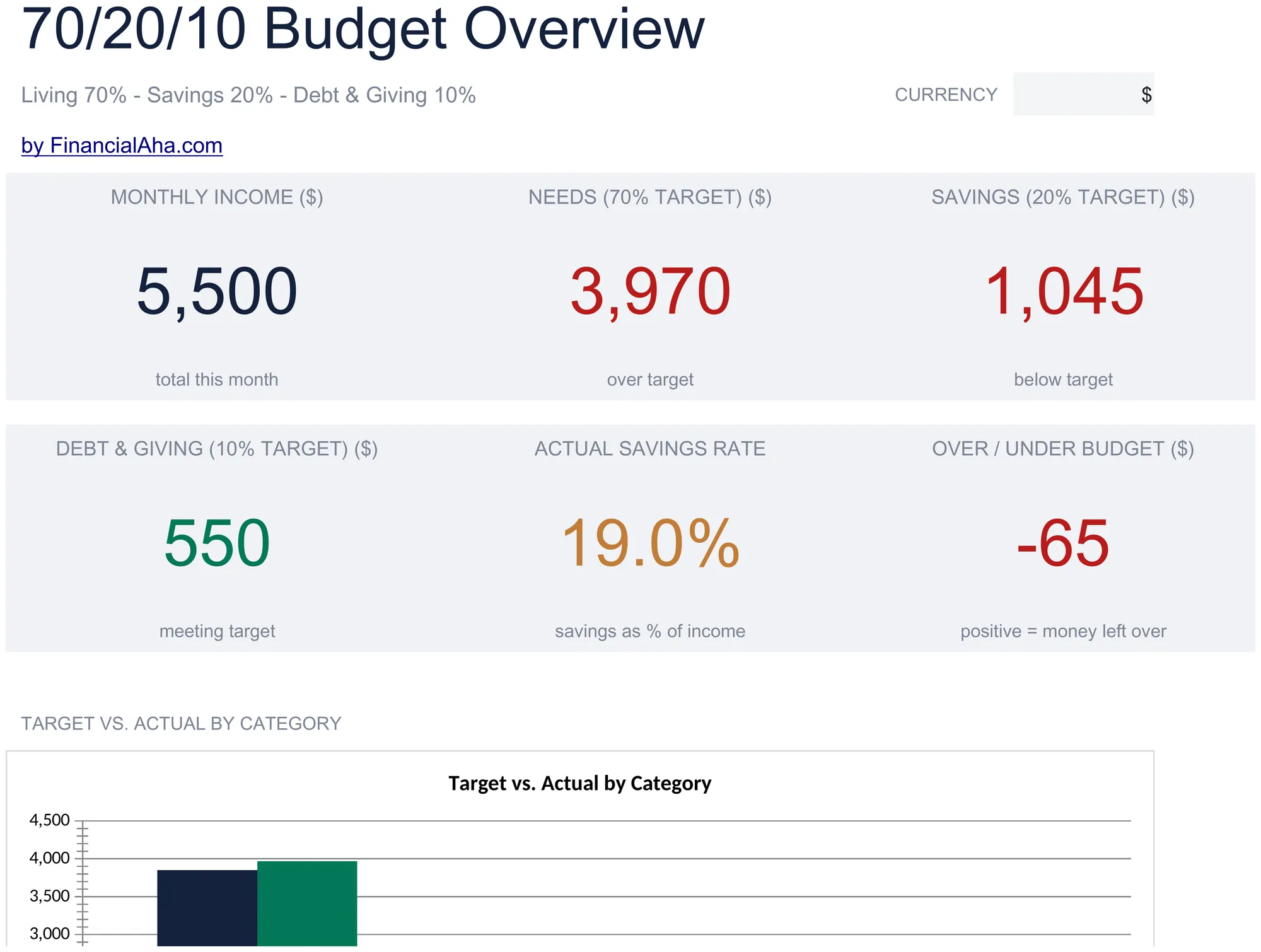
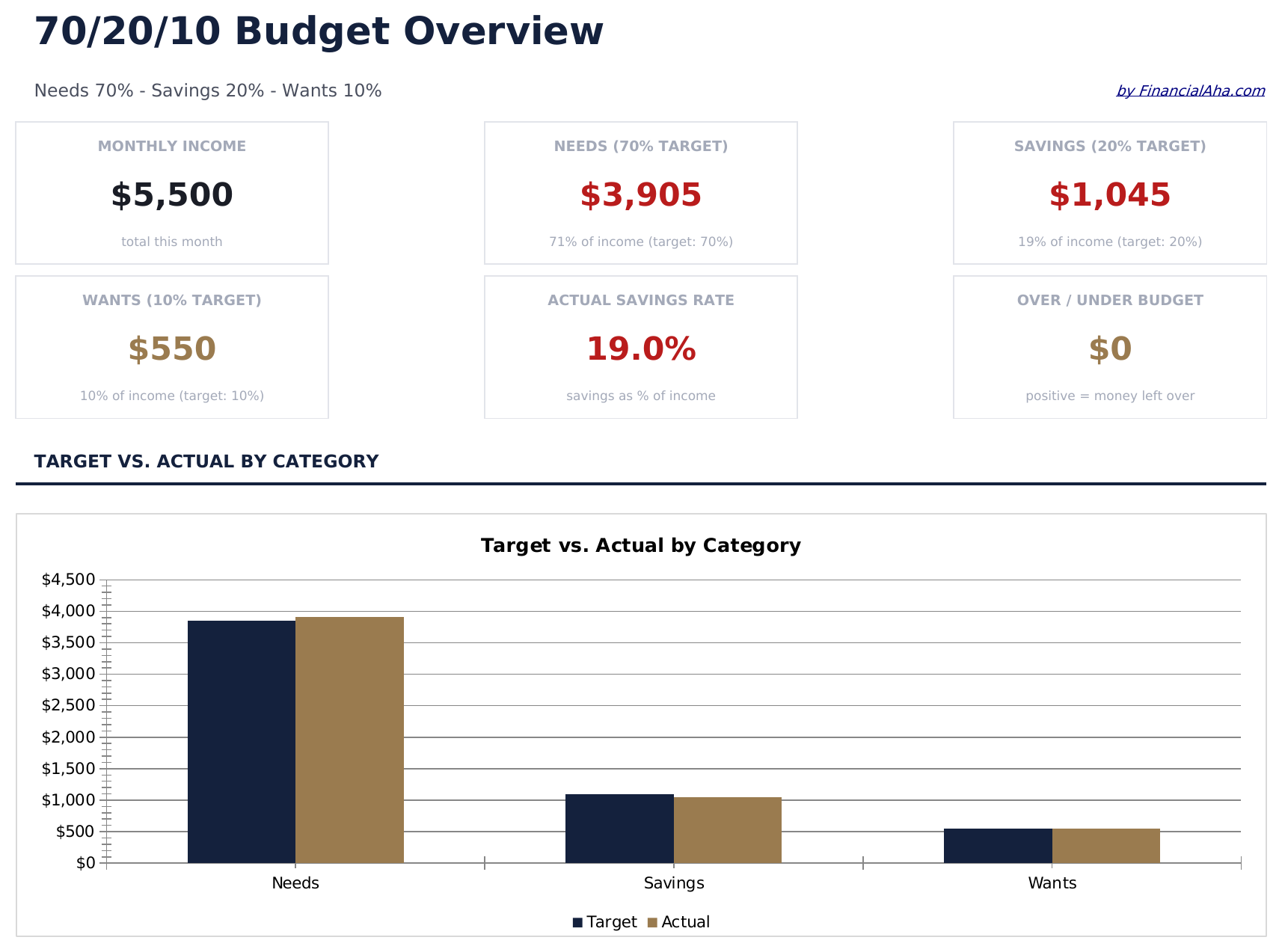
  • Dashboard with 70/20/10 split view showing living expenses, savings, and giving allocations visually
  • Automatic percentage allocation that calculates dollar targets for each category from gross income
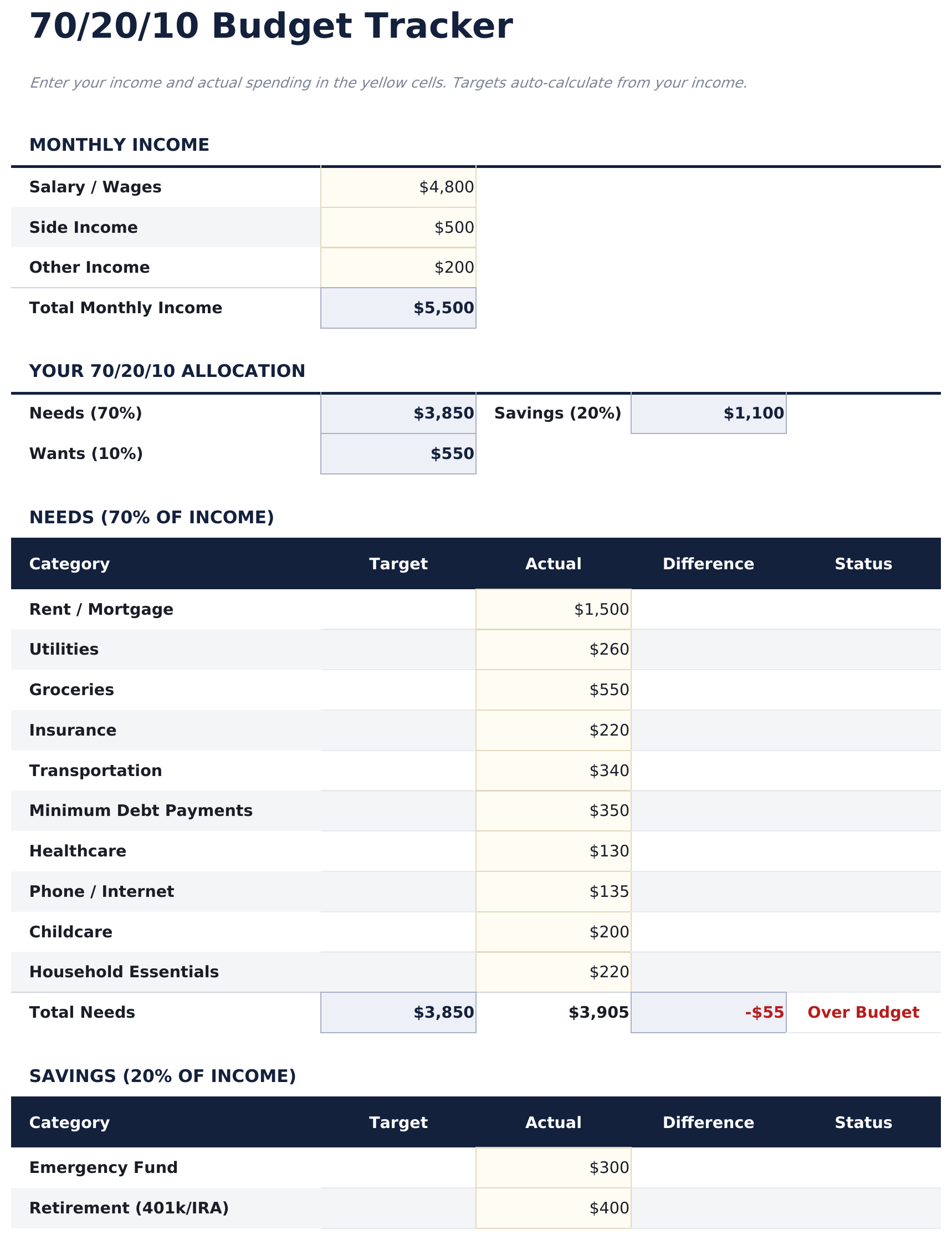
  • Budget tracker with formulas covering rent, food, utilities, insurance, and other living cost items
  • Income-based category targets with monthly variance summary highlighting over or under spending
  • Color-coded input fields (yellow) and auto-calculated summary cells (blue) for guided data entry
  • Works in Microsoft Excel, Google Sheets, and LibreOffice Calc with no setup required
Ultimate Version Available

Need more from this template?

The Essentials version covers everyday tracking. Ultimate goes further with multi-entity support, scenario analysis, and ultimate-grade reporting.

Essentials - $12
  • Dashboard with 70/20/10 split view showing living expenses, savings, and giving allocations visually
  • Automatic percentage allocation that calculates dollar targets for each category from gross income
  • Budget tracker with formulas covering rent, food, utilities, insurance, and other living cost items
  • Income-based category targets with monthly variance summary highlighting over or under spending
Ultimate - $19
  • لوحة معلومات مع 6 بطاقات KPI: الدخل الشهري، إجمالي مصروفات المعيشة، إجمالي الادخار، إجمالي الديون أو العطاء، الرصيد الإجمالي، والأشهر المتتبعة
  • ورقة متتبع الميزانية تحسب أهداف 70% و20% و10% بالدولار من الدخل الشهري مع مقارنة الفعلي مقابل المستهدف لكل فئة
  • ورقة مصروفات المعيشة لجميع التكاليف اليومية - السكن والطعام والمواصلات والمرافق والتأمين والمصروفات الشخصية - مع إجماليات فرعية وتتبع 70%
  • ورقة الادخار لصندوق الطوارئ والتقاعد والاستثمارات وأهداف الادخار قصيرة الأجل مع تتبع التقدم ومقارنة هدف 20%
  • ورقة الديون والعطاء تتتبع سداد الديون والعطاء الخيري معاً في فئة 10% - كل منها بصفوف فئات فرعية خاصة
See what's in the Ultimate version One-time purchase. No subscription.

كيفية استخدام قالب 70/20/10 Budget هذا

1

Enter monthly income

Add your after-tax income at the top. The template splits it into 70% living expenses, 20% savings, and 10% giving or debt.

2

Fill in living expenses

Assign your regular costs - rent, food, utilities, insurance, and transportation - to the 70% living expenses bucket.

3

Allocate savings and giving

Enter savings contributions in the 20% bucket and charitable giving or extra debt payments in the 10% bucket.

4

Check the breakdown

The dashboard displays actual vs target for each bucket, showing whether your spending aligns with the 70/20/10 framework.

صُممت بواسطة Claude AI. أتقنّاها نحن.

نستخدم Claude AI لصياغة كل قالب بعد بحث معمّق. ثم يتدخل فريقنا. نحسّن التصميم، ونختبر كل صيغة، ونعالج الحالات الاستثنائية، وننقّح التصميم حتى يصبح شيئاً نستخدمه نحن فعلاً. الذكاء الاصطناعي يوصلنا إلى 80%. الـ 20% المتبقية هي حكم بشري بالكامل.

عرض نسخة Ultimate ←

الأسئلة الشائعة

What goes in the 10% bucket?

The 10% bucket is typically for charitable giving, donations, tithing, or extra debt payments beyond minimums. You can use it for whichever purpose fits your priorities.

Is this based on gross or net income?

The template works with after-tax (net) income. Enter the amount you actually take home from your paycheck.

Can I adjust the percentages?

Yes. The percentage cells are editable. Change them to any ratio that better reflects your income and spending reality.

What if I cannot save 20%?

The template tracks the variance so you can see how far off you are. Even starting with a smaller savings percentage and working up over time is a valid approach.

كيف أفتح هذا في Google Sheets؟

ارفع ملف .xlsx إلى Google Drive، ثم افتحه باستخدام Google Sheets. جميع الصيغ والتنسيقات ستبقى محفوظة.

المزيد من قوالب Essentials في Personal Budgeting

تبحث عن قوالب جداول بيانات احترافية؟

القوالب المدفوعة تشمل لوحات معلومات متعددة الأوراق متقدمة، ورسوم بيانية أصلية في Excel، وتحديثات مستمرة.

خاص وآمن

بياناتك المالية تبقى على جهازك. نحن لا نراها أبداً.

تعرف على المزيد →

هل تحتاج مساعدة؟

راجع أدلتنا أو تواصل معنا لأي أسئلة.

عرض الأسئلة الشائعة →