Bester Wert All-in-One Finanzplanungs-Bundle
✓ Finanzplanung✓ Vermögens-Tracker✓ Monatliches Budget✓ Reisebudget-Planer✓ Jahresbudget-Planer✓ Monatlicher Ausgaben-Tracker✓ Jährlicher Steuerplaner✓ Altersvorsorgeplanung
Bundle ansehen →
Ultimate Ultimate-Version verfügbar - 70/20/10 Budget Ultimate
Essentials-Vorlage - Excel & Google Sheets

70/20/10 Budget Essentials-Vorlage

Divide income into 70% living expenses, 20% savings, and 10% giving or debt. A minimalist percentage-based budgeting framework.

70/20/10 Budget preview

Was enthalten ist

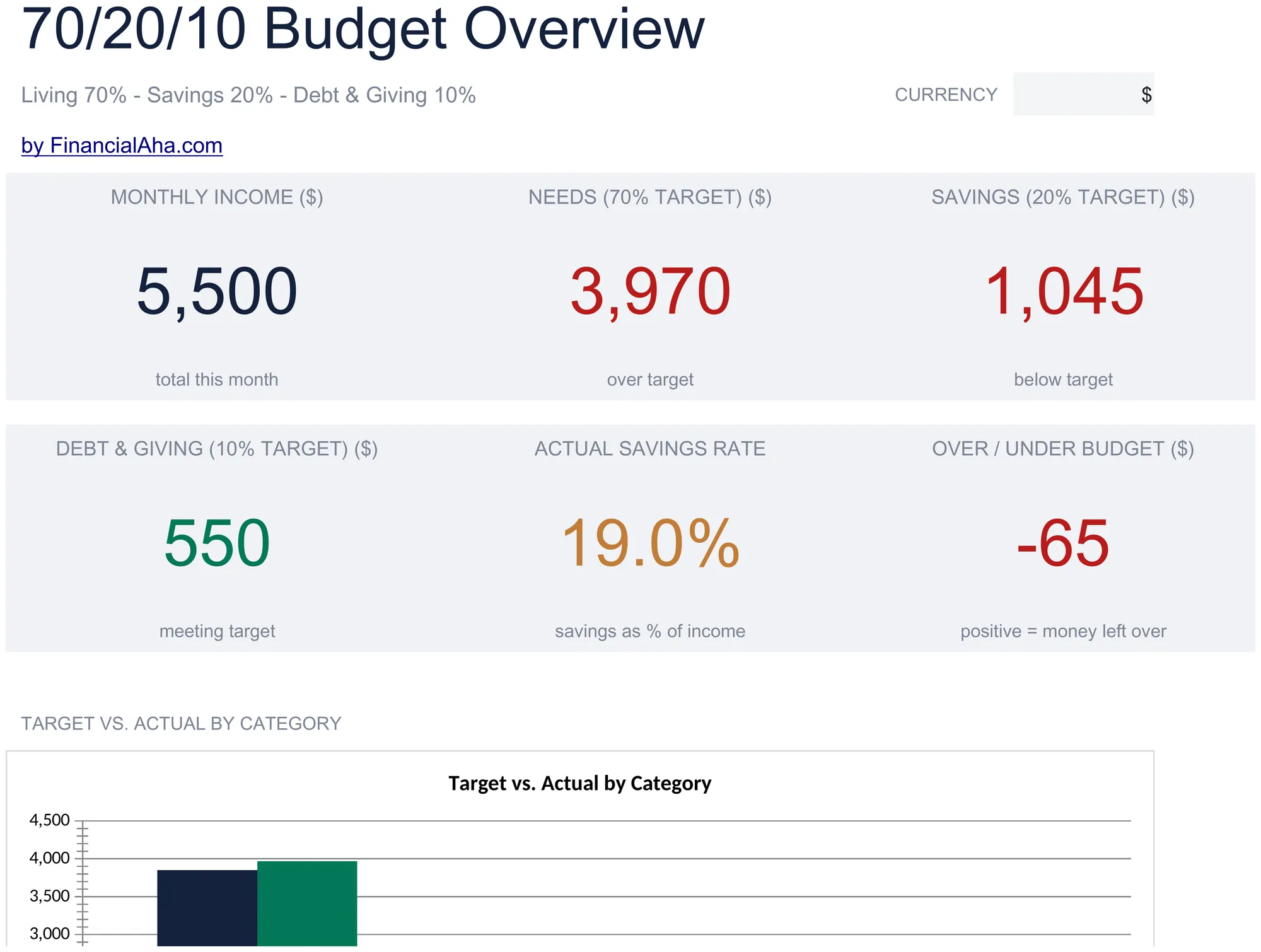
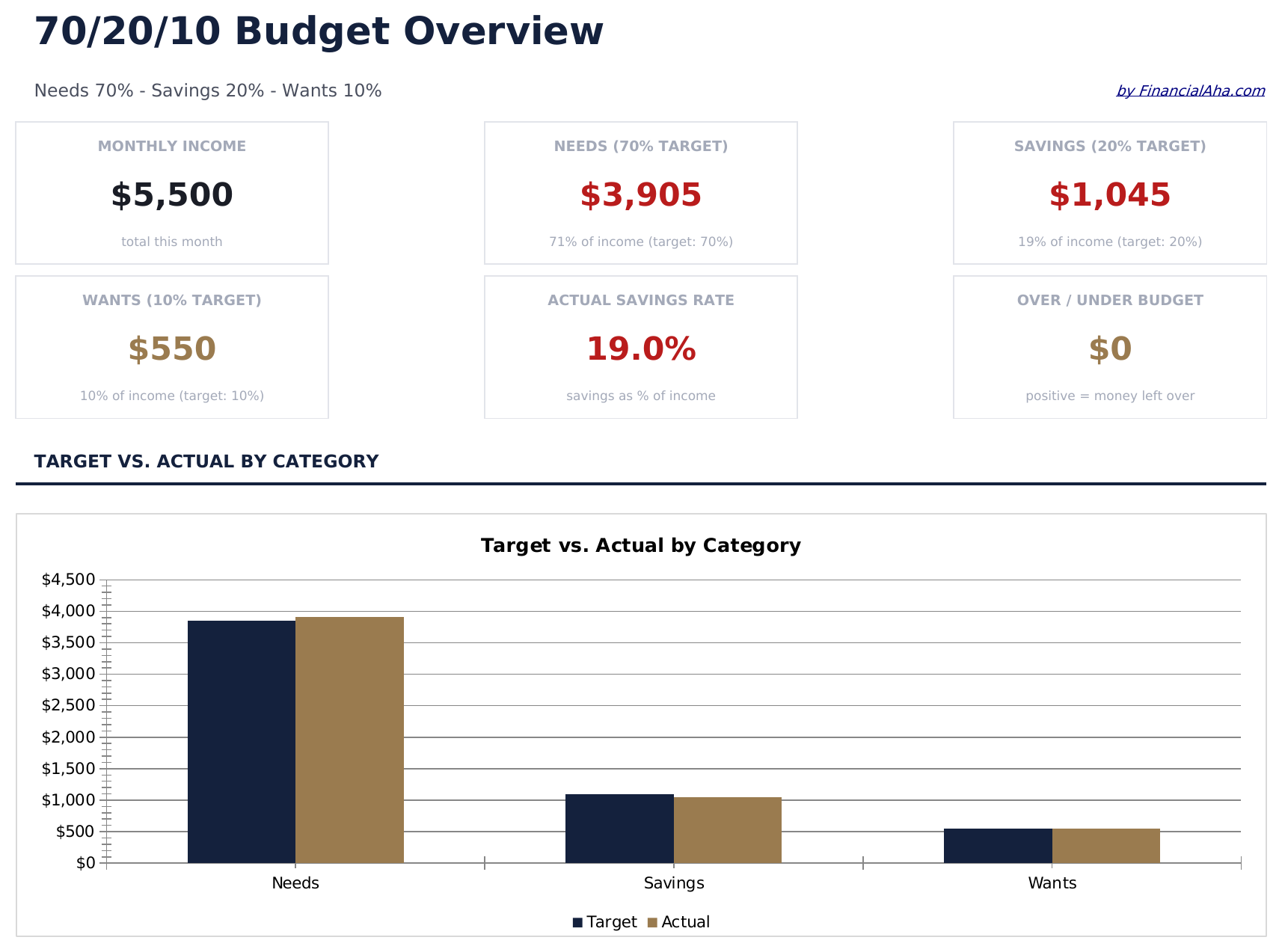
  • Dashboard with 70/20/10 split view showing living expenses, savings, and giving allocations visually
  • Automatic percentage allocation that calculates dollar targets for each category from gross income
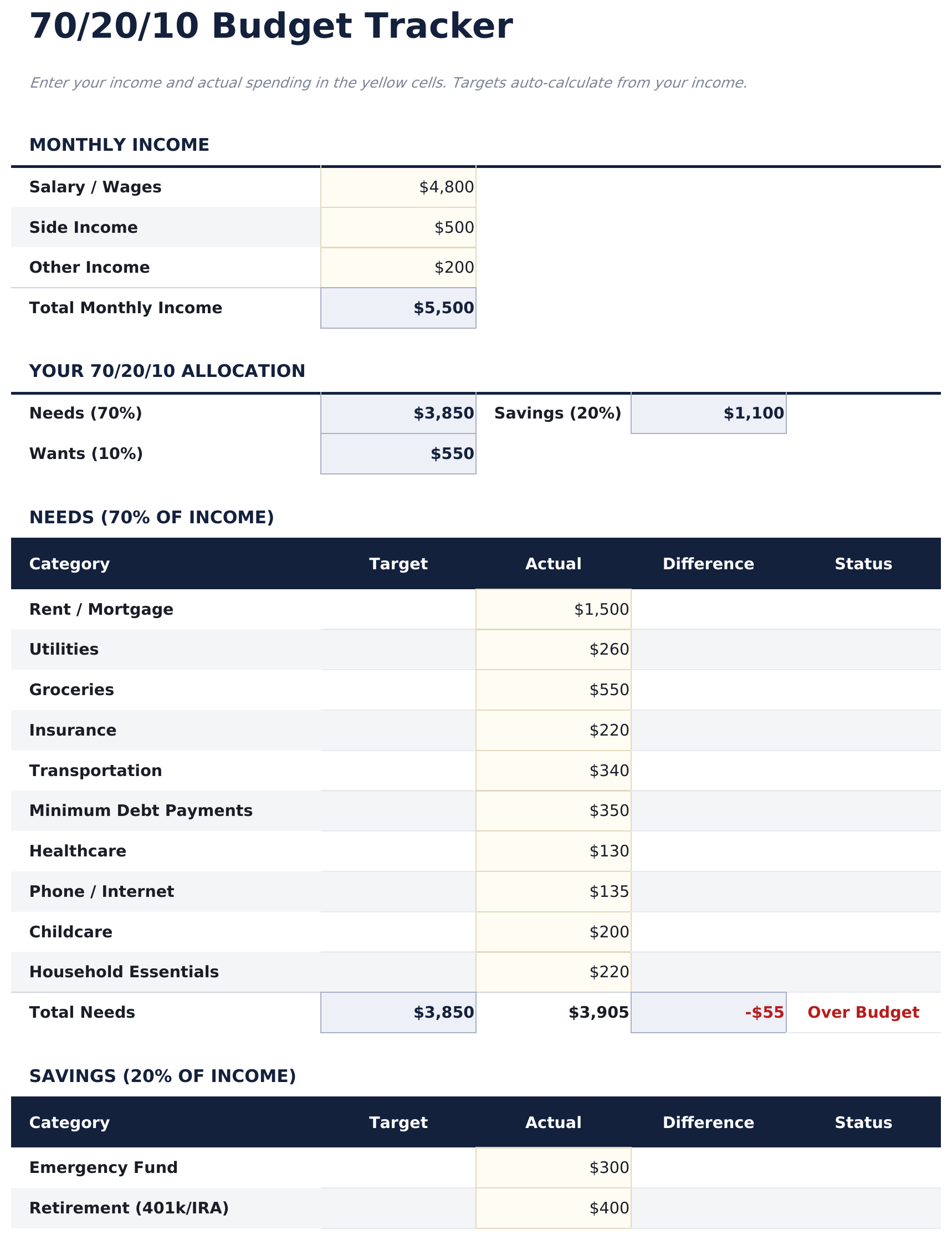
  • Budget tracker with formulas covering rent, food, utilities, insurance, and other living cost items
  • Income-based category targets with monthly variance summary highlighting over or under spending
  • Color-coded input fields (yellow) and auto-calculated summary cells (blue) for guided data entry
  • Works in Microsoft Excel, Google Sheets, and LibreOffice Calc with no setup required
Ultimate Version Available

Need more from this template?

The Essentials version covers everyday tracking. Ultimate goes further with multi-entity support, scenario analysis, and ultimate-grade reporting.

Essentials - $12
  • Dashboard with 70/20/10 split view showing living expenses, savings, and giving allocations visually
  • Automatic percentage allocation that calculates dollar targets for each category from gross income
  • Budget tracker with formulas covering rent, food, utilities, insurance, and other living cost items
  • Income-based category targets with monthly variance summary highlighting over or under spending
Ultimate - $19
  • Dashboard mit 6 KPI-Karten: monatliches Einkommen, Lebenshaltungskosten gesamt, Sparen gesamt, Schulden oder Spenden gesamt, Gesamtsaldo und verfolgte Monate
  • Budget-Tracker mit Berechnung der 70%-, 20%- und 10%-Euroziele aus dem monatlichen Einkommen mit Ist-Soll-Vergleich pro Bereich
  • Tabellenblatt Lebenshaltungskosten für alle täglichen Kosten - Wohnen, Essen, Transport, Nebenkosten, Versicherung und persönliche Ausgaben - mit Zwischensummen und 70%-Verfolgung
  • Tabellenblatt Sparen für Notfallfonds, Altersvorsorge, Anlagen und kurzfristige Sparziele mit Fortschrittsverfolgung und 20%-Zielvergleich
  • Tabellenblatt Schulden und Spenden für Schuldenzahlungen und Spenden zusammen im 10%-Bereich - jeweils mit eigenen Unterkategoriezeilen
See what's in the Ultimate version One-time purchase. No subscription.

So verwenden Sie diese 70/20/10 Budget-Vorlage

1

Enter monthly income

Add your after-tax income at the top. The template splits it into 70% living expenses, 20% savings, and 10% giving or debt.

2

Fill in living expenses

Assign your regular costs - rent, food, utilities, insurance, and transportation - to the 70% living expenses bucket.

3

Allocate savings and giving

Enter savings contributions in the 20% bucket and charitable giving or extra debt payments in the 10% bucket.

4

Check the breakdown

The dashboard displays actual vs target for each bucket, showing whether your spending aligns with the 70/20/10 framework.

Erstellt von Claude AI. Verfeinert von uns.

Wir verwenden Claude AI, um jede Vorlage nach gründlicher Recherche zu entwerfen. Dann greift unser Team ein. Wir verfeinern das Layout, testen jede Formel auf Herz und Nieren, beheben Grenzfälle und polieren das Design, bis es sich anfühlt wie etwas, das wir selbst verwenden würden. Die KI bringt uns 80 % ans Ziel. Die letzten 20 % sind rein menschliches Urteilsvermögen.

Häufig gestellte Fragen

What goes in the 10% bucket?

The 10% bucket is typically for charitable giving, donations, tithing, or extra debt payments beyond minimums. You can use it for whichever purpose fits your priorities.

Is this based on gross or net income?

The template works with after-tax (net) income. Enter the amount you actually take home from your paycheck.

Can I adjust the percentages?

Yes. The percentage cells are editable. Change them to any ratio that better reflects your income and spending reality.

What if I cannot save 20%?

The template tracks the variance so you can see how far off you are. Even starting with a smaller savings percentage and working up over time is a valid approach.

Wie öffne ich diese Vorlage in Google Sheets?

Laden Sie die .xlsx-Datei auf Google Drive hoch und öffnen Sie sie mit Google Sheets. Alle Formeln und Formatierungen bleiben erhalten.

Weitere Essentials-Vorlagen: Personal Budgeting

Auf der Suche nach Premium-Tabellenvorlagen?

Unsere kostenpflichtigen Vorlagen umfassen erweiterte mehrseitige Dashboards, native Excel-Diagramme und laufende Aktualisierungen.

Privat & sicher

Ihre Finanzdaten bleiben auf Ihrem Gerät. Wir sehen sie nie.

Mehr erfahren →

Brauchen Sie Hilfe?

Schauen Sie in unsere Anleitungen oder kontaktieren Sie uns.

FAQ ansehen →