Monthly Budget Template
Monthly Budget Template for College Students
Track financial aid disbursements, part-time income, and campus expenses in a spreadsheet you set up around your own semester.
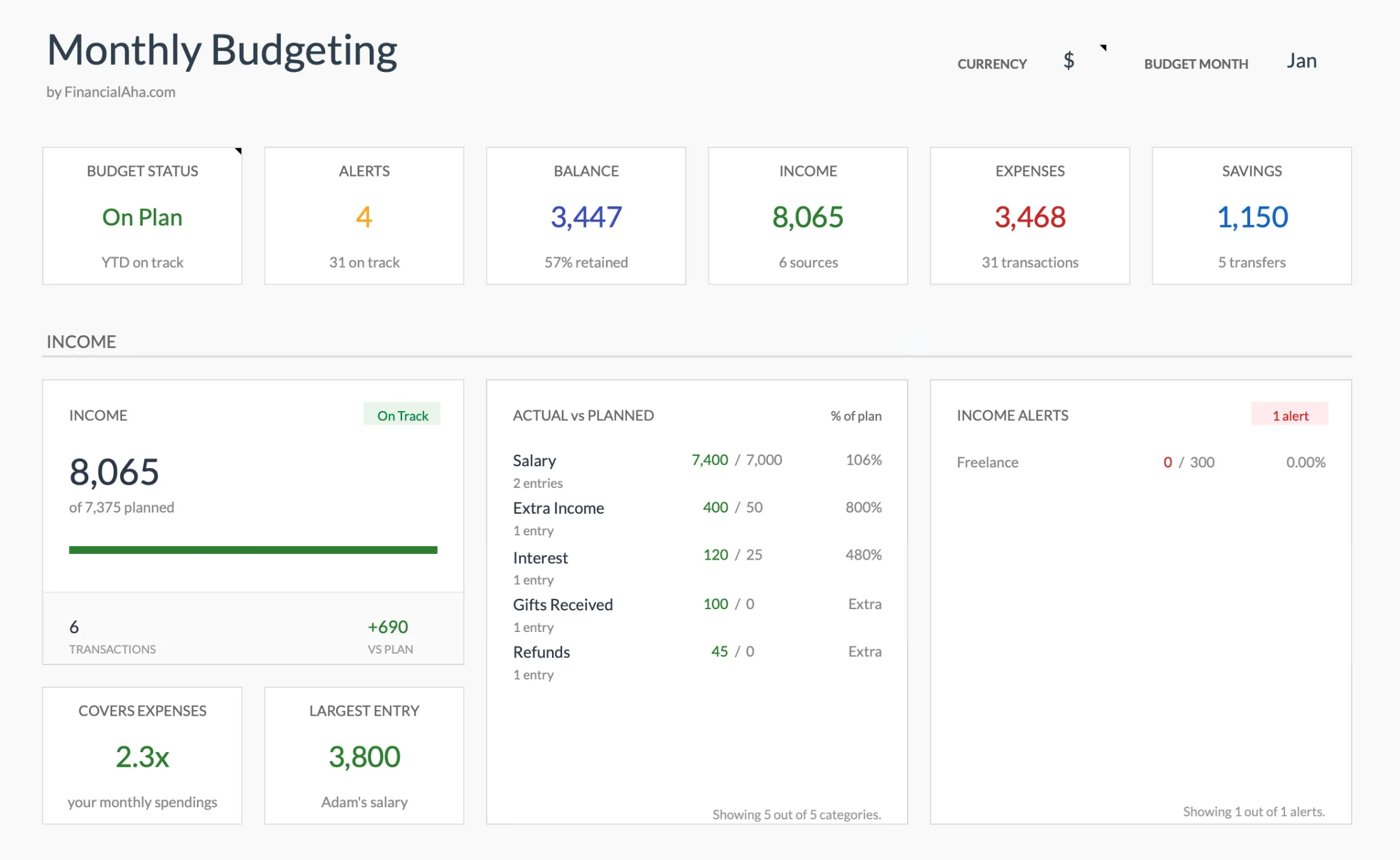
In Depth
Budgeting on a Campus Income
Student finances operate on a rhythm that has little in common with the working world. Aid disbursements land in large chunks at the start of each semester, part-time job income fluctuates with class schedules, and expenses shift dramatically between the academic year and breaks. A budget that ignores these patterns tends to run out of relevance by midterms.
One challenge unique to students is the lump-sum illusion. A semester refund of several thousand dollars feels substantial in September, but stretched across four or five months it translates to a modest weekly allowance. Some students find that dividing the total by the number of weeks in the semester gives a more honest picture of what is actually available.
Campus life also creates spending categories that do not exist in typical household budgets - meal plan top-ups, textbook costs that spike at the start of each term, club dues, and the social spending that comes with being surrounded by peers every day. Tracking these separately helps distinguish between fixed academic costs and the discretionary spending that tends to drift upward unnoticed.
Building any kind of financial awareness during college - even with small amounts - tends to carry forward. Students who get comfortable looking at their numbers regularly often find the transition to post-graduation finances less overwhelming, simply because the habit is already in place.
The Challenge
Why Students Need a Budget That Fits Campus Life
Student finances operate differently from a typical paycheck-and-bills cycle. Aid arrives in lump sums, income is part-time and variable, and expenses shift between semesters.
Financial aid arrives in chunks, not paychecks
A semester's worth of aid lands in your account at once. It feels like a lot until it needs to last four or five months. Without a plan for spreading that lump sum across the semester, the last few weeks often get tight.
Part-time income varies with your schedule
Class load changes every semester, and so do your available work hours. A budget built around a steady 20-hour week falls apart during midterms and finals when shifts get cut or dropped.
Campus expenses are hard to categorize
Meal plans, textbooks, lab fees, club dues - student spending doesn't fit neatly into standard budget categories. Generic templates force you to lump everything under "miscellaneous" where it becomes invisible.
Semester transitions create gaps
Summer and winter breaks bring different living situations, different expenses, and sometimes no income at all. A budget needs to account for these transitions rather than treating every month identically.
Ready to take control of your college student finances?
What You Get
Features That Fit a Student Budget
Income tracking for aid and wages
Rename the income categories to financial aid, scholarships, a part-time job, or family support, then log each deposit as its own row. The Summary shows where the month's money came from.
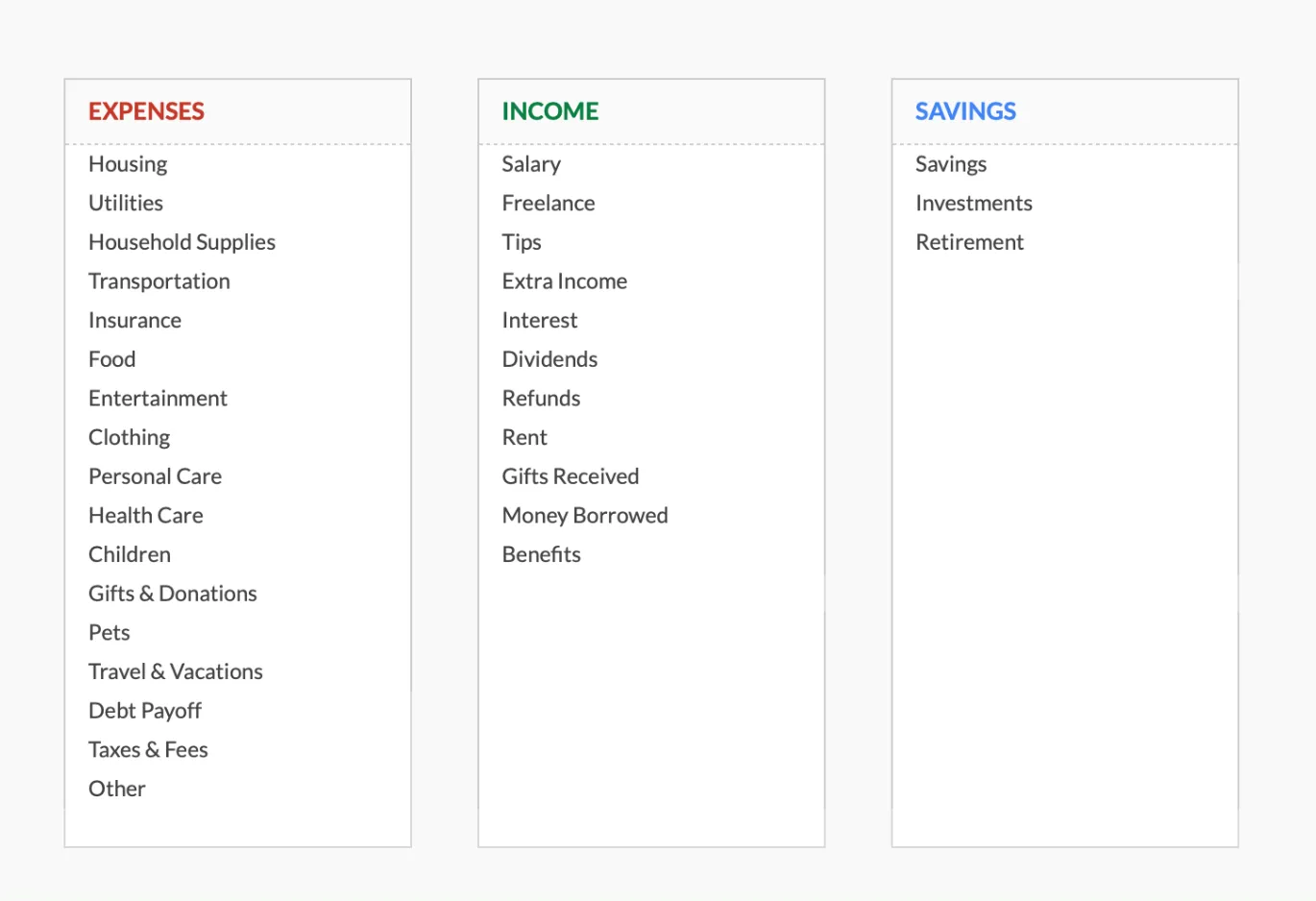
Expense categories you set for campus life
The expense list is editable, so tuition installments, textbooks, a meal plan, transport, and social spending can each get their own line.
Budget vs. actual tracking
Set targets for each category and compare them against real spending. Catch overspending before it compounds.
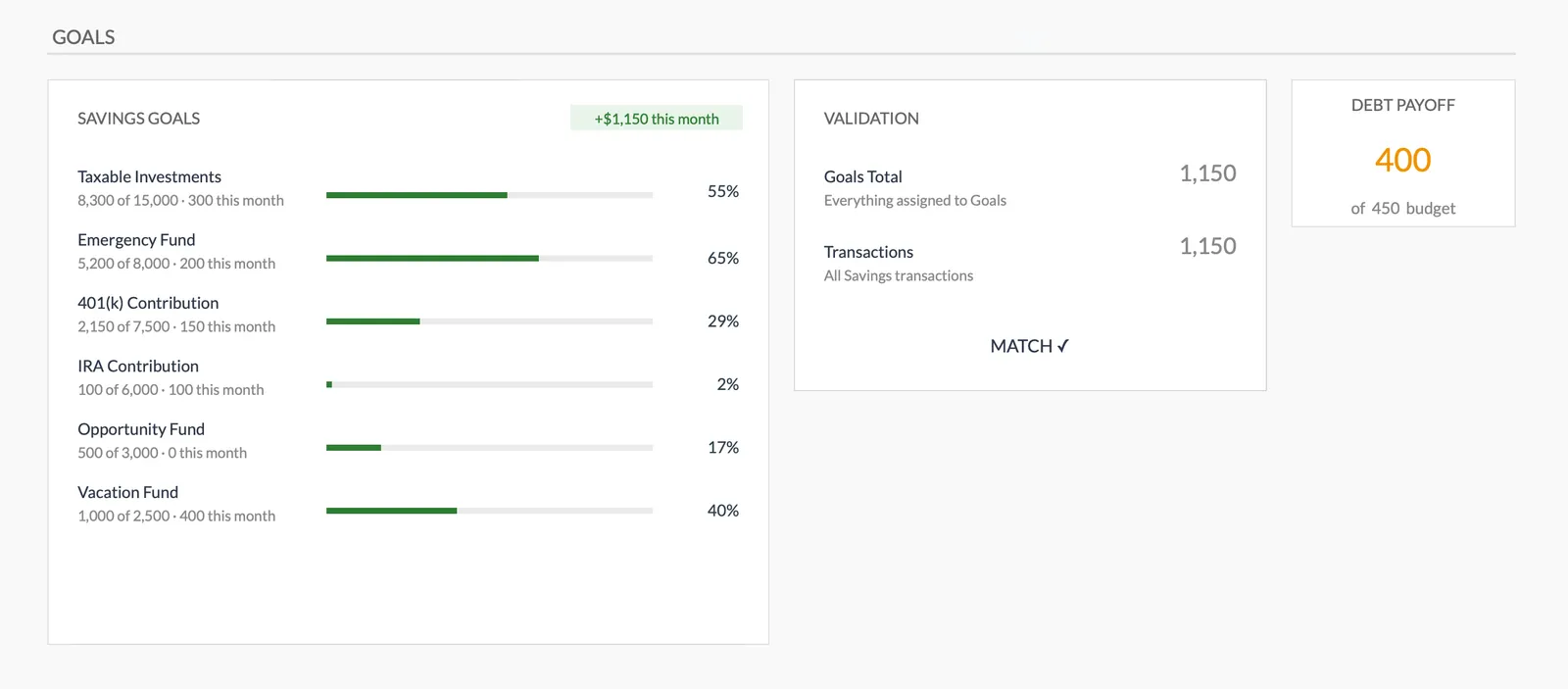
Savings goal section
Even small amounts add up. Track progress toward an emergency fund, study abroad savings, or post-graduation moving costs.
Monthly summary view
Total income, total spending, and what remains sit at the top of the Summary sheet, with the per-category detail below when you want it.
Categories shaped around student life
Add categories specific to your situation - whether that is commuting costs, Greek life dues, or athletic equipment.
See It In Action
What the template looks like
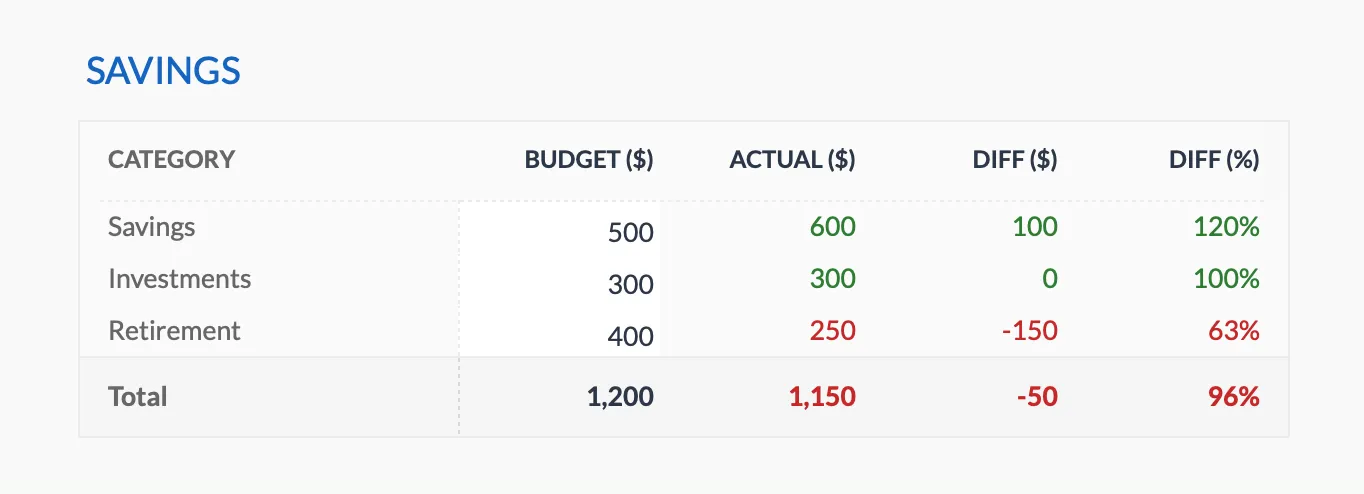
Browse through the template to see how it handles income tracking, expense budgets, savings goals, and spending analysis.
- Dashboard with key metrics at a glance
- Transaction logging with categories
- Budget vs actual comparison
- Visual charts and breakdowns
- Fully customizable categories
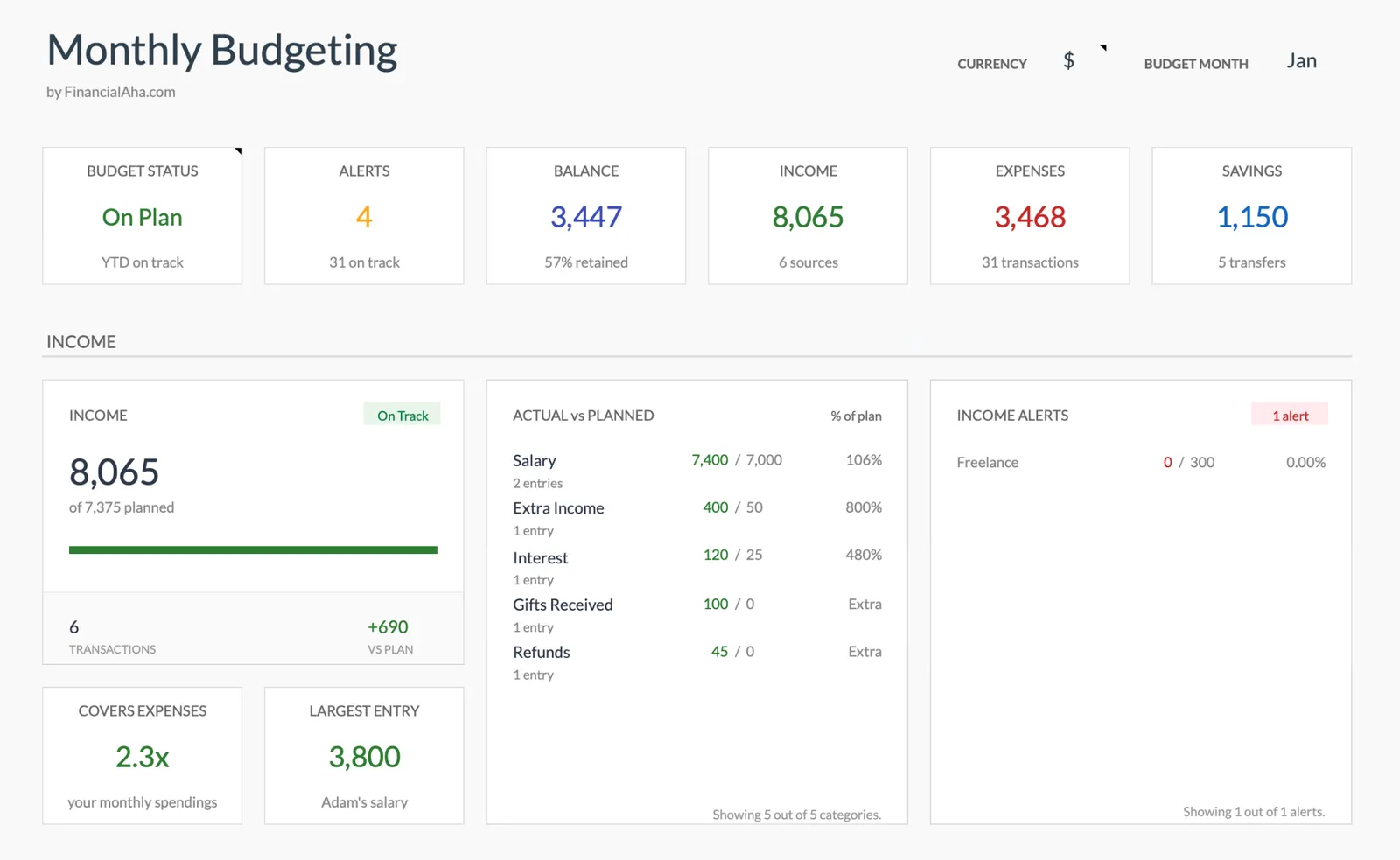
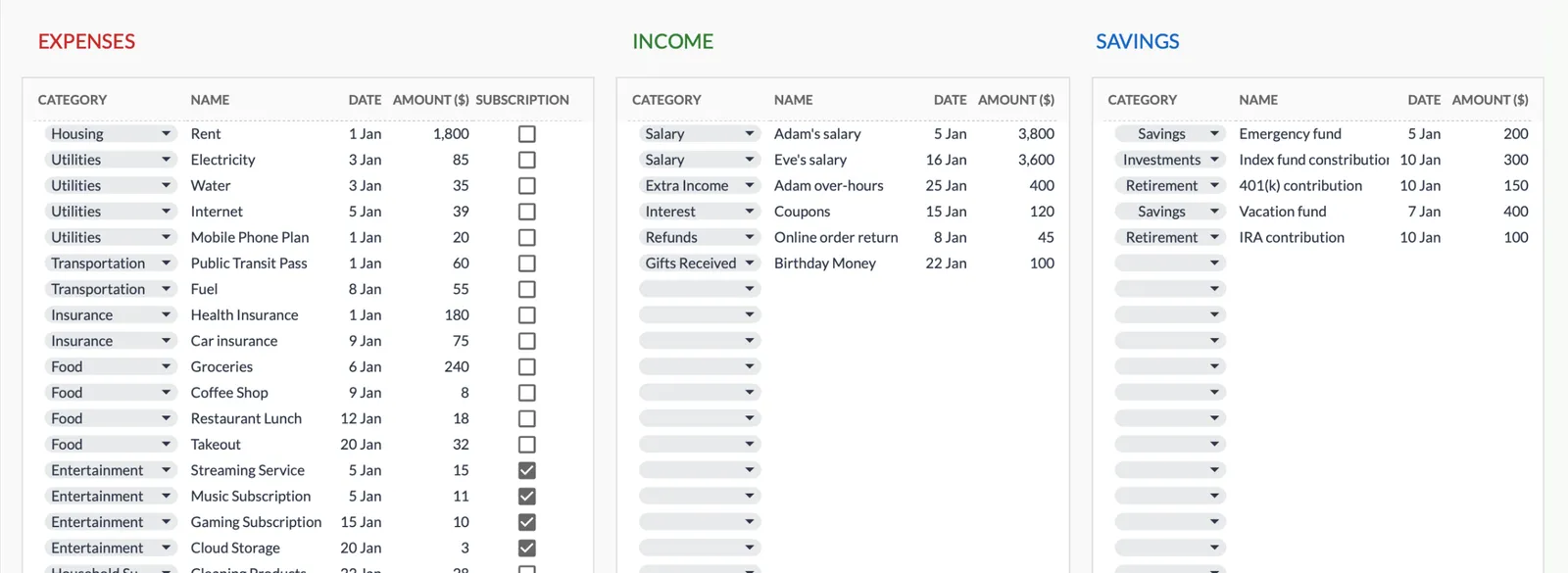
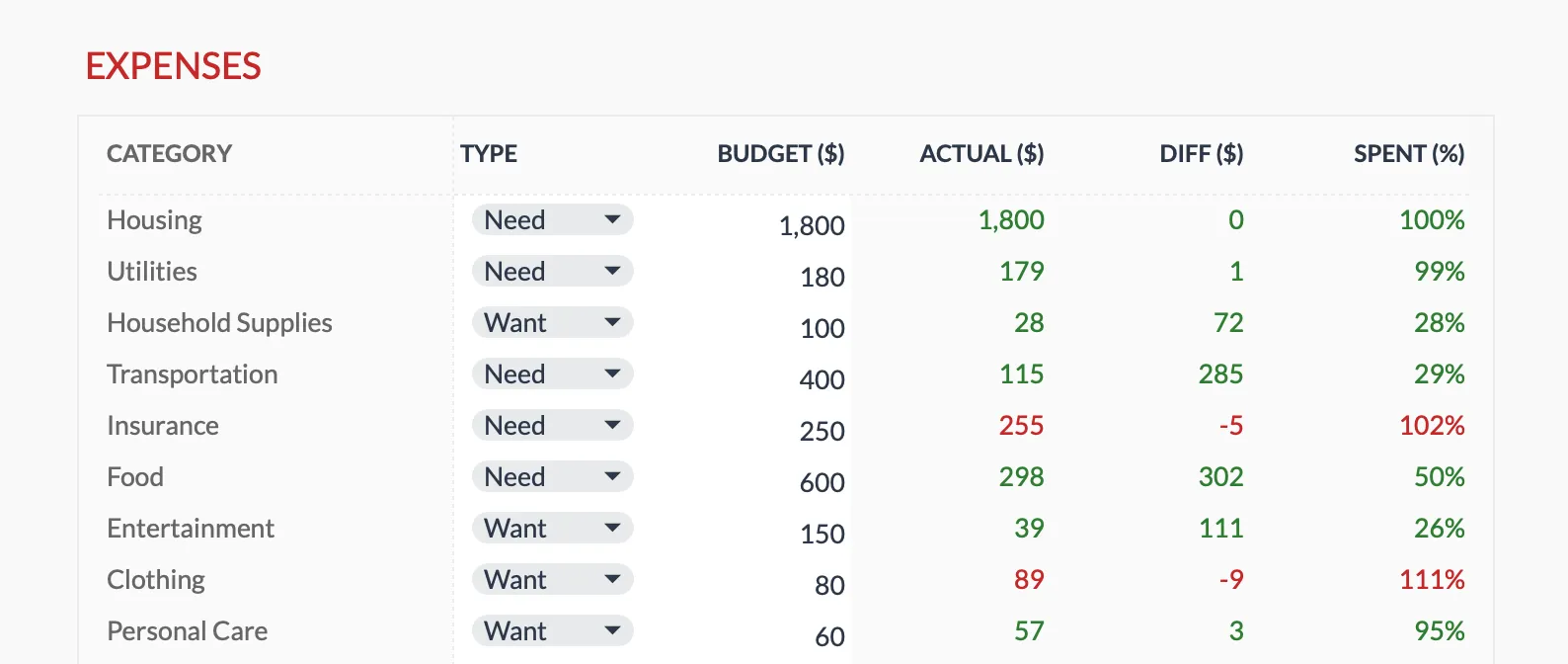
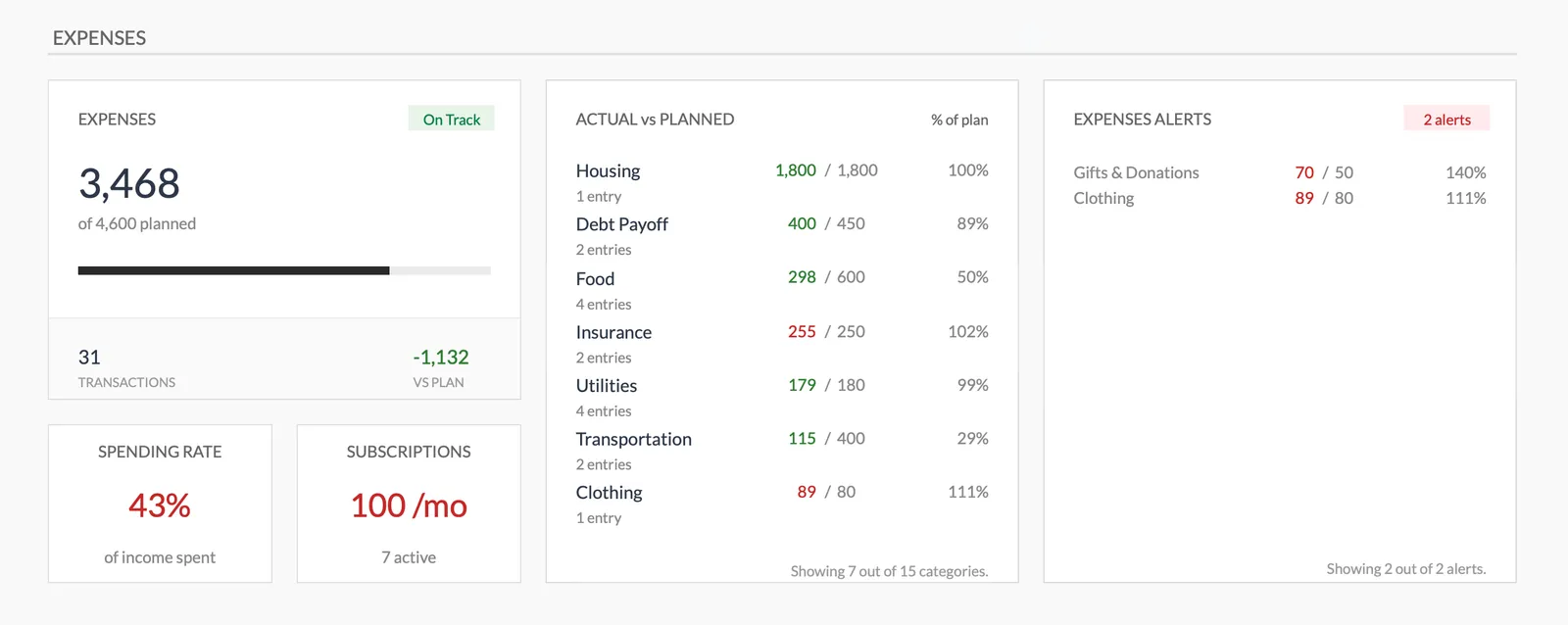
Dashboard with income, expenses, and savings at a glance
Log transactions with automatic categorization
Set targets per category and track actual spending
Visual breakdown of where your money goes
Track savings goals alongside your budget
Monitor progress toward financial goals
Fully customizable expense, income, and savings categories
Getting Started
Getting Started as a College Student
List your income sources
Enter financial aid (divided by months in the semester), job income, and any other money coming in.
Set up expense categories
Start from the default category list and rename it for your campus and lifestyle.
Set monthly spending targets
Based on your total income, decide how much goes to each category. Start conservative - you can always adjust.
Track spending weekly
Log expenses at least once a week. Waiting until month-end makes it easy to forget transactions.
Adjust each semester
Income and expenses shift between semesters. Review and update your targets at the start of each one.
Common Questions
Monthly Budget for College Students- FAQ
How do I budget when my aid comes as a lump sum?
Divide your semester aid by the number of months it needs to cover. Enter that monthly amount as income. This prevents the common trap of overspending early in the semester.
What if I don't have any income besides aid?
The template works with any income level. If financial aid is your only source, enter it as your monthly income and build your expense targets around that amount.
Can I use this during summer break?
Yes. Adjust your income sources and expense categories for summer. The template is flexible enough to handle the shift between semester and break periods.
Is this too complicated for someone who has never budgeted?
This template is a straightforward spreadsheet with clear categories. If you can fill in numbers in a Google Sheet, you can use it. No formulas to write - everything calculates automatically.
What about student loan payments?
If you have in-school loan payments, add them as an expense category. The template tracks whatever you put into it - including loan-related costs.
How is this different from a free budget app?
Apps connect to your bank and categorize automatically, but you give up your data. This spreadsheet lives in your Google Drive, updates are manual (which builds awareness), and it is yours to keep and modify forever.
Can't find the answer you're looking for? Contact our team
Start budgeting as a college student
One-time purchase. No subscription. Your financial data stays in your Google Drive.