Melhor valor Pacote Completo de Planejamento Financeiro
✓ Planejamento Financeiro✓ Rastreador de Patrimonio Liquido✓ Orcamento Mensal✓ Planejador de Orcamento de Viagem✓ Planejador de Orcamento Anual✓ Rastreador de Despesas Mensais✓ Planejador Anual de Impostos✓ Planejamento de Aposentadoria
Ver pacote →
Ultimate Versão Ultimate disponível - Rastreador de Assinaturas Ultimate
Planilha Essentials - Excel e Google Sheets

Subscription Tracker Modelo Essentials

Log all active subscriptions with renewal dates and costs. See total monthly and annual subscription spending at a glance.

Ver versão Ultimate →
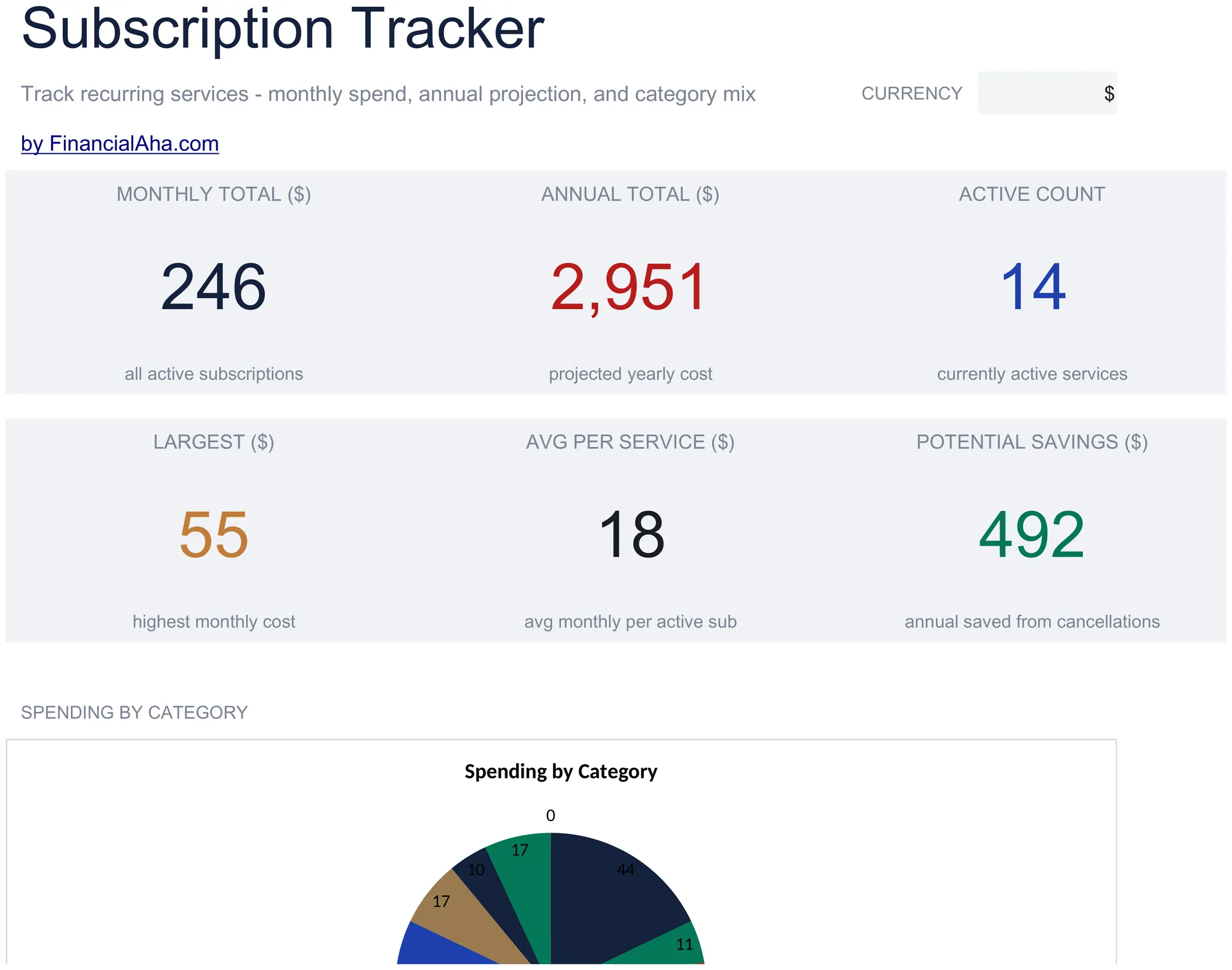
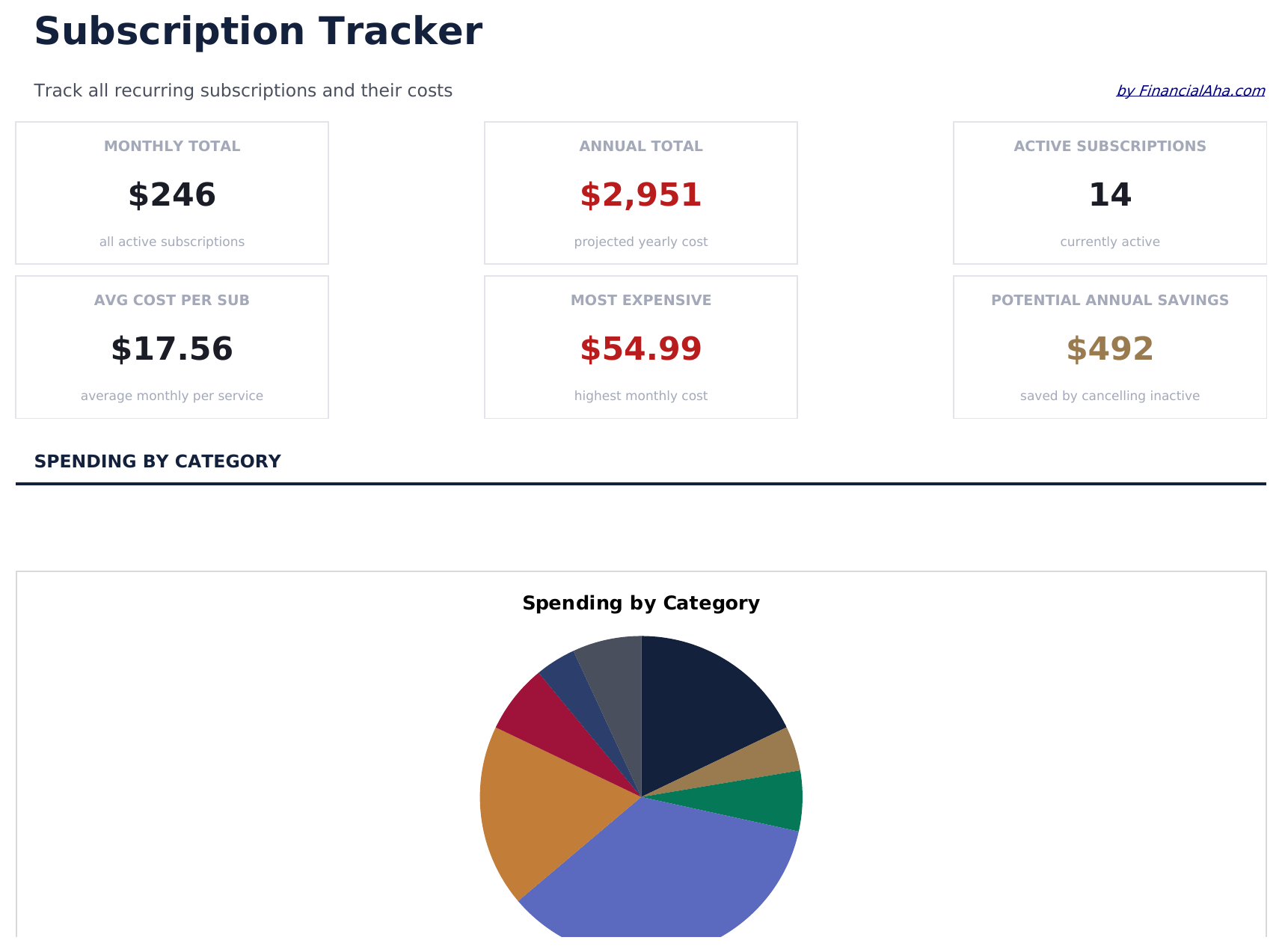
Subscription Tracker preview

O Que Está Incluído

  • Dashboard with subscription spending summary showing total monthly cost, annual cost, and active count
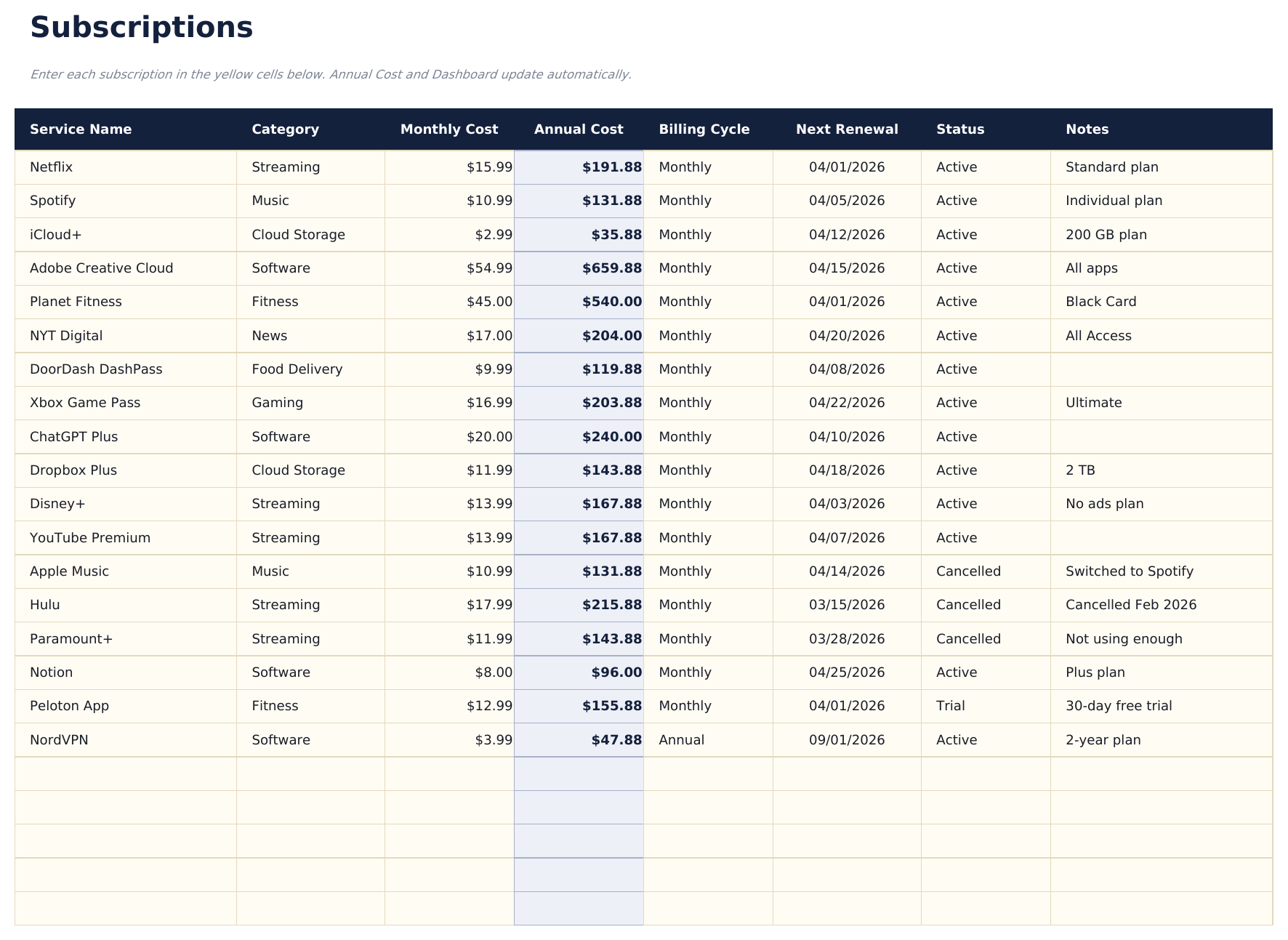
  • Subscription list with service name, renewal date, billing cycle, and cost per period for each entry
  • Monthly and annual cost calculations that automatically convert between billing frequencies
  • Category grouping for subscriptions like streaming, software, fitness, news, and cloud storage
  • Color-coded status indicators for active vs. cancelled subscriptions with formatted cost columns
  • Works in Microsoft Excel, Google Sheets, and LibreOffice Calc with no setup required
Ultimate Version Available

Need more from this template?

The Essentials version covers everyday tracking. Ultimate goes further with multi-entity support, scenario analysis, and ultimate-grade reporting.

Essentials - $12
  • Dashboard with subscription spending summary showing total monthly cost, annual cost, and active count
  • Subscription list with service name, renewal date, billing cycle, and cost per period for each entry
  • Monthly and annual cost calculations that automatically convert between billing frequencies
  • Category grouping for subscriptions like streaming, software, fitness, news, and cloud storage
Ultimate - $19
  • Acompanhe até 50 ativo subscriptions com nome, categoria, cobrança cycle, mensal custo, anual custo, renewal data, e status
  • Painel com 6 cartões de KPI: total mensal custo, total anual custo, subscription count, mais expensive categoria, upcoming renewals (próximo 30 dias), e inativo subscriptions
  • Categoria Breakdown aba mostrando mensal custo, anual custo, subscription count, e percent of total spend por categoria
  • Anual Projections aba calculando 12-mês forward custo per subscription e categoria totals based on cobrança cycle e atual preço
  • Preço History aba for registro preço mudanças per subscription ao longo do tempo - mostra original preço, atual preço, e acumulativo preço aumentar
See what's in the Ultimate version One-time purchase. No subscription.

Como Usar Esta Planilha de Subscription Tracker

1

List all subscriptions

Enter every active subscription - streaming, software, fitness, news, cloud storage, and any recurring service you pay for.

2

Add billing details

For each subscription, record the renewal date, billing cycle (monthly or annual), and cost per period.

3

Review total costs

The dashboard shows your total monthly and annual subscription spending so you can see the combined impact.

4

Audit and cancel

Flag subscriptions you no longer use. The tracker makes unused or duplicate services easy to spot and cancel.

Criadas com Claude AI. Aperfeiçoadas por nós.

Usamos Claude AI para criar cada planilha, após uma pesquisa aprofundada. Depois, nossa equipe entra em ação. Refinamos o layout, testamos exaustivamente cada fórmula, corrigimos casos extremos e polimos o design até que pareça algo que nós mesmos usaríamos. A IA nos leva 80% do caminho. Os últimos 20% são puro julgamento humano.

Ver versão Ultimate →

Perguntas Frequentes

Does it convert annual to monthly costs?

Yes. The template automatically converts between billing frequencies. An annual subscription is divided by 12 to show the effective monthly cost.

How do I mark a cancelled subscription?

Change the status to cancelled. The template distinguishes active from cancelled subscriptions and excludes cancelled ones from the spending totals.

Can I group subscriptions by category?

Yes. Categories like streaming, software, fitness, and news help organize subscriptions. You can filter or sort by category to review spending in each area.

How often does it need updating?

Update it when you add, cancel, or change a subscription. A monthly review helps catch forgotten services or price increases.

Como abrir no Google Sheets?

Envie o arquivo .xlsx para o Google Drive e abra com o Google Sheets. Todas as fórmulas e formatações serão preservadas.

Mais modelos Essentials de Personal Budgeting

Procurando planilhas premium?

Nossas planilhas pagas incluem painéis avançados com várias abas, gráficos nativos do Excel e atualizações contínuas.

Privado e seguro

Seus dados financeiros ficam no seu dispositivo. Nos nunca os vemos.

Saiba mais →

Precisa de ajuda?

Consulte nossos guias ou entre em contato com perguntas.

Ver FAQ →