Bester Wert All-in-One Finanzplanungs-Bundle
✓ Finanzplanung✓ Vermögens-Tracker✓ Monatliches Budget✓ Reisebudget-Planer✓ Jahresbudget-Planer✓ Monatlicher Ausgaben-Tracker✓ Jährlicher Steuerplaner✓ Altersvorsorgeplanung
Bundle ansehen →
Ultimate Ultimate-Version verfügbar - Abonnement-Tracker Ultimate
Essentials-Vorlage - Excel & Google Sheets

Subscription Tracker Essentials-Vorlage

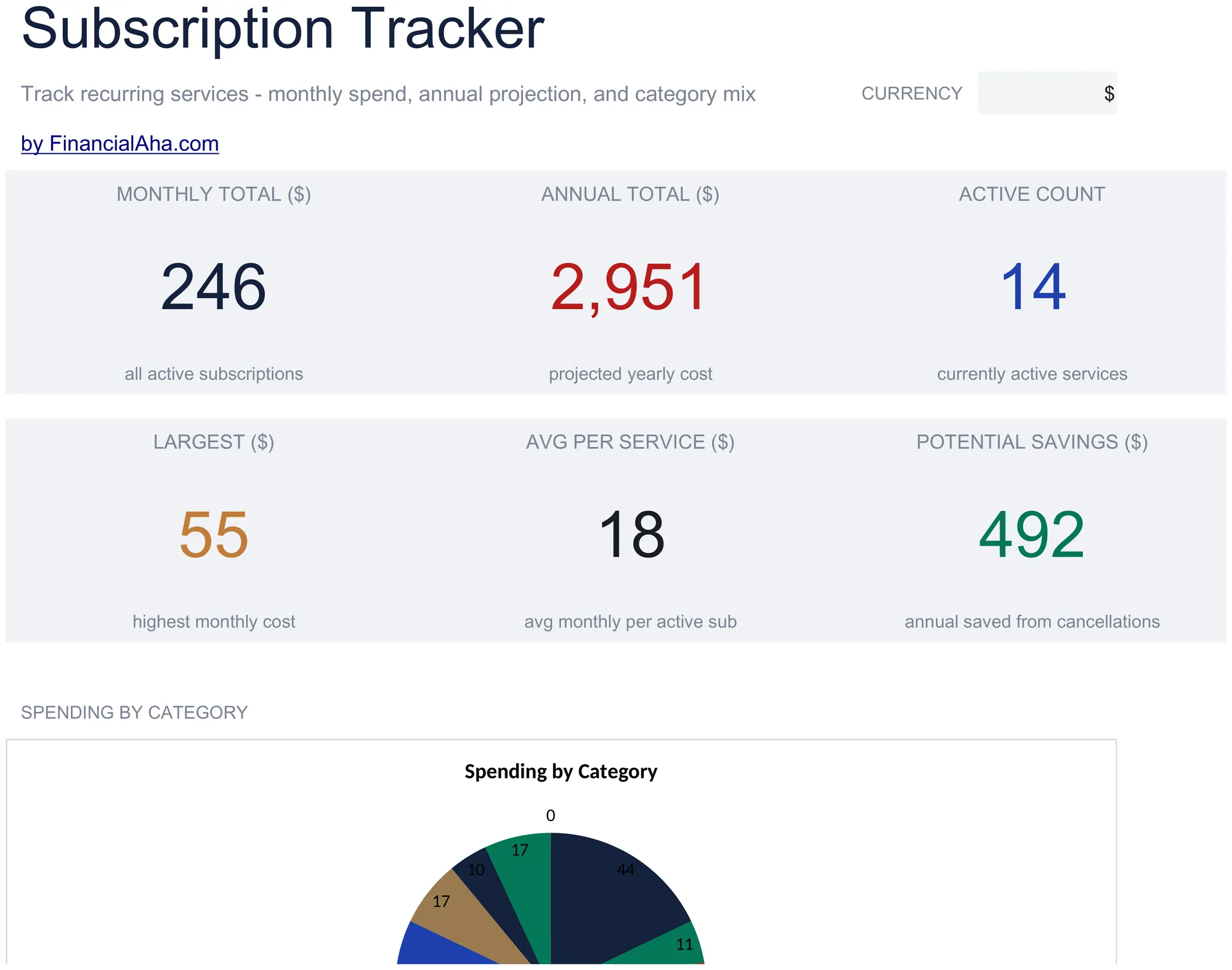
Log all active subscriptions with renewal dates and costs. See total monthly and annual subscription spending at a glance.

Subscription Tracker preview

Was enthalten ist

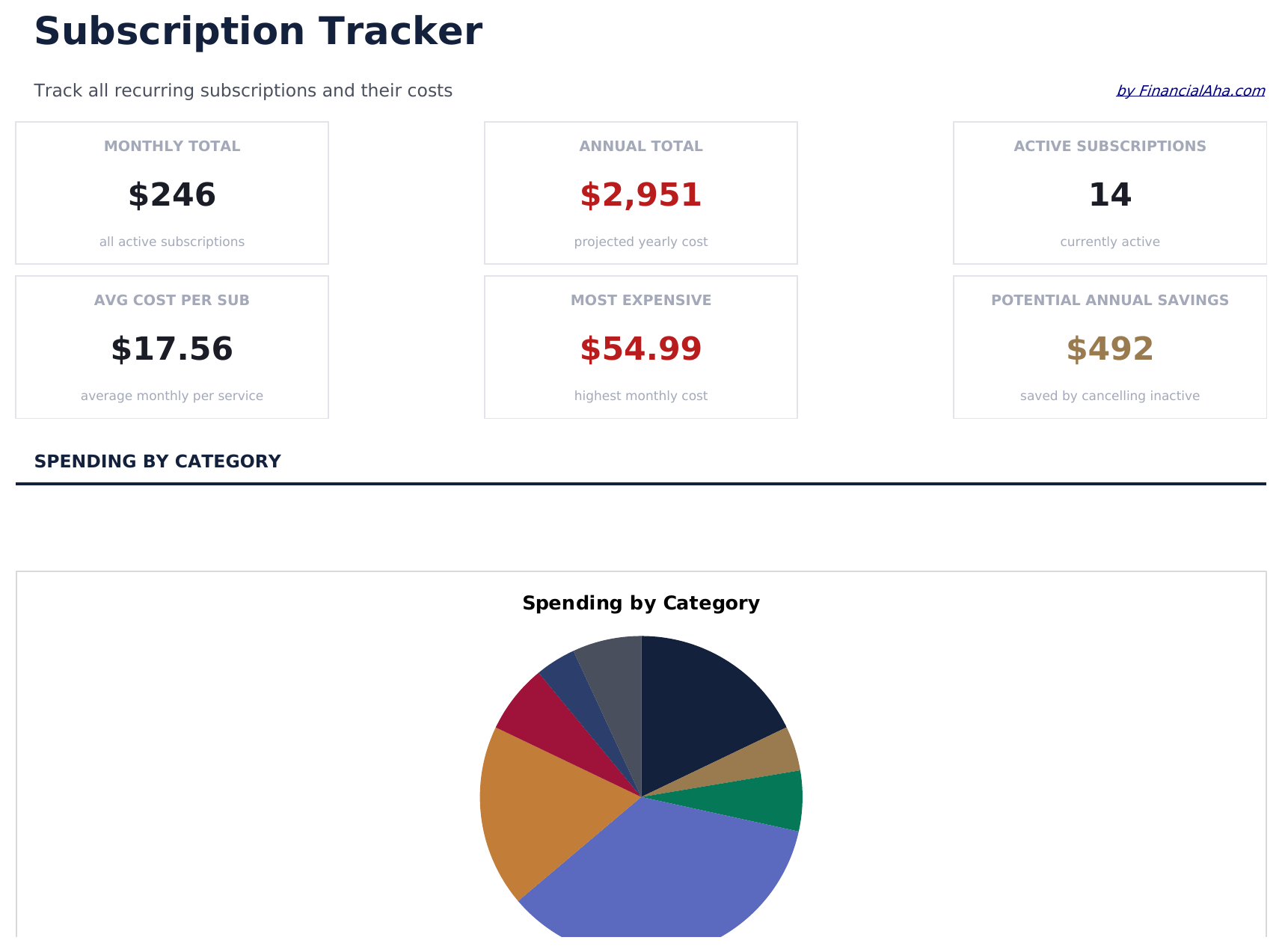
  • Dashboard with subscription spending summary showing total monthly cost, annual cost, and active count
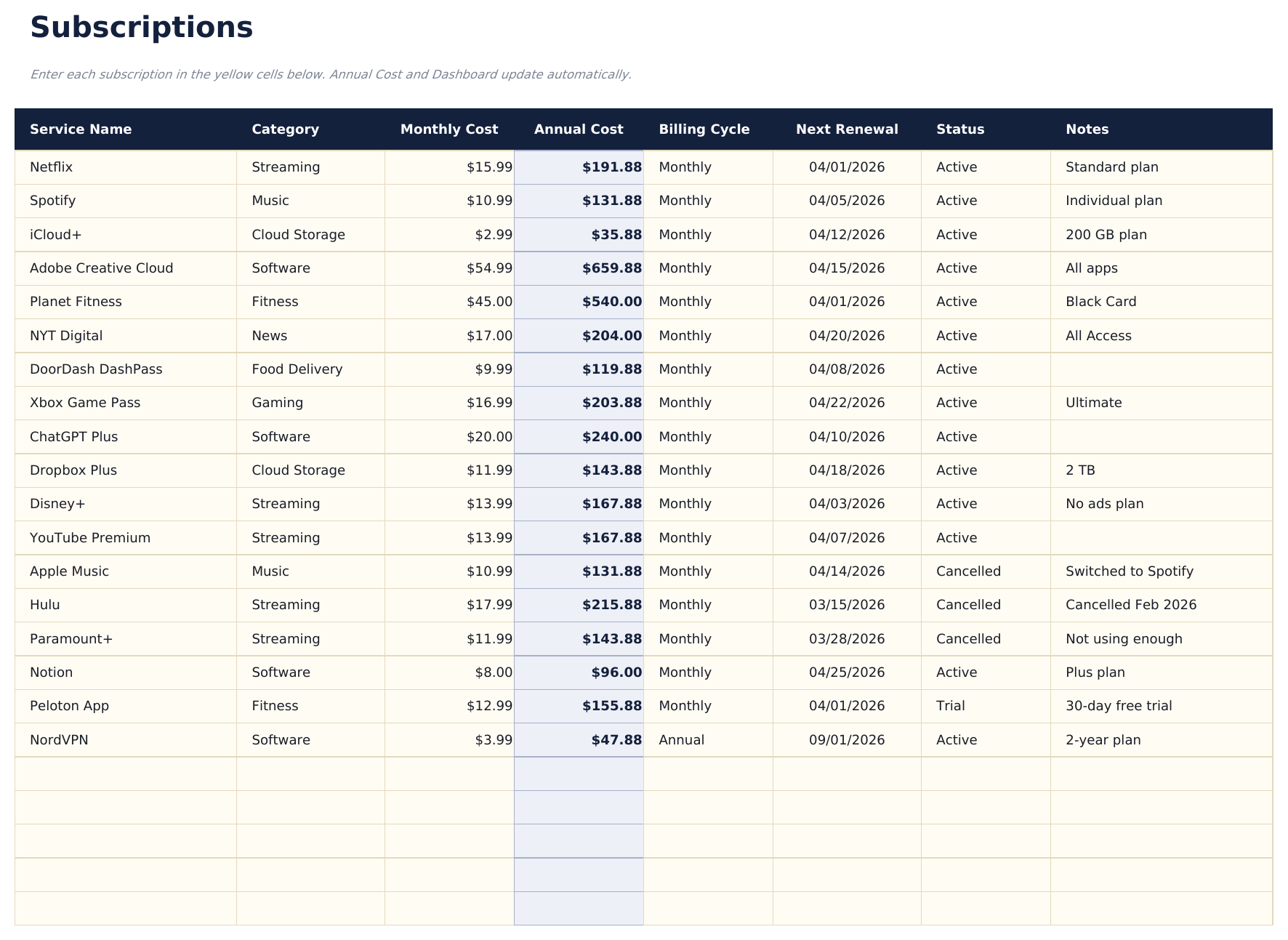
  • Subscription list with service name, renewal date, billing cycle, and cost per period for each entry
  • Monthly and annual cost calculations that automatically convert between billing frequencies
  • Category grouping for subscriptions like streaming, software, fitness, news, and cloud storage
  • Color-coded status indicators for active vs. cancelled subscriptions with formatted cost columns
  • Works in Microsoft Excel, Google Sheets, and LibreOffice Calc with no setup required
Ultimate Version Available

Need more from this template?

The Essentials version covers everyday tracking. Ultimate goes further with multi-entity support, scenario analysis, and ultimate-grade reporting.

Essentials - $12
  • Dashboard with subscription spending summary showing total monthly cost, annual cost, and active count
  • Subscription list with service name, renewal date, billing cycle, and cost per period for each entry
  • Monthly and annual cost calculations that automatically convert between billing frequencies
  • Category grouping for subscriptions like streaming, software, fitness, news, and cloud storage
Ultimate - $19
  • Verfolgen Sie bis zu 50 aktive Abonnements mit Name, Kategorie, Abrechnungszyklus, monatlichen Kosten, jährlichen Kosten, Verlängerungsdatum und Status
  • Dashboard mit 6 KPI-Karten: monatliche Gesamtkosten, jährliche Gesamtkosten, Abonnementanzahl, teuerste Kategorie, anstehende Verlängerungen (nächste 30 Tage) und inaktive Abonnements
  • Kategorieaufschlüsselung mit monatlichen Kosten, jährlichen Kosten, Abonnementanzahl und Prozentanteil der Gesamtausgaben pro Kategorie
  • Jahresprognosen mit Berechnung der 12-Monats-Vorauskosten pro Abonnement und Kategoriesummen basierend auf Abrechnungszyklus und aktuellem Preis
  • Preisverlauf zum Protokollieren von Preisänderungen pro Abonnement über die Zeit - zeigt Originalpreis, aktuellen Preis und kumulative Preiserhöhung
See what's in the Ultimate version One-time purchase. No subscription.

So verwenden Sie diese Subscription Tracker-Vorlage

1

List all subscriptions

Enter every active subscription - streaming, software, fitness, news, cloud storage, and any recurring service you pay for.

2

Add billing details

For each subscription, record the renewal date, billing cycle (monthly or annual), and cost per period.

3

Review total costs

The dashboard shows your total monthly and annual subscription spending so you can see the combined impact.

4

Audit and cancel

Flag subscriptions you no longer use. The tracker makes unused or duplicate services easy to spot and cancel.

Erstellt von Claude AI. Verfeinert von uns.

Wir verwenden Claude AI, um jede Vorlage nach gründlicher Recherche zu entwerfen. Dann greift unser Team ein. Wir verfeinern das Layout, testen jede Formel auf Herz und Nieren, beheben Grenzfälle und polieren das Design, bis es sich anfühlt wie etwas, das wir selbst verwenden würden. Die KI bringt uns 80 % ans Ziel. Die letzten 20 % sind rein menschliches Urteilsvermögen.

Häufig gestellte Fragen

Does it convert annual to monthly costs?

Yes. The template automatically converts between billing frequencies. An annual subscription is divided by 12 to show the effective monthly cost.

How do I mark a cancelled subscription?

Change the status to cancelled. The template distinguishes active from cancelled subscriptions and excludes cancelled ones from the spending totals.

Can I group subscriptions by category?

Yes. Categories like streaming, software, fitness, and news help organize subscriptions. You can filter or sort by category to review spending in each area.

How often does it need updating?

Update it when you add, cancel, or change a subscription. A monthly review helps catch forgotten services or price increases.

Wie öffne ich diese Vorlage in Google Sheets?

Laden Sie die .xlsx-Datei auf Google Drive hoch und öffnen Sie sie mit Google Sheets. Alle Formeln und Formatierungen bleiben erhalten.

Weitere Essentials-Vorlagen: Personal Budgeting

Auf der Suche nach Premium-Tabellenvorlagen?

Unsere kostenpflichtigen Vorlagen umfassen erweiterte mehrseitige Dashboards, native Excel-Diagramme und laufende Aktualisierungen.

Privat & sicher

Ihre Finanzdaten bleiben auf Ihrem Gerät. Wir sehen sie nie.

Mehr erfahren →

Brauchen Sie Hilfe?

Schauen Sie in unsere Anleitungen oder kontaktieren Sie uns.

FAQ ansehen →