Free Rent vs Buy Calculator Spreadsheet Template
Compare the financial outcomes of renting versus buying over a specified time period. Factor in appreciation, tax implications, and opportunity cost.
What's Included
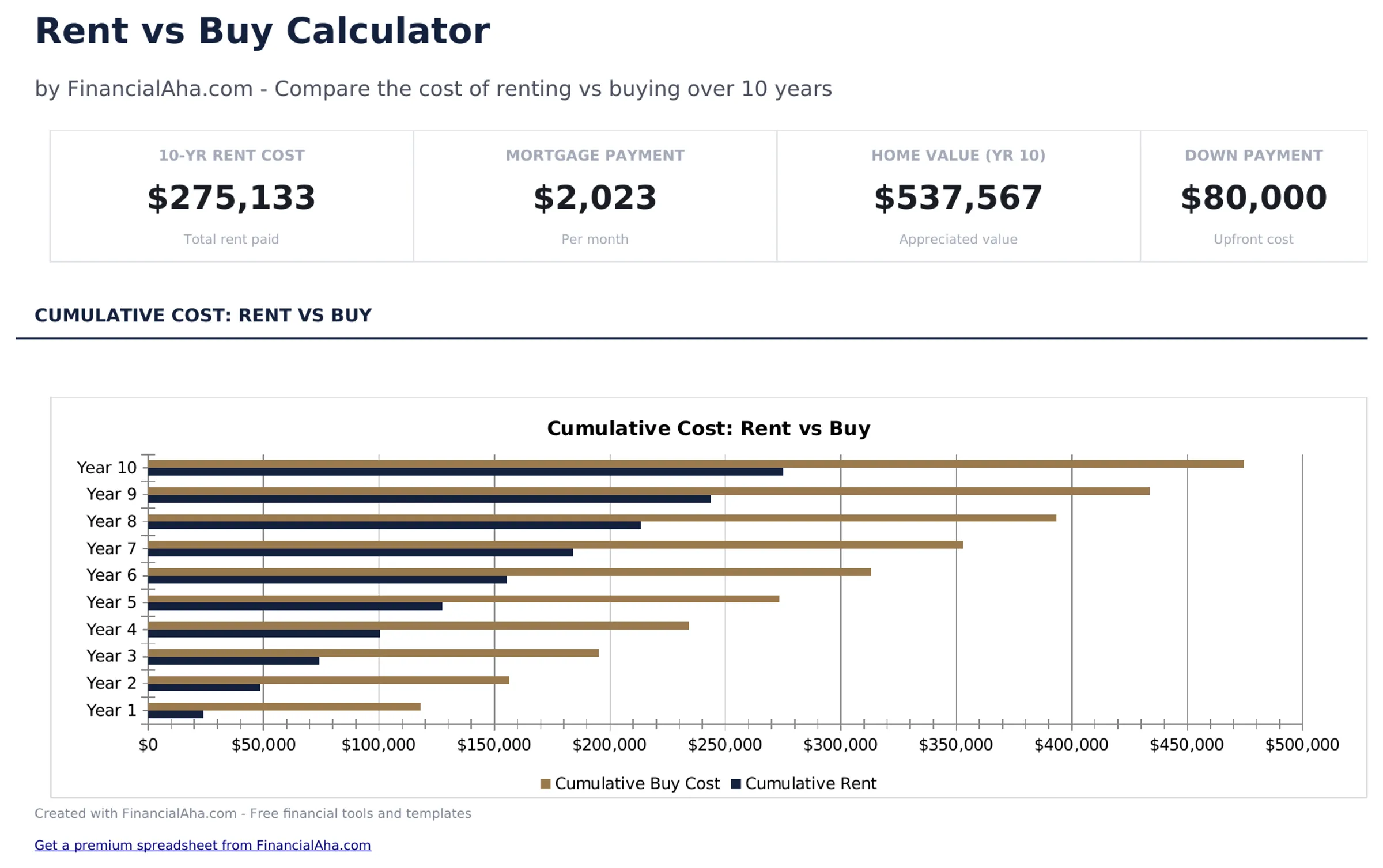
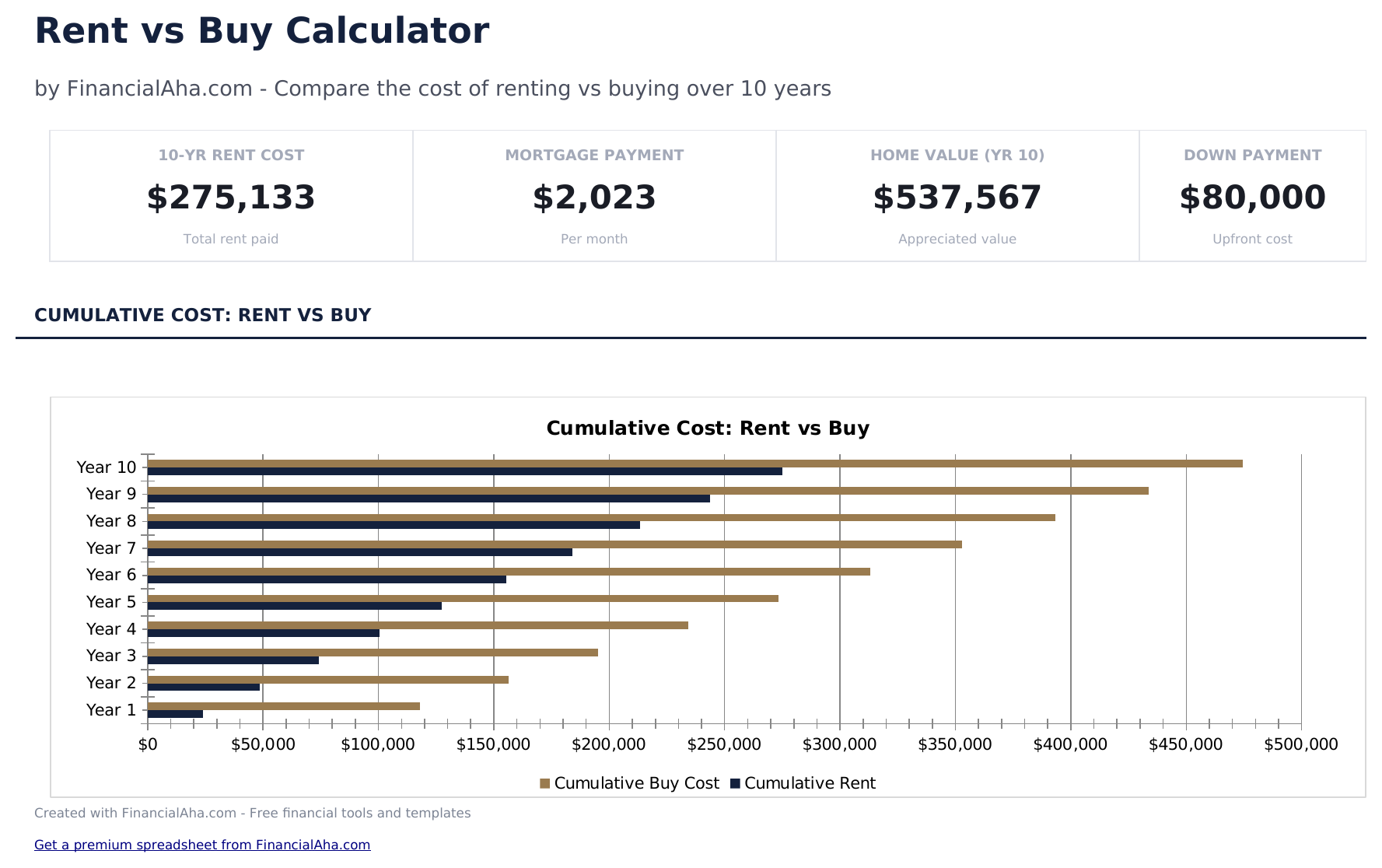
- Dashboard with rent vs. buy comparison showing total cost of renting, total cost of buying, and net difference
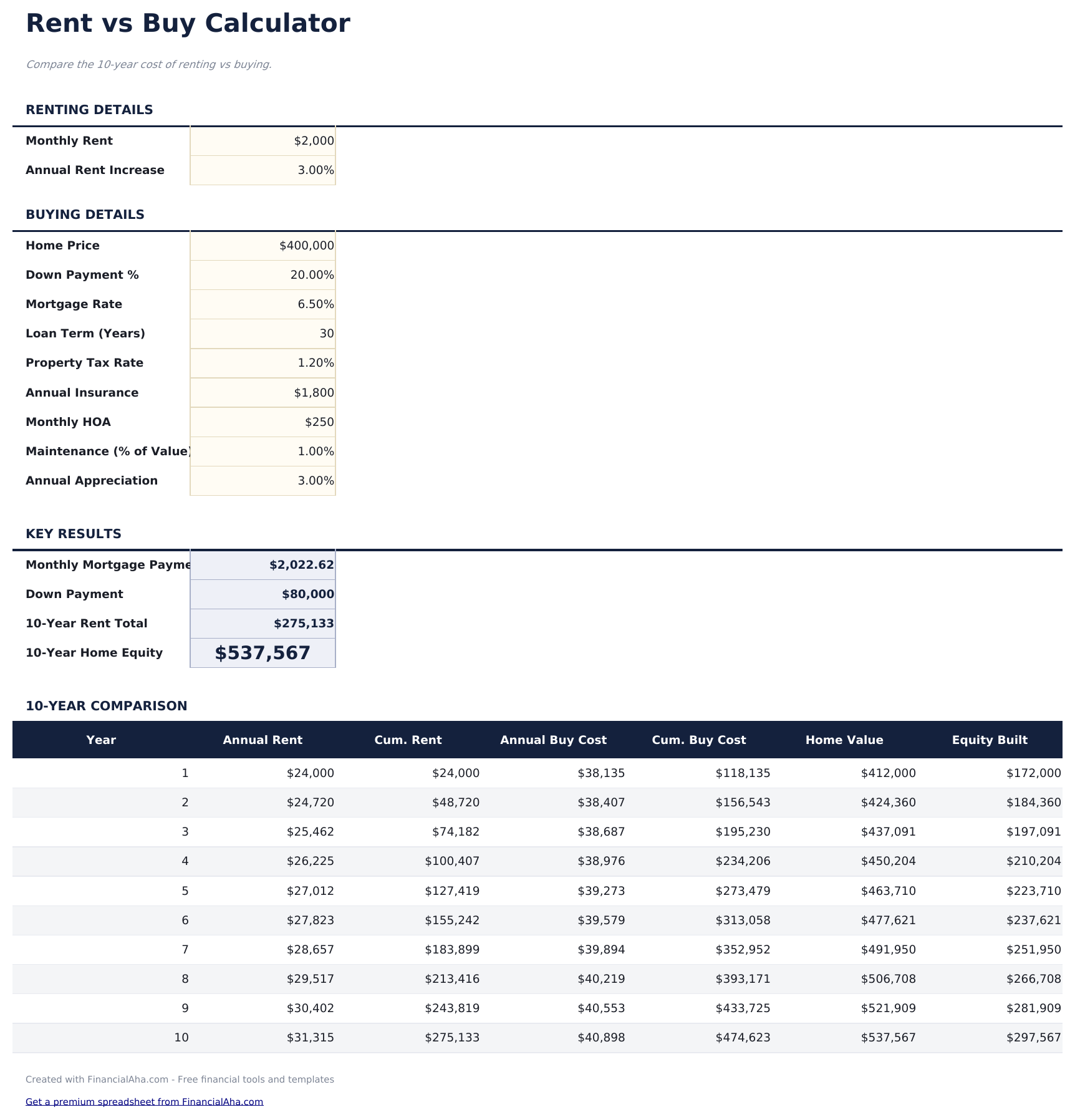
- Calculator with rental inputs (monthly rent, annual increase) and purchase inputs (price, rate, down payment)
- Year-by-year cost comparison table showing cumulative rent paid vs. cumulative homeownership costs over time
- Equity buildup tracking that shows how much home equity is gained each year through mortgage principal payments
- Break-even analysis with color-coded input cells showing when buying becomes less expensive than renting
- Works in Microsoft Excel, Google Sheets, and LibreOffice Calc with no setup required
Preview
See what's inside this template
How to Use This Rent vs Buy Calculator Template
Enter rental details
Input current monthly rent and expected annual rent increase percentage for the comparison period.
Enter purchase details
Add the home price, down payment, mortgage rate, property taxes, insurance, and maintenance estimates.
Set the time horizon
Enter the number of years for the comparison. Results change significantly over different holding periods.
Compare the results
The dashboard shows total cost of renting vs total cost of buying, equity built, and the break-even year.
Built by Claude AI. Perfected by us.
We use Claude AI to draft each free template, after a deep research. Then our team steps in. We refine the layout, stress-test every formula, fix edge cases, and polish the design until it feels like something we would actually use ourselves. The AI gets us 80% there. The last 20% is all human judgment.
Frequently Asked Questions
What costs are included in the buy side?
Mortgage payments, property taxes, insurance, maintenance, HOA fees, and opportunity cost of the down payment. Equity buildup is factored as a credit.
Does it account for home appreciation?
Yes. Enter an expected annual appreciation rate. The calculator factors in property value growth when computing the net cost of buying.
What is opportunity cost of the down payment?
If the down payment were invested instead of used for a home purchase, it would earn returns. The calculator accounts for this foregone investment growth.
When does buying typically break even?
It varies widely by market and inputs. The break-even analysis shows the specific year when cumulative buying costs become lower than cumulative renting costs for your scenario.
How do I open this in Google Sheets?
Upload the .xlsx file to Google Drive, then open it with Google Sheets. All formulas and formatting will be preserved.
What license is this template under?
All free templates are released under CC BY 4.0 (Creative Commons Attribution). You can use, modify, and share them freely - including for commercial purposes - as long as you credit FinancialAha.com. They are provided as-is and do not constitute financial advice.
More Free Mortgage & Home Templates
Looking for premium spreadsheet templates?
Our paid templates include advanced multi-sheet dashboards, native Excel charts, and ongoing updates.