Free Mortgage Payoff Calculator Spreadsheet Template
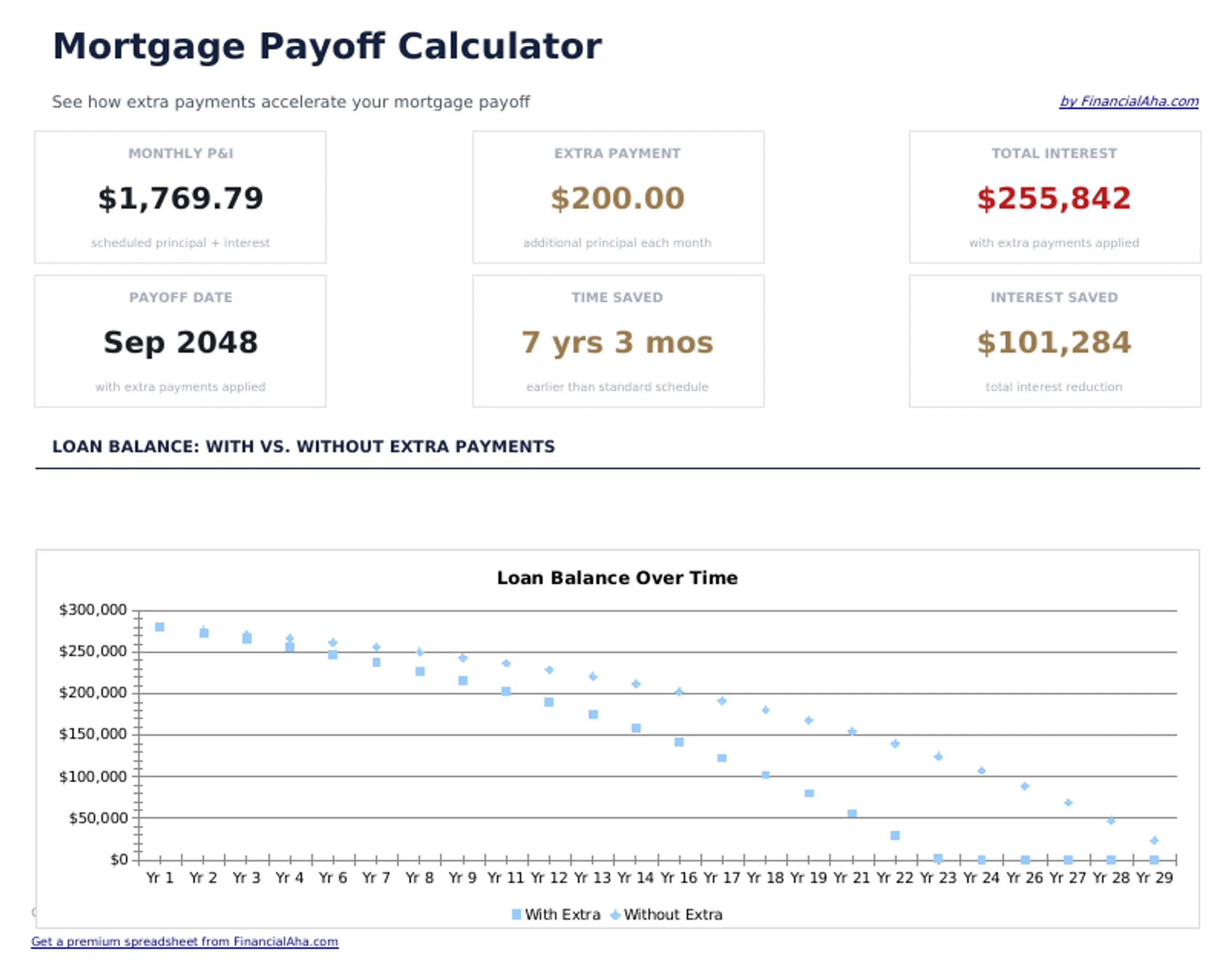
See how extra payments accelerate mortgage payoff. Compare original vs. accelerated schedules to view time and interest saved.
What's Included
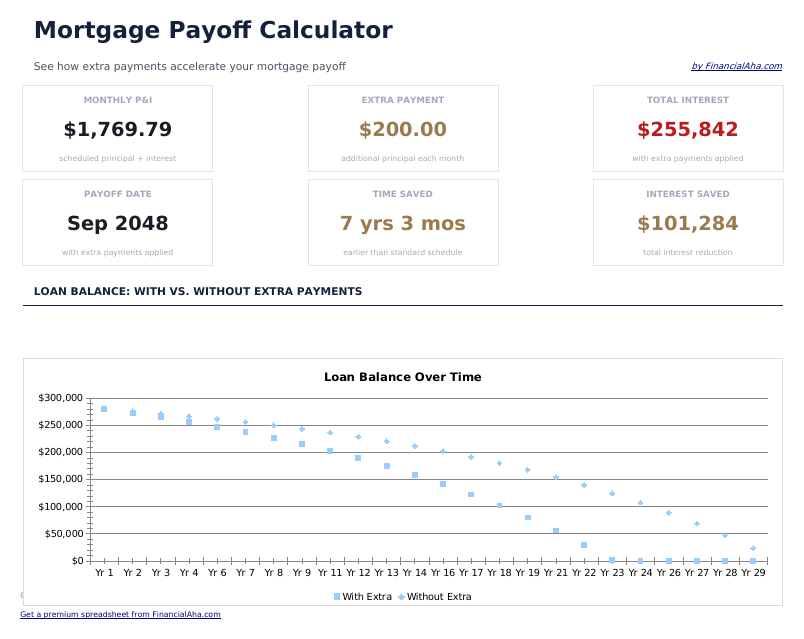
- Dashboard with payoff comparison showing original vs. accelerated payoff date and total interest for each
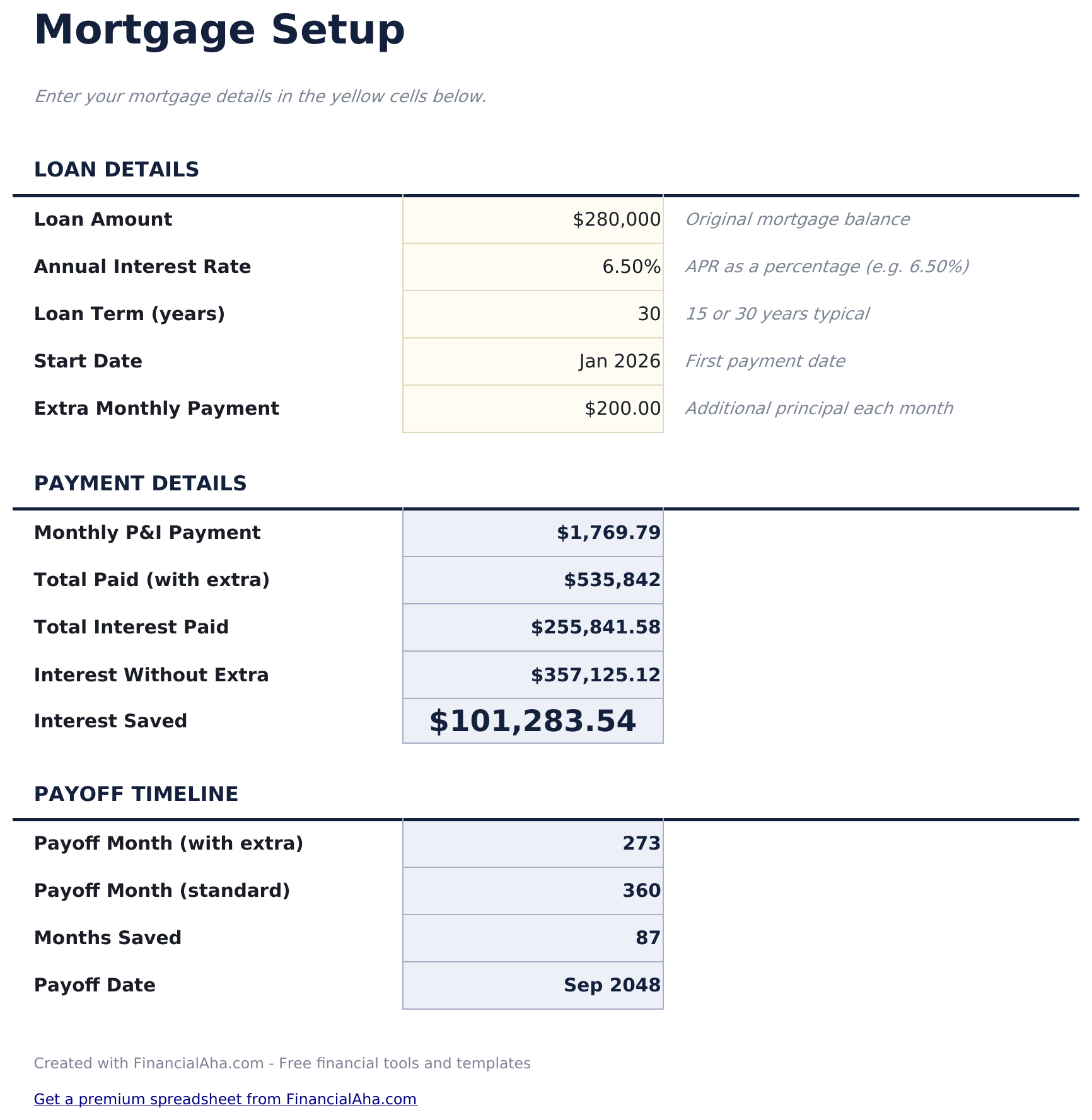
- Mortgage setup with current balance, rate, remaining term, and extra monthly payment amount inputs
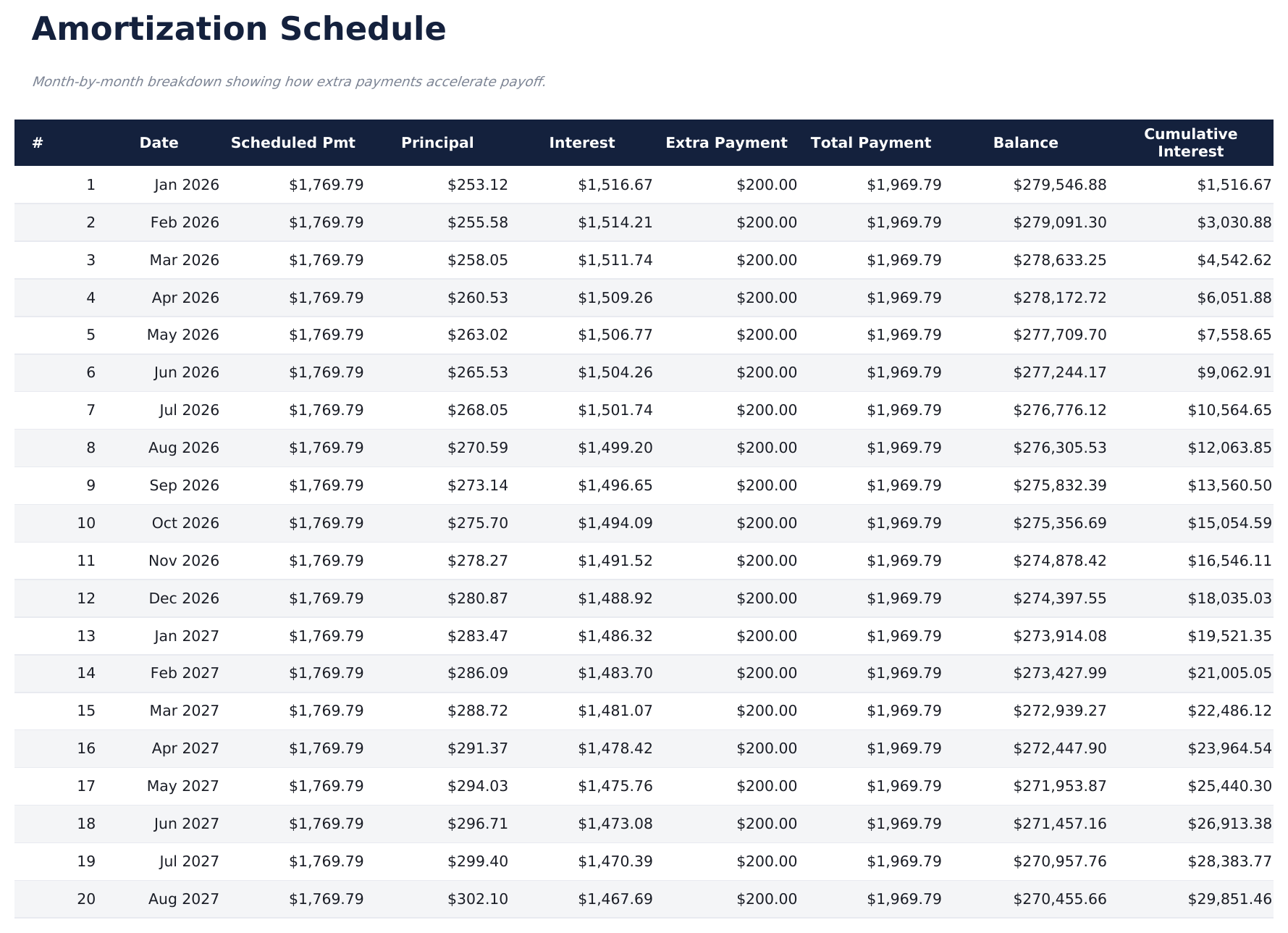
- Amortization schedule with extra payments applied showing reduced balance and earlier payoff progression
- Time saved calculation displaying how many months or years of payments the extra contributions eliminate
- Interest saved calculation with color-coded input cells (yellow) and auto-calculated projections (blue)
- Works in Microsoft Excel, Google Sheets, and LibreOffice Calc with no setup required
Preview
See what's inside this template
How to Use This Mortgage Payoff Calculator Template
Enter current mortgage
Input your remaining balance, interest rate, remaining term, and current monthly payment.
Add extra payment amount
Enter the additional monthly amount you plan to pay beyond the required payment.
Compare the schedules
The amortization schedule shows both the original and accelerated payoff timelines side by side.
Review savings
The dashboard displays months saved, years saved, and total interest saved from the extra payments.
Built by Claude AI. Perfected by us.
We use Claude AI to draft each free template, after a deep research. Then our team steps in. We refine the layout, stress-test every formula, fix edge cases, and polish the design until it feels like something we would actually use ourselves. The AI gets us 80% there. The last 20% is all human judgment.
Frequently Asked Questions
How much interest can extra payments save?
It depends on your balance, rate, and extra amount. Even modest additional payments can save significant interest because they reduce the principal faster.
Does it support biweekly payments?
The template models extra monthly payments. For biweekly, divide your monthly payment by two and make that payment every two weeks - effectively adding one extra payment per year.
Can I start extra payments later?
The calculator assumes extra payments begin immediately. To model a delayed start, adjust your current balance and remaining term to reflect the future starting point.
Does the extra payment go to principal?
Yes. The calculator applies extra payments entirely to principal reduction, which is how most mortgage extra payments work.
How do I open this in Google Sheets?
Upload the .xlsx file to Google Drive, then open it with Google Sheets. All formulas and formatting will be preserved.
What license is this template under?
All free templates are released under CC BY 4.0 (Creative Commons Attribution). You can use, modify, and share them freely - including for commercial purposes - as long as you credit FinancialAha.com. They are provided as-is and do not constitute financial advice.
More Free Mortgage & Home Templates
Looking for premium spreadsheet templates?
Our paid templates include advanced multi-sheet dashboards, native Excel charts, and ongoing updates.