Free Dividend Tracker Spreadsheet Template
Track dividend income from investment holdings. Monitor payment dates, amounts, and yield across dividend-paying stocks and funds.
What's Included
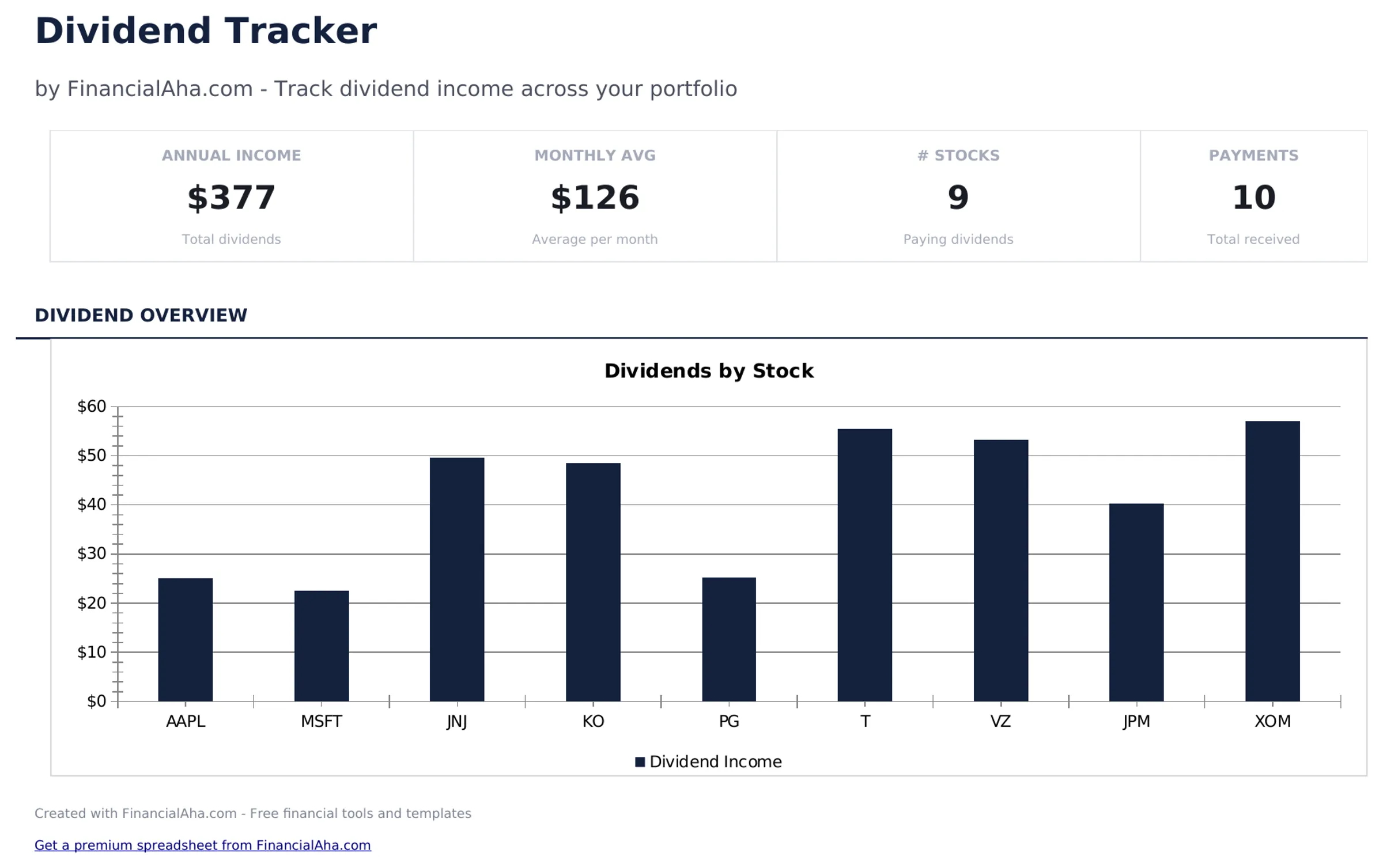
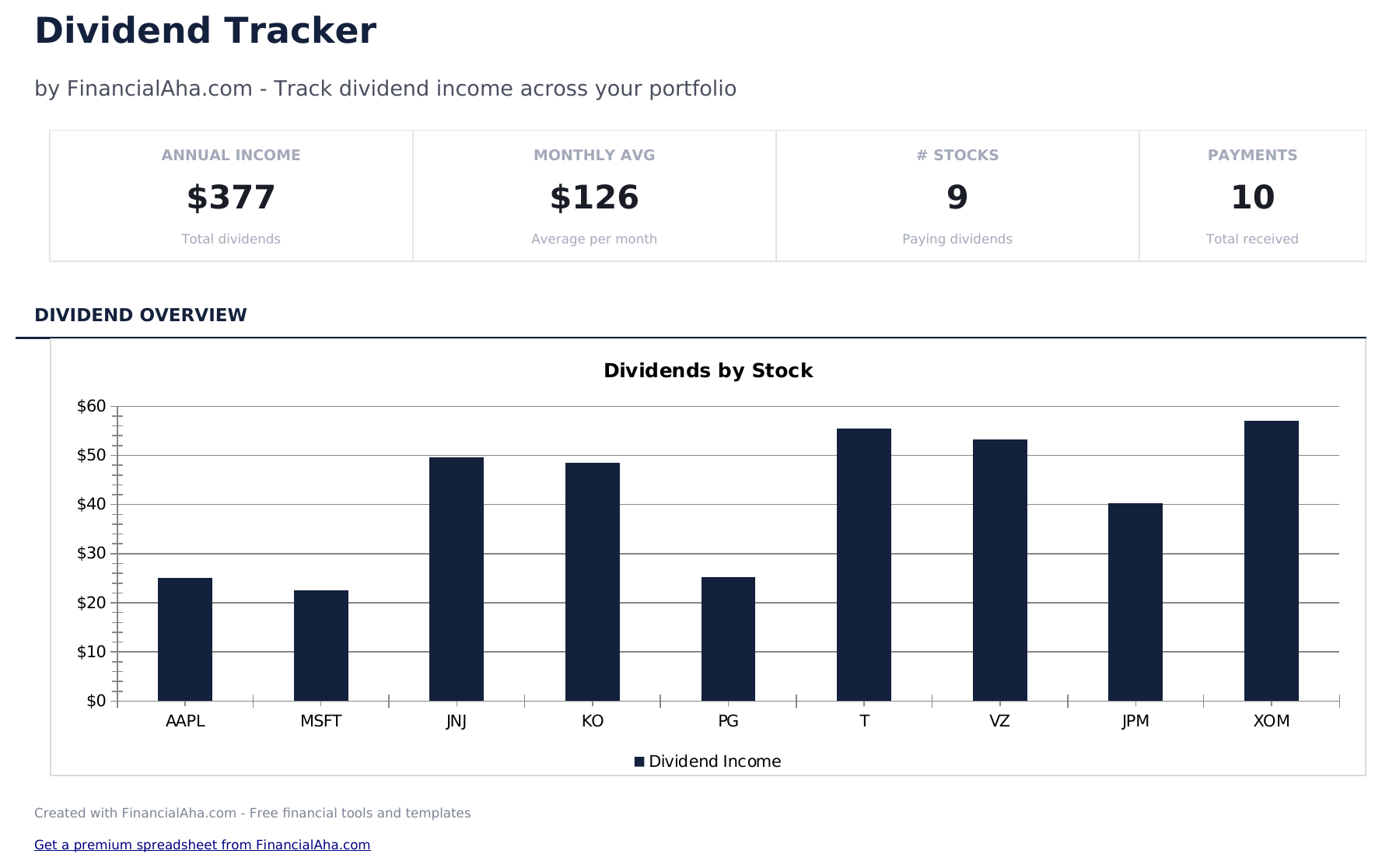
- Dashboard with dividend income summary showing total dividends received, average yield, and projected annual income
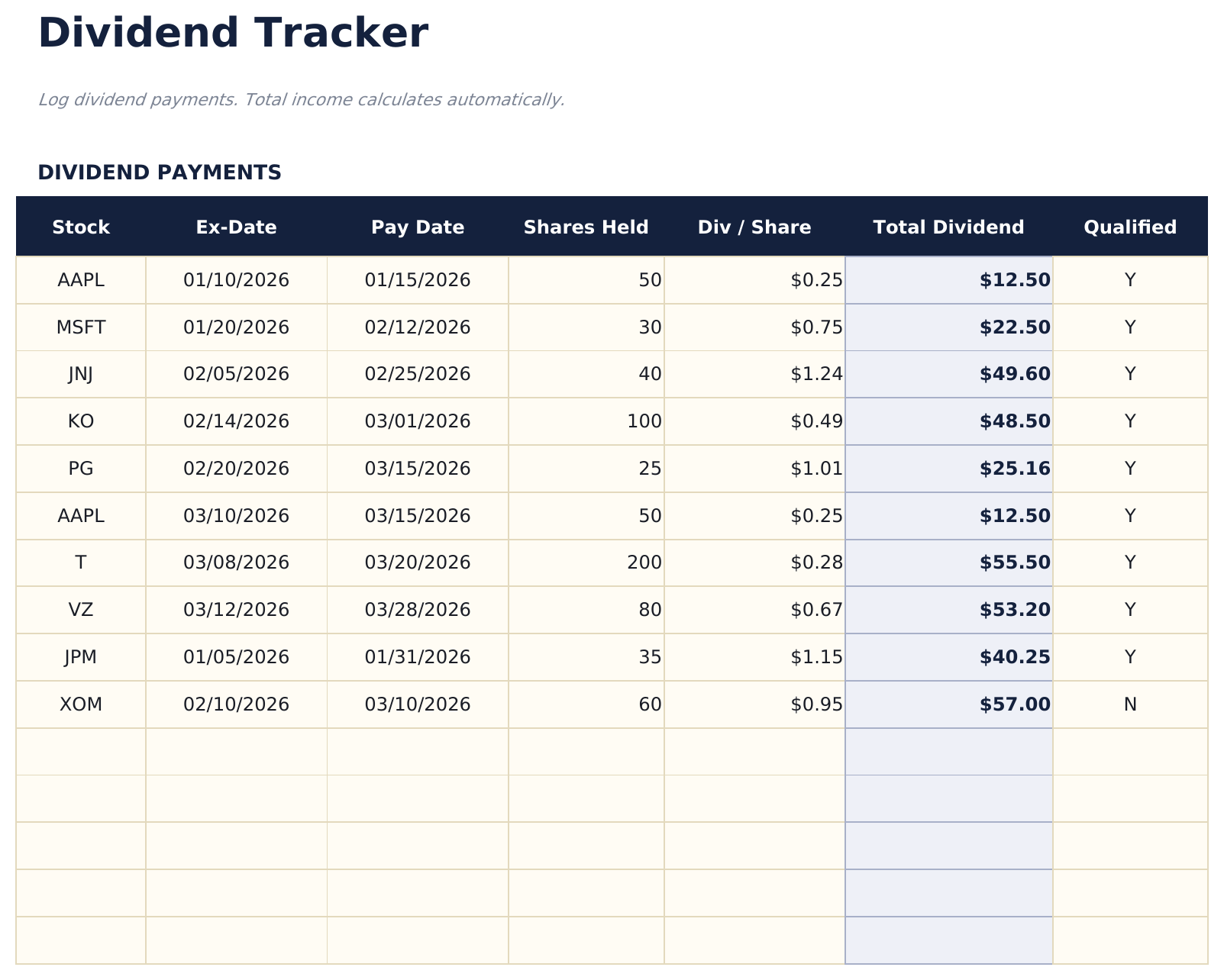
- Dividend log with columns for ticker, payment date, ex-dividend date, dividend per share, and total payment amount
- Yield calculations per holding based on current share price and annual dividend amount for each position
- Monthly and annual income totals with automatic summation showing dividend income across all time periods
- Payment frequency tracking with color-coded input cells (yellow) for monthly, quarterly, and annual dividend schedules
- Works in Microsoft Excel, Google Sheets, and LibreOffice Calc with no setup required
Need more from this template?
The free version covers the basics. The Pro version goes further.
- Track up to 10 dividend holdings with ticker, shares, and annual dividend
- Dashboard with total income and portfolio yield
- Basic monthly income projection by holding
- Works in Excel and Google Sheets
- Track up to 30 dividend-paying holdings with ticker, shares, cost basis, current price, annual dividend per share, frequency, and ex-dividend date
- Dashboard with 6 KPI cards: total portfolio value, annual dividend income, portfolio yield, yield on cost, number of holdings, and next ex-dividend date
- Dividend History sheet logging each dividend payment received with date, ticker, shares, dividend per share, and total received
- Monthly Income sheet projecting expected dividend income by month based on payment frequency and showing actual received alongside projections
- Yield on Cost Analysis showing original cost basis, current yield on cost, and how yield on cost has grown for each position over time
Preview
See what's inside this template
How to Use This Dividend Tracker Template
Enter dividend positions
List each dividend-paying stock or fund with the ticker, shares owned, and current share price.
Log dividend payments
Record each payment with the ticker, payment date, dividend per share, and total amount received.
Review yield
The template calculates yield per holding based on the annual dividend divided by the current share price.
Check income totals
The dashboard shows total dividends received monthly and annually, plus projected annual income based on current holdings.
Built by Claude AI. Perfected by us.
We use Claude AI to draft each template, after a deep research. Then our team steps in. We refine the layout, stress-test every formula, fix edge cases, and polish the design until it feels like something we would actually use ourselves. The AI gets us 80% there. The last 20% is all human judgment.
Frequently Asked Questions
How is dividend yield calculated?
Yield equals the annual dividend per share divided by the current share price. The template computes this for each holding automatically.
Does it track ex-dividend dates?
Yes. The log includes an ex-dividend date field so you know the cutoff date for qualifying for each payment.
Can I project future income?
Yes. The projected annual income multiplies each holding current annual dividend by shares owned. The total across all holdings shows expected yearly income.
Does it handle dividend reinvestment?
If you reinvest dividends, update the shares owned when new shares are purchased. The next dividend payment reflects the increased share count.
How do I open this in Google Sheets?
Upload the .xlsx file to Google Drive, then open it with Google Sheets. All formulas and formatting will be preserved.
What license is this template under?
All free templates are released under CC BY 4.0 (Creative Commons Attribution). You can use, modify, and share them freely - including for commercial purposes - as long as you credit FinancialAha.com. They are provided as-is and do not constitute financial advice.
More Free Investing & Trading Templates
Looking for premium spreadsheet templates?
Our paid templates include advanced multi-sheet dashboards, native Excel charts, and ongoing updates.