Free Crypto Portfolio Tracker Spreadsheet Template
Track cryptocurrency holdings across multiple coins and tokens. Monitor portfolio value, cost basis, and unrealized gains.
What's Included
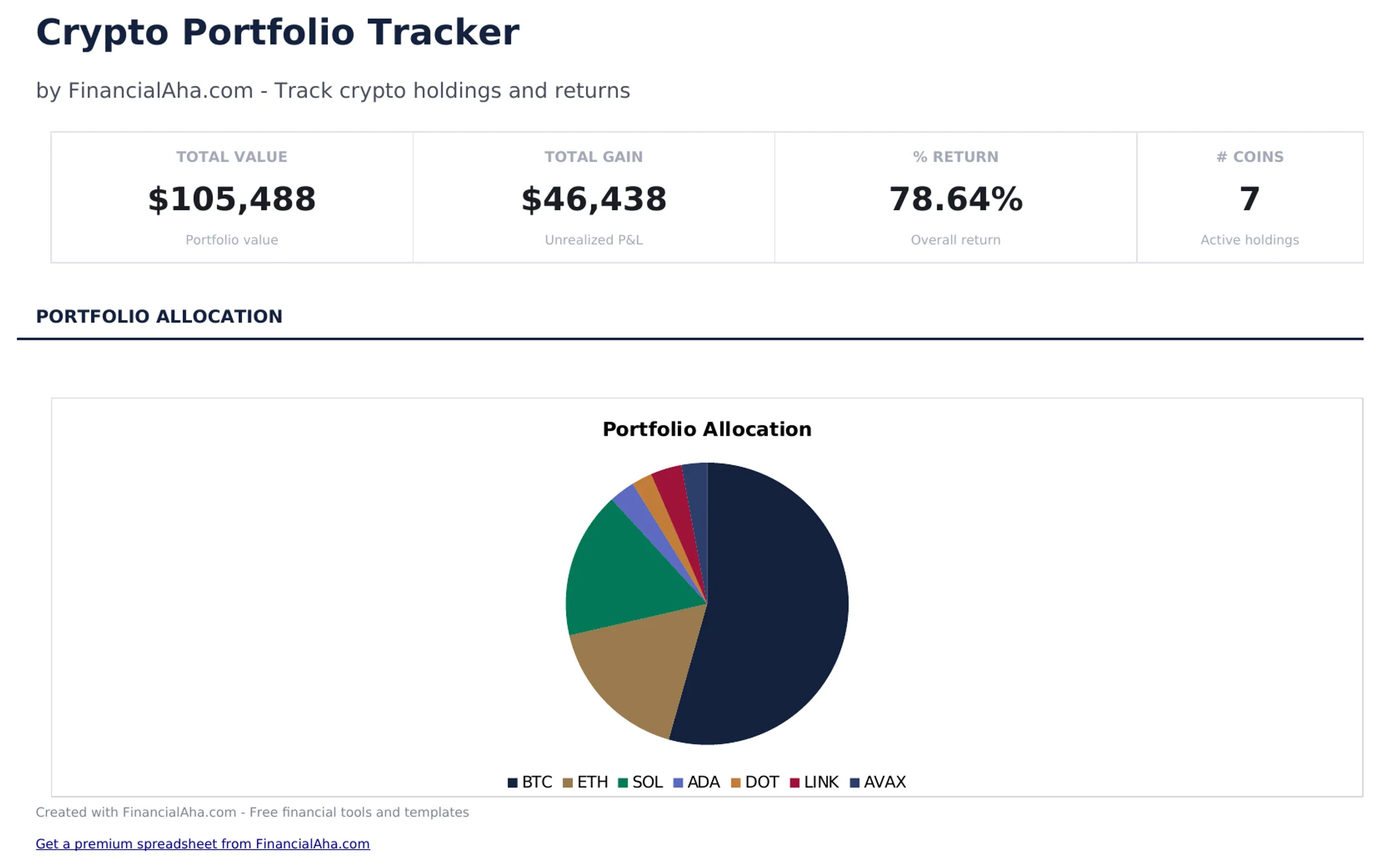
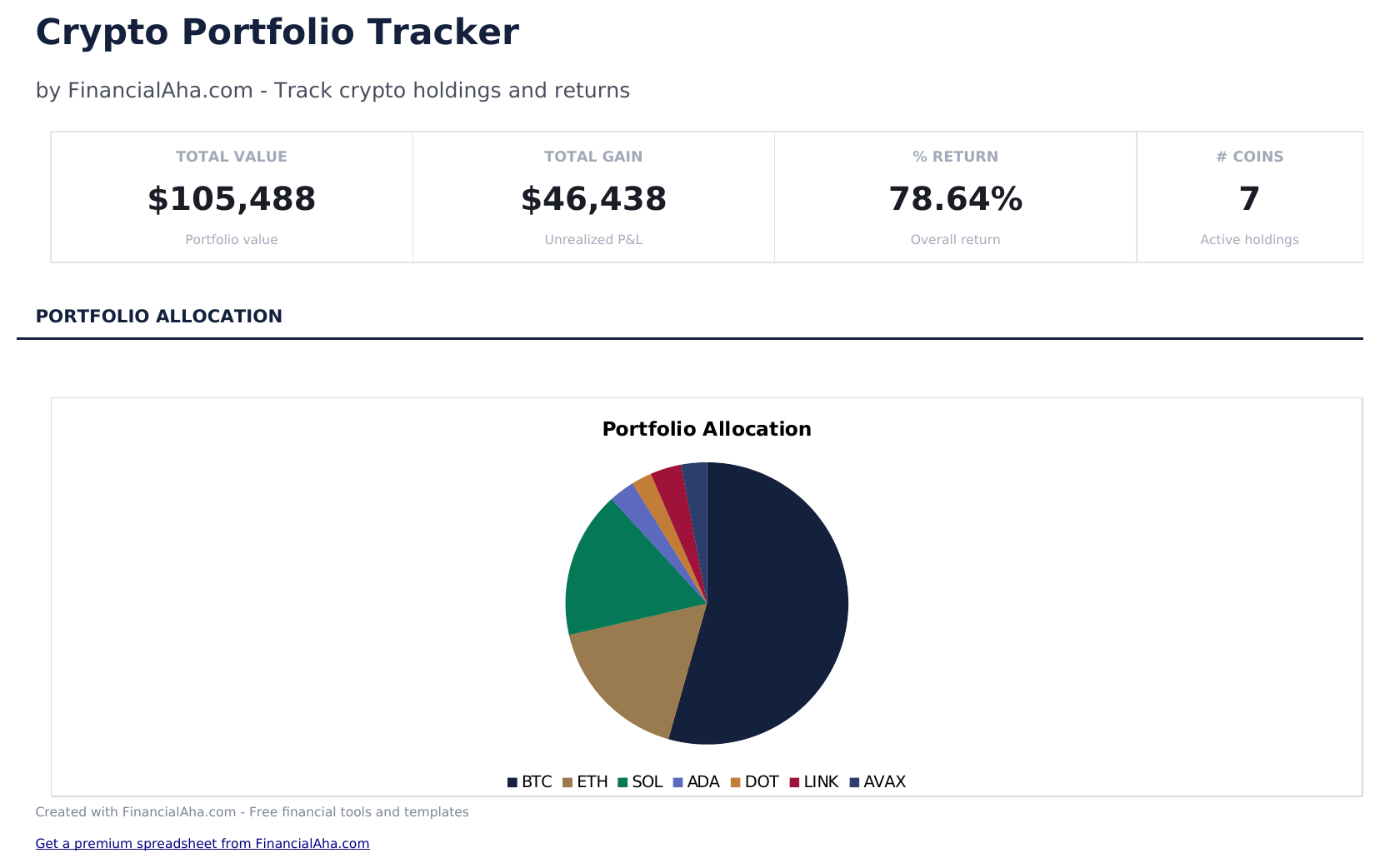
- Dashboard with crypto portfolio overview showing total value, total cost basis, total gain or loss, and top holdings
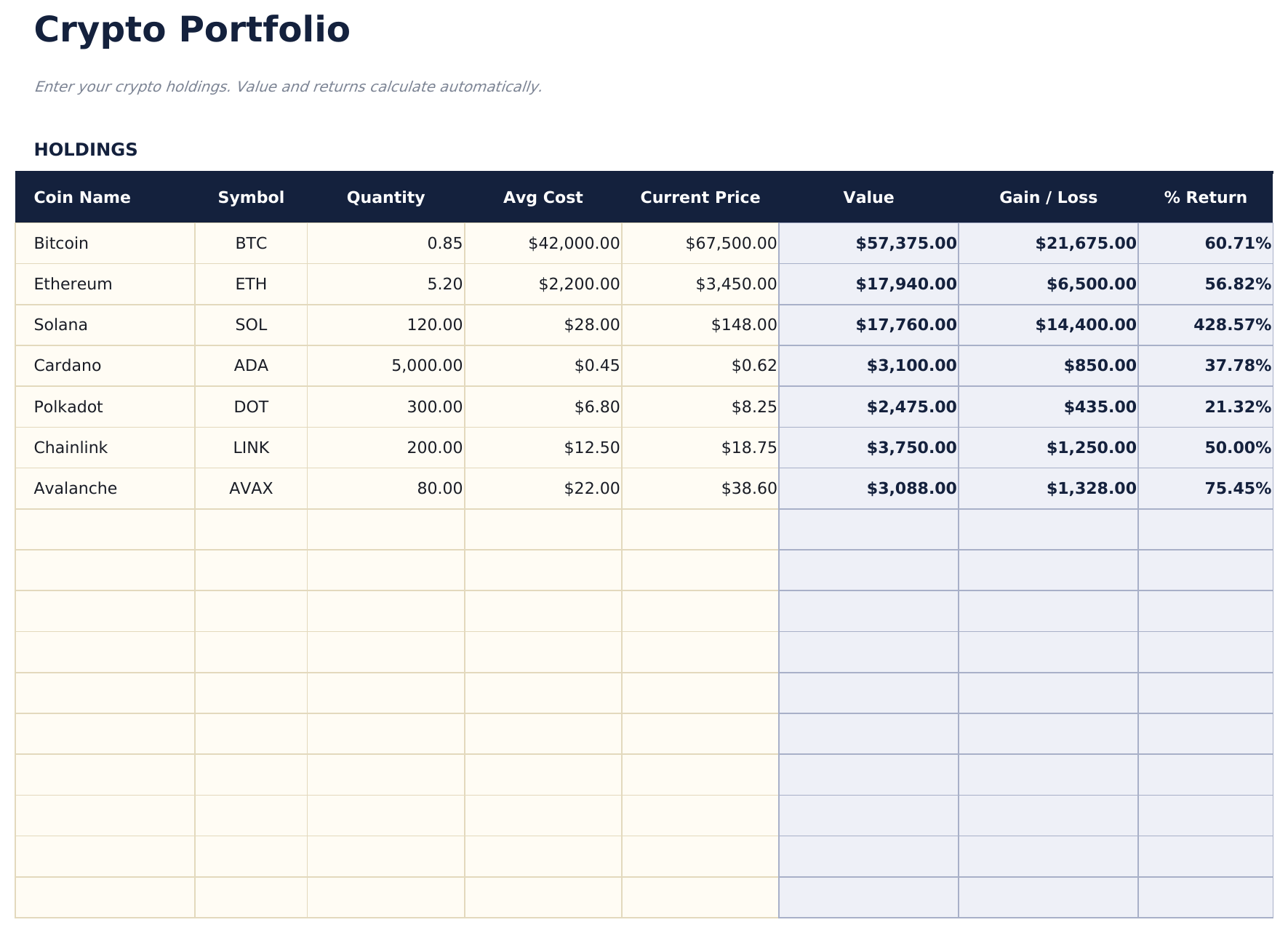
- Holdings list with coin name, ticker, quantity held, average purchase price, and current price per coin or token
- Cost basis and current value tracking with automatic unrealized gain or loss calculation for each holding
- Gain and loss calculations displayed in both dollar amount and percentage return for each cryptocurrency position
- Portfolio allocation breakdown with color-coded input cells (yellow) and auto-calculated portfolio metrics (blue)
- Works in Microsoft Excel, Google Sheets, and LibreOffice Calc with no setup required
Preview
See what's inside this template
How to Use This Crypto Portfolio Tracker Template
Enter your holdings
List each cryptocurrency with the coin name, ticker, quantity held, and average purchase price.
Update current prices
Enter the current market price for each coin. The unrealized gain or loss recalculates automatically.
Review portfolio value
The template shows total portfolio value, total cost basis, and overall gain or loss in dollars and percentage.
Check the dashboard
The dashboard displays portfolio allocation, top holdings by value, and total unrealized gain or loss.
Built by Claude AI. Perfected by us.
We use Claude AI to draft each free template, after a deep research. Then our team steps in. We refine the layout, stress-test every formula, fix edge cases, and polish the design until it feels like something we would actually use ourselves. The AI gets us 80% there. The last 20% is all human judgment.
Frequently Asked Questions
Do I update prices manually?
Yes. Enter the latest price for each coin when you review the portfolio. Some spreadsheet add-ons can fetch crypto prices automatically.
How is average purchase price calculated?
If you bought at different prices, calculate the weighted average - total cost divided by total quantity. Enter this single average price per coin.
Does it track transaction history?
The template focuses on current holdings and value. For detailed buy/sell transaction history, add a separate transaction log sheet.
Can I include staking rewards?
Add staking rewards as additional quantity at a cost of zero (or the market value at receipt). This increases your holdings and adjusts the average cost.
How do I open this in Google Sheets?
Upload the .xlsx file to Google Drive, then open it with Google Sheets. All formulas and formatting will be preserved.
What license is this template under?
All free templates are released under CC BY 4.0 (Creative Commons Attribution). You can use, modify, and share them freely - including for commercial purposes - as long as you credit FinancialAha.com. They are provided as-is and do not constitute financial advice.
More Free Investing & Trading Templates
Looking for premium spreadsheet templates?
Our paid templates include advanced multi-sheet dashboards, native Excel charts, and ongoing updates.