Free Debt Snowball Spreadsheet Template
Plan debt payoff using the snowball method - pay off smallest balances first. Track progress as each debt is eliminated and payments roll into the next.
What's Included
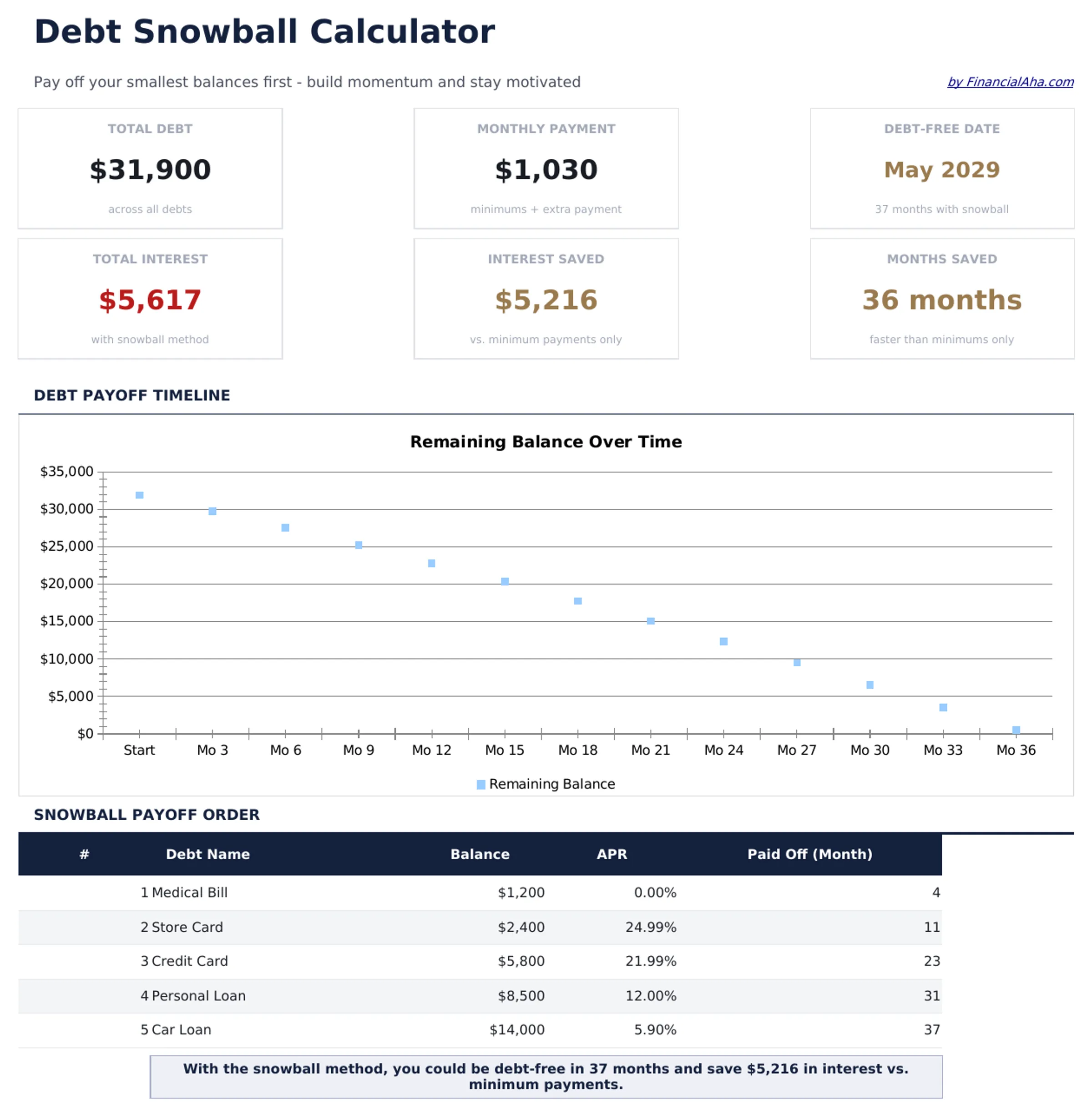
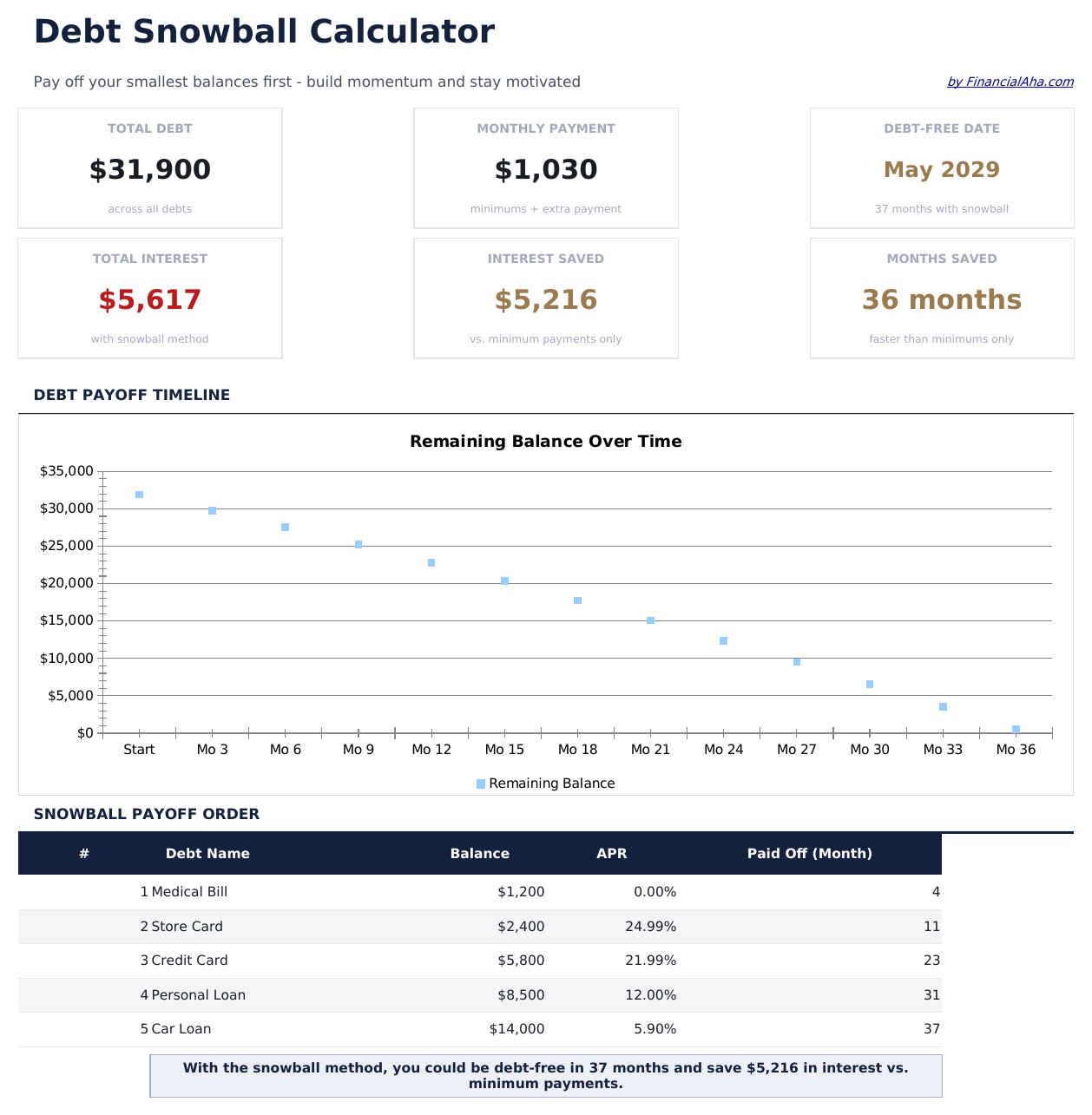
- Dashboard with snowball progress showing debts eliminated, current target, and projected freedom date
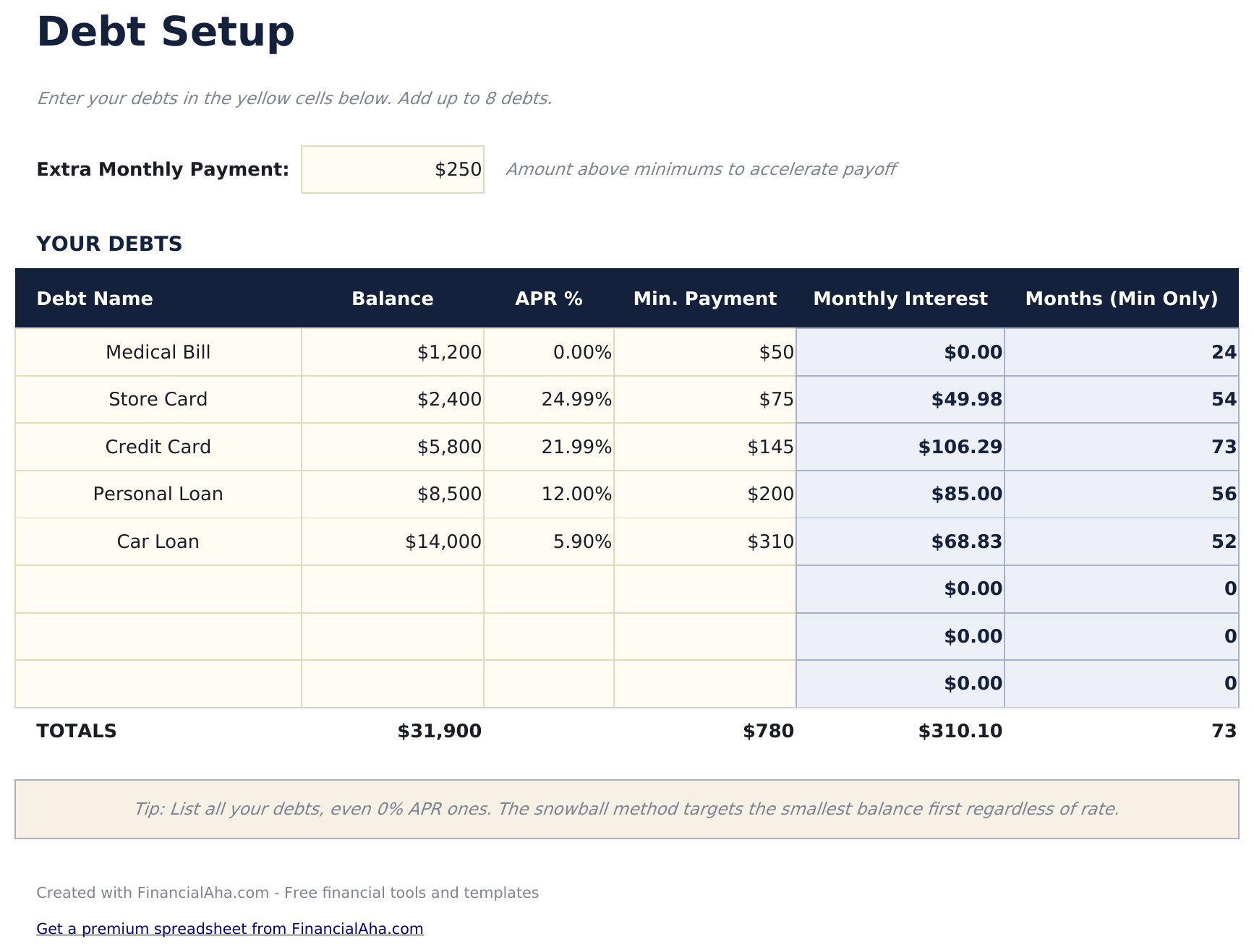
- Debt setup sheet sorted by balance from smallest to largest with rate and minimum payment fields
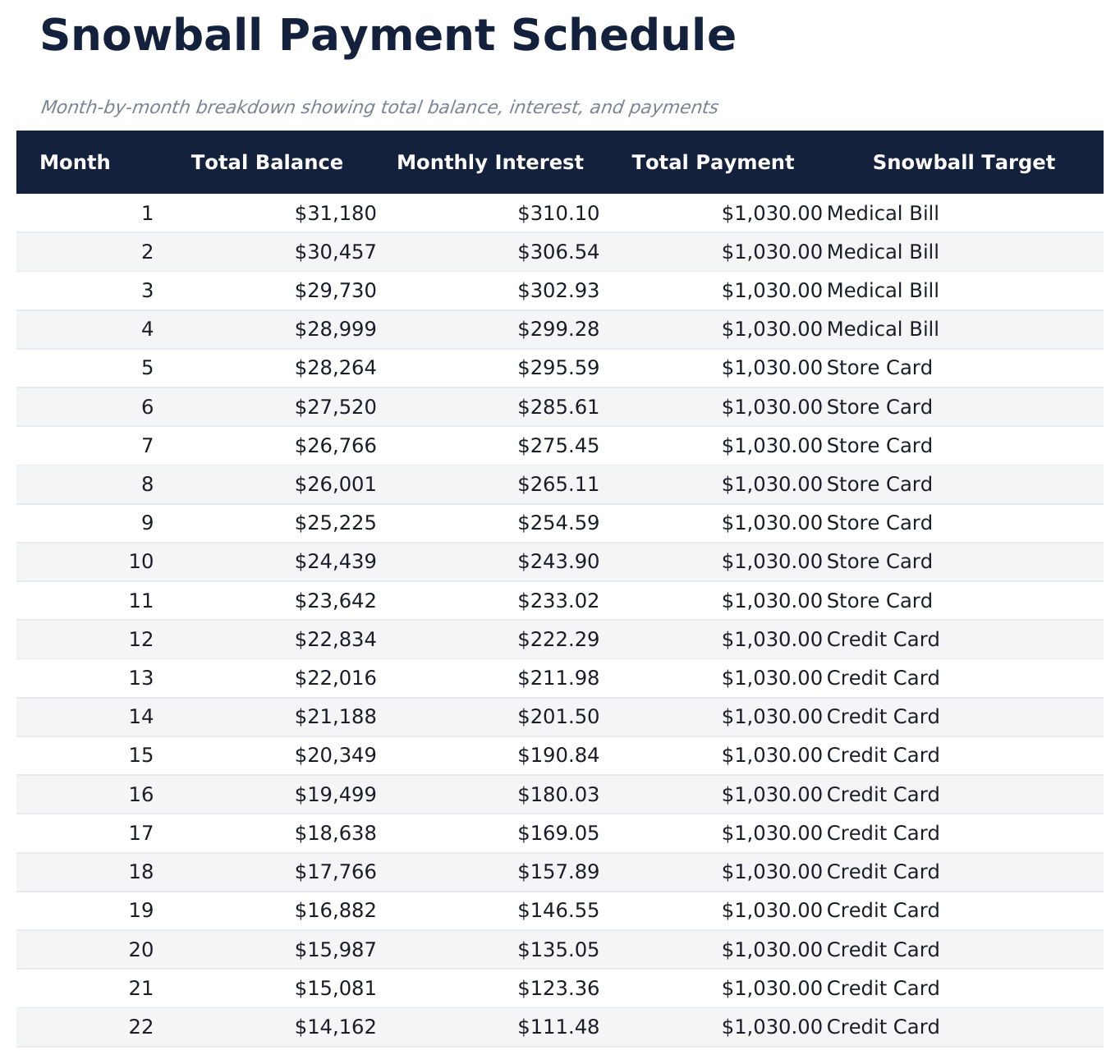
- Snowball schedule with rollover payments that automatically redirect freed-up funds to the next debt
- Payoff date projections per debt showing exactly when each individual account reaches a zero balance
- Color-coded input cells and formatted schedule with total interest and timeline summary at the top
- Works in Microsoft Excel, Google Sheets, and LibreOffice Calc with no setup required
Preview
See what's inside this template
How to Use This Debt Snowball Template
List debts by balance
Enter each debt from smallest to largest balance. Include the interest rate and minimum payment for each account.
Set your extra payment
Enter the additional monthly amount beyond minimums. This extra goes to the smallest debt first in the snowball method.
Watch the rollover
As each debt is paid off, its payment rolls into the next debt. The snowball schedule shows these cascading payments automatically.
Track elimination dates
The dashboard shows when each debt reaches zero and the projected date when all debts are fully paid off.
Built by Claude AI. Perfected by us.
We use Claude AI to draft each free template, after a deep research. Then our team steps in. We refine the layout, stress-test every formula, fix edge cases, and polish the design until it feels like something we would actually use ourselves. The AI gets us 80% there. The last 20% is all human judgment.
Frequently Asked Questions
How does the snowball rollover work?
When the smallest debt is paid off, its payment amount (minimum plus extra) is added to the next smallest debt. This creates a growing "snowball" of payments.
What if two debts have the same balance?
List either one first - the snowball method does not have a strict rule for ties. Some people put the higher interest rate debt first when balances match.
Can I pause extra payments temporarily?
Yes. Set the extra payment to zero for those months. The schedule recalculates showing only minimum payments until you increase it again.
Does this track actual payments?
The template is a projection tool showing the planned schedule. Update balances periodically to keep the projections aligned with reality.
How do I open this in Google Sheets?
Upload the .xlsx file to Google Drive, then open it with Google Sheets. All formulas and formatting will be preserved.
What license is this template under?
All free templates are released under CC BY 4.0 (Creative Commons Attribution). You can use, modify, and share them freely - including for commercial purposes - as long as you credit FinancialAha.com. They are provided as-is and do not constitute financial advice.
More Free Debt Management Templates
Looking for premium spreadsheet templates?
Our paid templates include advanced multi-sheet dashboards, native Excel charts, and ongoing updates.