Free Credit Repair Spreadsheet Spreadsheet Template
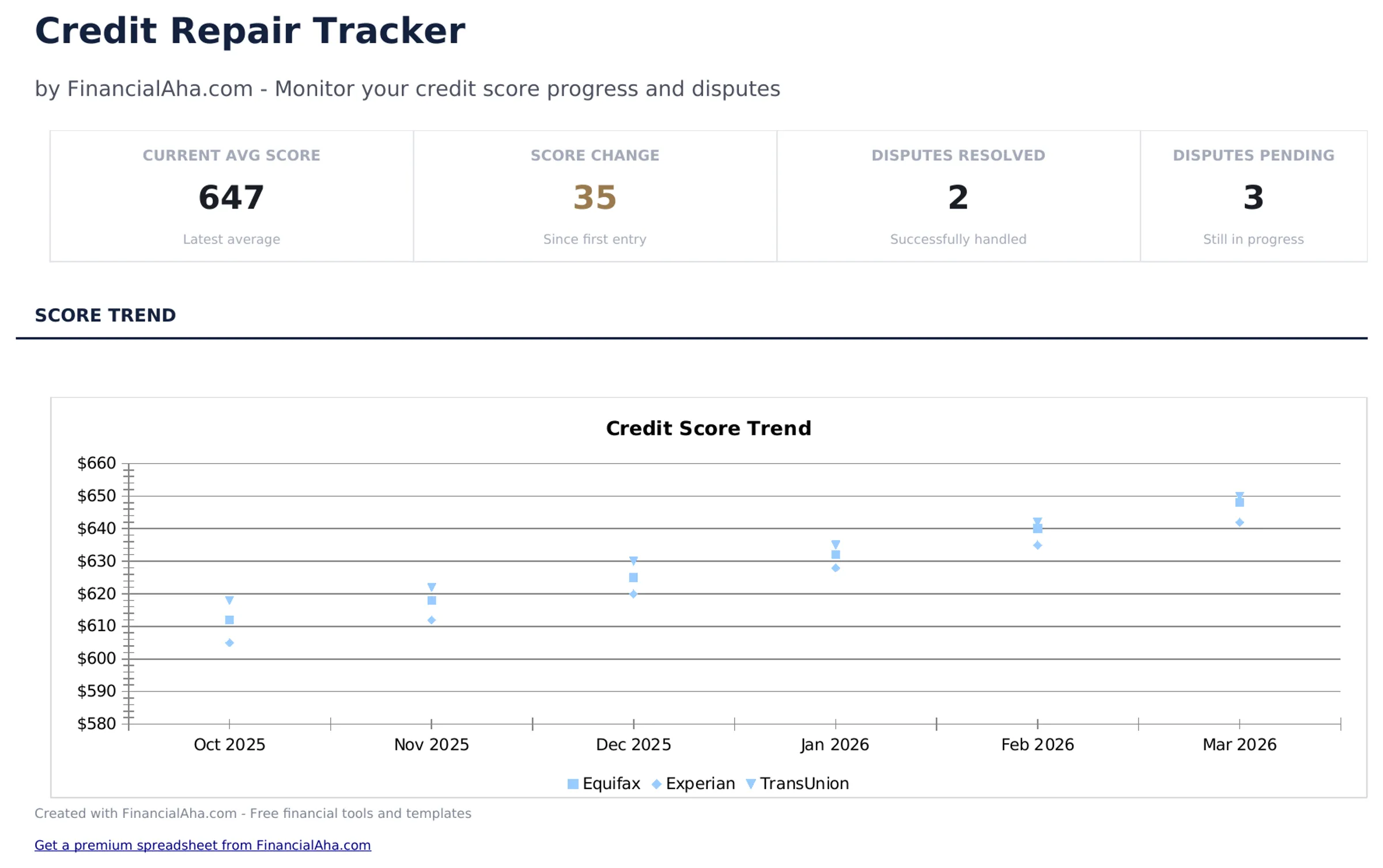
Track credit score changes, log disputes, and monitor accounts during the credit repair process. Organize efforts to improve credit over time.
What's Included
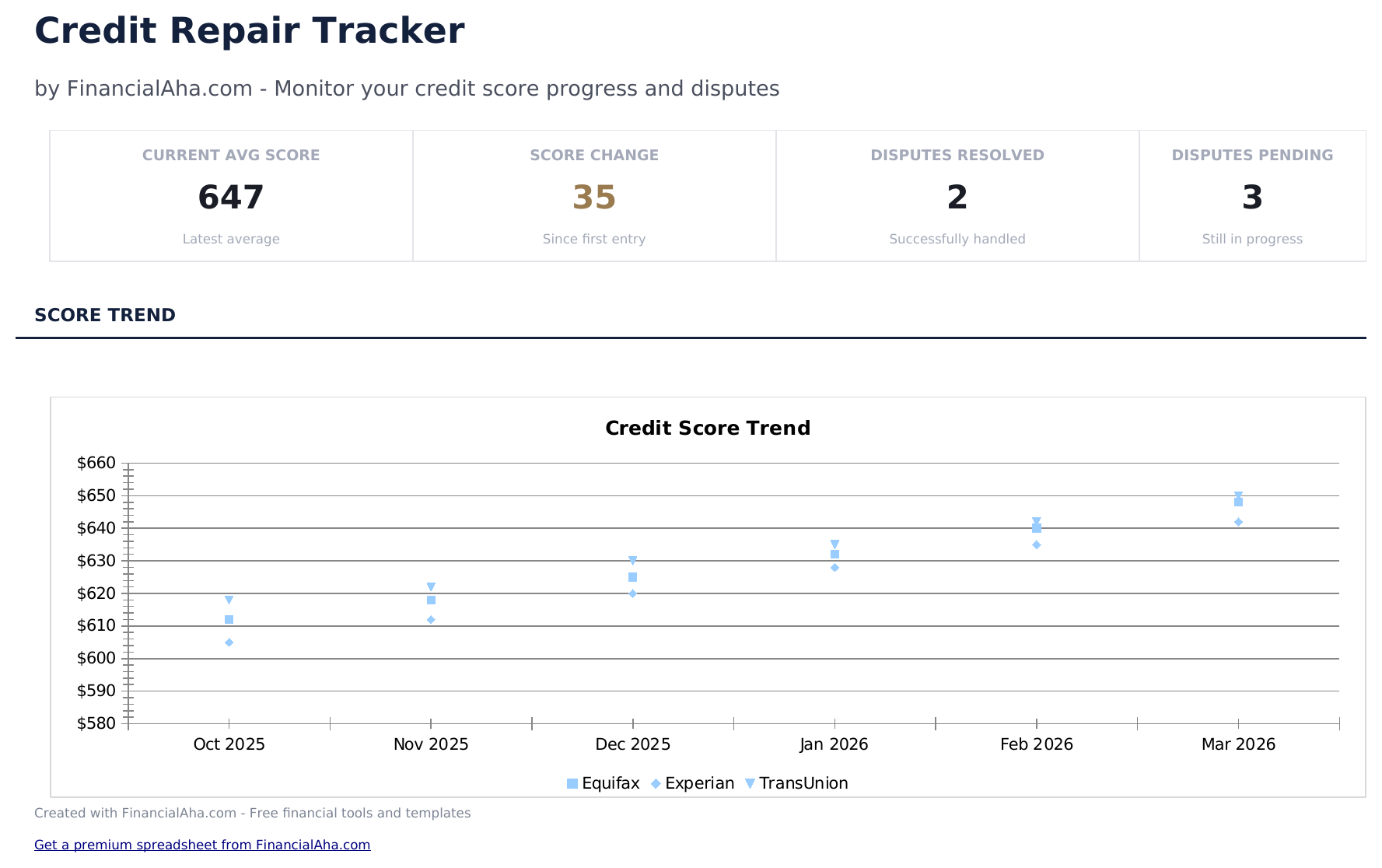
- Dashboard with credit score trend showing current score, starting score, and points gained over time
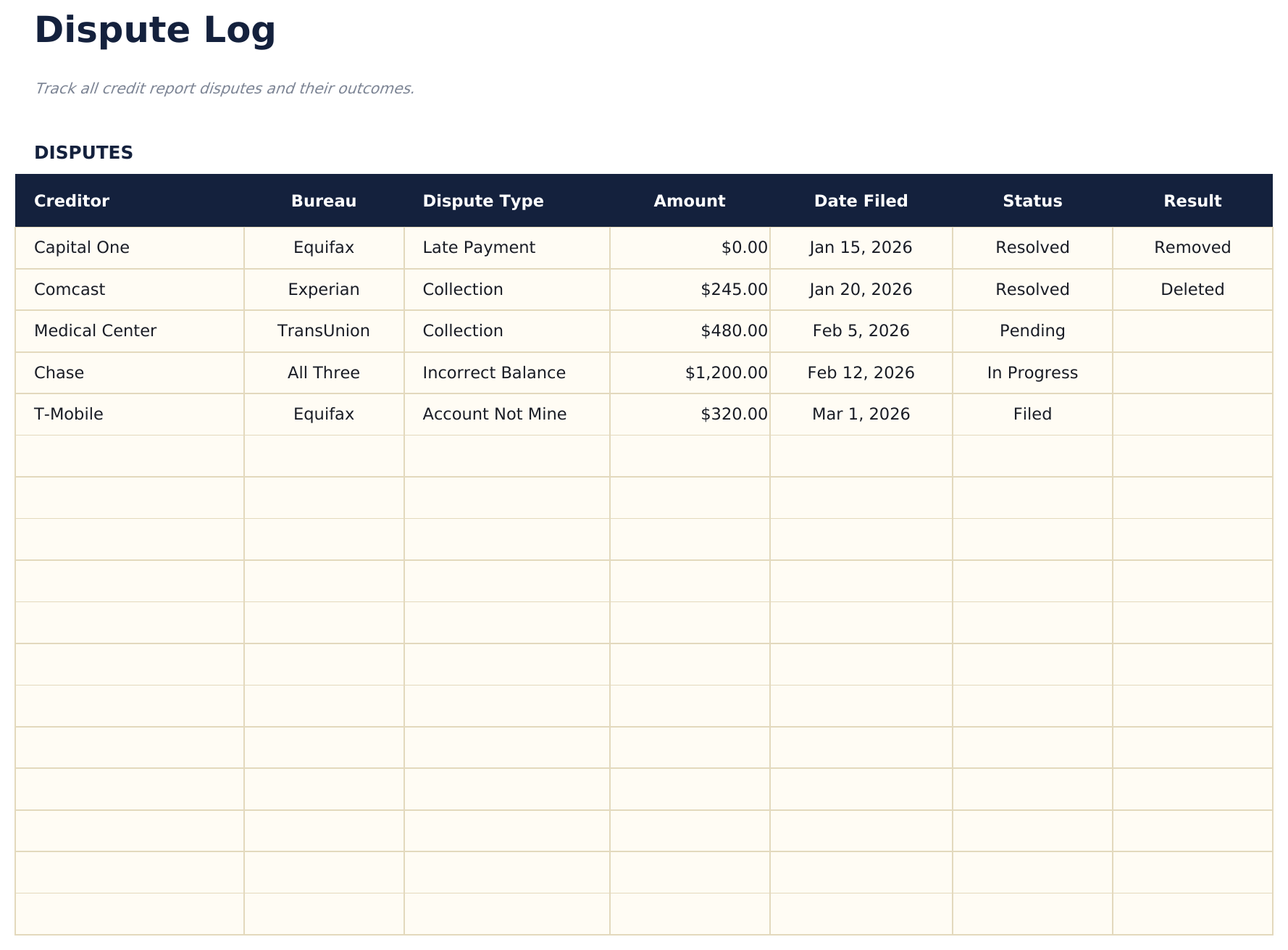
- Dispute log with status tracking for each item including bureau, reason, date sent, and outcome
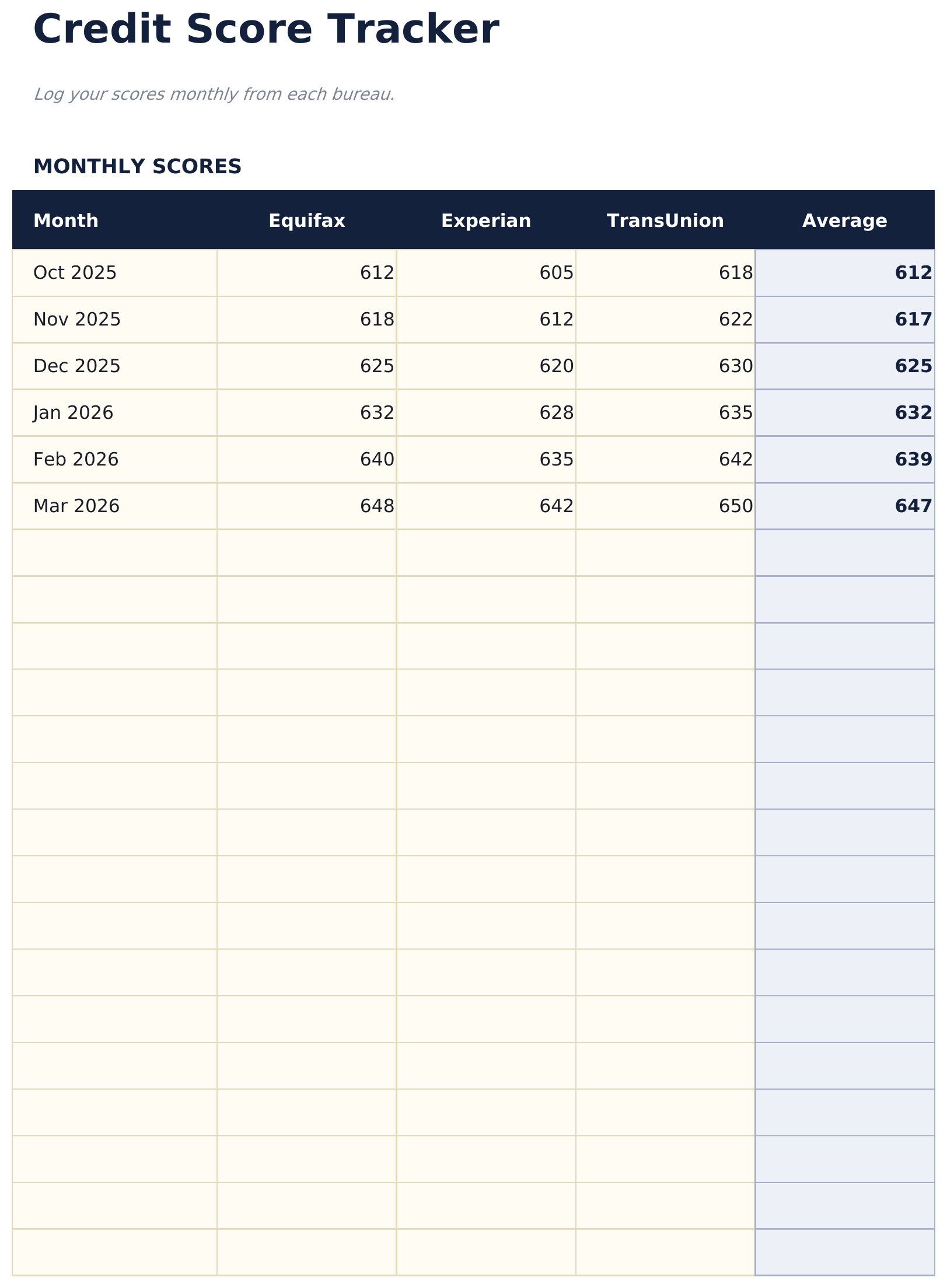
- Score tracker with monthly entries to chart credit score progress from the beginning of the process
- Account-by-account monitoring with columns for creditor name, balance, status, and dispute history
- Color-coded status indicators and formatted fields for organized credit improvement tracking
- Works in Microsoft Excel, Google Sheets, and LibreOffice Calc with no setup required
Preview
See what's inside this template
How to Use This Credit Repair Spreadsheet Template
Record your starting score
Enter your credit score from each bureau at the beginning of the repair process. This establishes the baseline for tracking progress.
Log dispute details
For each disputed item, enter the bureau, creditor, reason, date sent, and current status in the dispute log.
Update score monthly
Record your credit score each month in the score tracker. The chart shows your progress over time.
Monitor account changes
Track each account status - open, closed, paid, or in dispute - so you can see which efforts are producing results.
Built by Claude AI. Perfected by us.
We use Claude AI to draft each free template, after a deep research. Then our team steps in. We refine the layout, stress-test every formula, fix edge cases, and polish the design until it feels like something we would actually use ourselves. The AI gets us 80% there. The last 20% is all human judgment.
Frequently Asked Questions
Which credit bureaus does this track?
The dispute log covers all three major bureaus - Equifax, Experian, and TransUnion. Track disputes separately for each bureau since they may respond differently.
How often should I update my score?
Monthly updates work well for most people. Some credit monitoring services update weekly, but monthly entries are enough to see meaningful trends.
Can I track multiple dispute rounds?
Yes. The dispute log supports multiple entries per item. Add a new row each time you send a follow-up dispute or receive a response.
Does this help me write dispute letters?
No. The template tracks your dispute activity and results but does not generate dispute letters. It is an organizational tool for the credit repair process.
How do I open this in Google Sheets?
Upload the .xlsx file to Google Drive, then open it with Google Sheets. All formulas and formatting will be preserved.
What license is this template under?
All free templates are released under CC BY 4.0 (Creative Commons Attribution). You can use, modify, and share them freely - including for commercial purposes - as long as you credit FinancialAha.com. They are provided as-is and do not constitute financial advice.
More Free Debt Management Templates
Looking for premium spreadsheet templates?
Our paid templates include advanced multi-sheet dashboards, native Excel charts, and ongoing updates.