Free Startup Costs Spreadsheet Template
Estimate one-time and recurring costs for launching a new business. Categorize expenses and calculate total funding needed.
What's Included
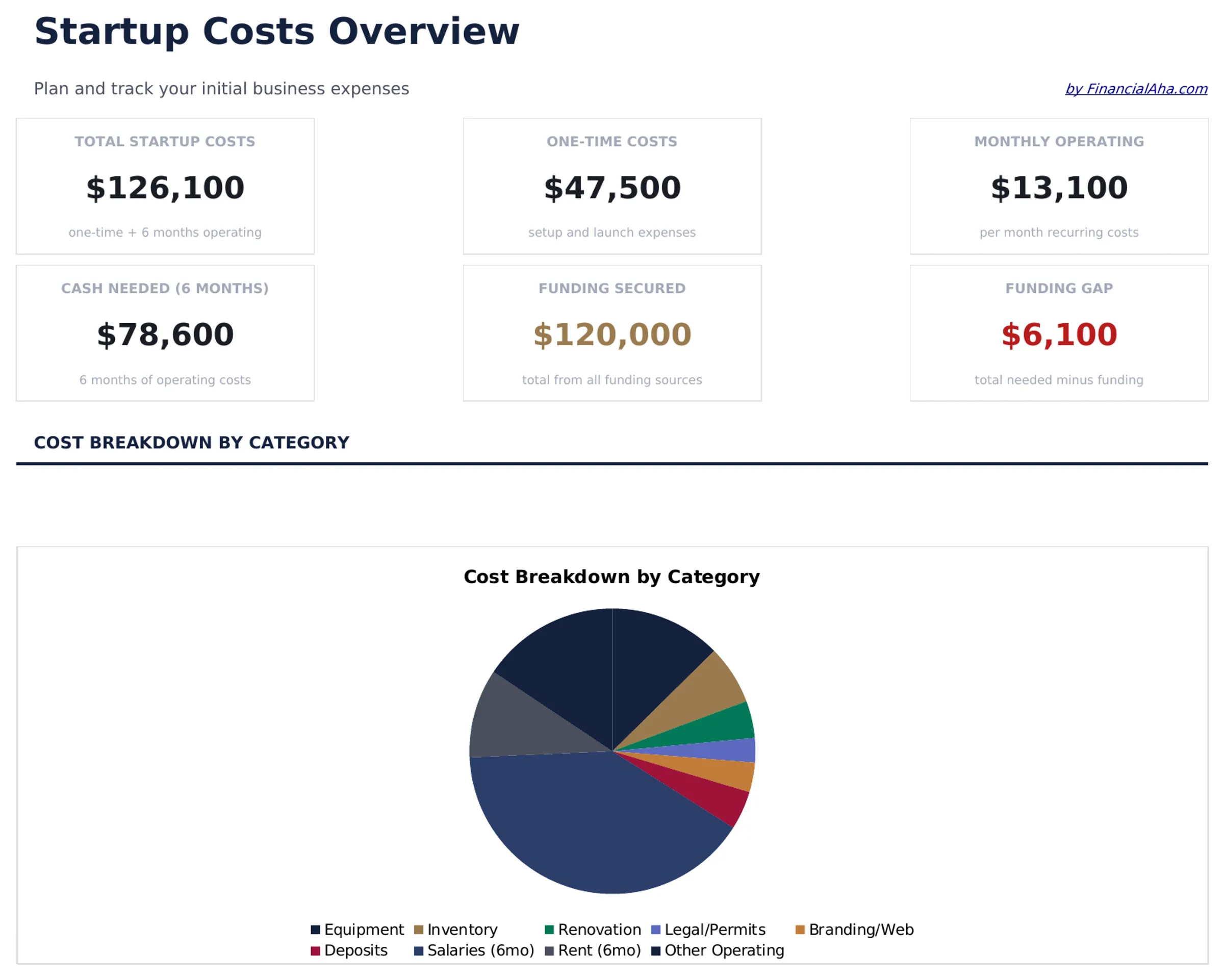
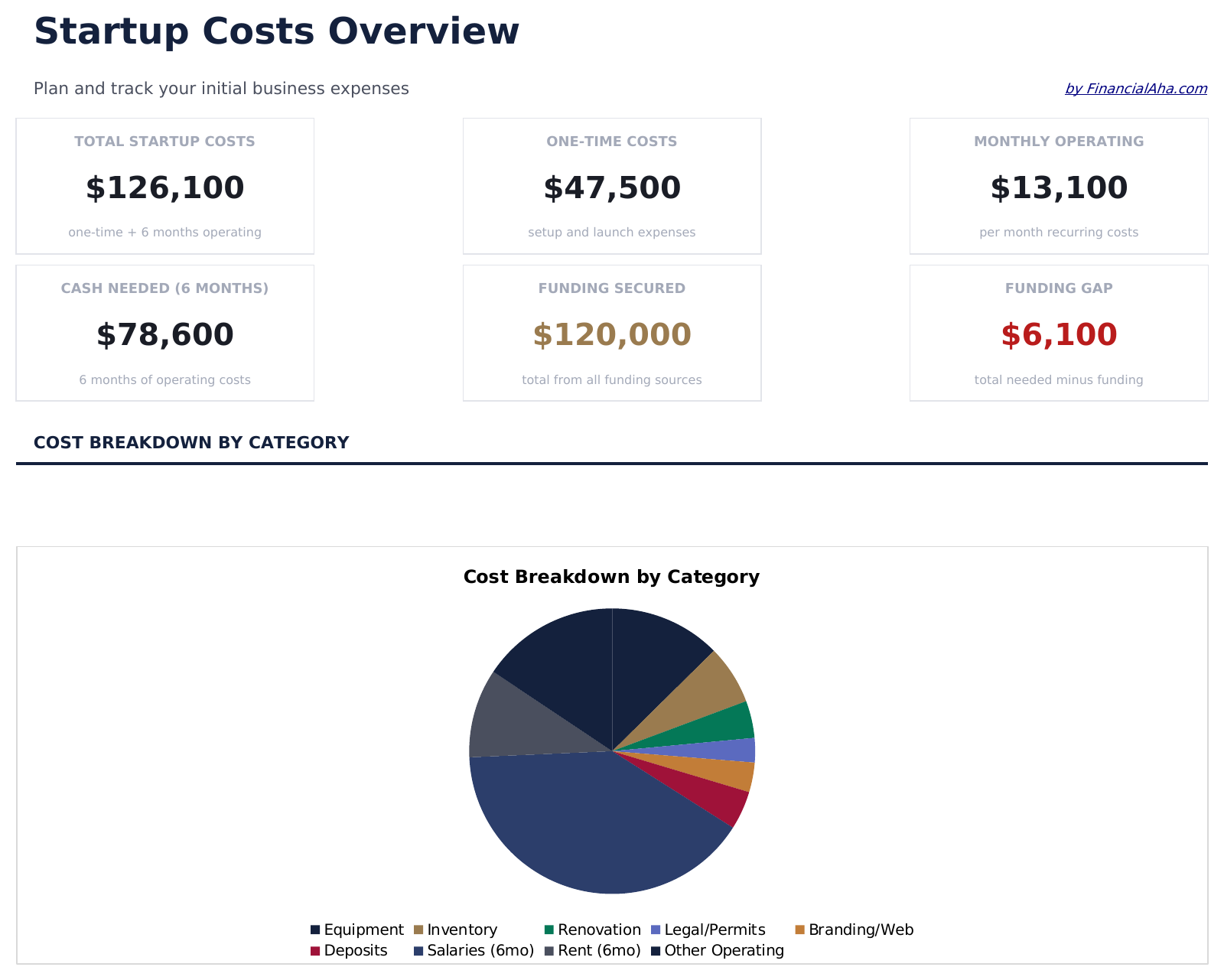
- Dashboard with total startup cost summary showing one-time costs, monthly recurring costs, and funding needed
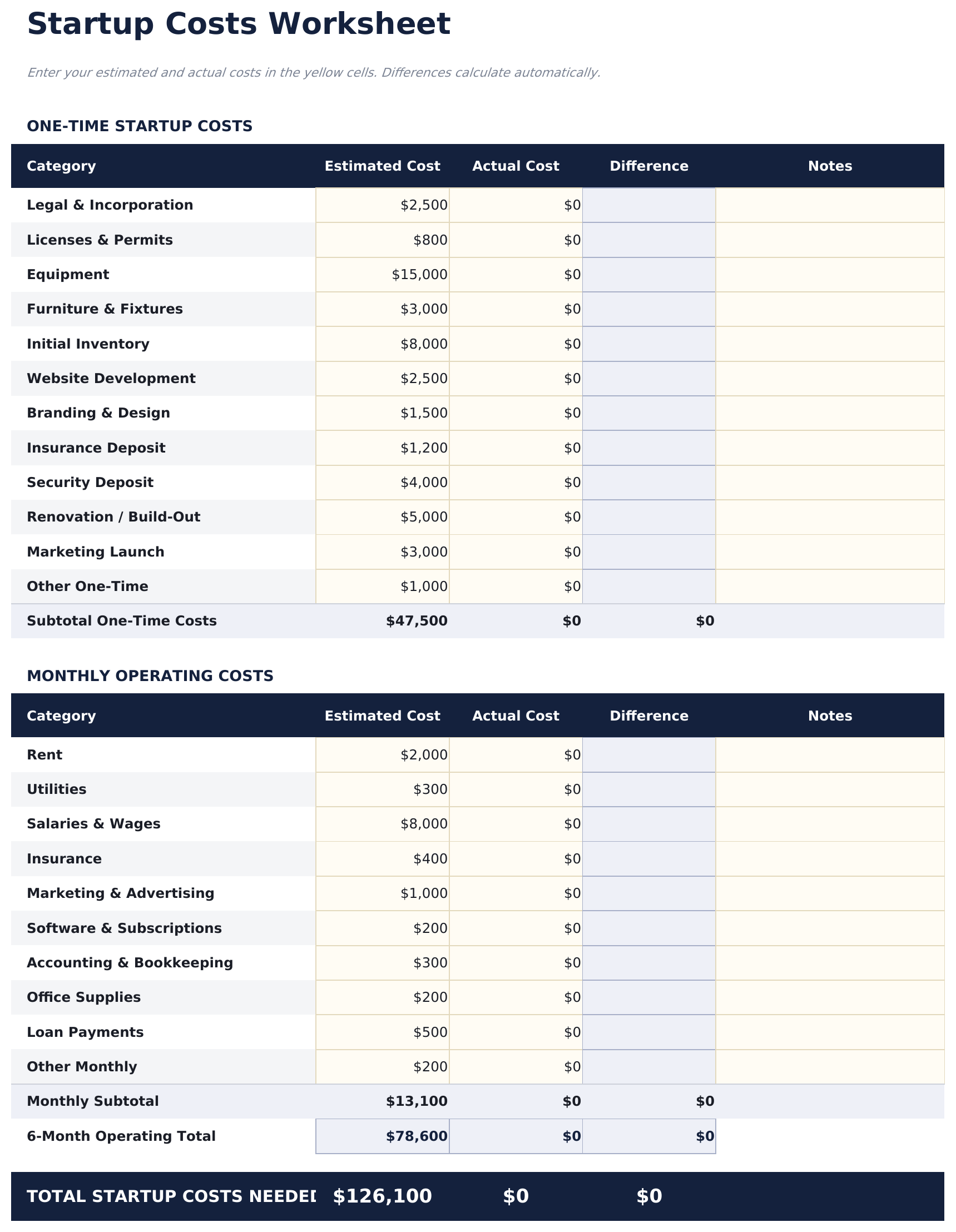
- Startup costs worksheet organized by category including equipment, legal fees, marketing, and office setup
- One-time vs. recurring expense separation with clear labels distinguishing launch costs from ongoing expenses
- Funding requirements calculation that totals all startup costs plus several months of operating expenses
- Pre-launch timeline costs with color-coded input cells (yellow) and auto-calculated category subtotals (blue)
- Works in Microsoft Excel, Google Sheets, and LibreOffice Calc with no setup required
Preview
See what's inside this template
How to Use This Startup Costs Template
List one-time costs
Enter all upfront expenses - equipment, legal fees, licenses, deposits, and initial marketing costs.
Add recurring expenses
List monthly costs like rent, salaries, insurance, software, and utilities that begin at launch.
Calculate funding needed
The template totals one-time costs plus several months of recurring expenses to show the minimum funding required.
Review the dashboard
See total startup cost, monthly burn rate, and how many months of operating expenses the funding covers.
Built by Claude AI. Perfected by us.
We use Claude AI to draft each free template, after a deep research. Then our team steps in. We refine the layout, stress-test every formula, fix edge cases, and polish the design until it feels like something we would actually use ourselves. The AI gets us 80% there. The last 20% is all human judgment.
Frequently Asked Questions
How many months of expenses should I include?
Common practice is to include 3 to 6 months of recurring expenses in the funding requirement. The template lets you choose the number of months.
What counts as a one-time cost?
One-time costs are expenses that occur only at launch - equipment purchases, legal incorporation fees, security deposits, and initial inventory.
Can I share this with investors?
Yes. The dashboard provides a clean summary of total funding needed with a breakdown by category - useful for investor presentations and loan applications.
Does it include a timeline?
The template organizes costs by category. Add a pre-launch timeline column to sequence when each expense occurs relative to launch date.
How do I open this in Google Sheets?
Upload the .xlsx file to Google Drive, then open it with Google Sheets. All formulas and formatting will be preserved.
What license is this template under?
All free templates are released under CC BY 4.0 (Creative Commons Attribution). You can use, modify, and share them freely - including for commercial purposes - as long as you credit FinancialAha.com. They are provided as-is and do not constitute financial advice.
More Free Business Finance Templates
Looking for premium spreadsheet templates?
Our paid templates include advanced multi-sheet dashboards, native Excel charts, and ongoing updates.