Free Etsy Seller Spreadsheet Spreadsheet Template
Track Etsy shop orders, revenue, fees, and profit. Monitor shop performance with sales data and expense tracking in one place.
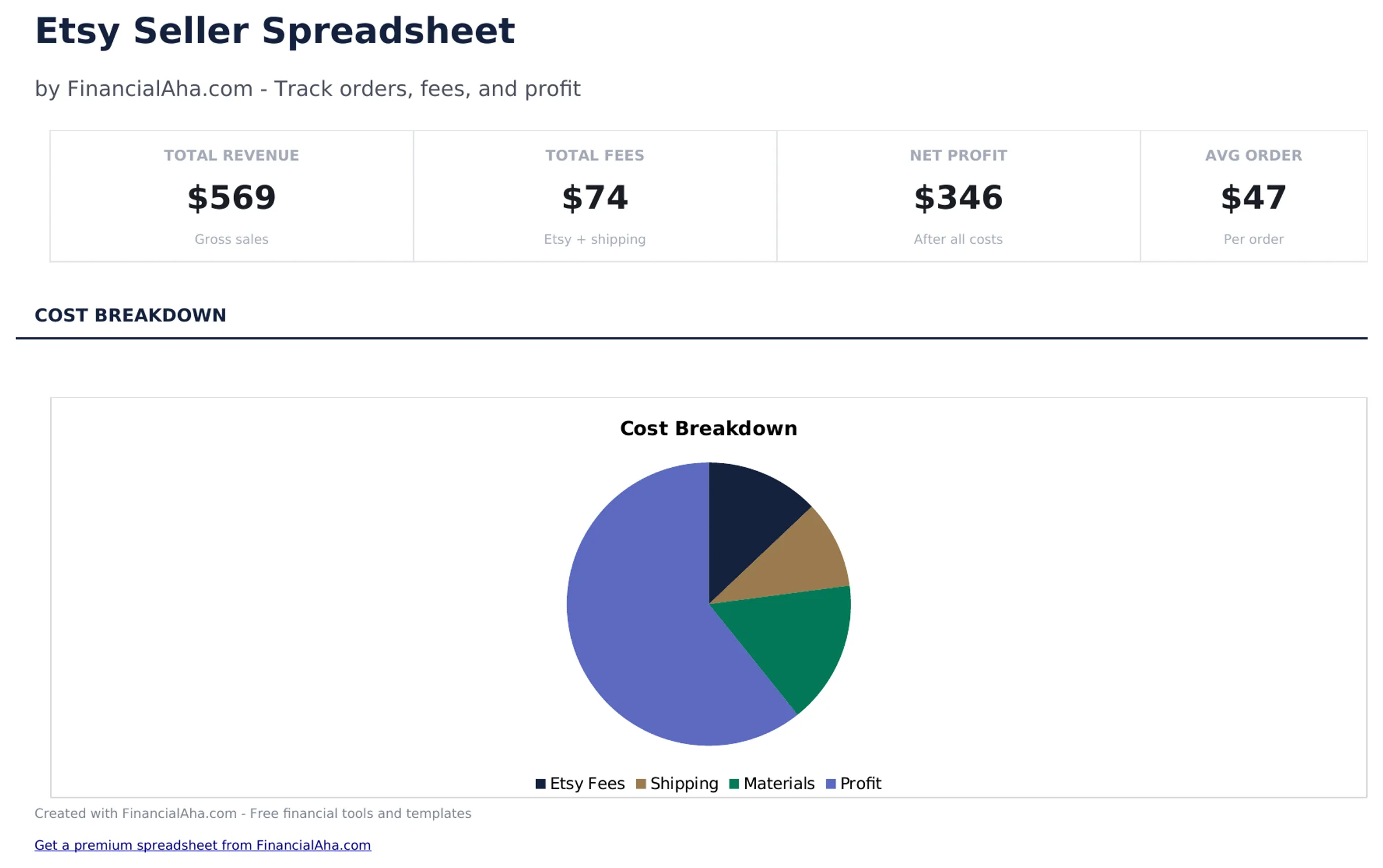
What's Included
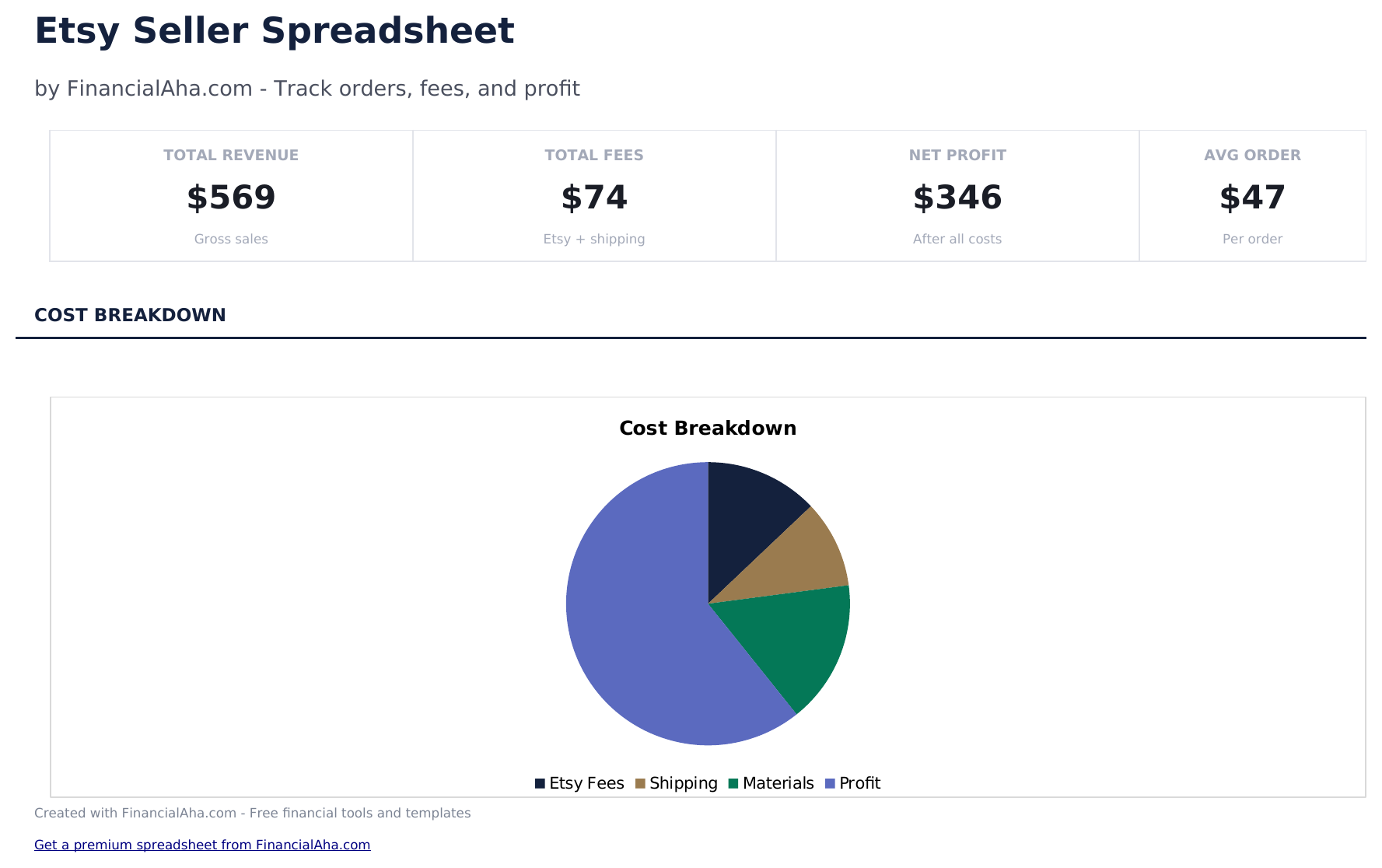
- Dashboard with shop performance metrics showing total orders, gross revenue, total fees, and net profit
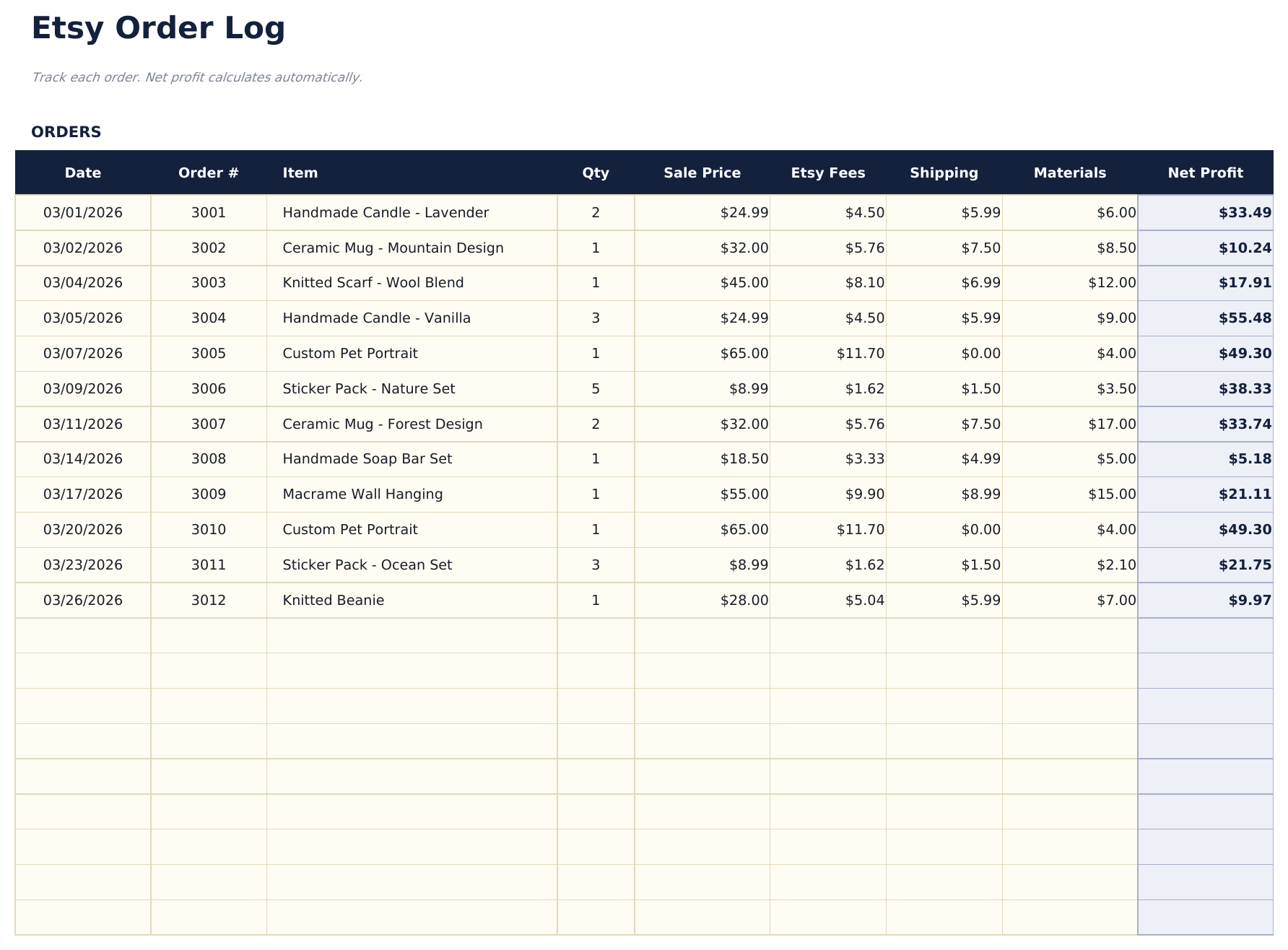
- Order log with columns for order date, item name, sale price, shipping collected, and quantity sold per order
- Profit calculation per order subtracting Etsy listing fees, transaction fees, payment processing, and shipping costs
- Fee tracking columns including Etsy listing fee, 6.5% transaction fee, payment processing fee, and advertising costs
- Monthly sales summaries with color-coded input cells (yellow) and auto-calculated profit figures (blue)
- Works in Microsoft Excel, Google Sheets, and LibreOffice Calc with no setup required
Preview
See what's inside this template
How to Use This Etsy Seller Spreadsheet Template
Log each order
Enter the order date, item name, sale price, shipping collected, and quantity for every Etsy sale.
Enter fees per order
Record the Etsy listing fee, transaction fee, payment processing fee, and any advertising costs for each order.
Add shipping costs
Enter your actual shipping cost per order. The template calculates net profit after all fees and shipping are deducted.
Review shop performance
The dashboard shows total orders, gross revenue, total fees, shipping costs, and net profit for your Etsy shop.
Built by Claude AI. Perfected by us.
We use Claude AI to draft each free template, after a deep research. Then our team steps in. We refine the layout, stress-test every formula, fix edge cases, and polish the design until it feels like something we would actually use ourselves. The AI gets us 80% there. The last 20% is all human judgment.
Frequently Asked Questions
What Etsy fees does it track?
The template tracks listing fees, the 6.5% transaction fee, payment processing fees, and optional advertising costs. Enter each fee per order.
Does it calculate profit per item?
Yes. Each order row shows revenue minus all fees and shipping to display the net profit for that specific sale.
Can I track material costs?
Add a materials or cost-of-goods column to track what each item costs to make. This gives a true profit figure including production costs.
Does it work for digital products?
Yes. Digital products have no shipping costs, so leave shipping fields blank. The fee calculations work the same way.
How do I open this in Google Sheets?
Upload the .xlsx file to Google Drive, then open it with Google Sheets. All formulas and formatting will be preserved.
What license is this template under?
All free templates are released under CC BY 4.0 (Creative Commons Attribution). You can use, modify, and share them freely - including for commercial purposes - as long as you credit FinancialAha.com. They are provided as-is and do not constitute financial advice.
More Free Business Finance Templates
Looking for premium spreadsheet templates?
Our paid templates include advanced multi-sheet dashboards, native Excel charts, and ongoing updates.