Free Cash Flow Statement Spreadsheet Template
Prepare a cash flow statement with operating, investing, and financing activities. Track cash inflows and outflows to see net cash position.
What's Included
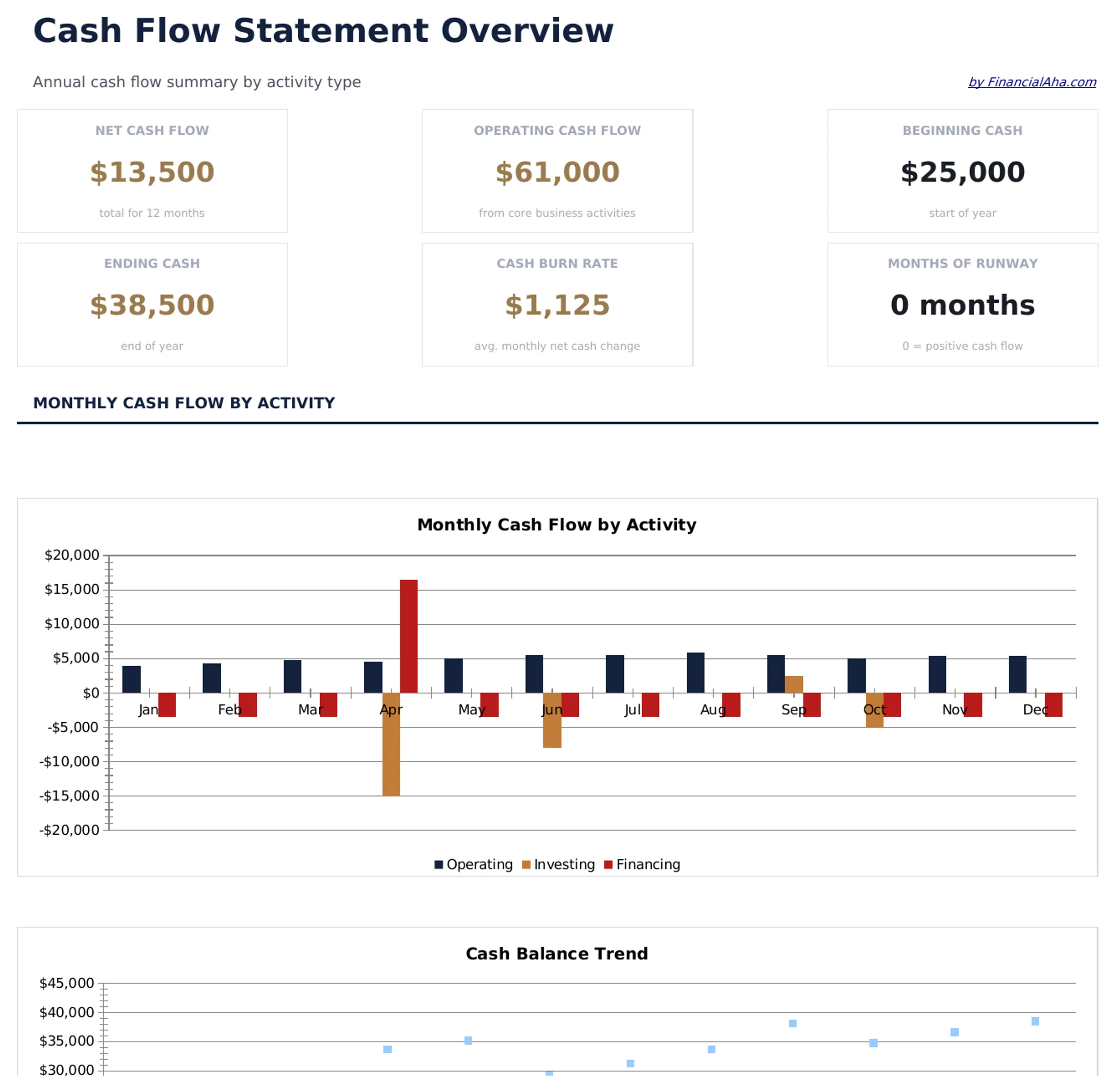
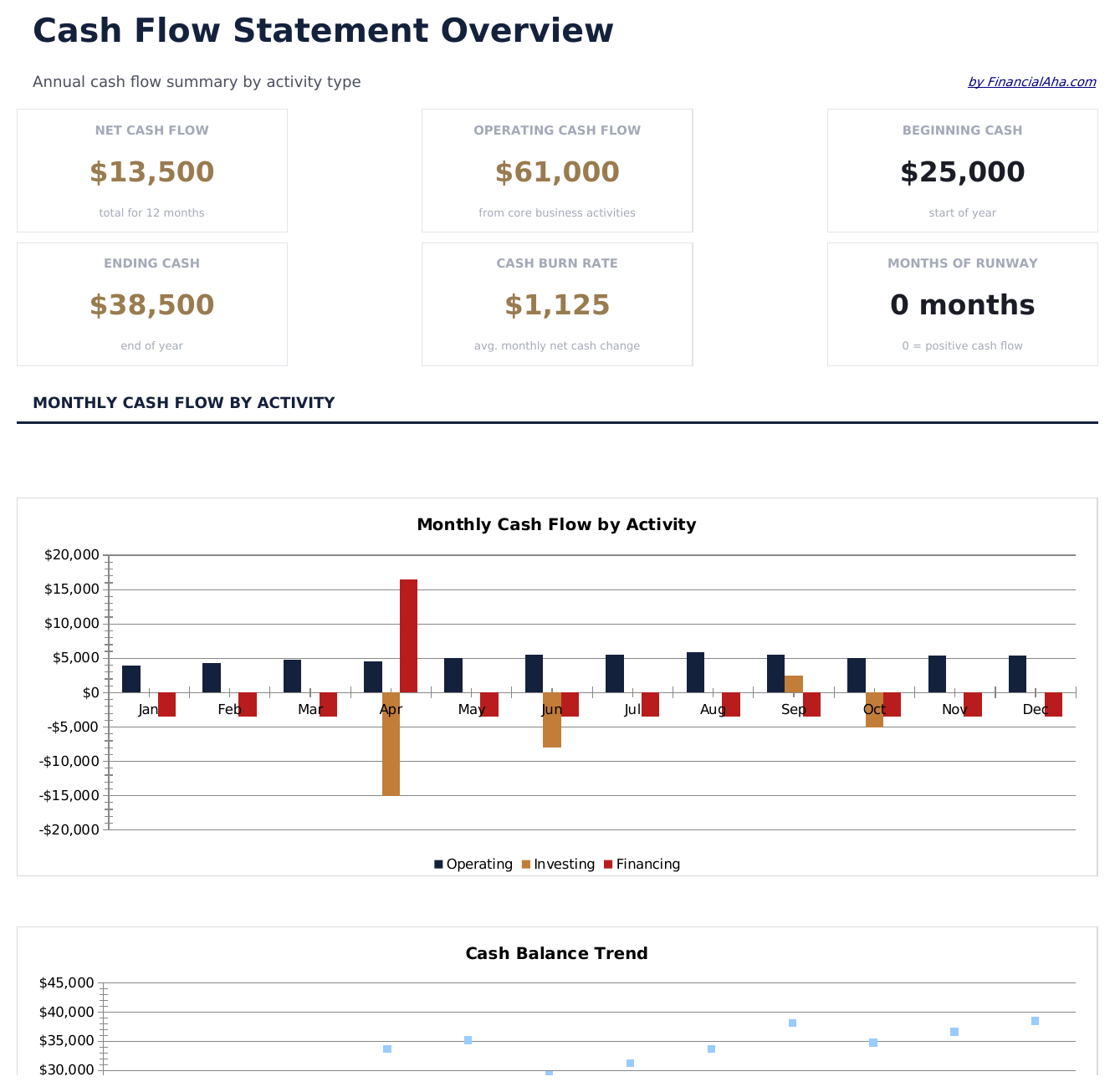
- Dashboard with cash flow summary showing net cash from operations, investing, financing, and total change
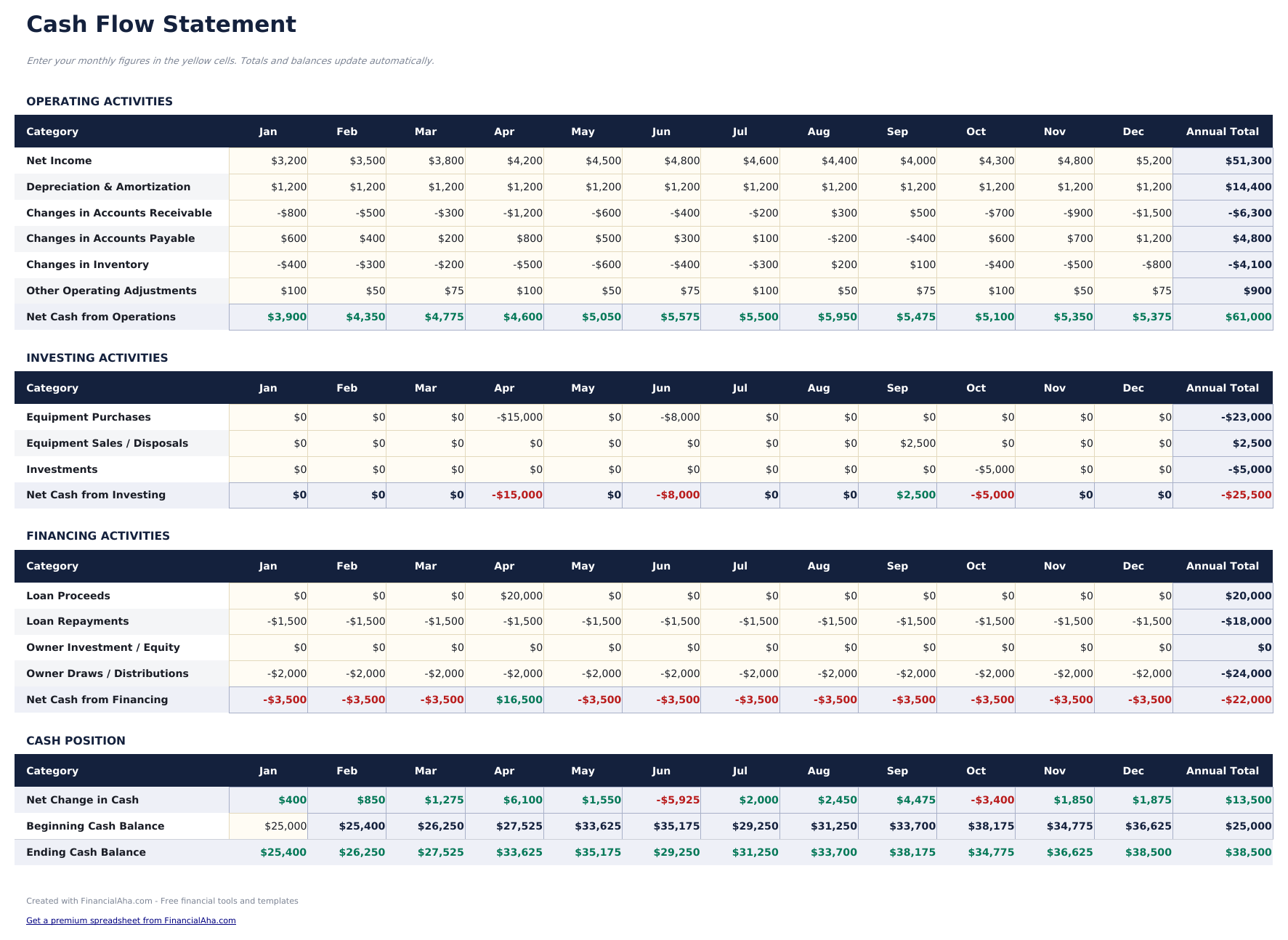
- Cash flow statement in standard accounting format following the indirect method with three activity sections
- Operating, investing, and financing activity sections with pre-built line items for common cash flow entries
- Automatic net cash flow calculation that sums all three sections to show total increase or decrease in cash
- Period-over-period comparison with color-coded input cells (yellow) and auto-calculated totals (blue)
- Works in Microsoft Excel, Google Sheets, and LibreOffice Calc with no setup required
Preview
See what's inside this template
How to Use This Cash Flow Statement Template
Enter operating activities
Fill in cash from operations - net income, depreciation, and changes in working capital items like receivables and payables.
Add investing activities
Record cash used for or received from investments - equipment purchases, property sales, or investment transactions.
Add financing activities
Enter loan proceeds, loan repayments, equity issued, and dividends paid in the financing section.
Review net cash flow
The dashboard sums all three sections to show the net change in cash for the period, plus beginning and ending cash balances.
Built by Claude AI. Perfected by us.
We use Claude AI to draft each free template, after a deep research. Then our team steps in. We refine the layout, stress-test every formula, fix edge cases, and polish the design until it feels like something we would actually use ourselves. The AI gets us 80% there. The last 20% is all human judgment.
Frequently Asked Questions
What method does this use?
The template follows the indirect method, starting with net income and adjusting for non-cash items and working capital changes to arrive at cash from operations.
What goes in operating vs investing?
Operating covers day-to-day business - revenue, expenses, receivables, and payables. Investing covers asset purchases and sales. Financing covers debt and equity transactions.
Can I compare multiple periods?
Yes. The template supports period-over-period comparison with columns for the current and prior period side by side.
Is depreciation added back?
Yes. Under the indirect method, depreciation is a non-cash expense added back to net income in the operating activities section.
How do I open this in Google Sheets?
Upload the .xlsx file to Google Drive, then open it with Google Sheets. All formulas and formatting will be preserved.
What license is this template under?
All free templates are released under CC BY 4.0 (Creative Commons Attribution). You can use, modify, and share them freely - including for commercial purposes - as long as you credit FinancialAha.com. They are provided as-is and do not constitute financial advice.
More Free Business Finance Templates
Looking for premium spreadsheet templates?
Our paid templates include advanced multi-sheet dashboards, native Excel charts, and ongoing updates.