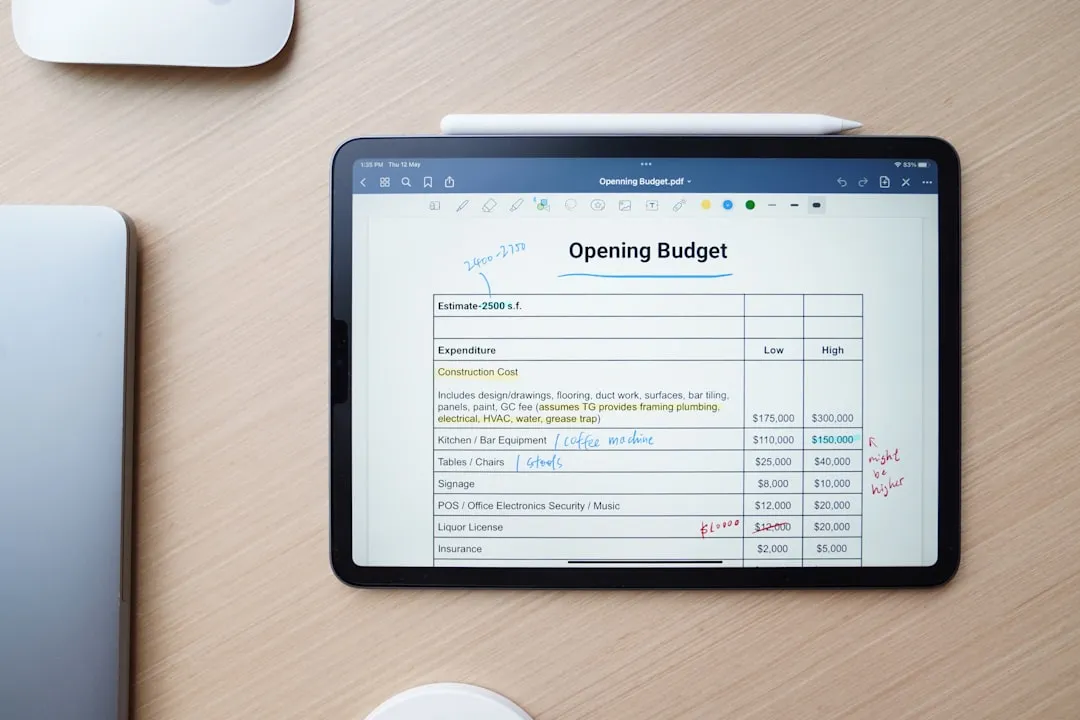
Tiller Money costs $99/year and pipes your bank transactions into a Google Sheet you build and own. YNAB costs $109/year (or $14.99/month) and enforces envelope budgeting inside a polished app. Tiller suits builders who want a blank canvas; YNAB suits people who want a ready-made system. If you want the spreadsheet without a subscription or a bank connection, a one-time template is the third path.
Tiller Money and YNAB represent a fork in the road that reveals something about how you relate to your tools. One gives you raw materials and says “build what you want.” The other gives you a finished system and says “follow this process.” Both help people manage money. They just have very different ideas about what “help” means.
What You Are Actually Choosing Between
Tiller Money is a pipe. It connects your bank accounts to Google Sheets or Excel and feeds your transactions into a spreadsheet automatically. What you do with those transactions is entirely up to you: how you categorize them, what reports you build, what dashboards you create. Tiller provides starter templates, but the core value proposition is the data feed. The spreadsheet is your canvas.
YNAB is a room with walls. Comfortable walls, well-designed walls, but walls nonetheless. The envelope budgeting method is built into every screen. Every dollar gets assigned to a category. Overspend somewhere and you must move money from somewhere else. The software enforces a specific way of thinking about money, and that enforcement is the point.
People who gravitate toward Tiller tend to be the kind who customize their phone’s home screen, build their own keyboard shortcuts, and have opinions about spreadsheet formulas. People who gravitate toward YNAB tend to want a clear system they can trust and follow without rebuilding it from scratch.
The Numbers
Tiller costs $99 per year. That gets you the bank feed service and access to their template library. Your spreadsheet lives in your own Google or Microsoft account.
YNAB costs $109 per year or $14.99 per month. That covers the full app experience across web, mobile, and desktop.
Both offer a free trial before your card is charged: Tiller runs 30 days, YNAB runs 34. Whichever you pick, the cost repeats every year you stay subscribed.
The Customization Spectrum
Tiller’s greatest strength is that it places no limits on what you can build. Custom categories, custom formulas, pivot tables, charts, conditional formatting, cross-sheet references - if you can imagine it in a spreadsheet, you can build it around Tiller’s data.
Some people build elaborate financial dashboards that rival commercial software. Others build minimalist trackers that fit on a single screen. The freedom is genuine, and for spreadsheet-comfortable people, it is exhilarating.
YNAB offers customization within its framework. Rename categories, set different goal types, organize groups however you want. But the fundamental mechanics are fixed: envelope budgeting, category balances, age of money. You cannot replace the engine, only repaint the exterior.
For some people, YNAB’s constraints are a feature. They do not want to spend time building a system. They want to use one.
The Phone Question
YNAB has a polished mobile app. Enter a transaction while standing in line at the store. Check whether the grocery budget has room for the extra item in your cart. The mobile experience is central to how YNAB works - quick, focused, always accessible.
Tiller lives in a spreadsheet. On a laptop, that is fine. On a phone, editing a Google Sheet is functional but not elegant. Scrolling sideways through columns, tapping tiny cells, fighting auto-correct in formula bars - it works, but “works” is doing a lot of heavy lifting in that sentence.
For people who want to interact with their budget on the go, this is a meaningful gap.
What Happens When You Leave
Tiller stores everything in your spreadsheet, in your account. Cancel the subscription and the bank feed stops, but every transaction, every formula, every chart remains. Your financial history is yours. You just stop getting new data automatically.
YNAB stores data on their servers. You can export transactions, but the app, the interface, the methodology enforcement, the reports - those belong to YNAB. Leaving means starting over somewhere else with a CSV file.
For people who think in decades rather than months, data ownership is not a small consideration.
The Hidden Cost of Building Your Own
Tiller’s flexibility is real, but it comes with a cost that is easy to underestimate: time. Building a custom budgeting spreadsheet that handles categorization, monthly summaries, trend analysis, and visual dashboards takes hours - sometimes many hours. Maintaining it as needs change takes more.
Some people find that process enjoyable. The building is part of the appeal. Others start with enthusiasm, build something elaborate, and then find themselves spending more time maintaining the system than actually using it for financial decisions.
YNAB eliminates the build time entirely. The trade-off is that you get their system, not yours. For people who value their time more than customization, that trade-off works. For people who want the perfect system tailored exactly to how they think, YNAB’s structure will always feel like a compromise.
Knowing which camp you fall into, builder or user, is probably the most honest way to choose between these two tools.
A Third Path: Manual Spreadsheets
Some people want the spreadsheet experience without connecting bank accounts to any third party. Manual-entry budgeting skips the automation entirely. You enter transactions yourself, which takes more time but requires zero trust in external data connections.
The Monthly Budget Template ($29 once) provides structured categories and automatic calculations without bank connections. For a year-long view, the Annual Budgeting Planner ($29 once) tracks all 12 months with dashboards and goal progress.
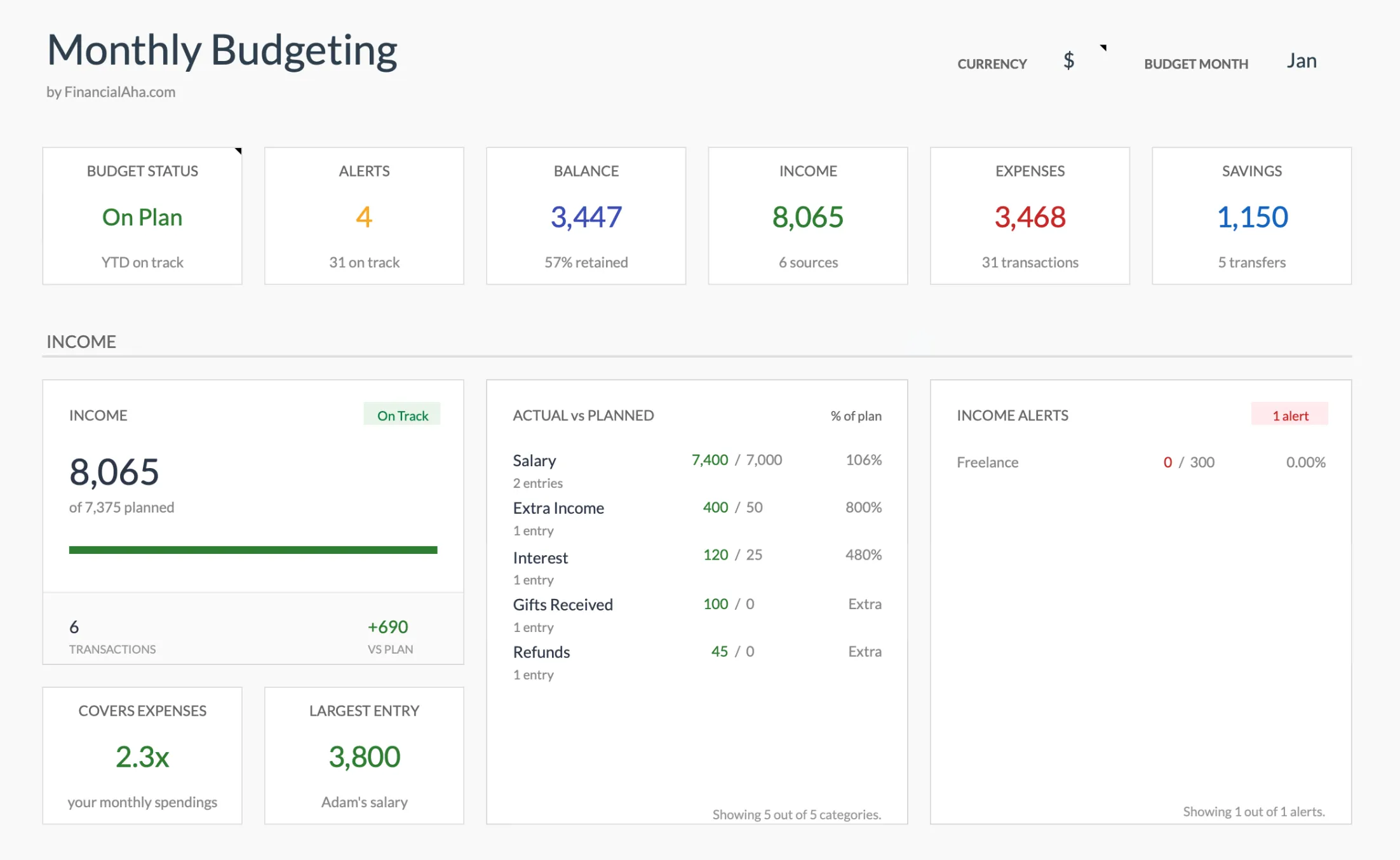 The Monthly Budget Template (Premium tier) totals categories and updates its dashboard automatically, the same planned-vs-actual view YNAB gives you, without a bank connection or a recurring fee.
Both work in Google Sheets with a one-time purchase, used by 1,000+ customers across 65+ countries. No subscription, no bank credentials shared, no data on someone else’s servers. If you are weighing the trade honestly, it is worth reading how a spreadsheet stacks up against YNAB directly and the wider list of YNAB alternatives before you commit to a yearly plan.
The manual entry approach has an unexpected side benefit: the act of typing in each transaction creates spending awareness similar to what YNAB’s manual entry philosophy promotes - without requiring YNAB’s subscription. The awareness comes from the process, not the software.
Related
- Monthly Budget Template - Budgeting without bank connections
- Annual Budgeting Planner - Full year budget tracking
- YNAB vs Spreadsheet Budgeting - The method mapped to cells
- Best YNAB Alternatives - Where the subscription is optional
- Budget Spreadsheets vs Apps - The wider trade-off in one place
Frequently asked questions
Is Tiller Money a replacement for YNAB?
Not exactly. Tiller feeds bank data into Google Sheets or Excel, giving you a blank canvas to build your own system. YNAB is a complete budgeting app with a built-in methodology. They solve different problems for different types of users.
Does Tiller Money work with Google Sheets and Excel?
Yes, Tiller supports both Google Sheets and Microsoft Excel. Most users choose Google Sheets for the cloud-based access and collaboration features.
Which is easier to set up?
YNAB is significantly easier to get started with. You connect your accounts and start budgeting within minutes. Tiller requires more setup time - connecting accounts, choosing or building templates, and customizing your spreadsheet structure.
Can I use spreadsheets for budgeting without Tiller?
Absolutely. Many people prefer manual-entry spreadsheets because they provide complete control and do not require sharing bank credentials with a third party. Pre-built templates can save significant setup time while still giving you full customization.
How much do Tiller and YNAB cost in 2026?
Tiller is $99 per year after a 30-day free trial. YNAB is $109 per year or $14.99 per month after a 34-day free trial. Both are recurring subscriptions, so the cost repeats every year you stay.
What happens to my budget if I stop paying?
With Tiller, the spreadsheet and every transaction already in it stay in your own Google or Microsoft account; only the automatic bank feed stops. With YNAB, you can export a CSV, but the app, the reports, and the methodology enforcement stay with YNAB. A one-time template you own has nothing to expire.
Sources
- Tiller Pricing and Free Trial - Tiller
- YNAB Pricing - YNAB
About this article
Tiller and YNAB prices were checked against each company's published pricing page. FinancialAha template prices reflect the current product catalog. Last reviewed August 2026.