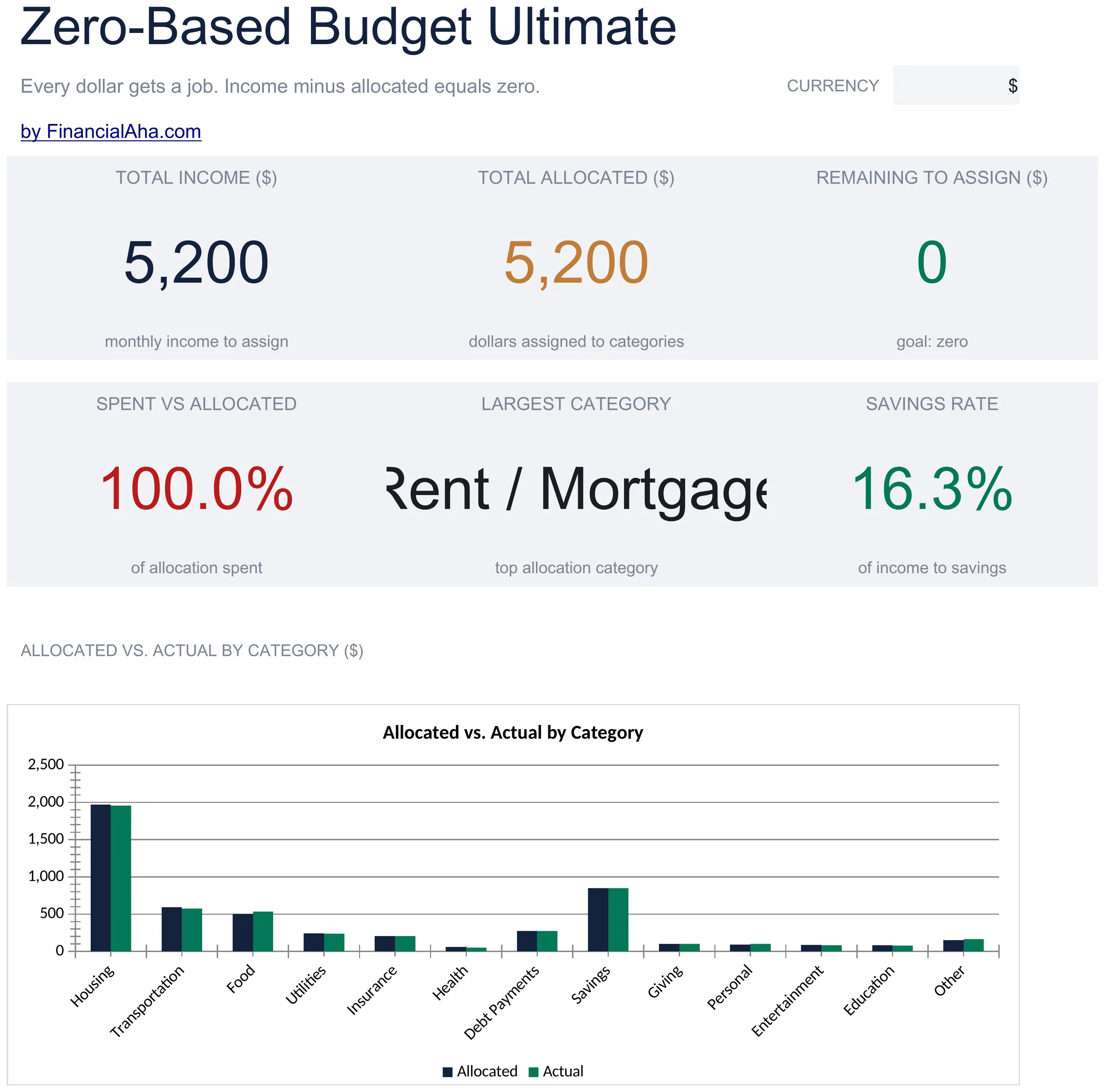
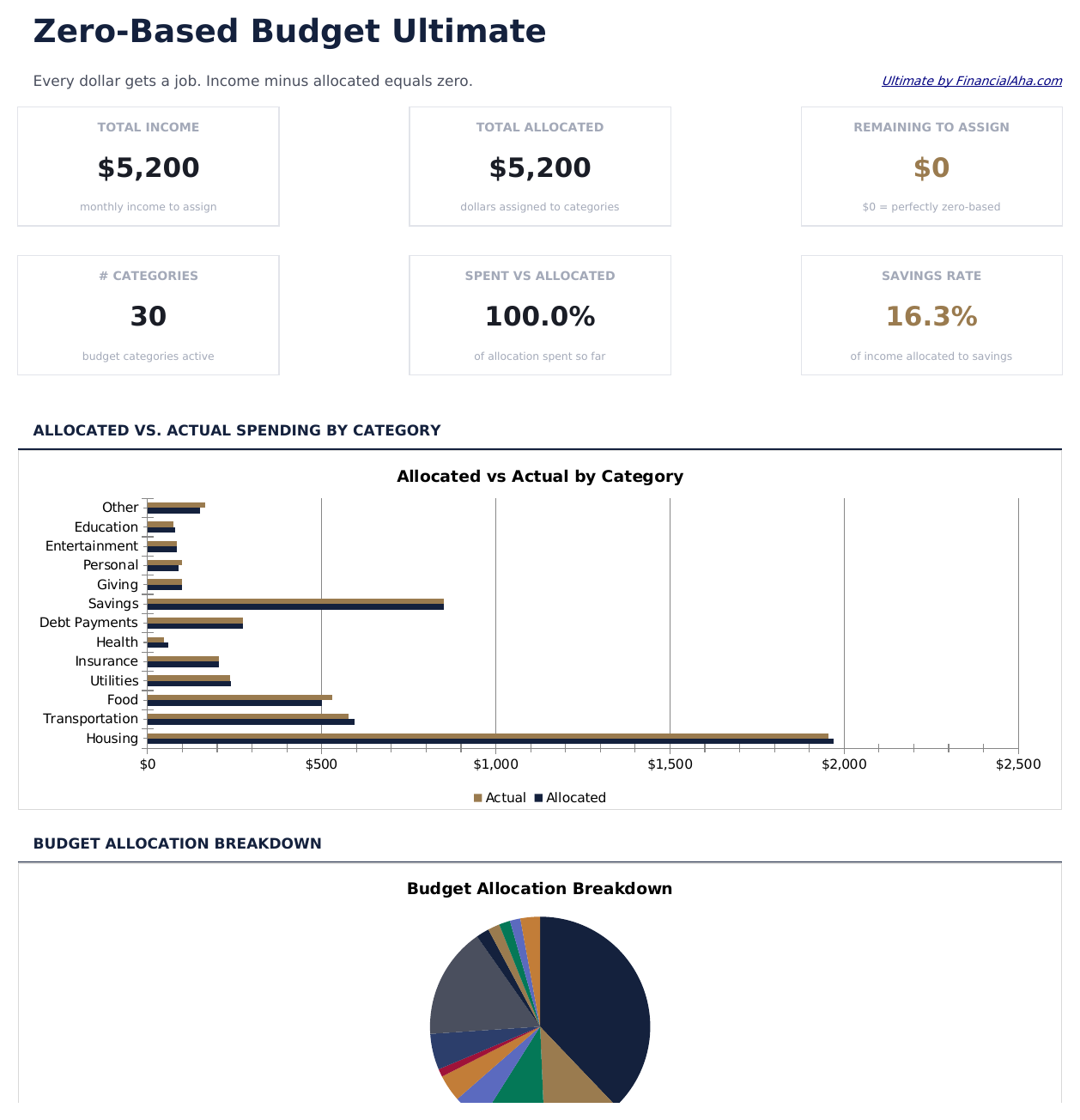
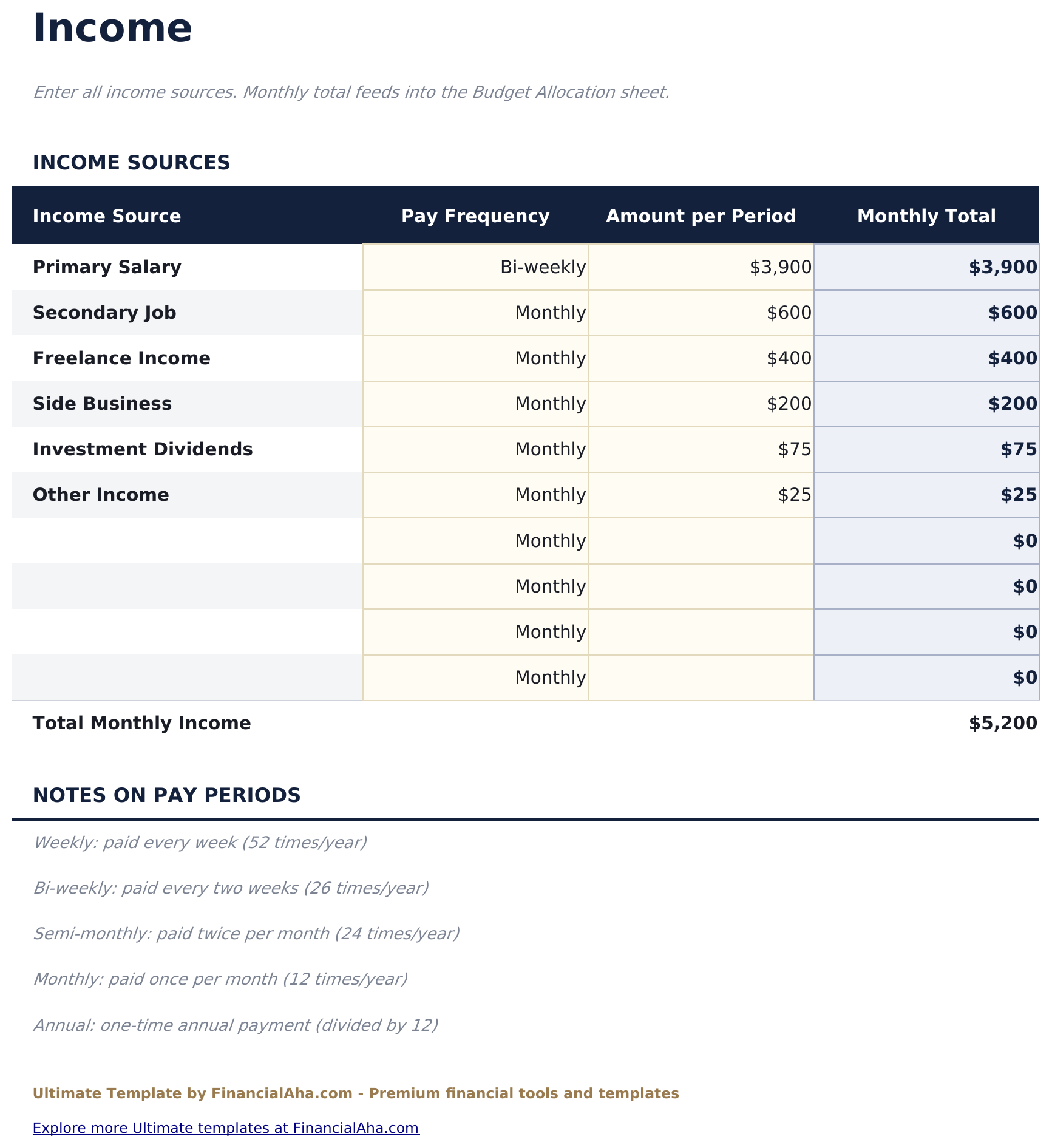
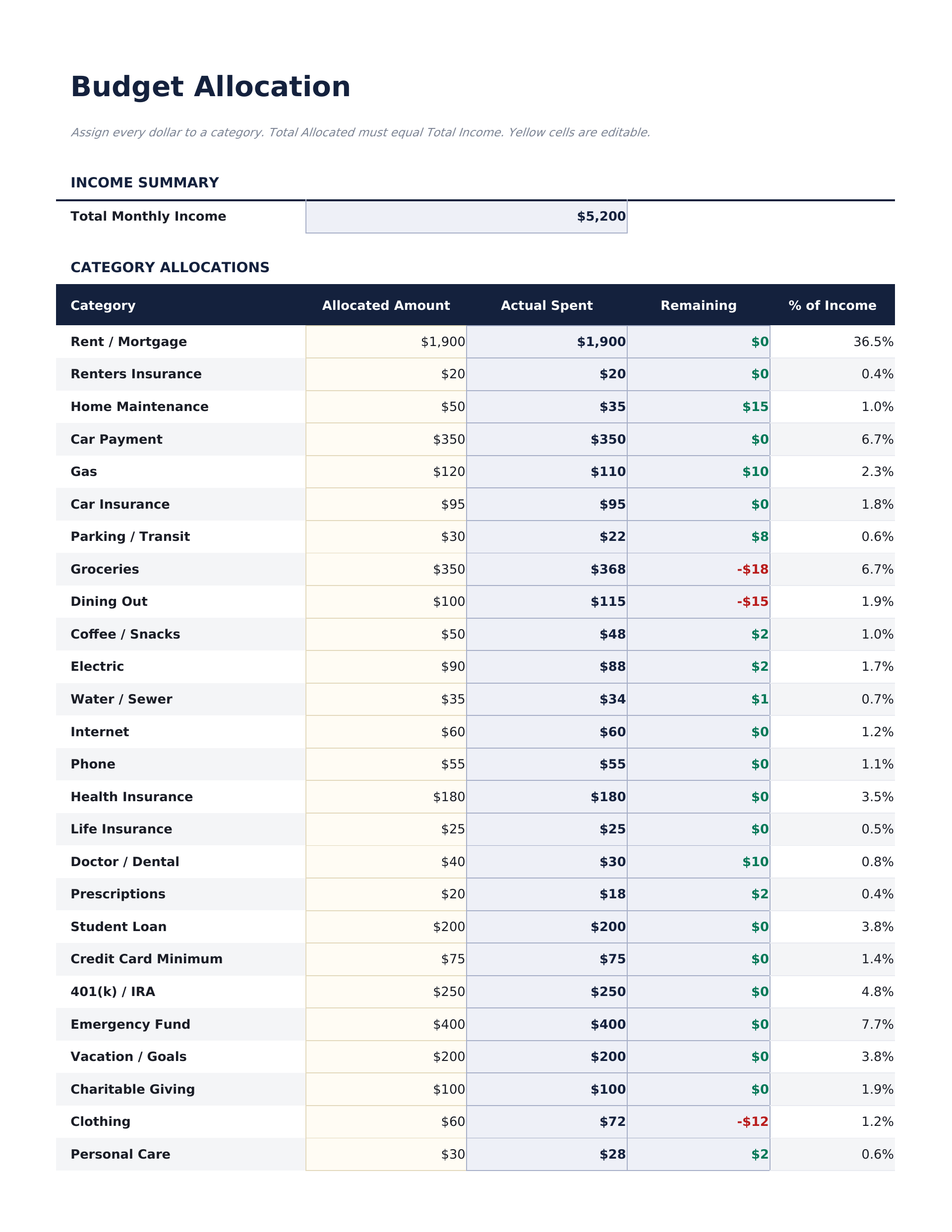
Ultimate Zero-Based Budget Spreadsheet template for Google Sheets
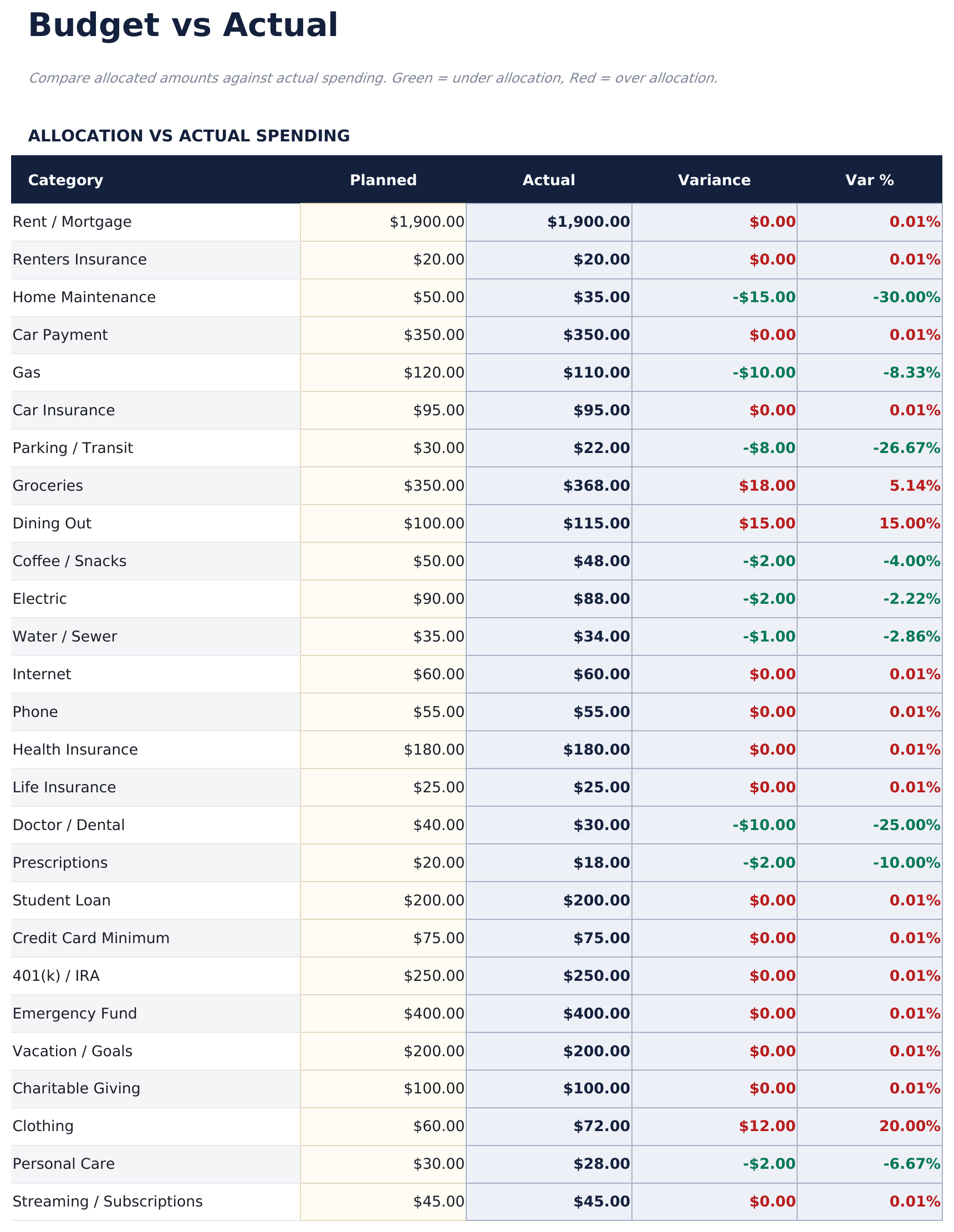
Upload the Ultimate Zero-Based Budget Spreadsheet Template to Drive, right-click it, and choose "Open with Google Sheets". This Ultimate Zero-Based Budget Google Sheets template needs no conversion step and both charts survive the trip intact. The lookups that pull spending into the allocation rely on the existing tab names and on category names matching, so both are worth leaving alone.
Ultimate Zero-Based Budget Google Sheets template setup
A shared copy of the Ultimate Zero-Based Budget Google Sheets template is where this build earns its keep in a household - two people logging into the same categories, with the remaining figures updating for both as entries go in. Sheets version history covers a transaction filed against the wrong category.
Sharing the Ultimate Zero-Based Budget Google Sheet
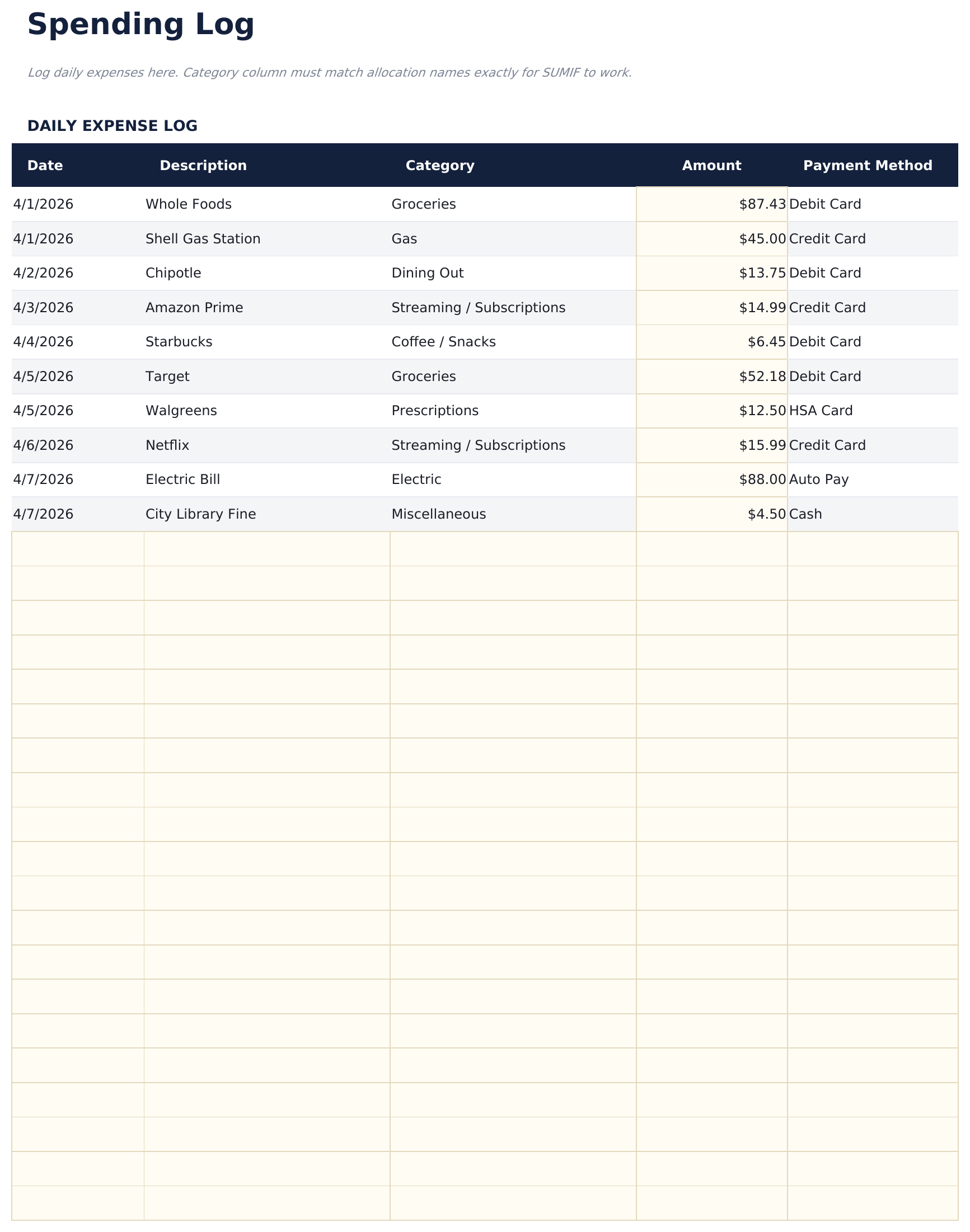
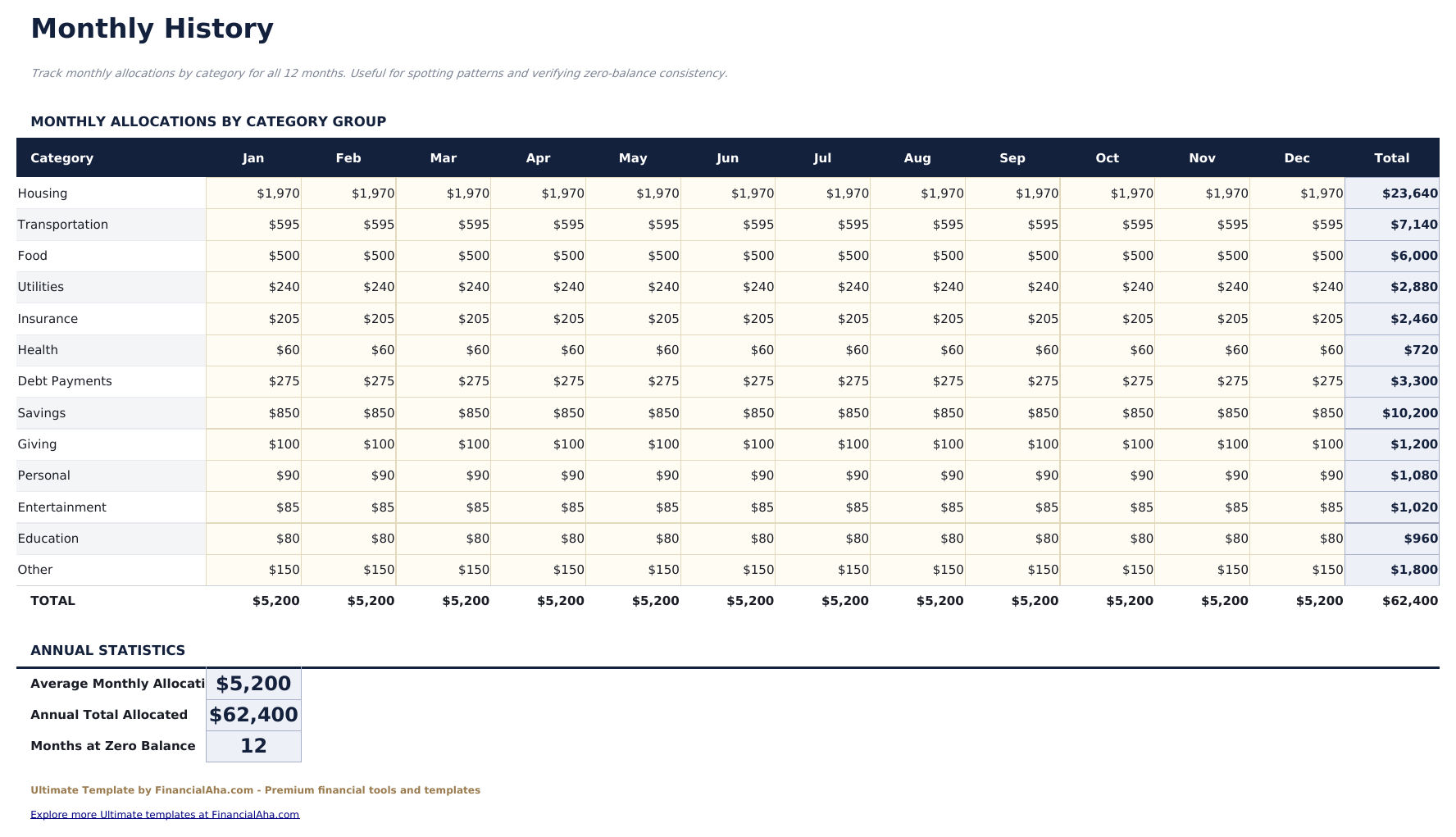
Day to day the Ultimate Zero-Based Budget Google Sheet is a single line in the log: date, what it was, which category, how much. The allocation updates itself from there, so the daily job never involves touching the plan. The allocation is a start-of-month sitting, and the history is a month-end one.