Monthly Expenses Tracker
Monthly Expenses Tracker for Digital Nomads
Track every expense in one chosen currency to see your real cost of living wherever you are working from.
In Depth
Tracking Expenses Across Borders and Currencies
Digital nomads face a tracking challenge that most people never encounter - their cost of living changes every time they move to a new city or country. A month in Lisbon has a completely different expense profile than a month in Bangkok or Mexico City. Without consistent tracking, it becomes impossible to know which locations are genuinely affordable and which ones just feel cheap because of a favorable exchange rate on arrival.
Currency conversions add a layer of complexity that can obscure actual spending. A meal that costs 350 baht feels different from one that costs 15 euros, even if the dollar amount is similar. Tracking expenses in a single base currency - regardless of where the spending happens - creates an honest comparison across locations and months.
The nomad lifestyle also involves expenses that location-based people do not think about. Coworking space memberships, travel insurance, flights or buses between cities, visa fees, and the general overhead of setting up a new living situation every few weeks or months. These recurring transition costs are easy to overlook but can represent a significant portion of monthly spending.
Some digital nomads discover through tracking that their lifestyle is less expensive than living in their home country, while others find the opposite. The answer depends entirely on individual spending patterns and location choices. Expense tracking replaces assumptions with data, which is particularly valuable for a lifestyle that defies conventional cost-of-living comparisons.
The Challenge
Why Nomads Need to Track Every Expense
When your cost of living changes with every move, expense tracking is the only way to know what life actually costs. Without data, you are guessing - and guesses become financial mistakes.
You cannot compare locations without data
Was Lisbon cheaper than Bangkok? By how much? Without tracked expenses, these comparisons rely on feelings rather than numbers. Data lets you make informed decisions about where to go next.
Currency confusion obscures real spending
Spending 500 baht feels different from spending $15, even though they are roughly the same. Multiple currencies make it easy to lose track of actual spending totals.
Travel costs hide between living costs
Flights, visas, transit, and travel insurance mix with rent, food, and coworking fees. Without categorization, you cannot see the true cost of the nomad lifestyle versus the basic cost of living.
Runway depends on knowing your burn rate
If savings are funding part of your travels, knowing your actual monthly burn rate determines how long you can sustain the lifestyle. An estimate is not good enough.
Ready to take control of your digital nomad finances?
What You Get
Expense Tracking Tools for Location-Independent Work
Quick expense entry
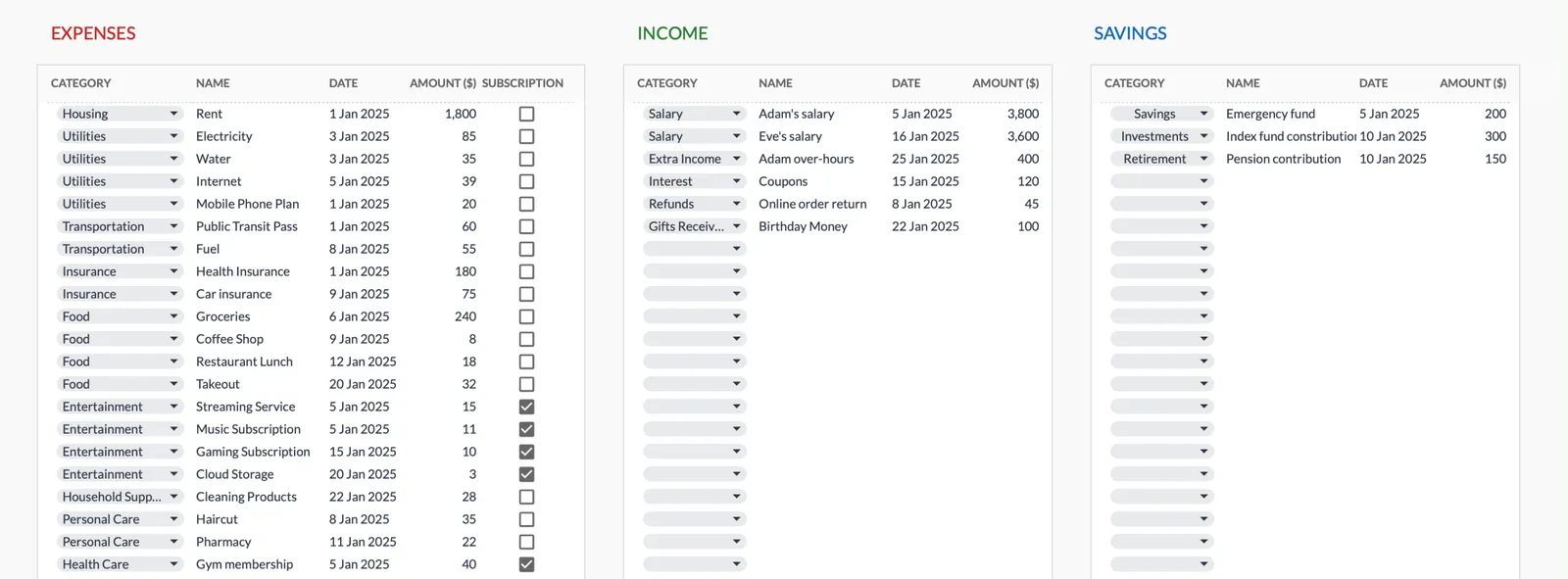
Log expenses in seconds. Amount, date, category, and a name field you can use for the city. Simple enough to do on the go.
Categories you rename for the road
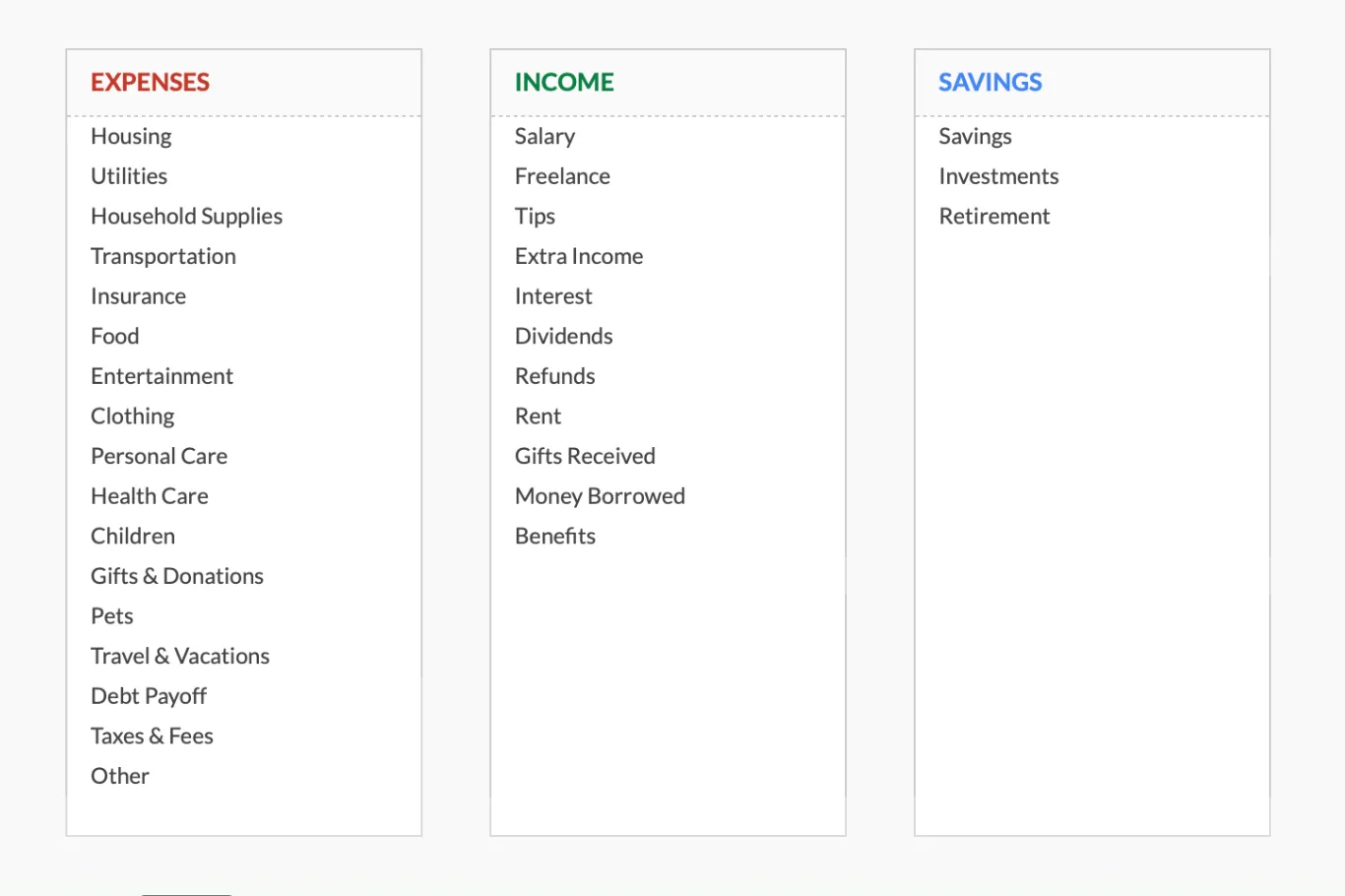
Housing, Transportation, Food, Insurance, Travel & Vacations and Entertainment ship as defaults. Rename spare rows on the Categories sheet for coworking, visas or SIM cards.
Running totals as the month goes
Category totals update automatically. See your biggest cost areas at any point in the month.
Monthly spending summary
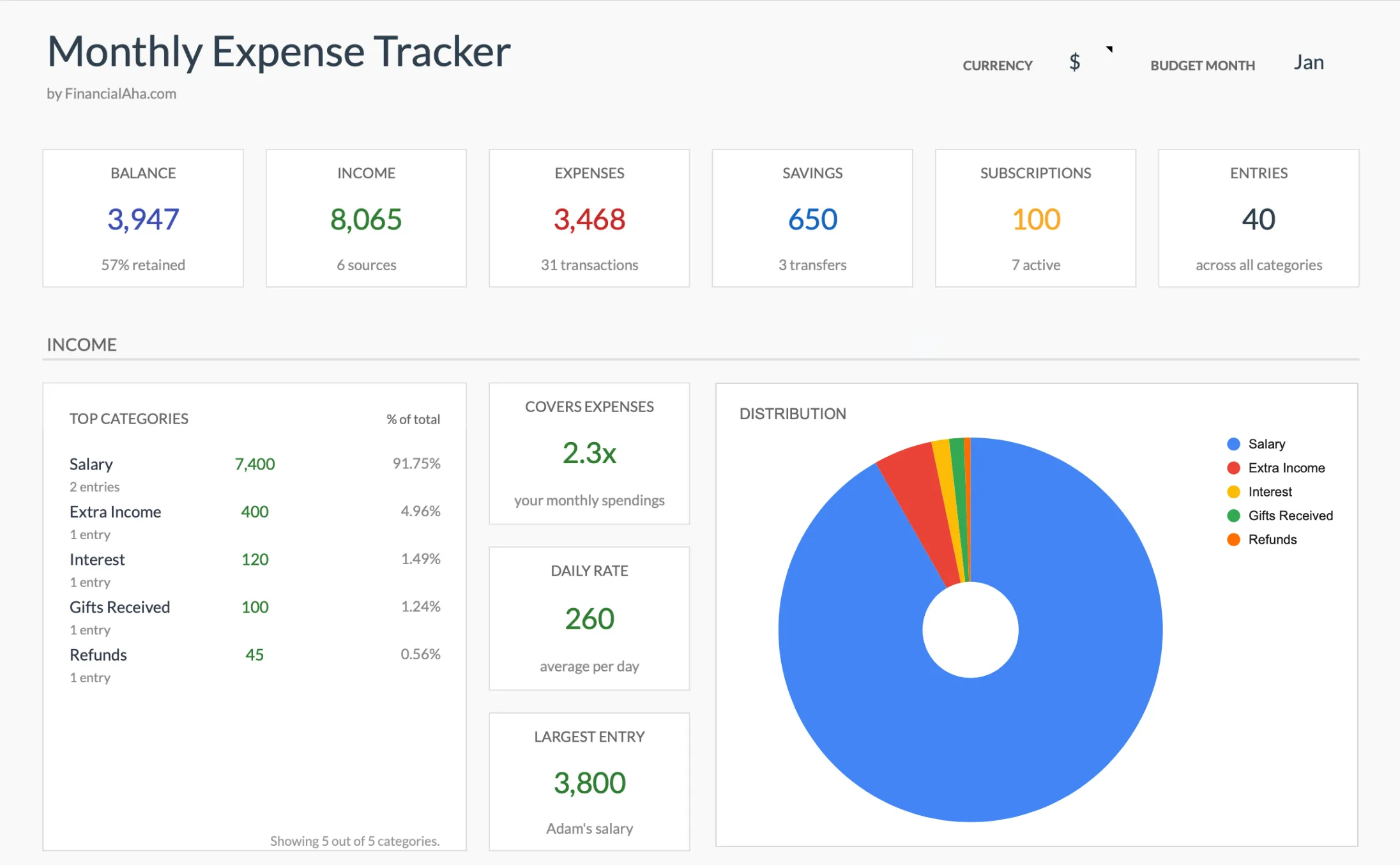
Total monthly spend, the categories ranked with each one's share, and a distribution chart for the month you select.
One currency for the whole file
The summary carries a currency selector, so every total reads in the currency you picked rather than a mix of the ones you spent in.
No budget setup needed
Pure tracking. No targets required. Just record what you spend and learn from the data.
See It In Action
What the template looks like
Browse through the template to see how it handles expense logging, category breakdowns, and spending analysis.
- Dashboard with key metrics at a glance
- Transaction logging with categories
- Expense tracking and summaries
- Visual charts and breakdowns
- Fully customizable categories
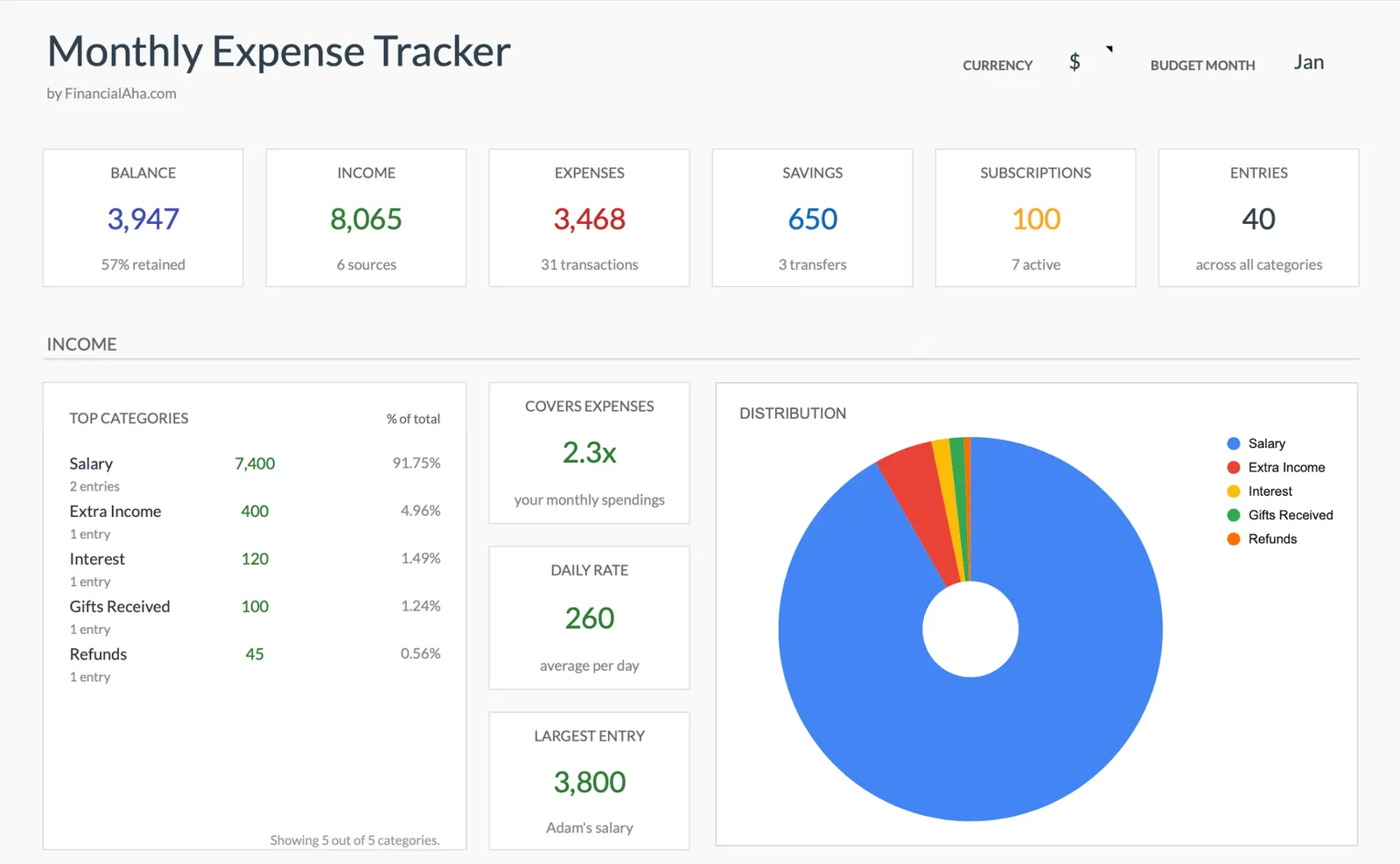
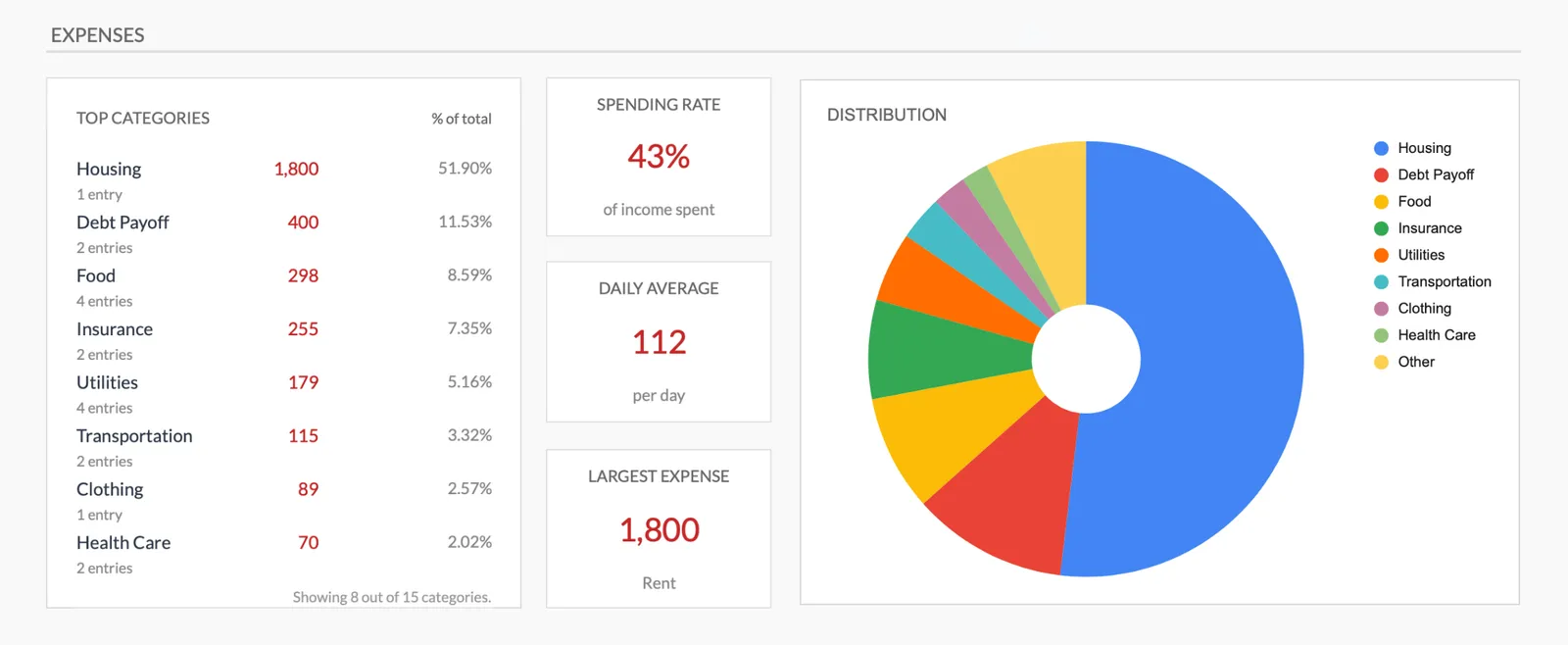
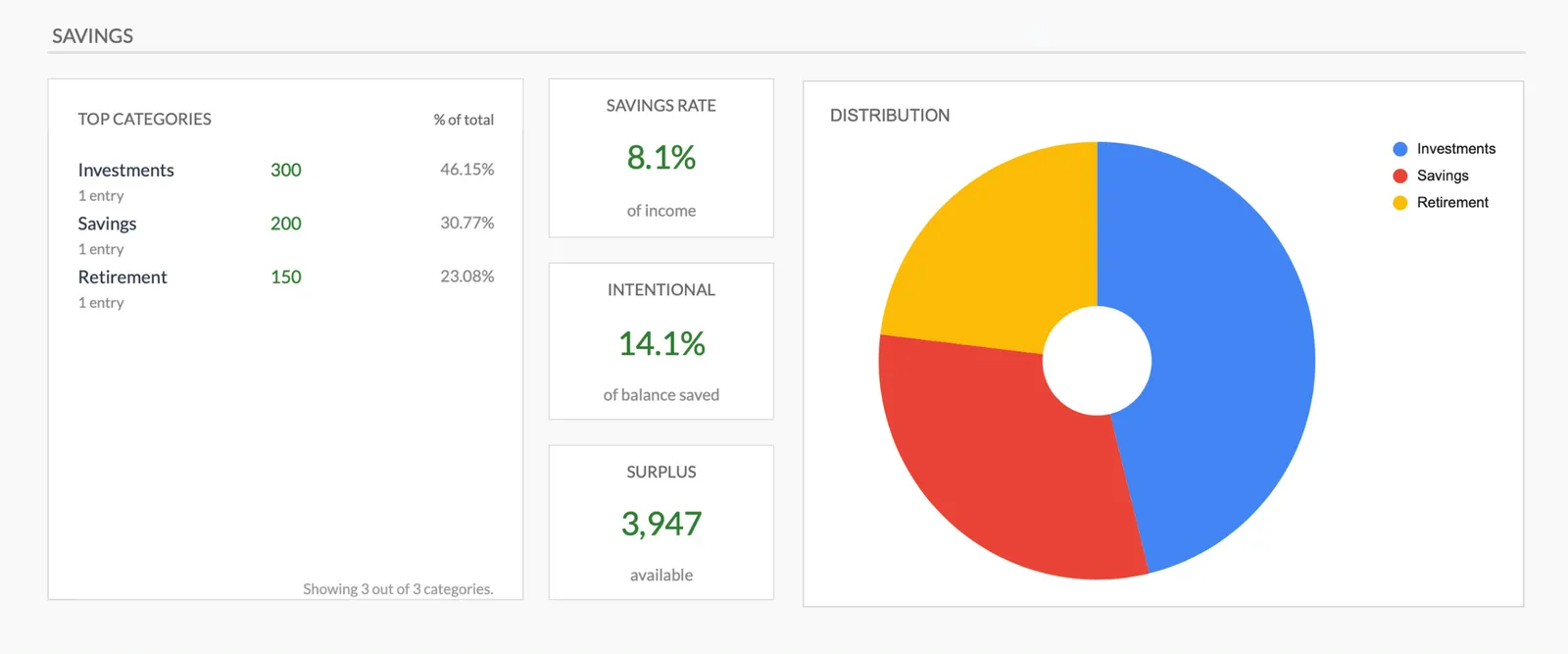
Monthly expense overview with charts
Log every expense with dates and categories
Organize spending into customizable categories
Detailed breakdown of all expenses
Track savings alongside expenses
Getting Started
Begin Logging Your Nomad Expenses
Choose your tracking currency
Set the currency selector on the summary, then convert each purchase into it as you log. The selector labels the totals, it does not convert them.
Log expenses daily
Enter each expense after the purchase. On the go, a quick amount and category is enough.
Note your location
Put the city in the name field alongside what you bought. Nothing groups by city on its own, but the entries stay readable when you look back.
Review at month end
See total spending and category breakdown. Compare against previous locations for useful context.
Use data for future planning
After visiting several locations, your expense data becomes a personal cost-of-living database for planning future moves.
Common Questions
Expenses Tracker for Digital Nomads- FAQ
How do I handle multiple currencies?
Convert everything to one base currency when you enter it. Use the exchange rate from the day of the purchase. This keeps totals comparable month over month.
Can I compare costs between cities?
Not on its own. The summary groups by category, not by city, so the comparison comes from keeping a file per stay and reading the monthly totals against each other. After a few months in different places you have real numbers rather than nomad forum estimates.
What about one-time travel costs versus monthly living costs?
The categories separate these naturally. Flights and visas are clearly travel costs, while rent and groceries are living costs. The summary shows both.
Is this useful if I already use a travel budgeting app?
Apps are convenient but often limited in how they summarize and categorize. A spreadsheet gives you full control over categories and the ability to analyze data however you want.
How is this different from the monthly budget template?
The budget template adds spending targets to work against. This tracker records expenses, income and savings transfers with no targets attached. Start here if you want awareness before committing to a full budget.
What if I share expenses with a travel partner?
Track your share of shared expenses. If you split a $60 dinner equally, enter $30. The template tracks what you actually spent, not what the bill was.
Can't find the answer you're looking for? Contact our team
Start tracking expenses as a digital nomad
One-time purchase. No subscription. Your financial data stays in your Google Drive.