Beste waarde All-in-One Financieel Planningspakket
✓ Financiële Planning✓ Vermogenstracker✓ Maandelijks Budgetteren✓ Reisbudget Planner✓ Jaarlijkse Budgetplanner✓ Maandelijkse Uitgaventracker✓ Jaarlijkse Belastingplanner✓ Pensioenplanning
Bekijk bundel →
Ultimate Ultimate-versie beschikbaar - Verbouwingsbudget Ultimate
Essentials-sjabloon - Excel & Google Sheets

Home Renovation Budget Essentials-sjabloon

Plan and track renovation project costs by room or project phase. Compare estimated vs. actual costs across materials, labor, and permits.

Bekijk de Ultimate-versie →
Home Renovation Budget preview

Wat zit erin

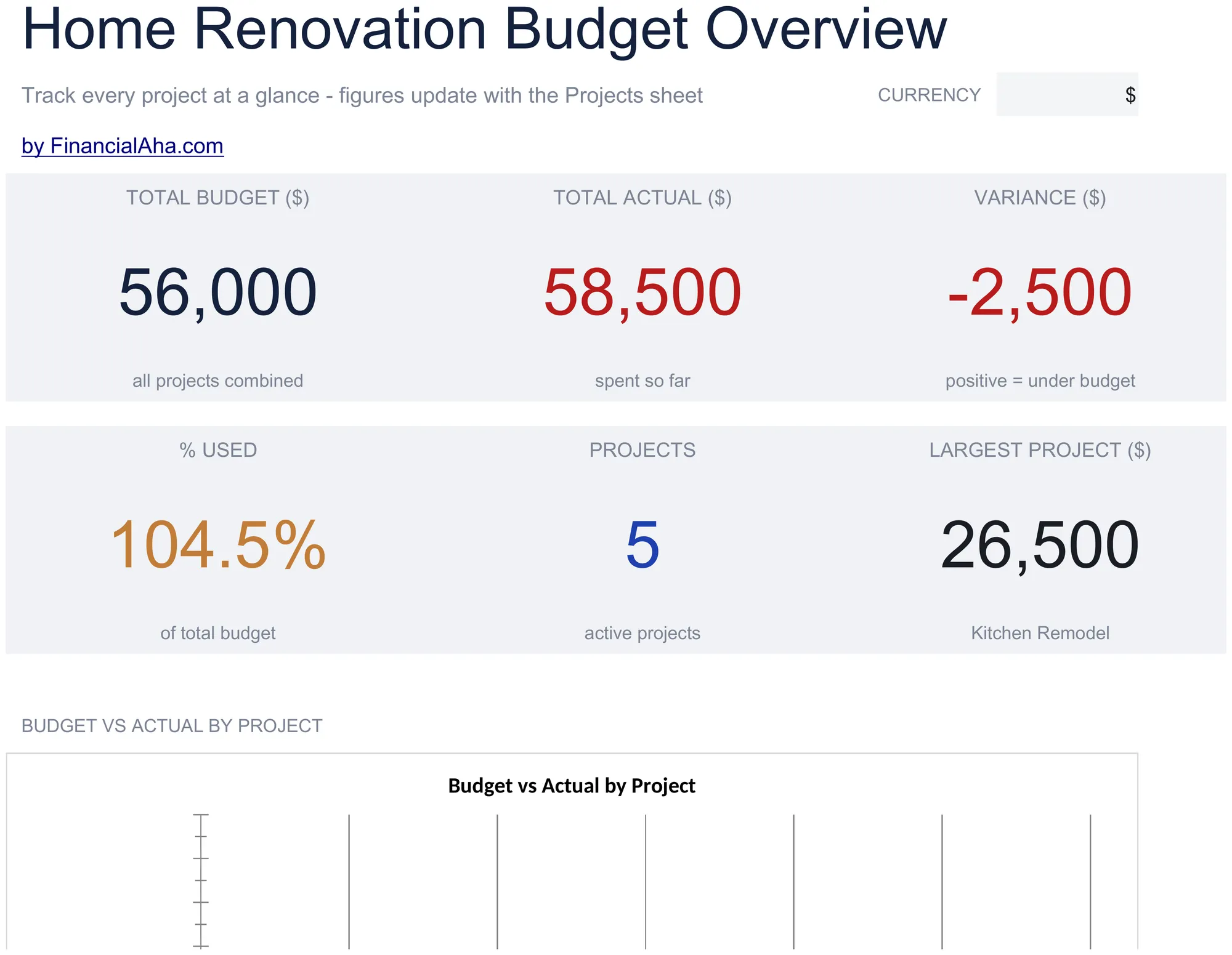
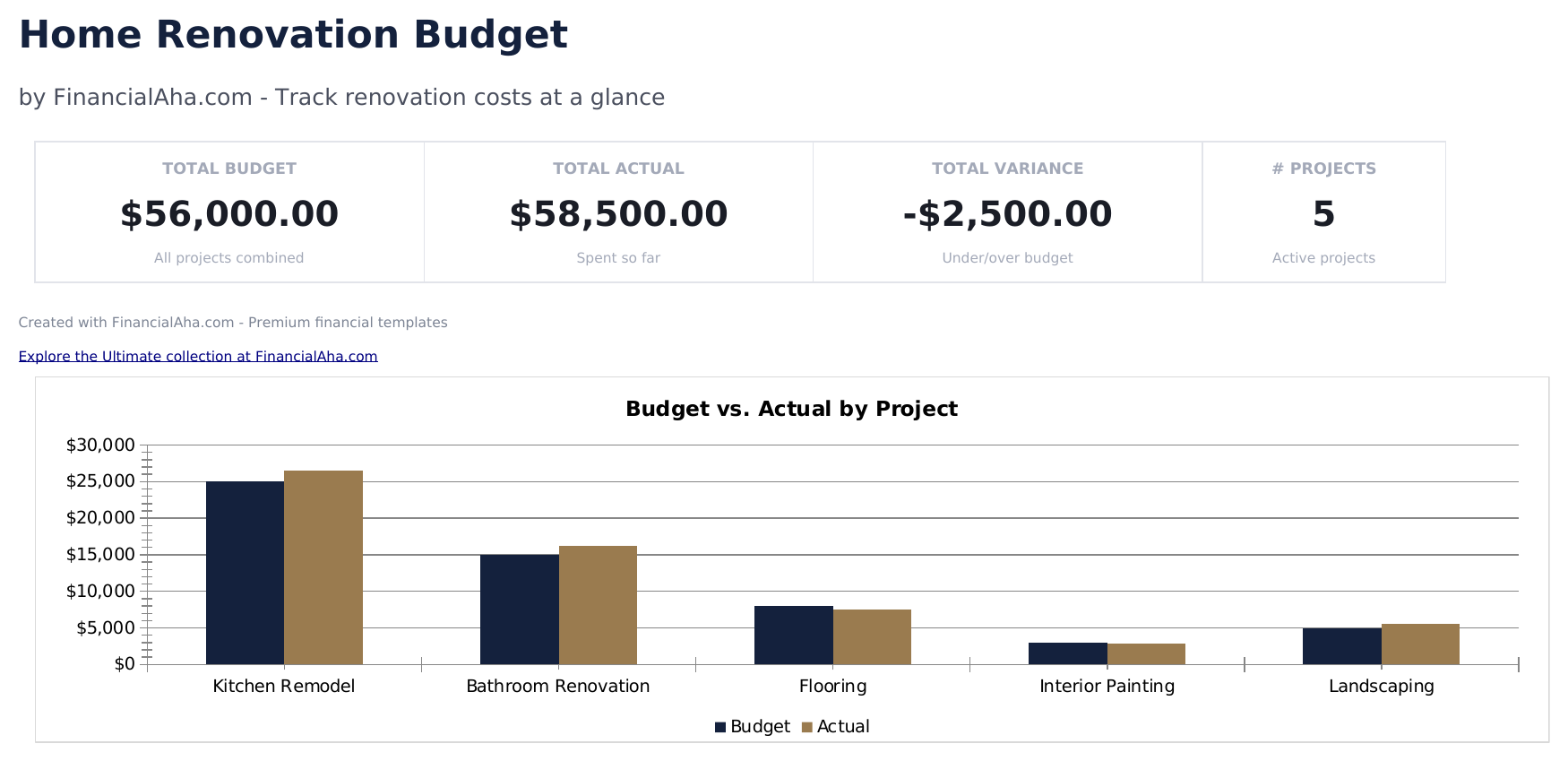
  • Dashboard with renovation budget summary showing total estimated cost, total actual cost, and overall variance
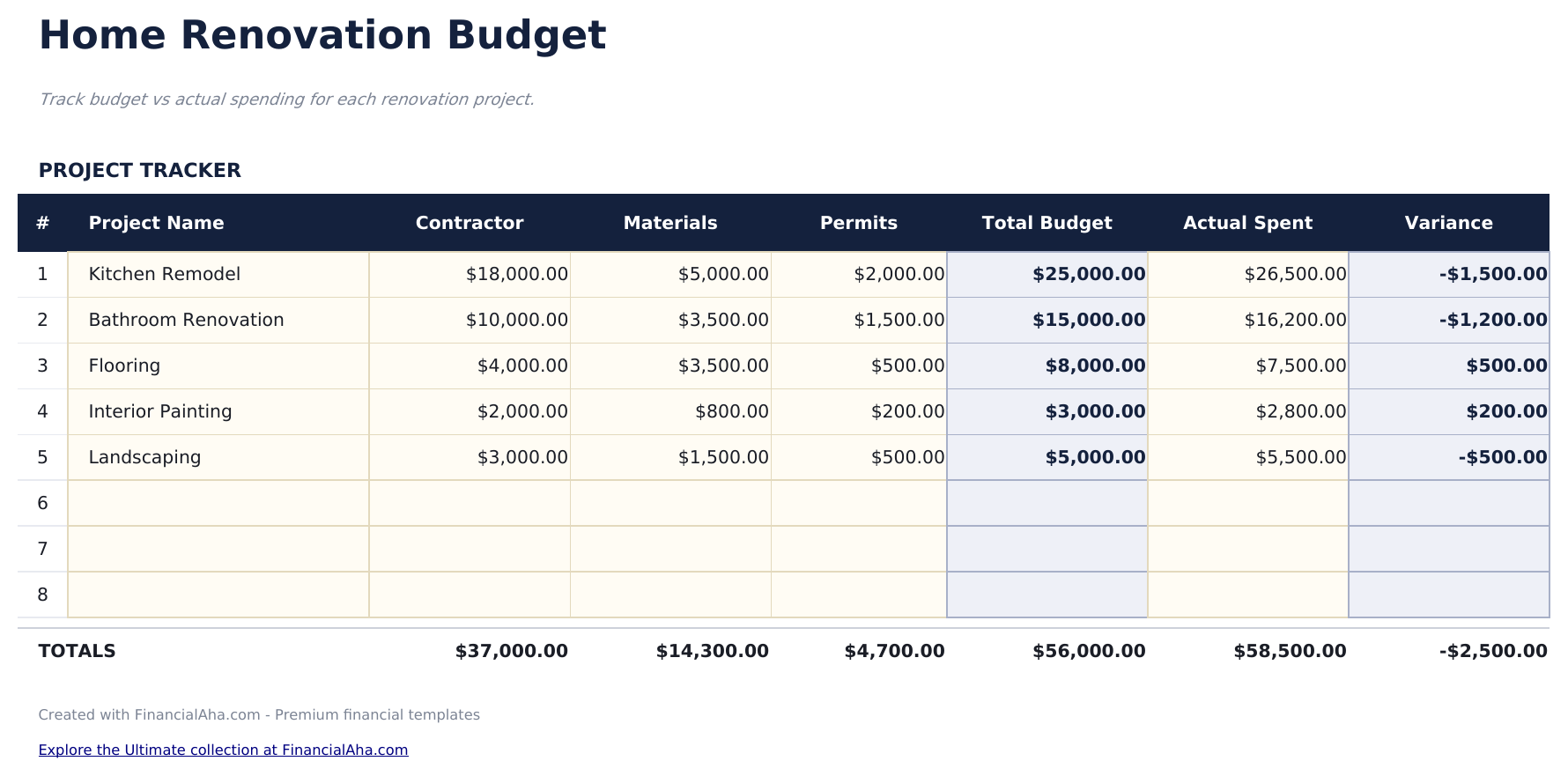
  • Project-level budget breakdown organized by room or phase with line items for each renovation task
  • Materials and labor cost tracking with separate columns for material costs, labor costs, and permit fees per task
  • Estimated vs. actual comparisons per line item with automatic variance calculations flagging cost overruns
  • Contractor and vendor logging with color-coded input cells (yellow) and formula-driven cost summaries (blue)
  • Works in Microsoft Excel, Google Sheets, and LibreOffice Calc with no setup required
Ultimate Version Available

Need more from this template?

The Essentials version covers everyday tracking. Ultimate goes further with multi-entity support, scenario analysis, and ultimate-grade reporting.

Essentials - $12
  • Dashboard with renovation budget summary showing total estimated cost, total actual cost, and overall variance
  • Project-level budget breakdown organized by room or phase with line items for each renovation task
  • Materials and labor cost tracking with separate columns for material costs, labor costs, and permit fees per task
  • Estimated vs. actual comparisons per line item with automatic variance calculations flagging cost overruns
Ultimate - $19
  • Werkblad Projectoverzicht met totaal renovatiebudget, tijdlijn, reservepercentage en algehele projectstatus
  • Werkblad Kamerbudgetten met kostenposten voor tot 8 kamers: materialen, arbeid, vergunningen en diversen per kamer
  • Dashboard met 6 KPI-kaarten: totaal budget, totaal besteed, resterend budget, percentage voltooid, resterende reserve en dagen tot voltooiing
  • Aannemerstracker die elke aannemer vermeldt met contactgegevens, vak, gecontracteerd bedrag, werkbeschrijving, startdatum en status
  • Betalingsschema dat elke gedane of geplande betaling bijhoudt: aannemer, bedrag, vervaldatum, betaaldatum, betaalmethode en status
See what's in the Ultimate version One-time purchase. No subscription.

Hoe gebruik je dit Home Renovation Budget sjabloon

1

Define renovation projects

List each room or project phase as a separate section - kitchen, bathroom, flooring, or other renovation tasks.

2

Enter cost estimates

For each task, add estimated costs for materials, labor, and permits. The template totals each project section.

3

Track actual costs

As work progresses, enter actual costs alongside estimates. The variance column highlights overruns automatically.

4

Review the dashboard

The dashboard shows total estimated, total actual, and overall variance across all renovation projects.

Gebouwd door Claude AI. Verfijnd door ons.

We gebruiken Claude AI om elk sjabloon te ontwerpen, na uitgebreid onderzoek. Daarna neemt ons team het over. We verfijnen de indeling, testen elke formule grondig, lossen randgevallen op en polijsten het ontwerp totdat het iets is dat we zelf ook echt zouden gebruiken. De AI brengt ons 80% van de weg. De laatste 20% is puur menselijk oordeel.

Bekijk de Ultimate-versie →

Veelgestelde vragen

Can I track by room?

Yes. Organize line items by room or project area. Each section can have its own subtotal for materials, labor, and permits.

How do I handle change orders?

Update the estimated cost for the affected line items when a change order is issued. The variance recalculates to reflect the updated scope.

Does it track contractor payments?

Add contractor name and payment columns to track which contractor handles each task and how much has been paid vs the total contract amount.

Should I include a contingency?

It is common to add a 10% to 20% contingency line item. This covers unexpected costs that arise during renovation work.

Hoe open ik dit in Google Sheets?

Upload het .xlsx-bestand naar Google Drive en open het vervolgens met Google Sheets. Alle formules en opmaak blijven behouden.

Meer Essentials-sjablonen voor Special Purpose

Op zoek naar premium spreadsheet-sjablonen?

Onze betaalde sjablonen bevatten geavanceerde dashboards met meerdere werkbladen, ingebouwde Excel-grafieken en doorlopende updates.

Privé & veilig

Uw financiële gegevens blijven op uw apparaat. Wij zien ze nooit.

Meer informatie →

Hulp nodig?

Bekijk onze handleidingen of neem contact op met vragen.

Bekijk FAQ →