Price List Template Essentials-sjabloon
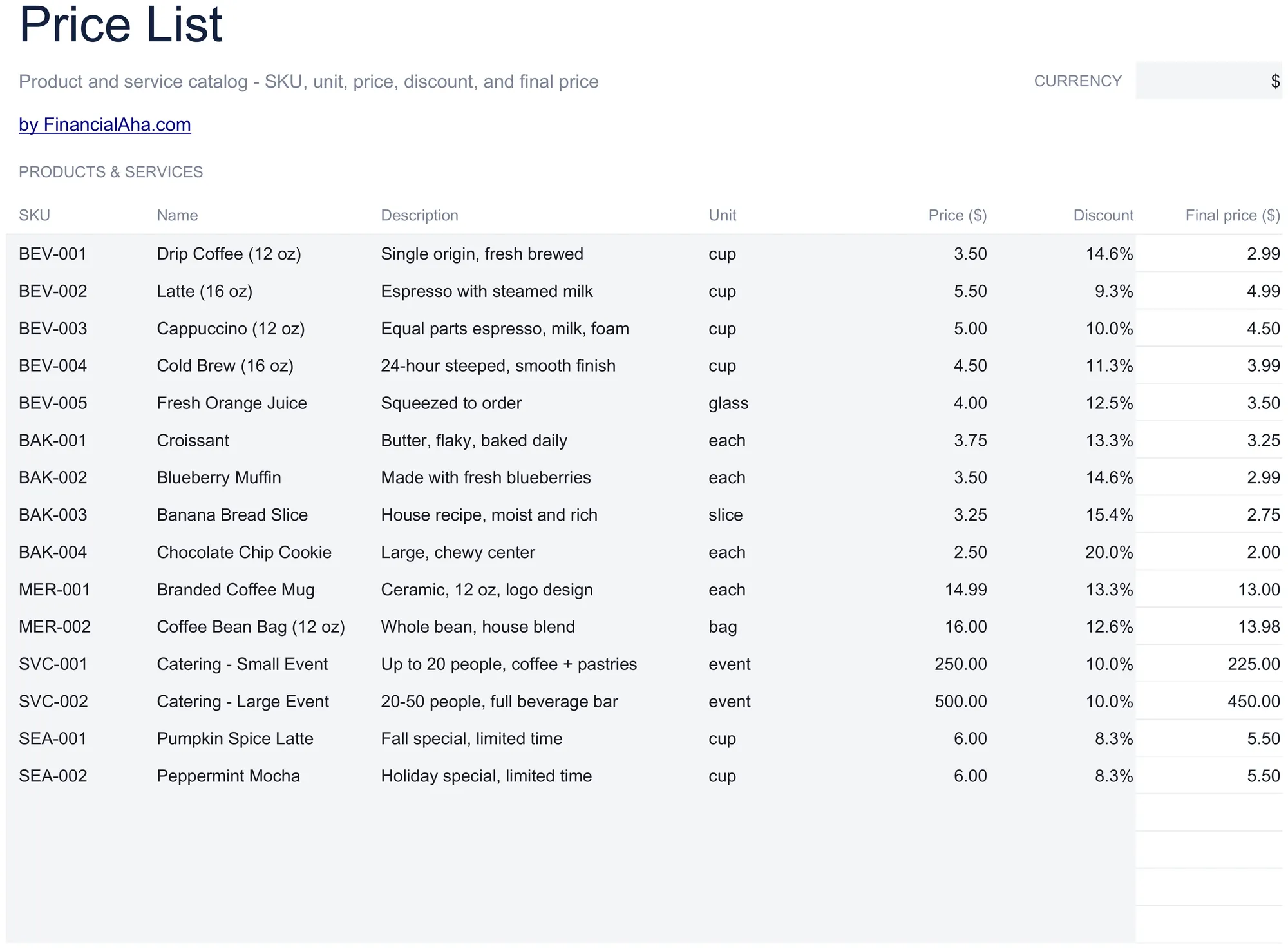
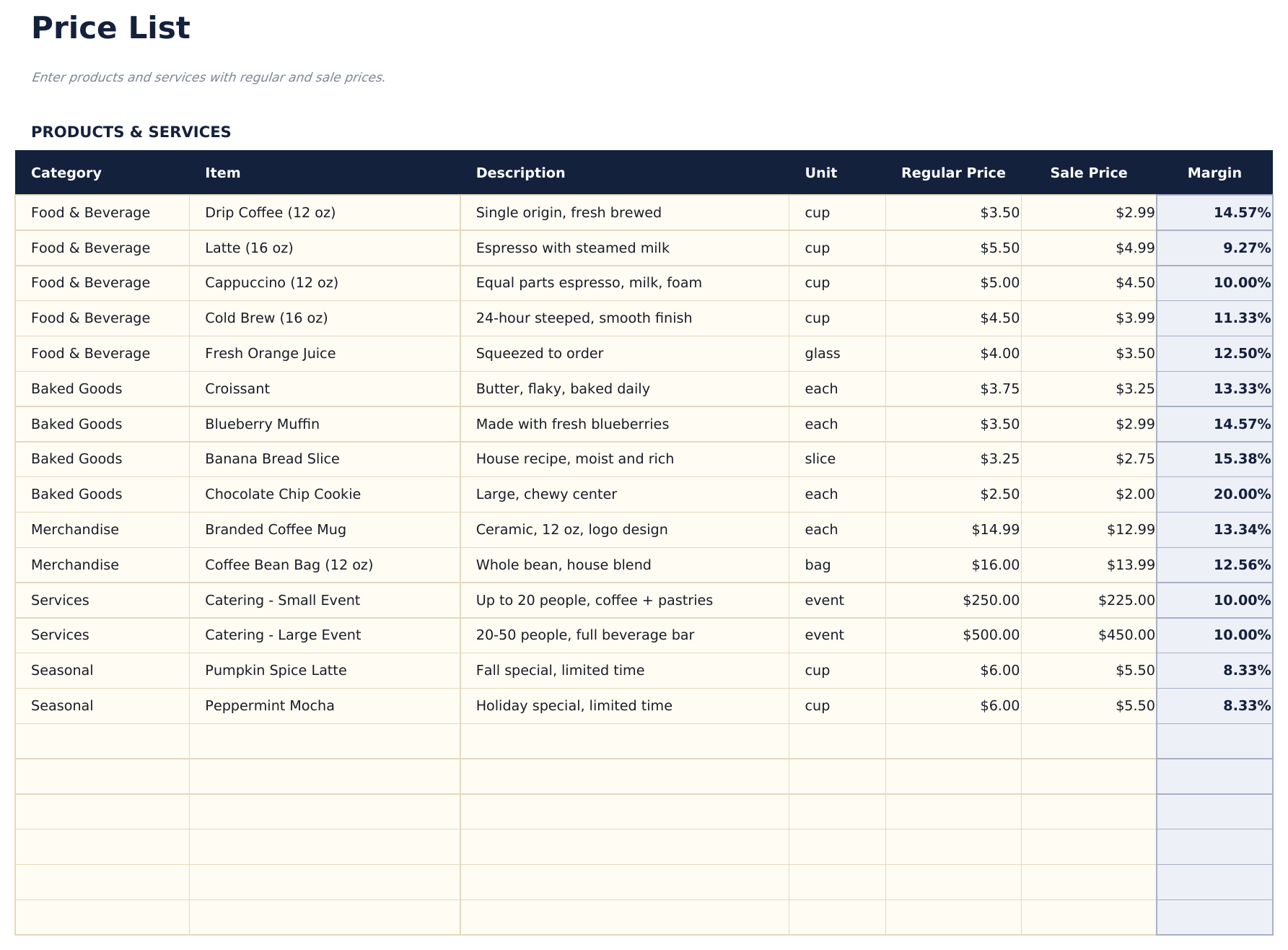
Create a structured price list for products or services. Organize items by category with descriptions, quantities, and pricing.
Wat zit erin
- Clean price list layout with item name, description, unit of measure, and price per unit in organized columns
- Product or service categories with section headers to group related items like parts, labor, and packages
- Description and pricing columns with space for detailed product or service information alongside each price
- Quantity and unit fields supporting per-item, per-hour, per-project, and custom unit-of-measure entries
- Print-ready professional format with color-coded sections that is easy to customize and share with clients
- Works in Microsoft Excel, Google Sheets, and LibreOffice Calc with no setup required
Voorbeeld
Bekijk wat er in dit sjabloon zit

Hoe gebruik je dit Price List Template sjabloon
Organize by category
Group your products or services under section headers - parts, labor, packages, or any categories that fit your business.
Enter item details
For each item, add the name, description, unit of measure, and price per unit.
Set units and pricing
Choose the appropriate unit for each item - per item, per hour, per project, or custom. Enter the corresponding price.
Share with clients
Print or export the price list to PDF. The professional format is ready to share with customers and prospects.
Gebouwd door Claude AI. Verfijnd door ons.
We gebruiken Claude AI om elk sjabloon te ontwerpen, na uitgebreid onderzoek. Daarna neemt ons team het over. We verfijnen de indeling, testen elke formule grondig, lossen randgevallen op en polijsten het ontwerp totdat het iets is dat we zelf ook echt zouden gebruiken. De AI brengt ons 80% van de weg. De laatste 20% is puur menselijk oordeel.
Veelgestelde vragen
Can I add product images?
The template is text-based with columns for descriptions and pricing. You can insert images in Excel or Google Sheets, but the layout is optimized for text.
Can I include quantity discounts?
Add a discount column or separate pricing tiers per item. List the standard price and any volume-based discounts alongside.
How do I update prices?
Edit the price column directly. If you need to track effective dates, add a column for the date the new price takes effect.
Can I use this for services and products?
Yes. The template works for any type of offering. Mix products and services in the same list or group them under separate section headers.
Hoe open ik dit in Google Sheets?
Upload het .xlsx-bestand naar Google Drive en open het vervolgens met Google Sheets. Alle formules en opmaak blijven behouden.
Meer Essentials-sjablonen voor Business Finance
Cash Flow Statement
Prepare a cash flow statement with operating, investing, and financing activities. Track cash inflows and outflows to see net cash position.
$12Profit and Loss Projection
Project revenue, costs, and profit over a specified period. Useful for business planning, forecasting, and evaluating financial scenarios.
$12Sales Forecast
Project future sales by product, service, or channel. Build revenue forecasts with growth assumptions and seasonal adjustments.
$12Startup Costs
Estimate one-time and recurring costs for launching a new business. Categorize expenses and calculate total funding needed.
$12Op zoek naar premium spreadsheet-sjablonen?
Onze betaalde sjablonen bevatten geavanceerde dashboards met meerdere werkbladen, ingebouwde Excel-grafieken en doorlopende updates.