United States
Monthly Expenses Tracker for the United States
Log and categorize every dollar you spend, from rent and groceries to healthcare copays and student loan payments, in a Google Sheets template you own.
In Depth
Where the Money Actually Goes in American Households
The Bureau of Labor Statistics Consumer Expenditure Survey for 2024, released in 2025, puts average household spending at $78,535 a year. Housing takes the largest share at 33.4%, or $26,266. Transportation comes second at 17.0%, covering car payments, insurance, fuel, and maintenance. Food accounts for 12.9%, weighted toward groceries at $6,224 against $3,945 for dining out. Those three categories together make up more than 60% of the total.
Healthcare spending in the US is particularly worth tracking in detail. In the 2024 Consumer Expenditure Survey the average household spent $6,197 on healthcare, and most of that, $4,055, went on health insurance the household paid for itself. Medical services, drugs, and supplies accounted for the remaining $2,143. Breaking healthcare into subcategories (premiums, prescriptions, doctor visits, dental, vision, and unexpected medical costs) reveals patterns that a single "health" line item would hide.
Subscription services have become a distinctly modern expense category. In its 2026 Digital Media Trends survey, fielded in late 2025, Deloitte found that 90% of US households pay for streaming video, hold four such services on average, and spend around $71 a month on them. Music, fitness, software, meal delivery, and cloud storage sit on top of that. An expense tracker that captures every recurring charge makes these cumulative costs visible in a way that bank statements, spread across different billing dates, often do not.
United States
Tracking Expenses in the United States: What to Know
American spending patterns have distinct characteristics that a good expense tracker can help illuminate. Understanding these helps you set up categories that match real life.
Healthcare costs are unpredictable and worth tracking closely
Between insurance premiums, copays, coinsurance, deductibles, and out-of-pocket maximums, US healthcare spending can vary dramatically month to month. Tracking these separately, rather than lumping them into one "medical" category, helps identify patterns. Some people discover they spend more on out-of-pocket costs than they realized.
Housing typically dominates US budgets
Whether renting or paying a mortgage, housing is usually the largest line in a US budget, at 33.4% of average household spending in the 2024 Consumer Expenditure Survey. Add in property tax, homeowner's or renter's insurance, HOA fees, and maintenance, and the true cost of housing becomes clearer. Tracking all housing-related expenses in one group can reveal the full picture.
Subscription creep is common
Streaming services, gym memberships, software subscriptions, meal kits, and app services can quietly add up. Deloitte put the average US streaming household at four paid video services in its 2026 Digital Media Trends survey, before anything else recurring is counted. An expense tracker that captures every recurring charge makes it easier to evaluate which ones still provide value.
Tipping culture adds to dining and service costs
In the US, tips of 15-25% on dining, rideshares, deliveries, and personal services can significantly increase the actual cost above the listed price. Tracking the full amount paid (including tip) gives a more accurate view of spending in these categories.
Get the Template
Getting Started
Configuring the Expense Tracker for US Finances
Set your currency to USD
Switch to USD using the currency dropdown in the dashboard header. The template works in any currency - the calculations stay the same regardless of the symbol displayed.
Customize categories for US spending
Set up categories that match American life: rent/mortgage, utilities (electric, gas, water, internet), groceries, dining out, healthcare copays, insurance premiums, car payment, gas, student loans, and subscriptions. The template lets you rename categories freely.
Enter expenses as you spend
Log expenses daily or weekly - whatever cadence works for you. Enter the full amount you actually paid, including tax and tip. Consistency matters more than timing - even weekly entry is useful if done regularly.
Review monthly spending patterns
At month's end, the template automatically tallies spending by category. Look for categories that surprised you - dining out and convenience spending are common areas where actual spending exceeds expectations.
Track seasonal variations
US spending varies seasonally: holiday spending in November/December, back-to-school in August/September, summer travel, and heating or cooling costs depending on climate. A few months of data will reveal your personal patterns.
See It In Action
What the template looks like
Browse through the template to see the dashboard, the entry sheets, and the summaries it produces, all adaptable to your local financial setup.
- Built-in currency selector
- Calculations update automatically
- Visual summaries of your numbers
- No setup required
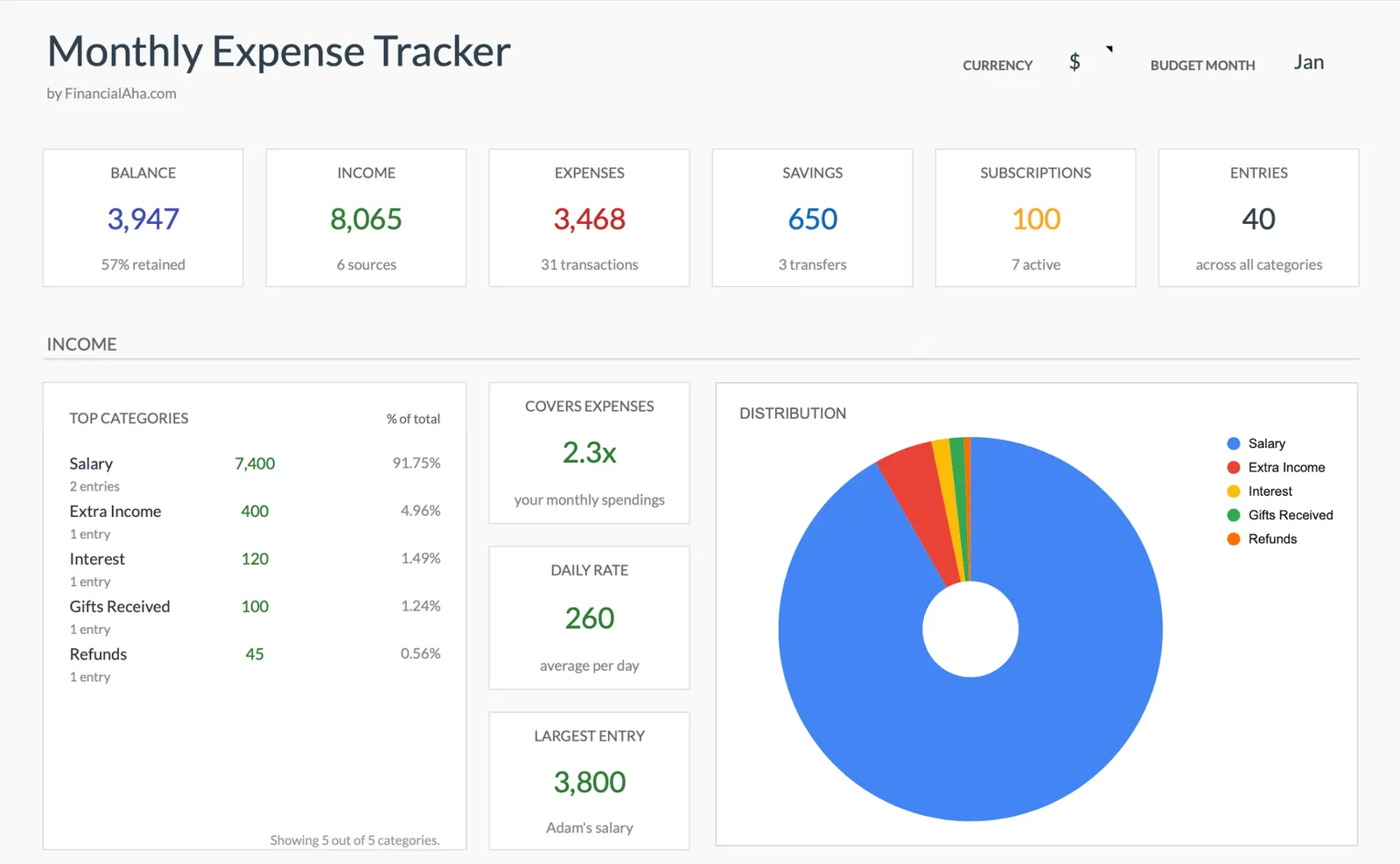
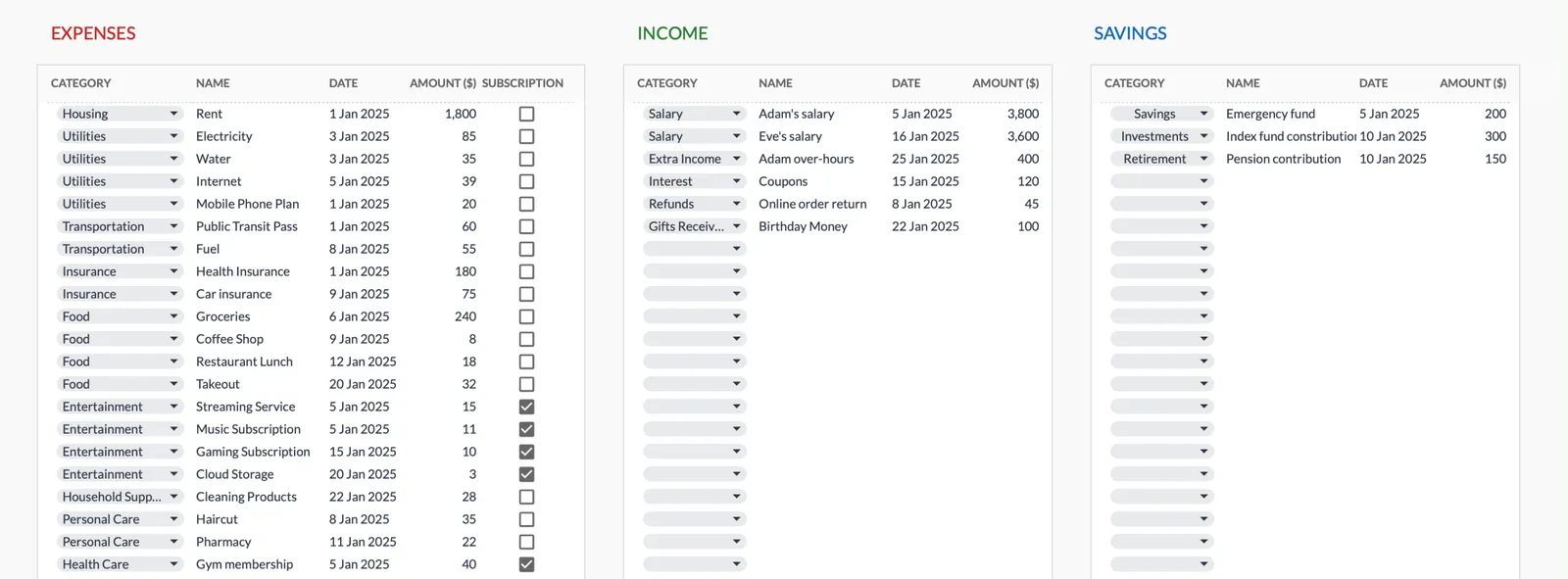
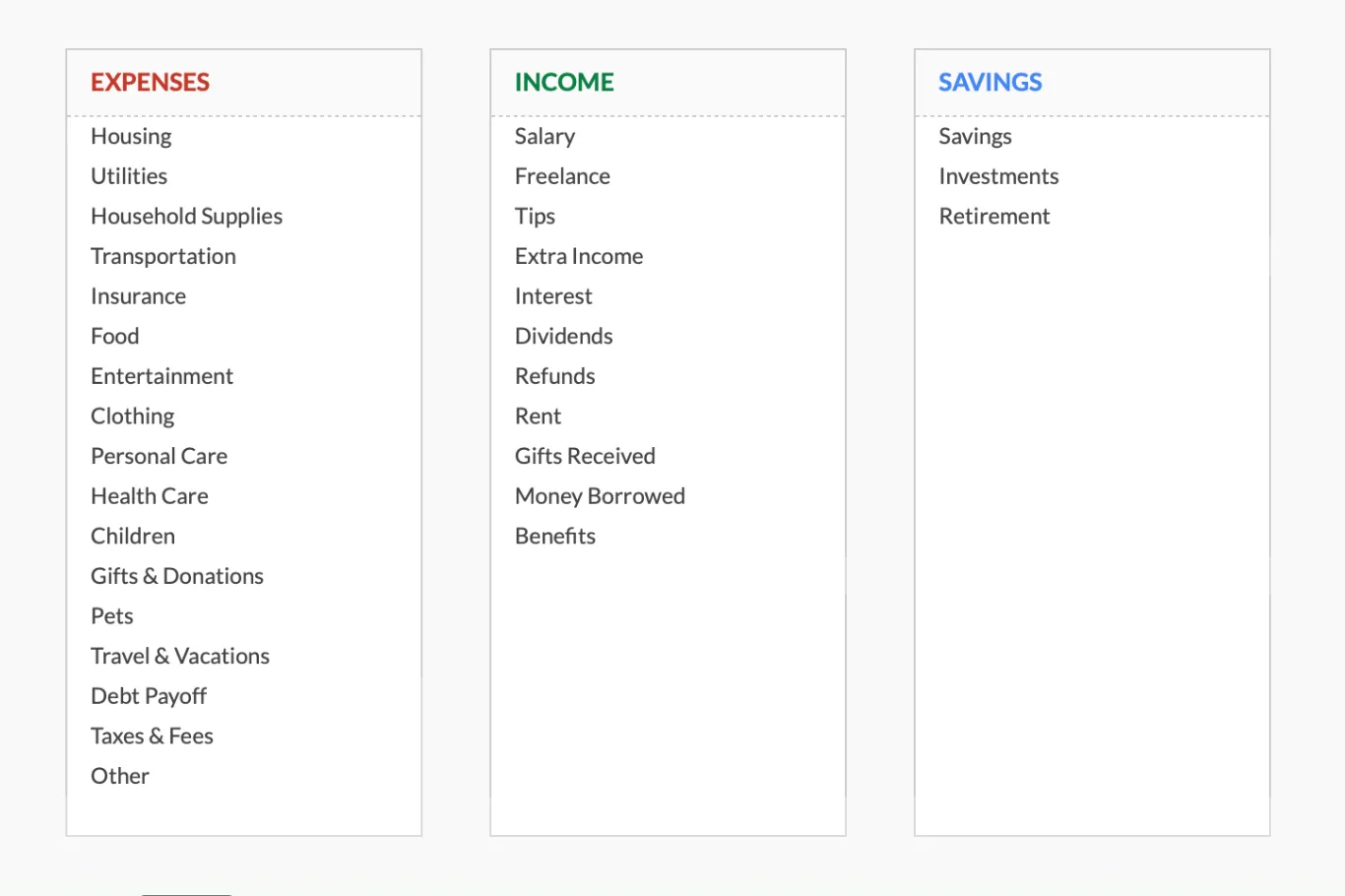
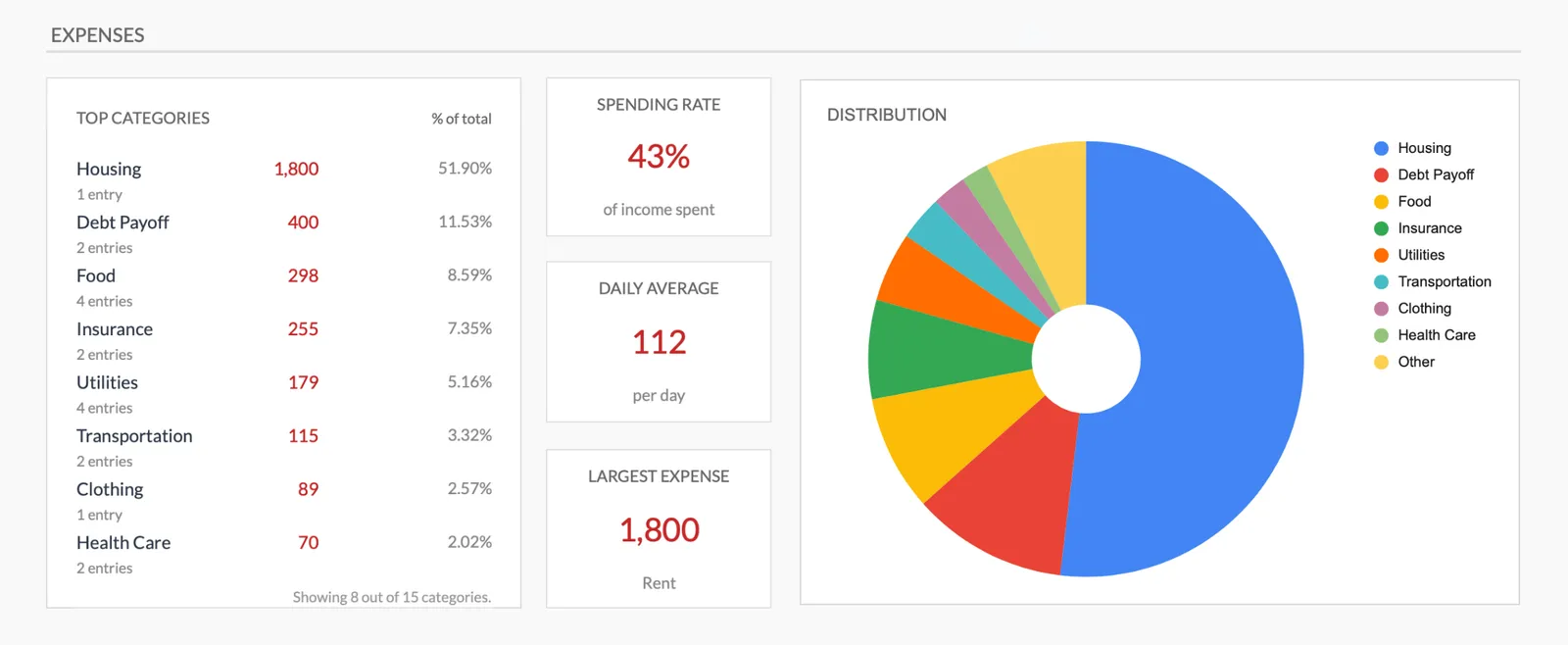
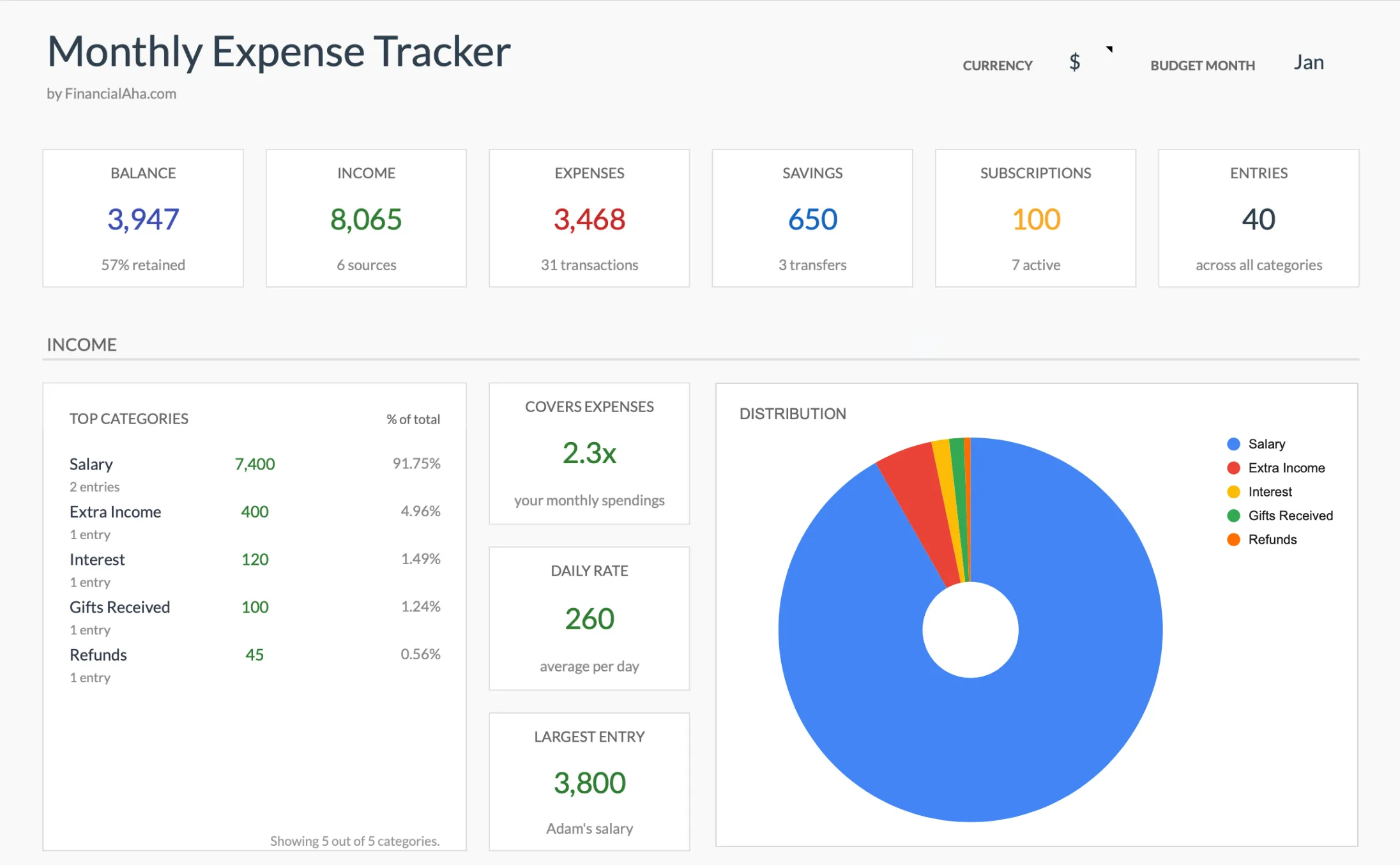
Monthly expense overview with charts
Log every expense with dates and categories
Organize spending into customizable categories
Detailed breakdown of all expenses
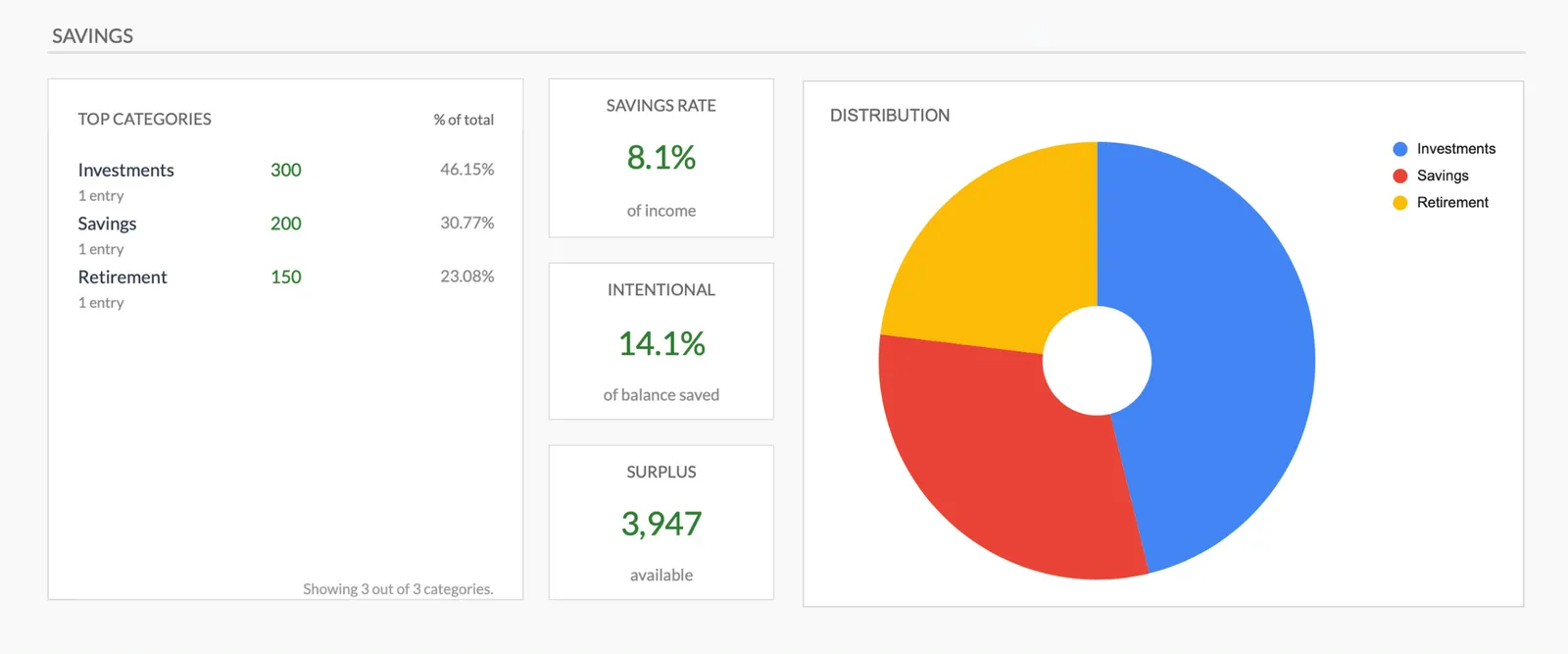
Track savings alongside expenses
Common Questions
Monthly Expenses Tracker for the United States - FAQ
Why use an expense tracker instead of the budget template?
The expense tracker records what you spend, alongside income, savings transfers, and subscriptions, but it has no budget targets to plan against. It is a simpler starting point for people who want to understand spending patterns before setting budget goals. Some people use it alongside the budget template.
Can I import bank transactions?
This is a manual-entry template in Google Sheets. While you can copy-paste data from bank exports, it doesn't connect to bank accounts directly. The manual approach gives you full control over categorization and keeps your banking credentials private.
How should I categorize tax-related expenses?
For most people, taxes come out of your paycheck before you see it. If you pay estimated quarterly taxes (common for freelancers), add a "Taxes" category. Tax preparation fees, software like TurboTax, and CPA costs can go under a "Tax Prep" category.
Does this track spending across multiple credit cards?
The template tracks expenses by category, not by payment method. Enter what you spent and in which category - it doesn't matter which card or account you used. This gives you a spending-focused view rather than an account-focused one.
Can I track cash spending?
Yes. Enter cash expenses the same way you would any other expense. Some people keep a small notebook or phone note for cash purchases and enter them into the template at the end of the day or week.
Can't find the answer you're looking for? Contact our team
Explore More
Free Tools for the United States
Ready to get started?
Download instantly and start managing your finances, or contact us to design a custom template package for your needs.
Tax rules, rates, and contribution limits change, and official publications can themselves lag behind the law in force. We review these figures on a best-effort basis against sources we consider authoritative, but we cannot guarantee they are current, complete, or that better sources do not exist, and nothing here is tax, legal, or financial advice. For decisions, the relevant government authority is the reference. Last reviewed: August 2026.