Free 1099 Income Tracker Spreadsheet Template
Track income from multiple 1099 sources in one place. Organize non-employee income by payer for accurate tax reporting.
What's Included
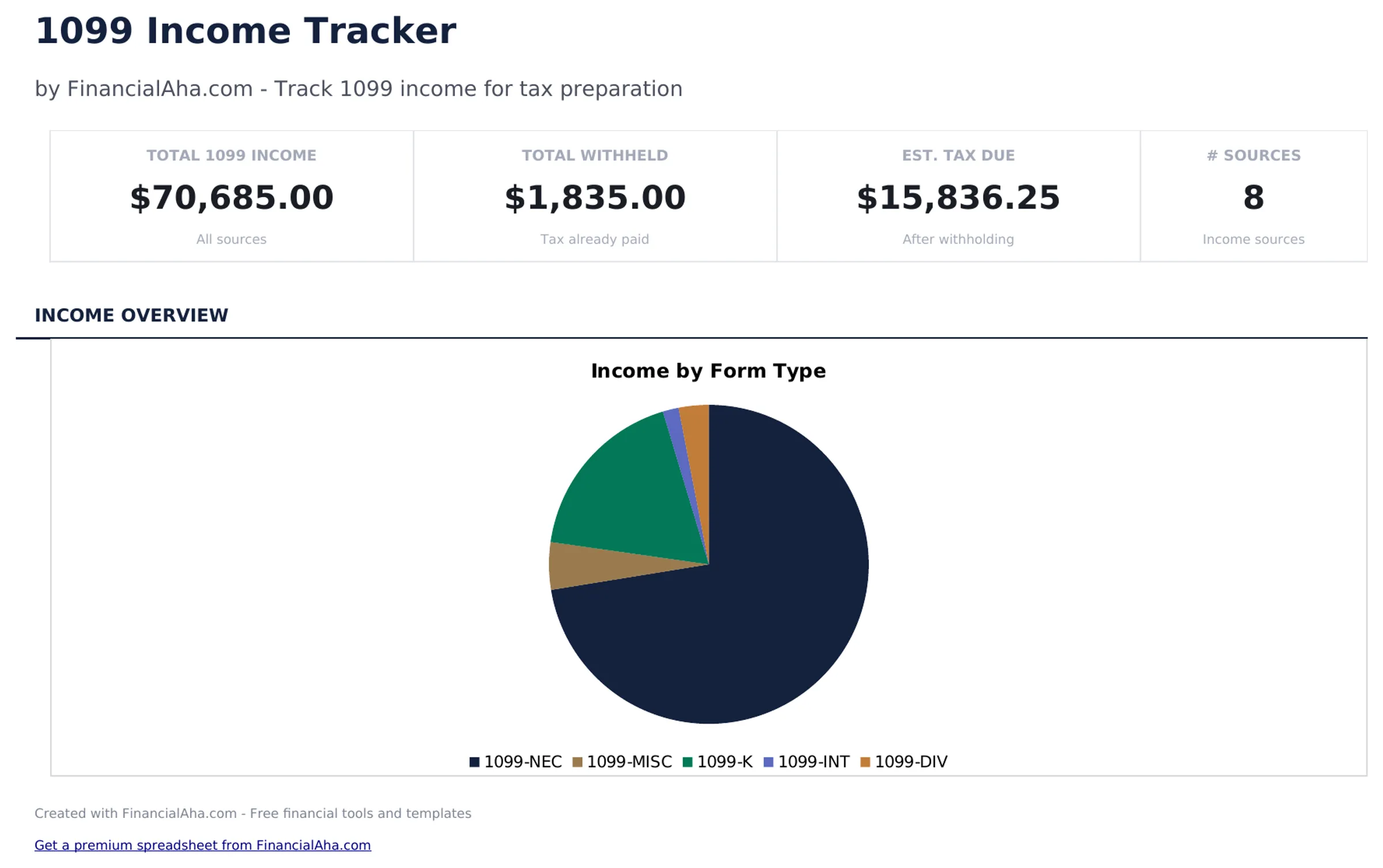
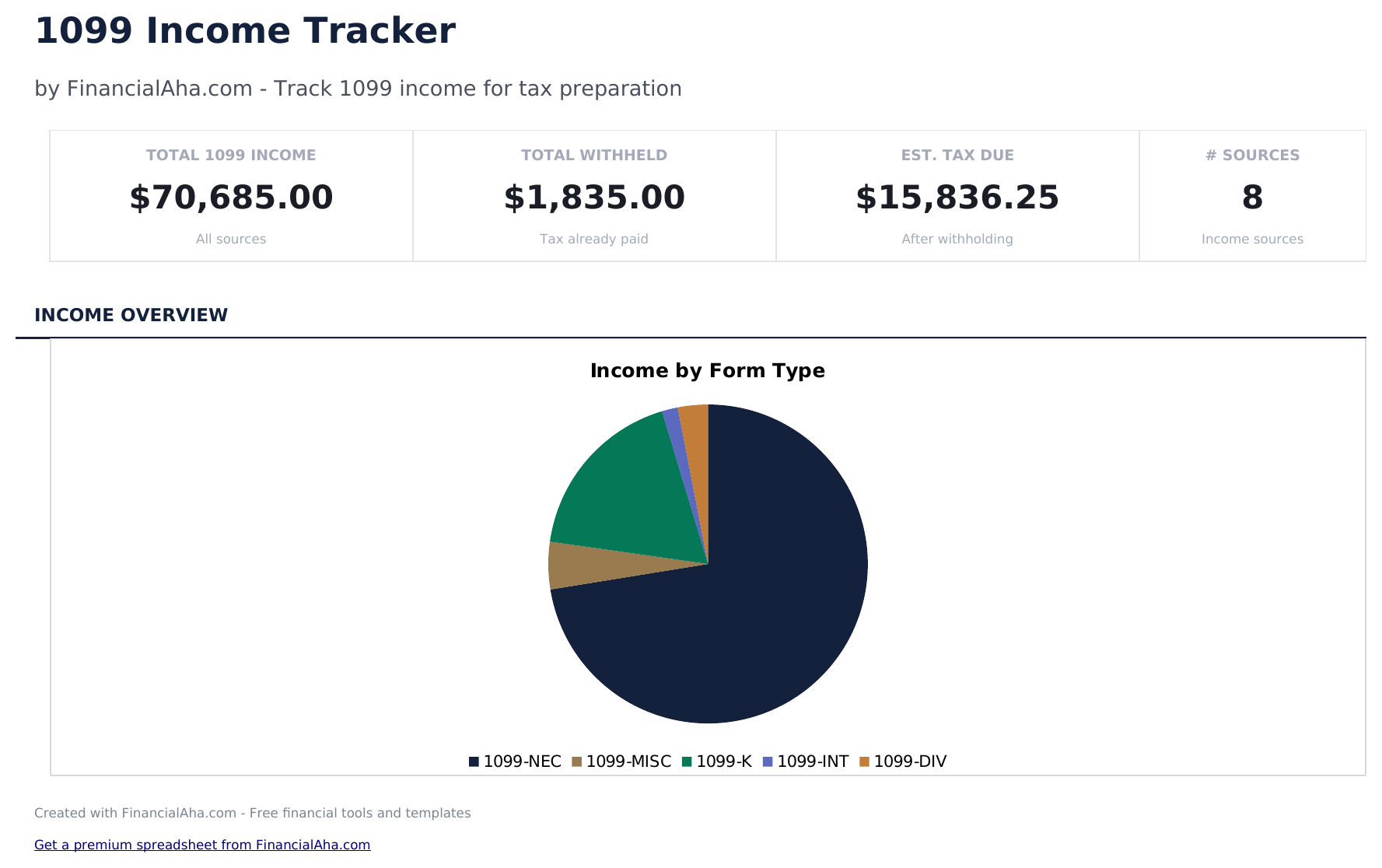
- Dashboard with total 1099 income summary showing combined earnings across all payers and income sources
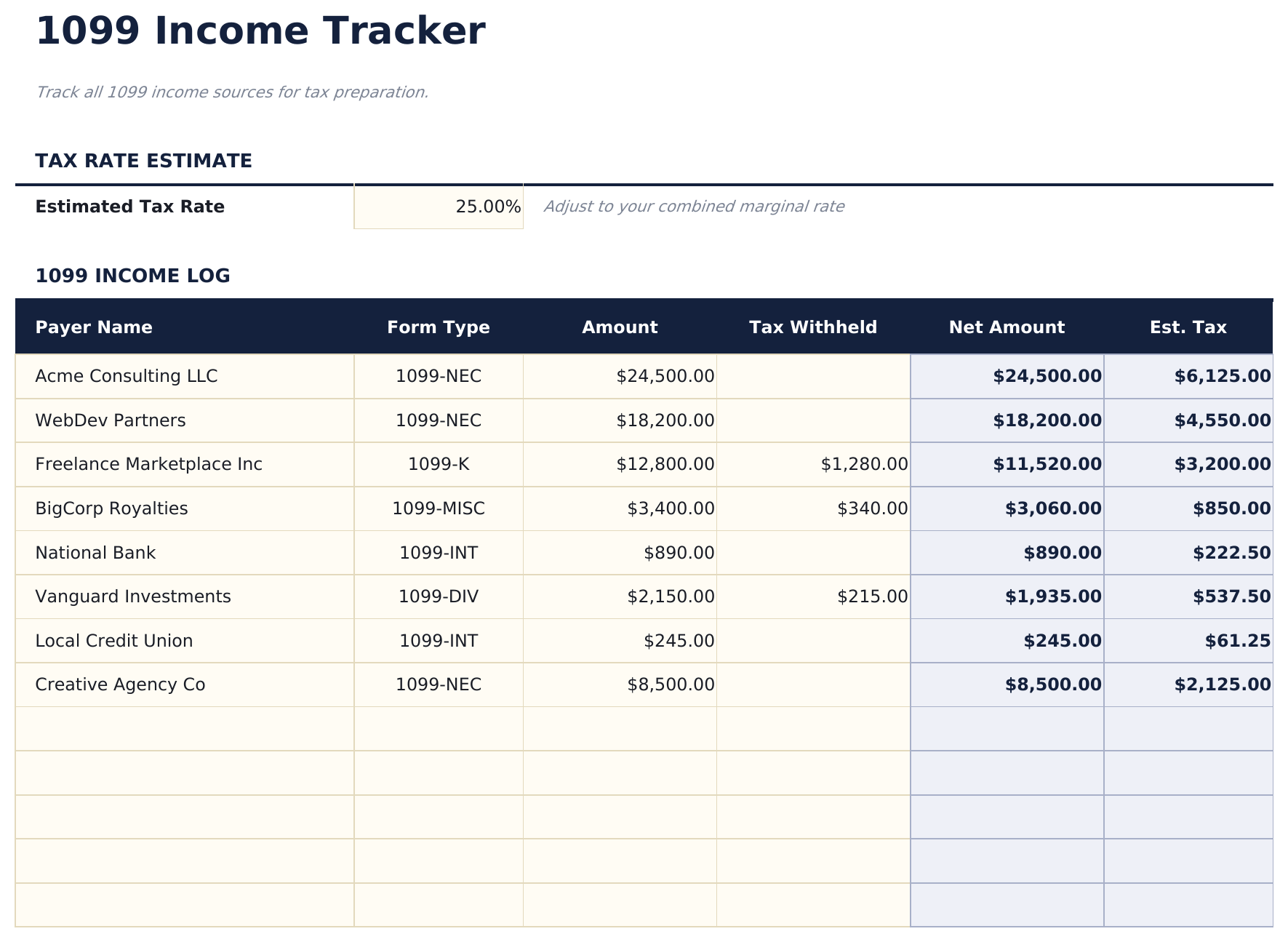
- Income log with payer name, payer EIN or TIN, payment date, amount received, and income type per entry
- Payment date and amount tracking with chronological entries for monitoring income as it arrives throughout the year
- Payer information fields including company name, address, and tax ID for matching against 1099 forms at year end
- Annual totals by income source with color-coded input cells (yellow) and auto-calculated payer subtotals (blue)
- Works in Microsoft Excel, Google Sheets, and LibreOffice Calc with no setup required
Preview
See what's inside this template
How to Use This 1099 Income Tracker Template
Enter each payer
Add each company or client that pays you as a contractor. Include their name, EIN or TIN, and address.
Log payments received
Record each payment with the date, payer name, amount, and income type (freelance, rent, royalties, etc.).
Monitor running totals
The template totals income by payer so you can verify amounts against 1099 forms when they arrive at year end.
Review the dashboard
The dashboard shows total 1099 income across all sources, making it easy to include this income on your tax return.
Built by Claude AI. Perfected by us.
We use Claude AI to draft each free template, after a deep research. Then our team steps in. We refine the layout, stress-test every formula, fix edge cases, and polish the design until it feels like something we would actually use ourselves. The AI gets us 80% there. The last 20% is all human judgment.
Frequently Asked Questions
When do I receive 1099 forms?
Payers are required to send 1099 forms by January 31 for the prior tax year. Track payments yourself so you can verify the forms when they arrive.
What income types belong here?
Track any non-employee income - freelance payments, contract work, rental income, royalties, or other 1099-reportable earnings.
Do I report income under $600?
Yes. All income is taxable regardless of amount. The $600 threshold is for the payer 1099 filing requirement, not your reporting obligation.
Can I also track related expenses?
This template focuses on income. Use the Tax Deduction Tracker or Freelancer Finance Tracker alongside it to log business expenses against this income.
How do I open this in Google Sheets?
Upload the .xlsx file to Google Drive, then open it with Google Sheets. All formulas and formatting will be preserved.
What license is this template under?
All free templates are released under CC BY 4.0 (Creative Commons Attribution). You can use, modify, and share them freely - including for commercial purposes - as long as you credit FinancialAha.com. They are provided as-is and do not constitute financial advice.
More Free Tax Planning Templates
Looking for premium spreadsheet templates?
Our paid templates include advanced multi-sheet dashboards, native Excel charts, and ongoing updates.