Free Weekly Budget Spreadsheet Template
Plan and track spending on a week-by-week basis. Works well for those paid weekly or who prefer a shorter budgeting cycle.
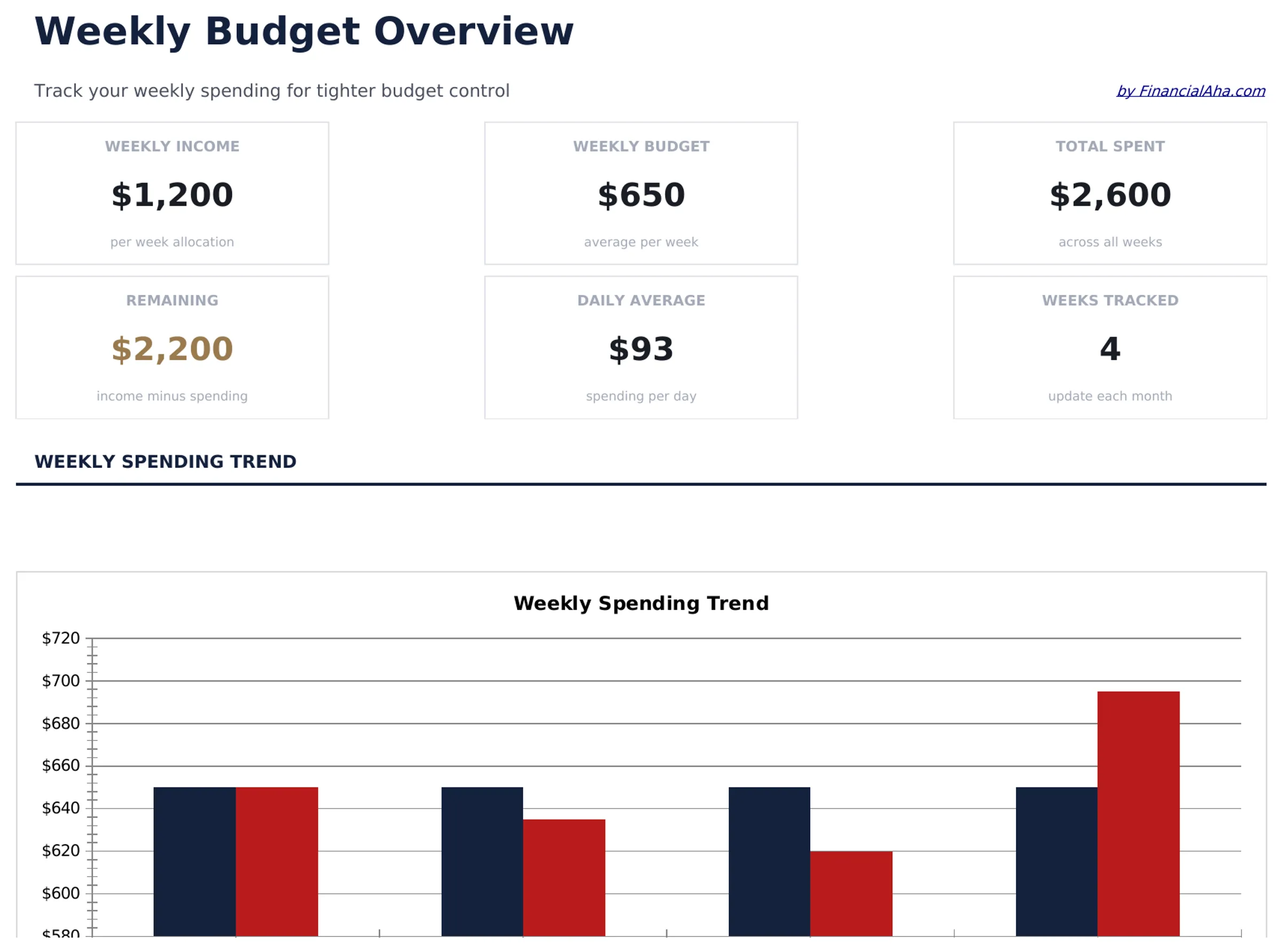
What's Included
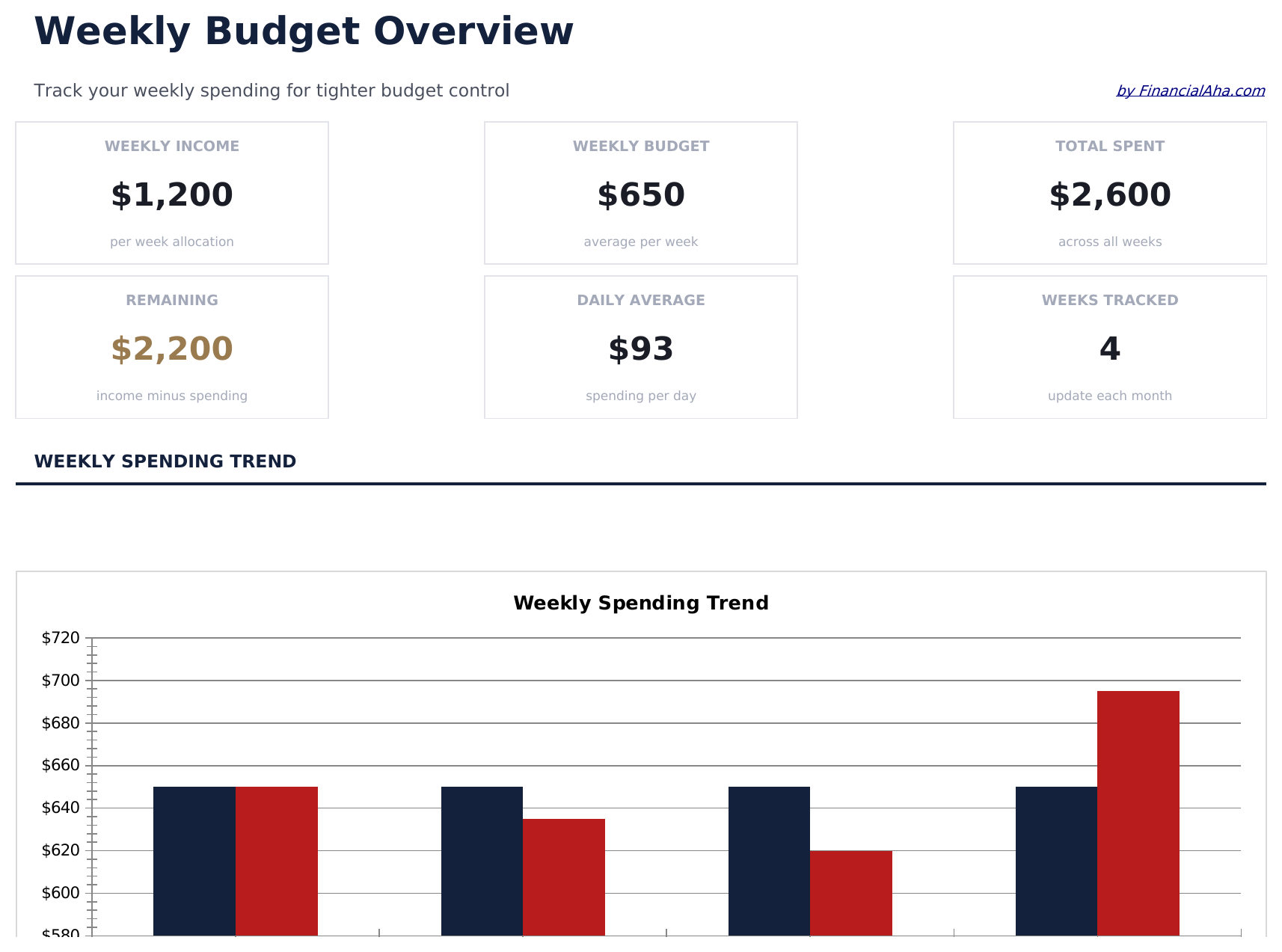
- Dashboard with weekly spending summary displaying total budget, amount spent, and remaining funds
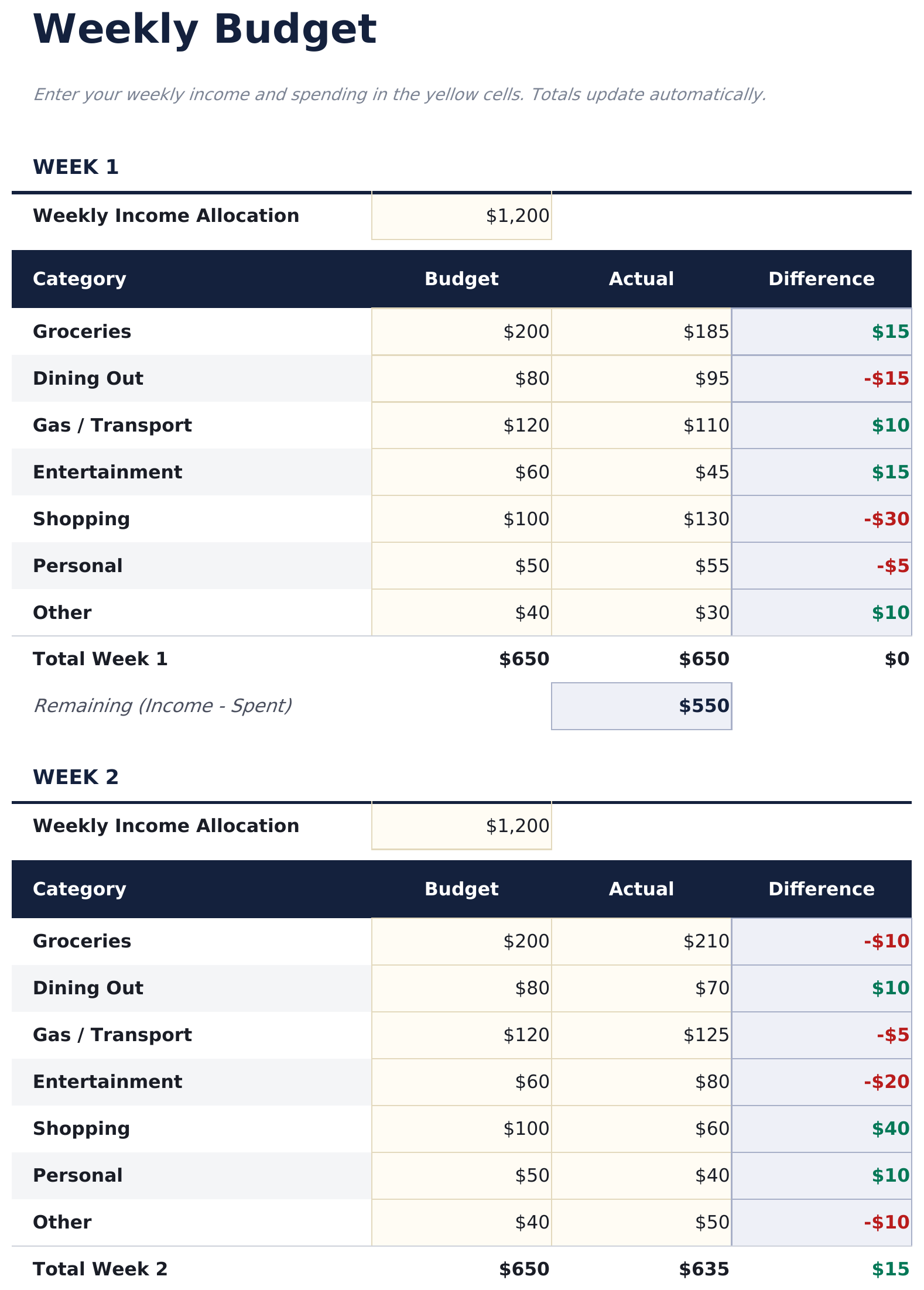
- Weekly budget worksheet with day-by-day columns for Monday through Sunday expense tracking
- Pre-built spending categories including groceries, dining out, gas, entertainment, and miscellaneous
- Automatic weekly totals and rollover balance tracking that carries unspent funds to the next week
- Color-coded input cells (yellow) and result cells (blue) so you know exactly where to type
- Works in Microsoft Excel, Google Sheets, and LibreOffice Calc with no setup required
Preview
See what's inside this template
How to Use This Weekly Budget Template
Set your weekly budget
Enter the total amount available for the week at the top. This could be a weekly paycheck or a portion of monthly income.
Log daily spending
Record expenses day by day in the Monday through Sunday columns. Each row covers a different spending category.
Check daily totals
The template sums each day and each category automatically, so you can see where money goes throughout the week.
Compare to your target
The dashboard shows total spent vs weekly budget with the remaining balance, helping you pace spending across the week.
Built by Claude AI. Perfected by us.
We use Claude AI to draft each free template, after a deep research. Then our team steps in. We refine the layout, stress-test every formula, fix edge cases, and polish the design until it feels like something we would actually use ourselves. The AI gets us 80% there. The last 20% is all human judgment.
Frequently Asked Questions
Can I start the week on any day?
The template defaults to Monday through Sunday. You can change the column headers to start on any day that matches your pay cycle or preference.
How do I roll over unspent money?
The rollover balance row carries forward any unspent funds from the previous week. Enter the amount manually or link it to the prior week total.
What categories are included?
Pre-built categories include groceries, dining out, gas, entertainment, and miscellaneous. You can rename or add rows for categories that match your weekly spending.
Is this good for people paid weekly?
Yes. It aligns well with weekly paychecks since you can set each week fresh with the new paycheck amount and track spending until the next one arrives.
How do I open this in Google Sheets?
Upload the .xlsx file to Google Drive, then open it with Google Sheets. All formulas and formatting will be preserved.
What license is this template under?
All free templates are released under CC BY 4.0 (Creative Commons Attribution). You can use, modify, and share them freely - including for commercial purposes - as long as you credit FinancialAha.com. They are provided as-is and do not constitute financial advice.
More Free Personal Budgeting Templates
Looking for premium spreadsheet templates?
Our paid templates include advanced multi-sheet dashboards, native Excel charts, and ongoing updates.