Free Student Budget Spreadsheet Template
Track student income sources like financial aid and part-time work alongside typical student expenses. Built with semester-based finances in mind.
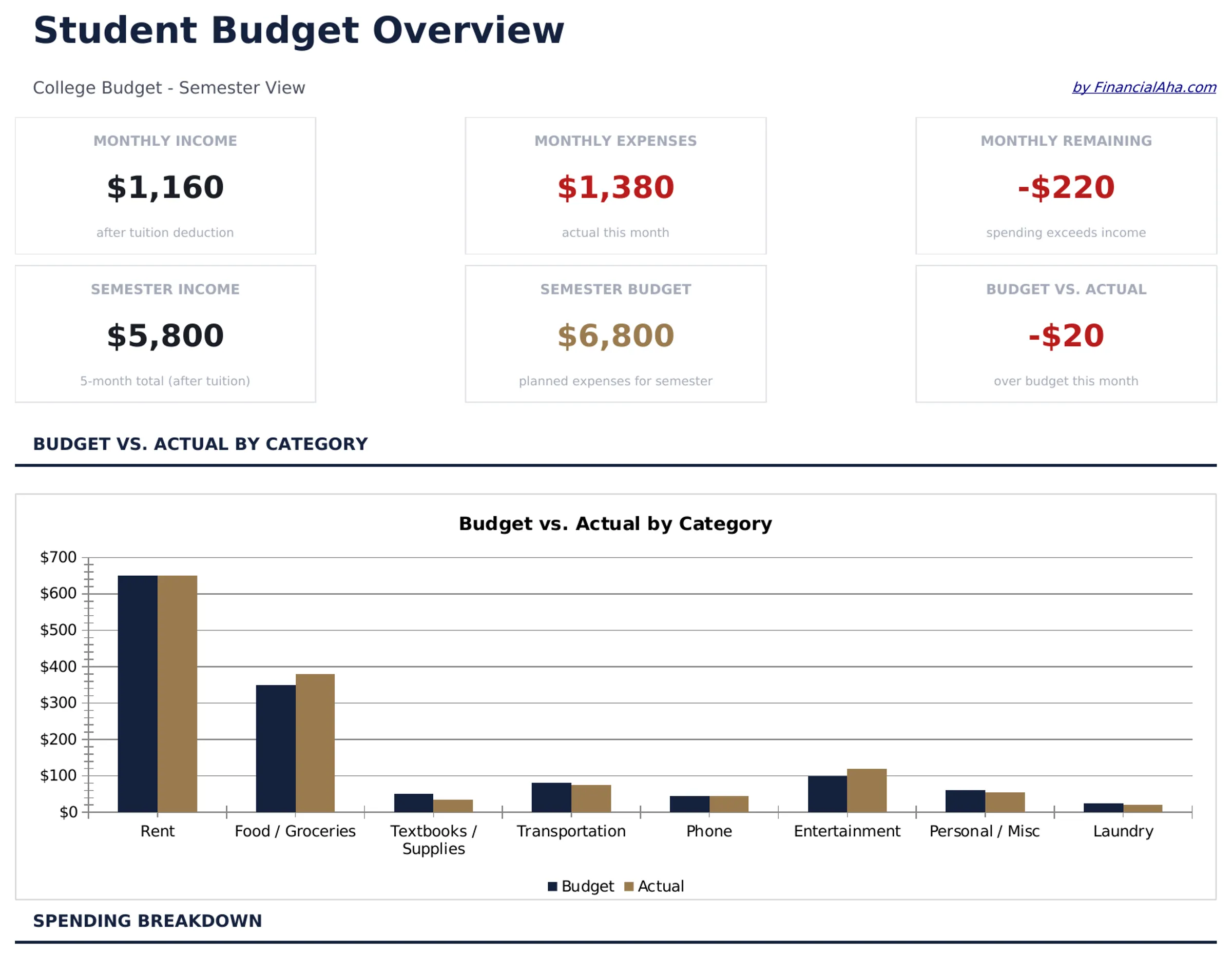
What's Included
- Dashboard with student financial overview showing aid received, income earned, expenses, and balance
- Financial aid and scholarship tracking with separate rows for grants, loans, and award amounts
- Part-time income section for wages, freelance work, and other student earnings sources
- Student-specific expense categories including tuition, textbooks, housing, meal plans, and transport
- Semester-based budget tracker with automatic totals and color-coded input cells for easy entry
- Works in Microsoft Excel, Google Sheets, and LibreOffice Calc with no setup required
Preview
See what's inside this template
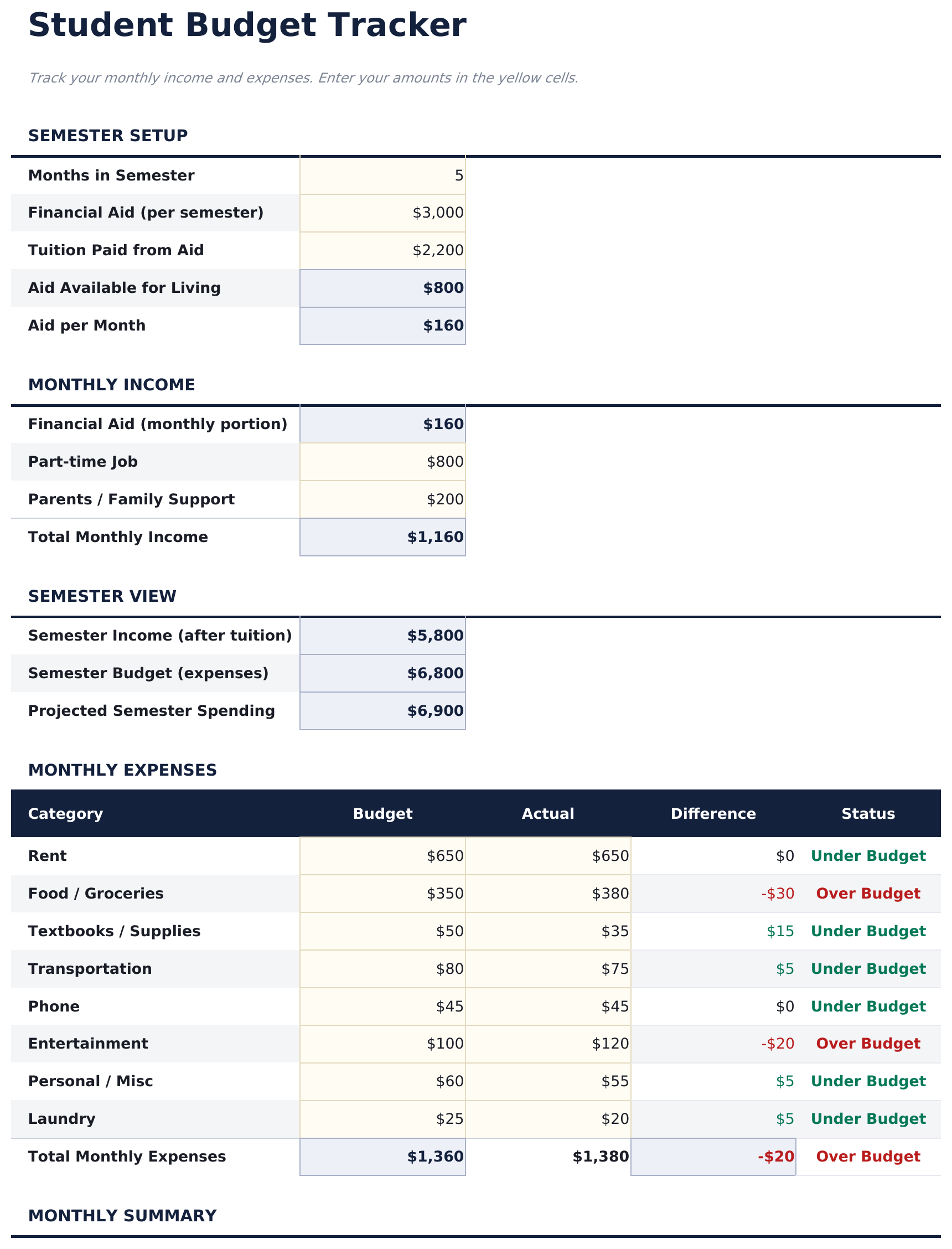
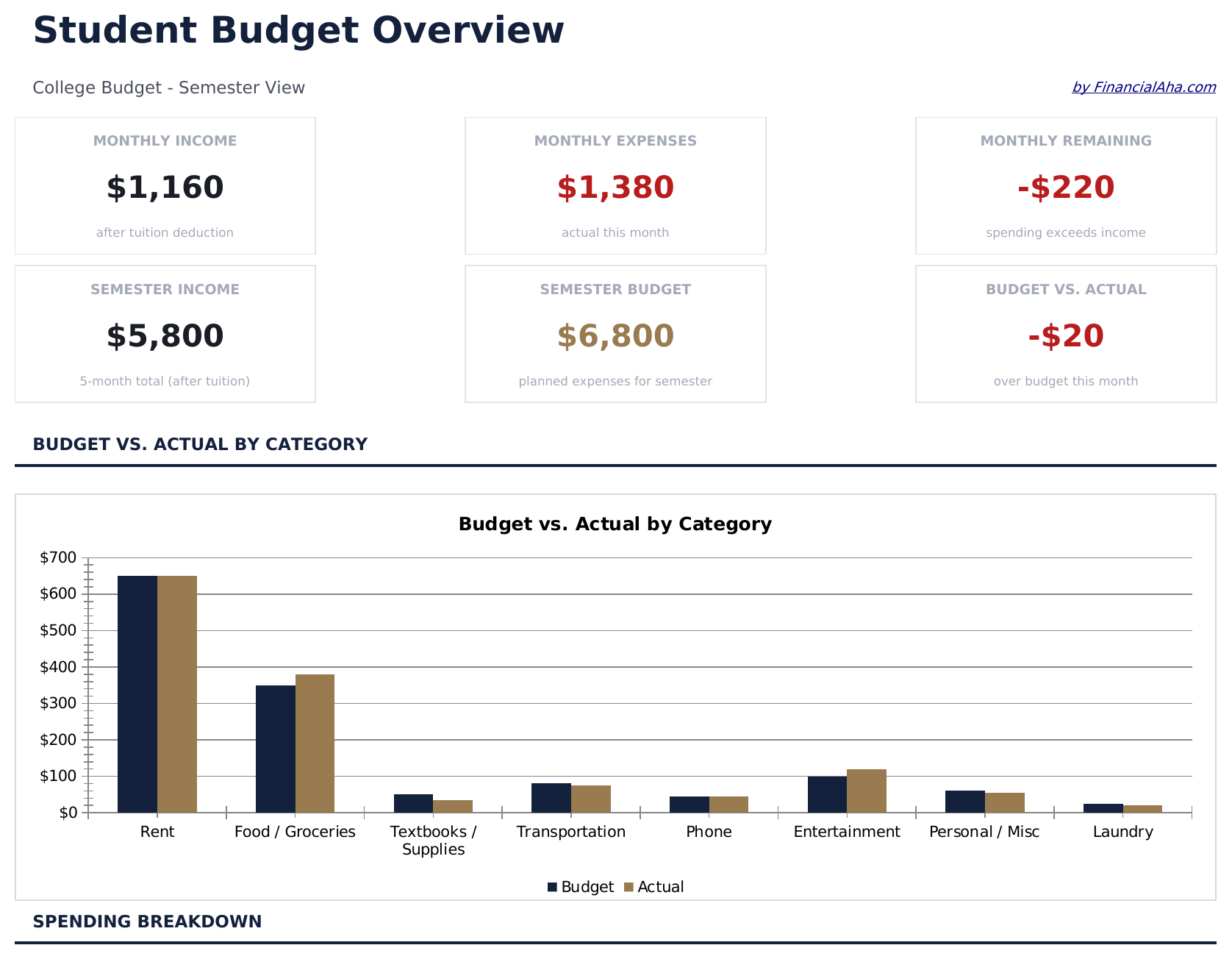
How to Use This Student Budget Template
Enter financial aid
List scholarships, grants, and loan disbursements in the financial aid section. The template totals all aid sources automatically.
Add income sources
Record part-time wages, freelance earnings, or family contributions in the income section alongside your aid amounts.
Track student expenses
Fill in tuition, textbooks, housing, meal plans, and other costs. The template includes common student expense categories.
Monitor your balance
The dashboard shows total funding vs total expenses and remaining balance, helping you pace spending through the semester.
Built by Claude AI. Perfected by us.
We use Claude AI to draft each free template, after a deep research. Then our team steps in. We refine the layout, stress-test every formula, fix edge cases, and polish the design until it feels like something we would actually use ourselves. The AI gets us 80% there. The last 20% is all human judgment.
Frequently Asked Questions
Does this track by semester or month?
The template is semester-based by default. You can use it monthly by entering only that month expenses, or track the full semester at once.
Can I include student loan amounts?
Yes. The financial aid section has rows for loans alongside grants and scholarships. This gives a complete picture of all funding sources.
What student expense categories are included?
Categories include tuition, textbooks, housing, meal plans, transportation, personal care, entertainment, and technology. You can rename or add rows as needed.
How do I handle irregular income?
Enter income as it comes in. The running balance updates automatically, so you can see your financial position at any point during the semester.
How do I open this in Google Sheets?
Upload the .xlsx file to Google Drive, then open it with Google Sheets. All formulas and formatting will be preserved.
What license is this template under?
All free templates are released under CC BY 4.0 (Creative Commons Attribution). You can use, modify, and share them freely - including for commercial purposes - as long as you credit FinancialAha.com. They are provided as-is and do not constitute financial advice.
More Free Personal Budgeting Templates
Looking for premium spreadsheet templates?
Our paid templates include advanced multi-sheet dashboards, native Excel charts, and ongoing updates.