Free Monthly Budget Calendar Spreadsheet Template
View bills and expenses on a calendar layout. See exactly when payments are due throughout the month for clearer cash flow planning.
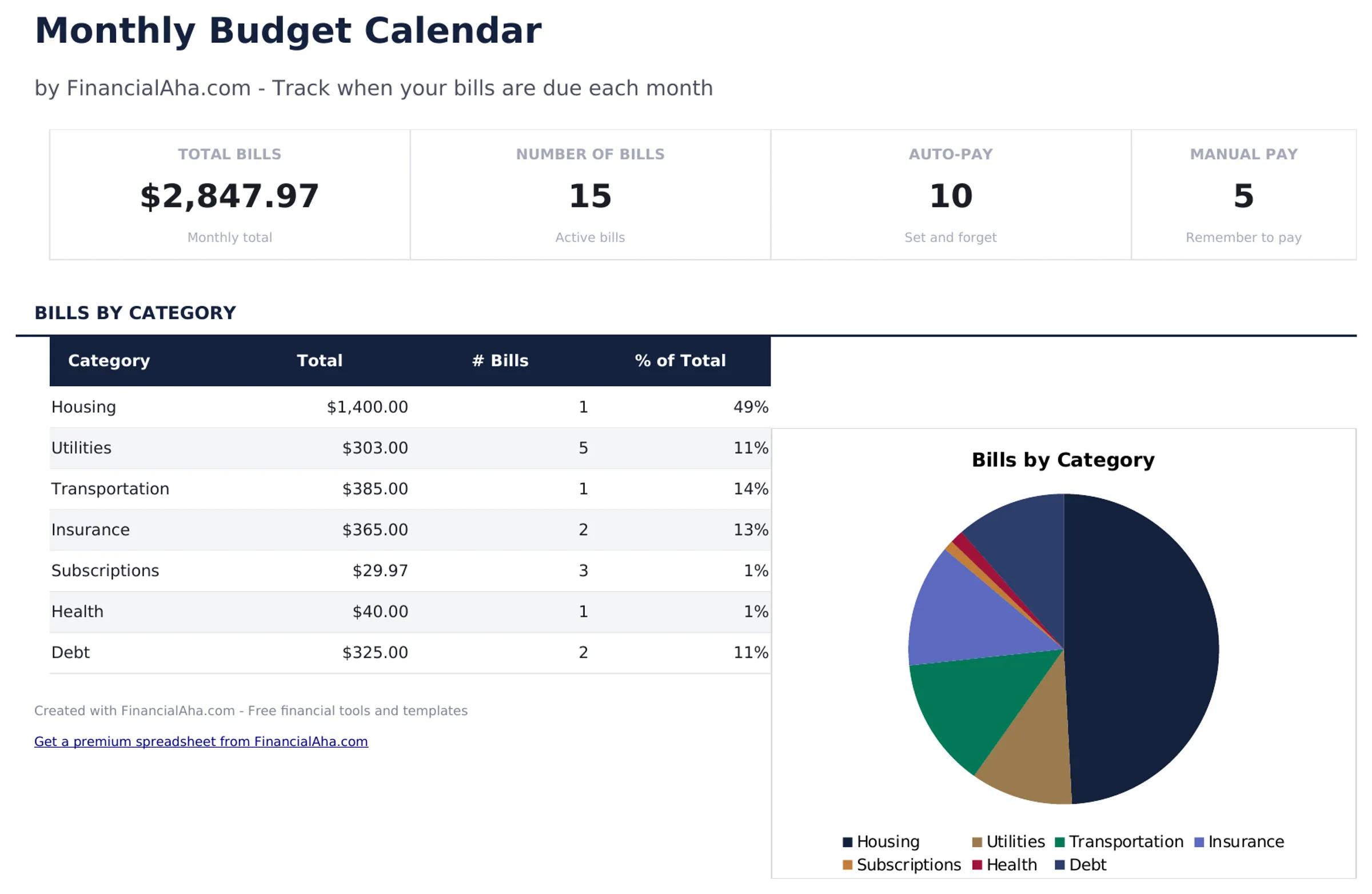
What's Included
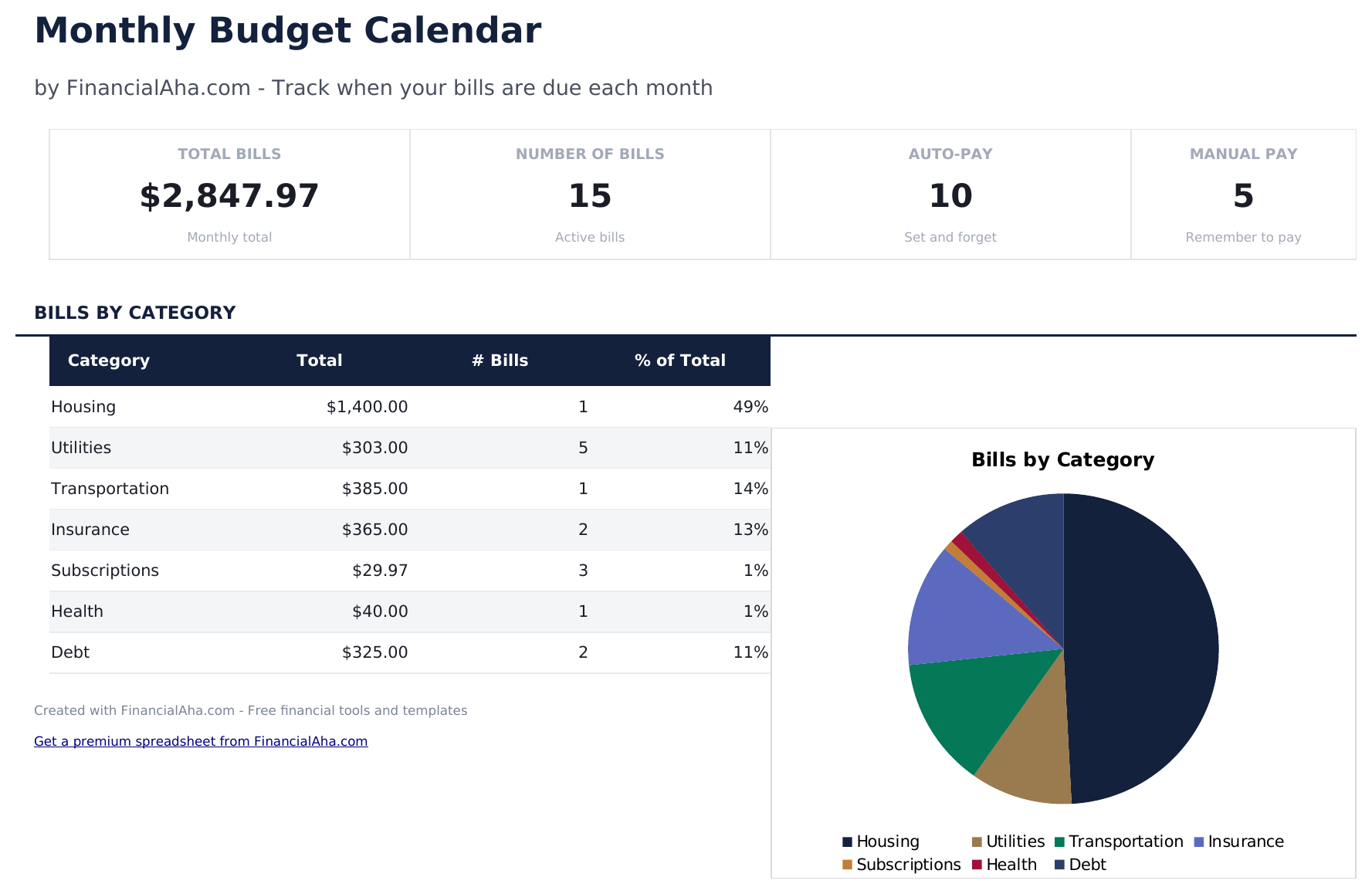
- Dashboard with monthly payment overview showing total bills due, amounts paid, and upcoming payments
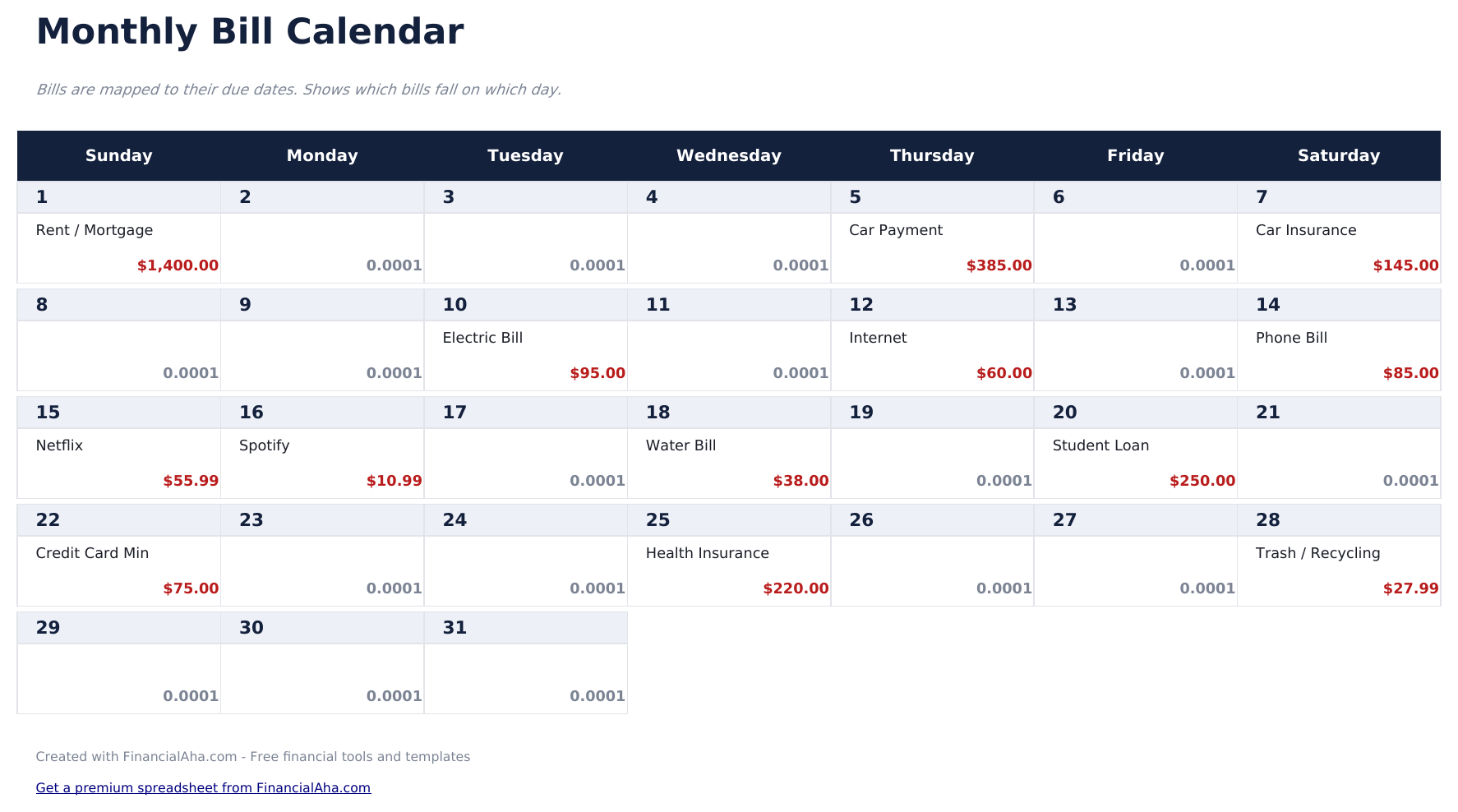
- Calendar-based bill layout displaying due dates visually across a full month grid view
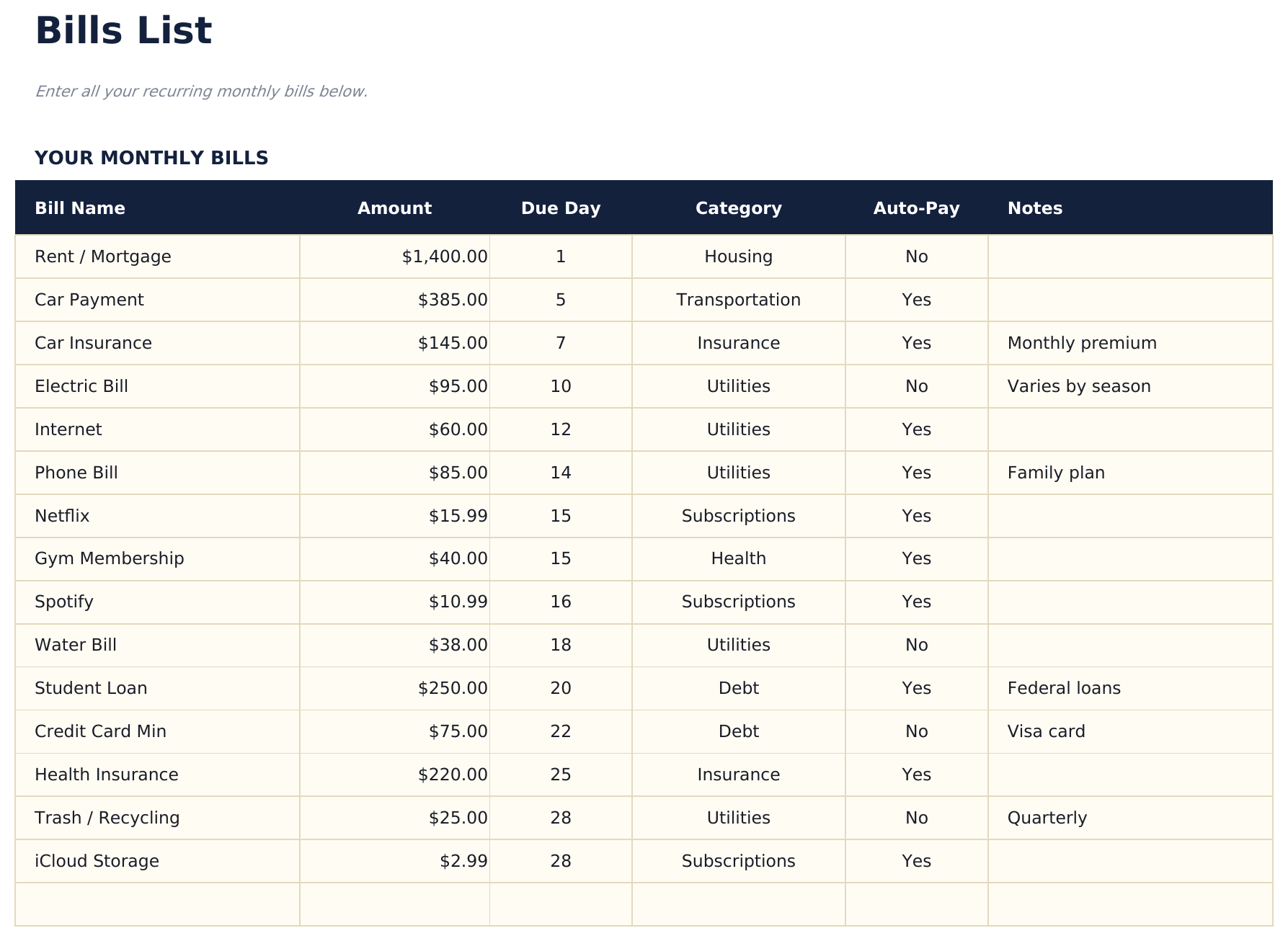
- Bills list with due dates, payment amounts, and recurring frequency for each monthly obligation
- Automatic monthly totals that sum all scheduled bill payments and flag upcoming due dates
- Color-coded calendar cells and formatted bill entries for quick visual scanning of payment timing
- Works in Microsoft Excel, Google Sheets, and LibreOffice Calc with no setup required
Preview
See what's inside this template
How to Use This Monthly Budget Calendar Template
List your bills
Enter each recurring bill with its name, amount, due date, and payment frequency in the bills list sheet.
View the calendar
The calendar sheet displays bills on their due dates across the month, giving you a visual timeline of upcoming payments.
Mark payments as made
Update the status for each bill as you pay it. The dashboard tracks how many bills are paid vs still upcoming.
Plan for heavy weeks
Identify weeks with multiple due dates and ensure enough funds are available. The calendar view makes payment clustering visible.
Built by Claude AI. Perfected by us.
We use Claude AI to draft each free template, after a deep research. Then our team steps in. We refine the layout, stress-test every formula, fix edge cases, and polish the design until it feels like something we would actually use ourselves. The AI gets us 80% there. The last 20% is all human judgment.
Frequently Asked Questions
Can I add bills that are not monthly?
Yes. The bills list supports monthly, quarterly, and annual frequencies. Non-monthly bills appear on the calendar in the months they are due.
Does the calendar update automatically?
The calendar layout is pre-built for each month. Enter or adjust bill due dates in the bills list and they appear on the corresponding calendar day.
How do I handle variable bill amounts?
Enter your best estimate for variable bills like utilities or credit cards. Update the actual amount when the bill arrives.
Can I see multiple months at once?
The calendar shows one month at a time. Duplicate the calendar sheet for additional months or scroll through the bills list to see all dates.
How do I open this in Google Sheets?
Upload the .xlsx file to Google Drive, then open it with Google Sheets. All formulas and formatting will be preserved.
What license is this template under?
All free templates are released under CC BY 4.0 (Creative Commons Attribution). You can use, modify, and share them freely - including for commercial purposes - as long as you credit FinancialAha.com. They are provided as-is and do not constitute financial advice.
More Free Personal Budgeting Templates
Looking for premium spreadsheet templates?
Our paid templates include advanced multi-sheet dashboards, native Excel charts, and ongoing updates.