Free Monthly Budget Spreadsheet Template
Track monthly income and expenses across categories. A straightforward starting point for anyone looking to get a clear picture of where money goes each month.
What's Included
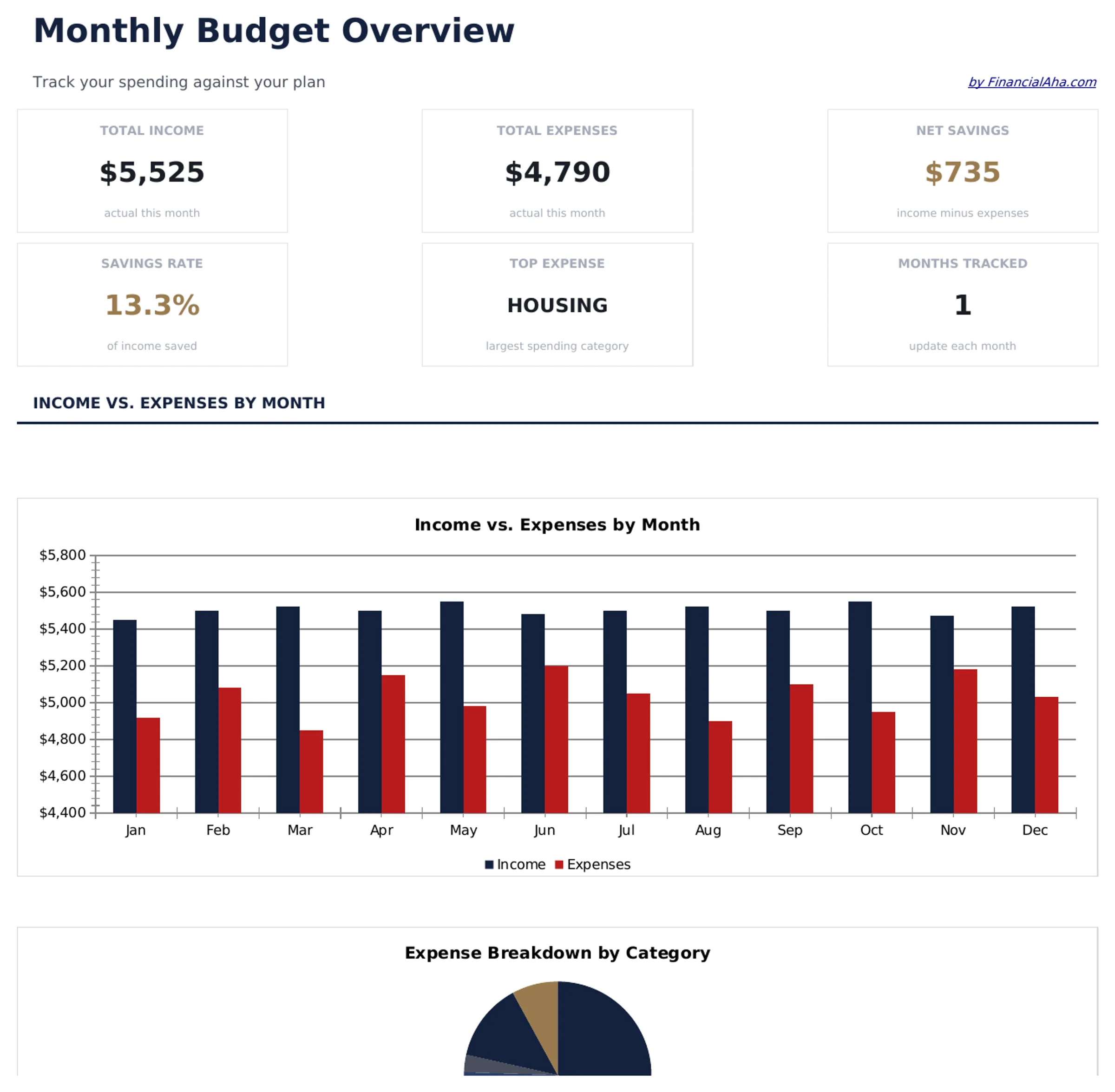
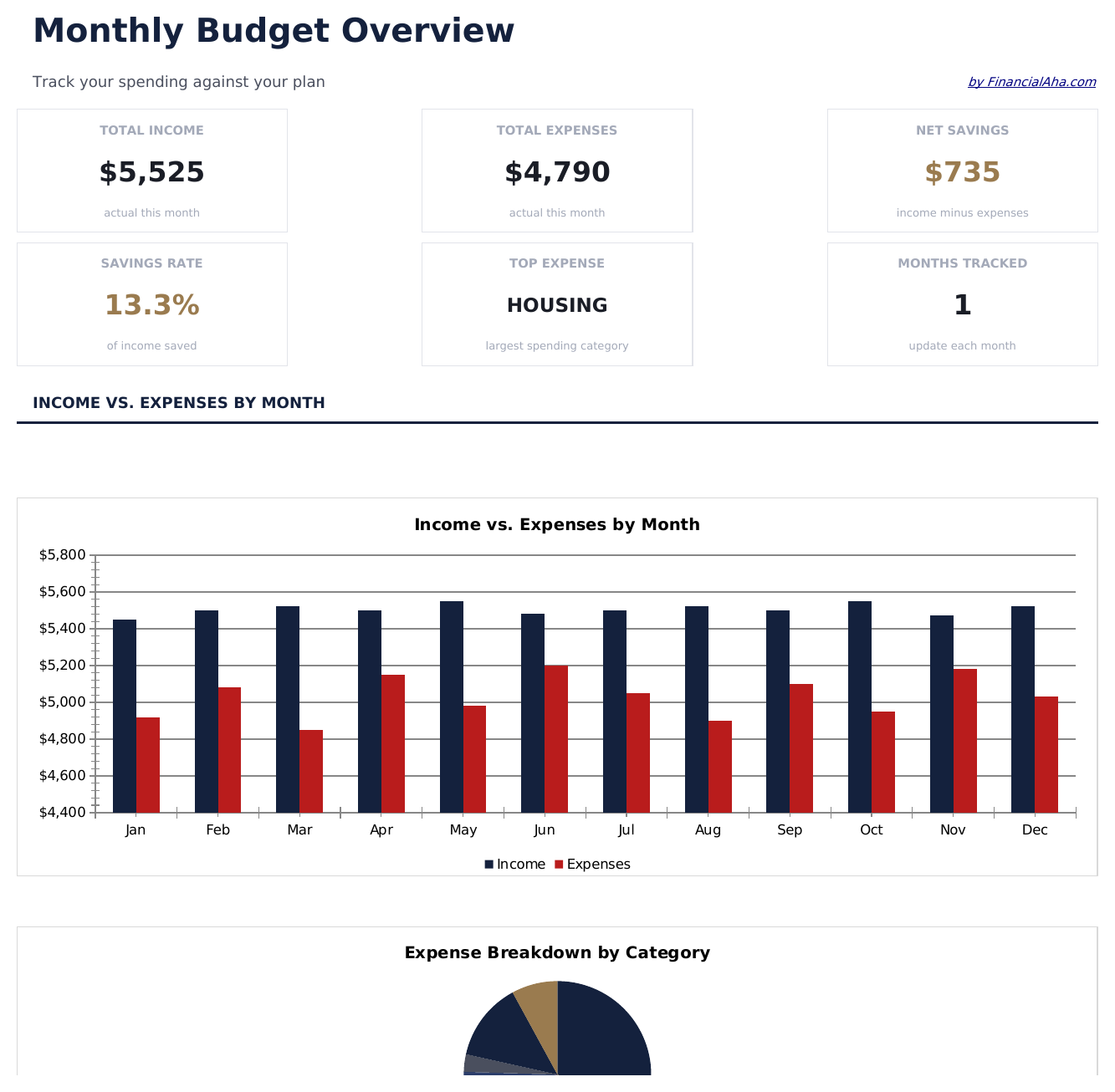
- Interactive dashboard with KPI cards showing total income, total expenses, remaining balance, and budget status
- Pre-built expense categories including housing, food, transportation, utilities, entertainment, and more
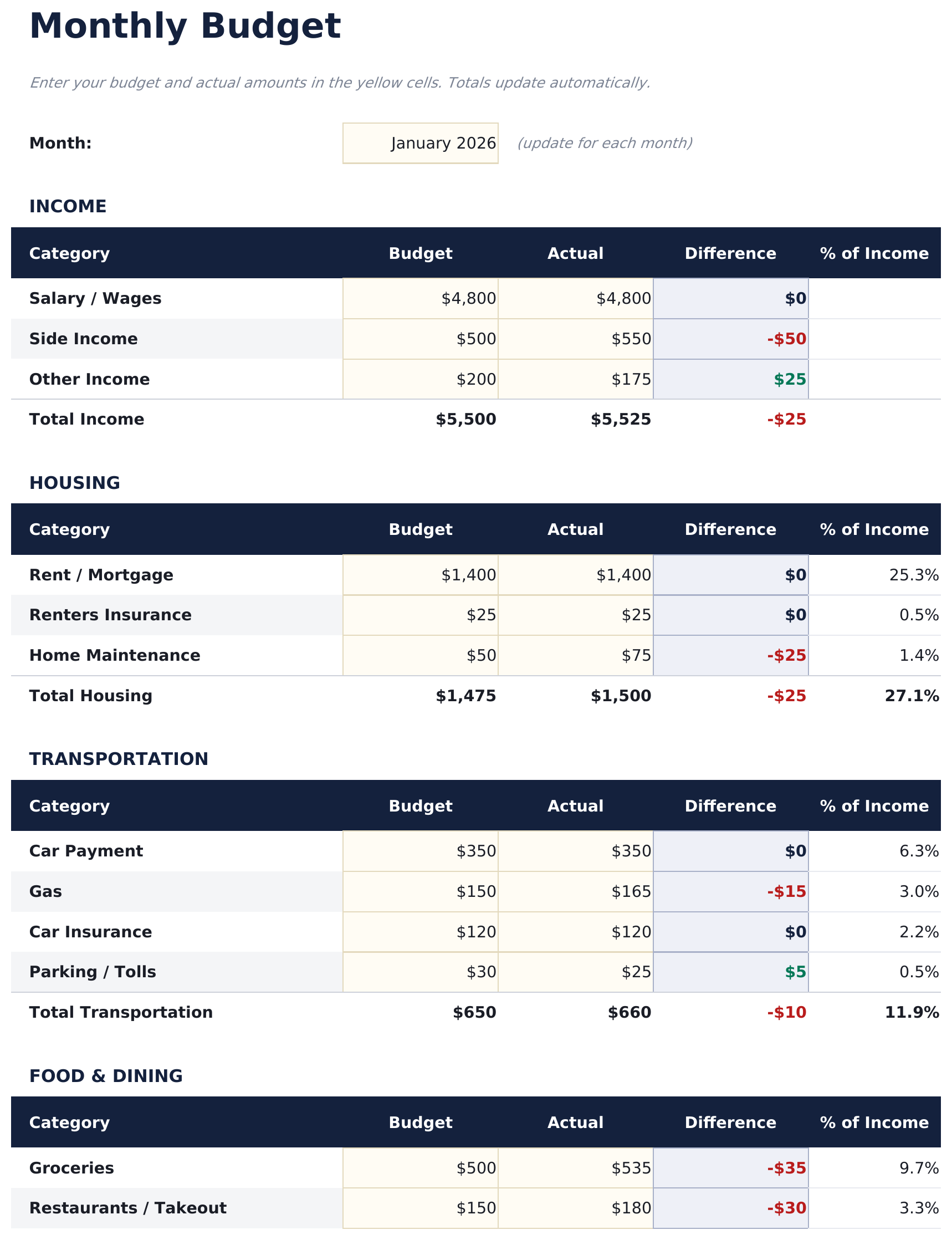
- Monthly budget worksheet with automatic formulas - enter amounts and totals update instantly
- Income vs. expense comparison with automatic surplus or deficit calculation
- Color-coded input cells (yellow) and result cells (blue) so you know exactly where to type
- Works in Microsoft Excel, Google Sheets, and LibreOffice Calc with no setup required
Preview
See what's inside this template
How to Use This Monthly Budget Template
Enter your income
List all income sources in the income section - salary, side income, freelance earnings, or any other money coming in.
Add your expenses
Fill in each expense category with your budgeted and actual amounts. The template includes common categories like housing, food, and transportation.
Review the dashboard
The Dashboard sheet shows your total income vs expenses, savings rate, top spending category, and a monthly trend chart.
Adjust monthly
Update amounts each month. The formulas recalculate automatically, helping you spot trends and adjust spending over time.
Built by Claude AI. Perfected by us.
We use Claude AI to draft each free template, after a deep research. Then our team steps in. We refine the layout, stress-test every formula, fix edge cases, and polish the design until it feels like something we would actually use ourselves. The AI gets us 80% there. The last 20% is all human judgment.
Frequently Asked Questions
What expense categories are included?
The template includes housing, food and dining, transportation, utilities, entertainment, shopping, health, personal care, subscriptions, savings, and miscellaneous. You can rename any category to match your spending.
Can I add more expense categories?
Yes. There are extra blank rows for additional categories. Insert new rows above the totals row and the SUM formulas will adjust automatically.
How does the savings rate calculate?
The savings rate formula divides your net savings (income minus expenses) by your total income. It updates automatically as you enter your numbers.
Can I track multiple months in one file?
This template is designed for a single month. For multi-month tracking with trends and comparisons, consider our premium Monthly Budget Template.
How do I open this in Google Sheets?
Upload the .xlsx file to Google Drive, then open it with Google Sheets. All formulas and formatting will be preserved.
What license is this template under?
All free templates are released under CC BY 4.0 (Creative Commons Attribution). You can use, modify, and share them freely - including for commercial purposes - as long as you credit FinancialAha.com. They are provided as-is and do not constitute financial advice.
More Free Personal Budgeting Templates
Looking for premium spreadsheet templates?
Our paid templates include advanced multi-sheet dashboards, native Excel charts, and ongoing updates.