Free Cost Comparison Template Spreadsheet Template
Compare costs across different options - insurance plans, services, products, or providers. Lay out features and pricing side by side.
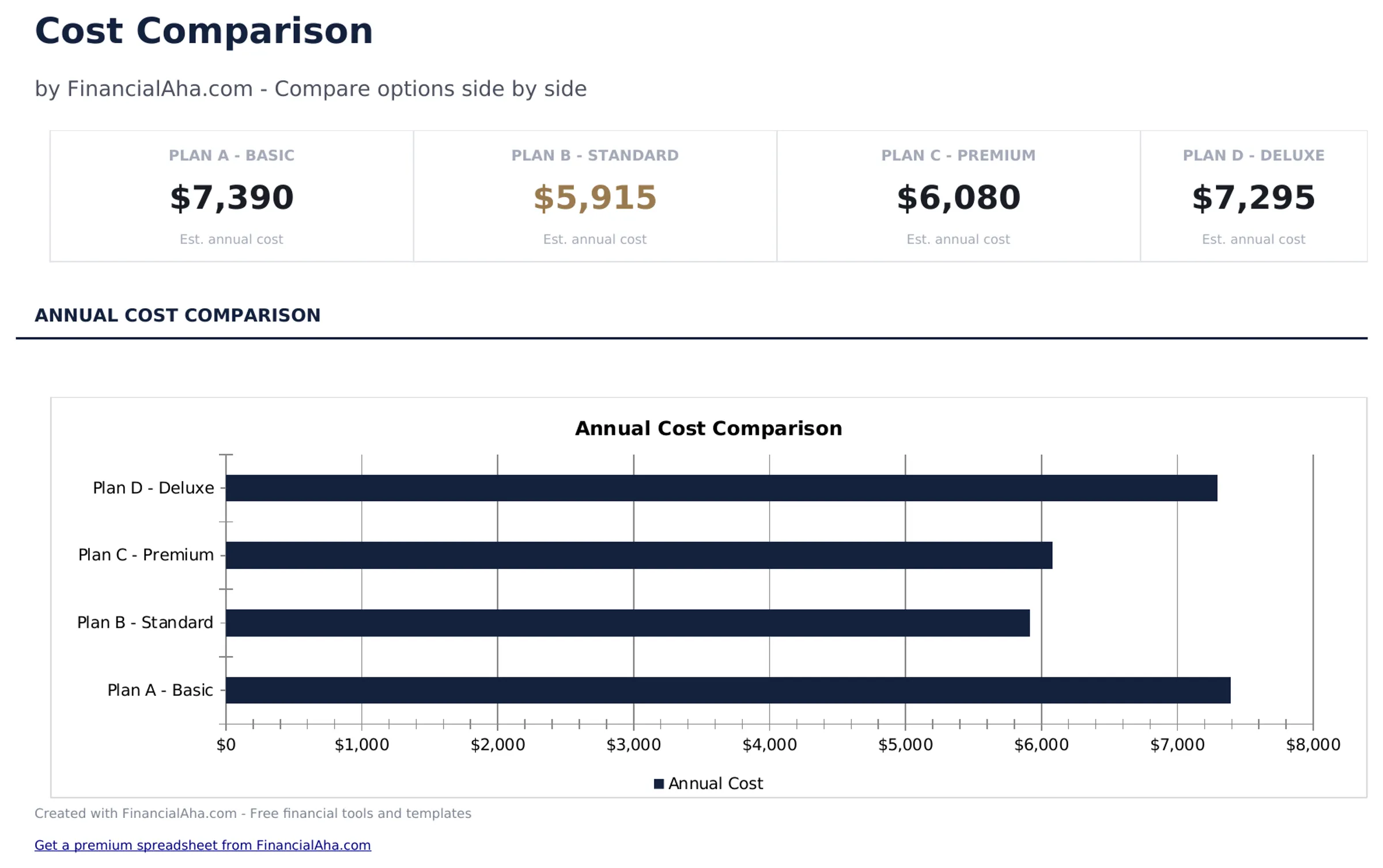
What's Included
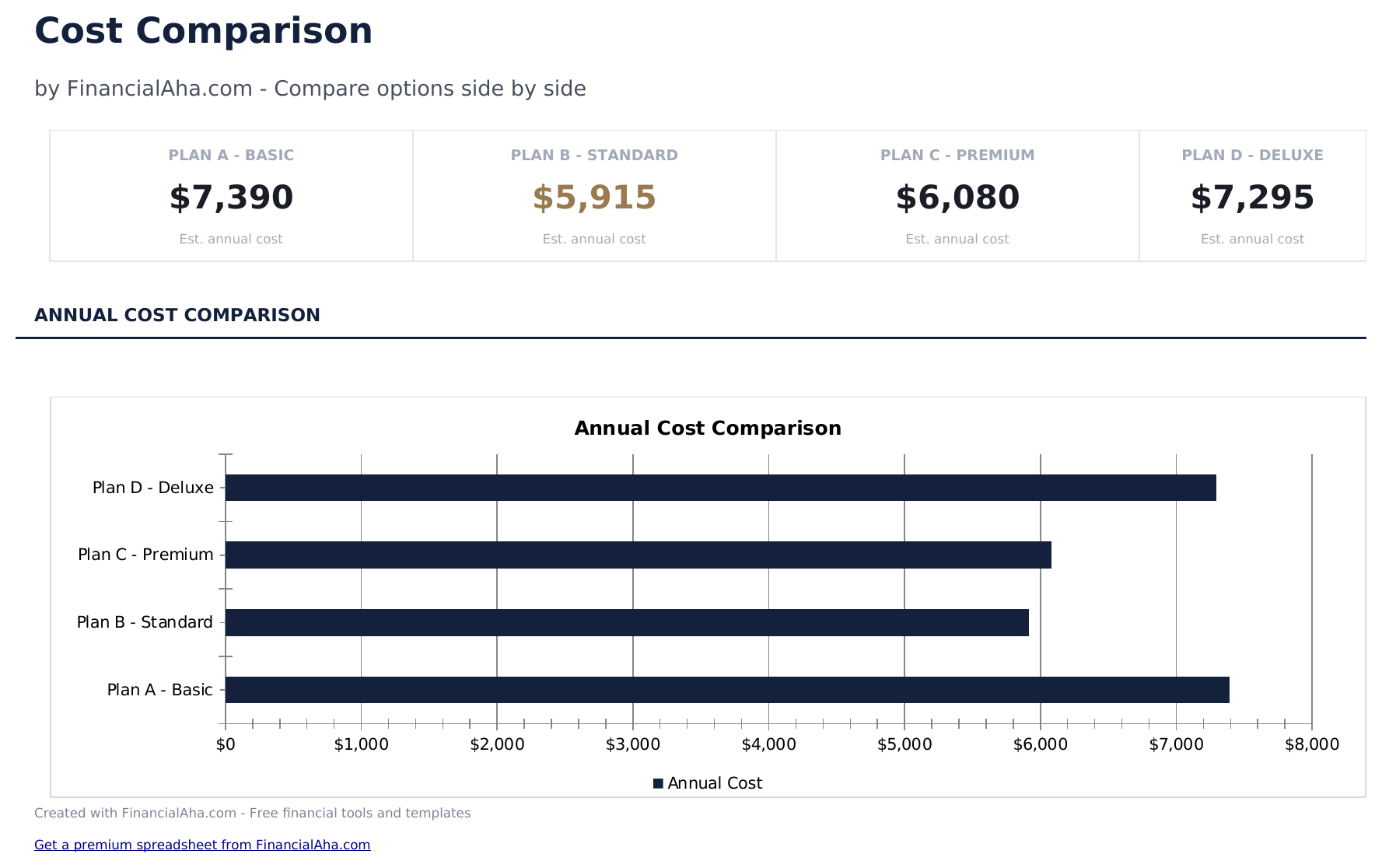
- Dashboard with comparison summary highlighting the lowest-cost option and total price differences
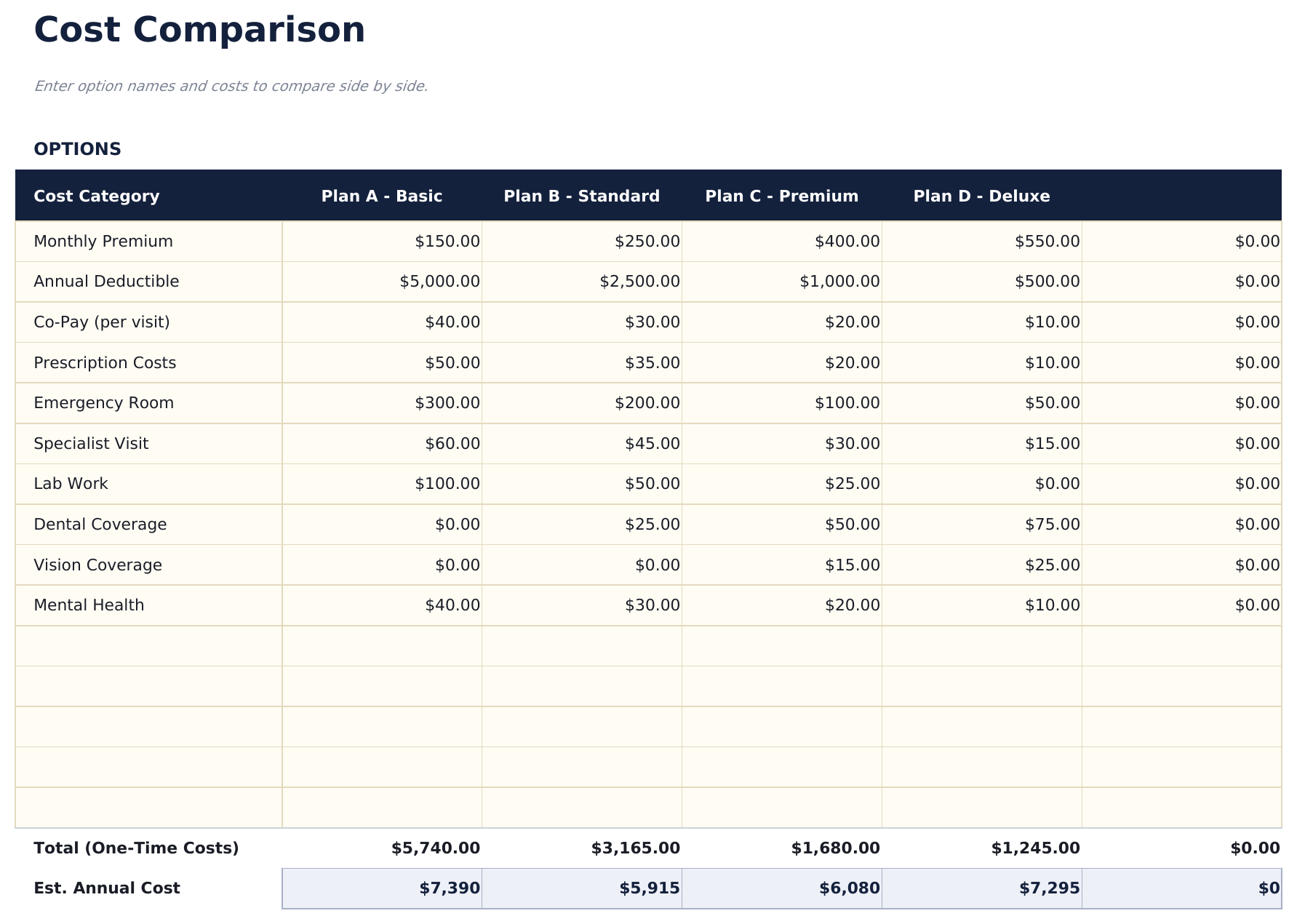
- Side-by-side comparison layout with columns for up to four options and rows for each cost component
- Cost breakdown by feature or category including monthly fees, annual costs, setup charges, and extras
- Total cost calculations per option with automatic summation and difference from the cheapest alternative
- Weighted scoring option and color-coded cells for ranking options beyond just price considerations
- Works in Microsoft Excel, Google Sheets, and LibreOffice Calc with no setup required
Preview
See what's inside this template
How to Use This Cost Comparison Template Template
Enter options to compare
Name up to four options across the columns - insurance plans, services, products, or any items you are evaluating.
Add cost components
List each cost factor as a row - monthly fee, annual cost, setup charge, and any extras. Enter the price for each option.
Review totals
The template sums all cost components per option and highlights the lowest total cost automatically.
Factor in non-price criteria
Use the weighted scoring section to rank options on features, quality, and other factors beyond just price.
Built by Claude AI. Perfected by us.
We use Claude AI to draft each free template, after a deep research. Then our team steps in. We refine the layout, stress-test every formula, fix edge cases, and polish the design until it feels like something we would actually use ourselves. The AI gets us 80% there. The last 20% is all human judgment.
Frequently Asked Questions
How many options can I compare?
The template supports up to four options side by side. For more options, add additional columns following the same format.
Can I compare services instead of products?
Yes. The template works for anything with costs - insurance plans, software subscriptions, service providers, or physical products.
How does weighted scoring work?
Assign weights to criteria like price, quality, and features. Each option receives a score per criterion, and the weighted total ranks them beyond just cost.
Does it handle monthly vs annual pricing?
Add rows for both monthly and annual costs. The totals will sum all rows, so you can see combined costs over any time period you enter.
How do I open this in Google Sheets?
Upload the .xlsx file to Google Drive, then open it with Google Sheets. All formulas and formatting will be preserved.
What license is this template under?
All free templates are released under CC BY 4.0 (Creative Commons Attribution). You can use, modify, and share them freely - including for commercial purposes - as long as you credit FinancialAha.com. They are provided as-is and do not constitute financial advice.
More Free Net Worth & Financial Planning Templates
Looking for premium spreadsheet templates?
Our paid templates include advanced multi-sheet dashboards, native Excel charts, and ongoing updates.