Free Purchase Order Spreadsheet Template
Create purchase orders for vendor ordering with item details, quantities, and pricing. Standard PO format with automatic totals.
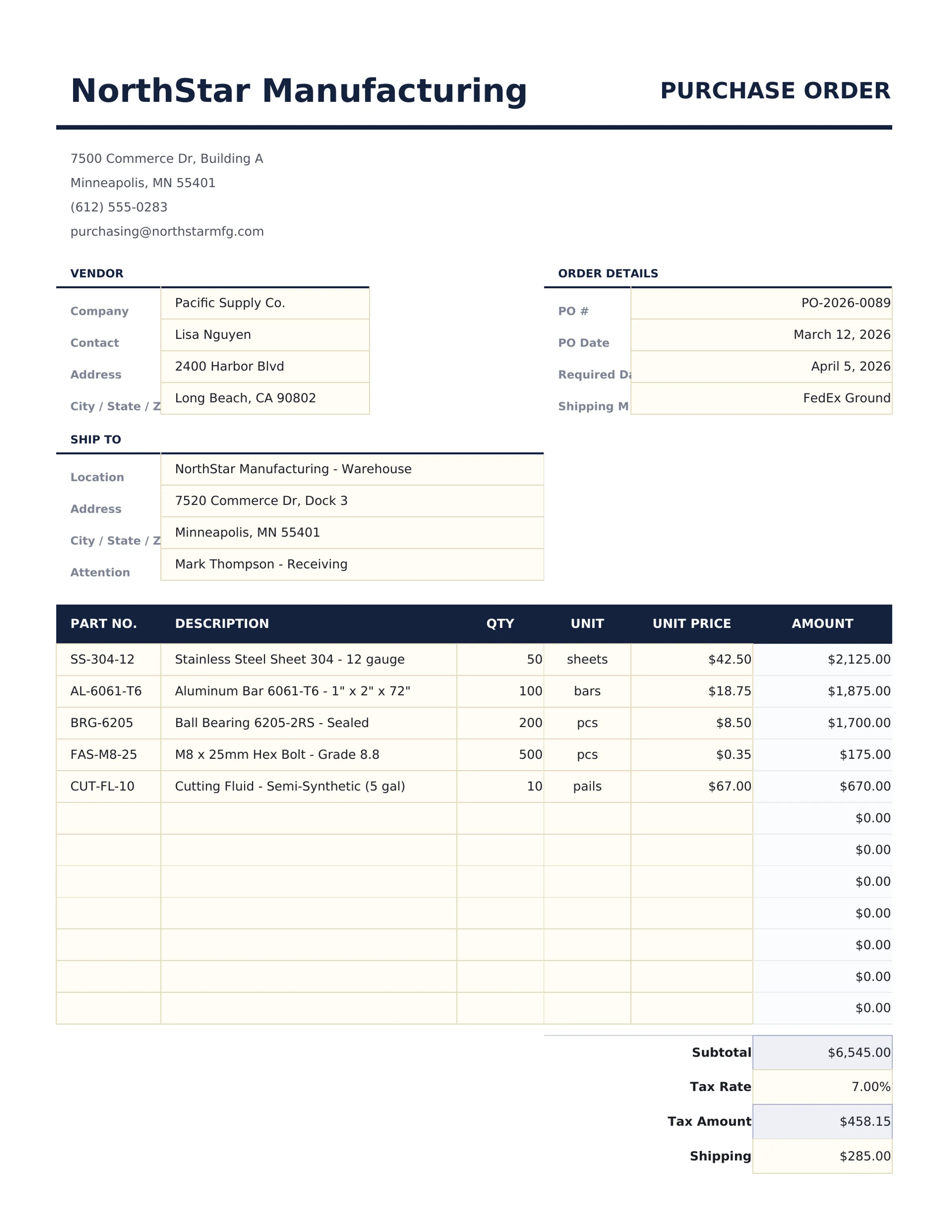
What's Included
- Standard purchase order layout with PO number, date, vendor information, and shipping address fields
- Vendor and shipping information sections with company details, contact person, and delivery instructions
- Line items with item description, quantity, unit price, and automatic line total calculations per row
- PO number and date fields for tracking and matching purchase orders to invoices and receiving documents
- Automatic subtotal, tax, and grand total calculations with print-ready formatting for vendor submission
- Works in Microsoft Excel, Google Sheets, and LibreOffice Calc with no setup required
Preview
See what's inside this template
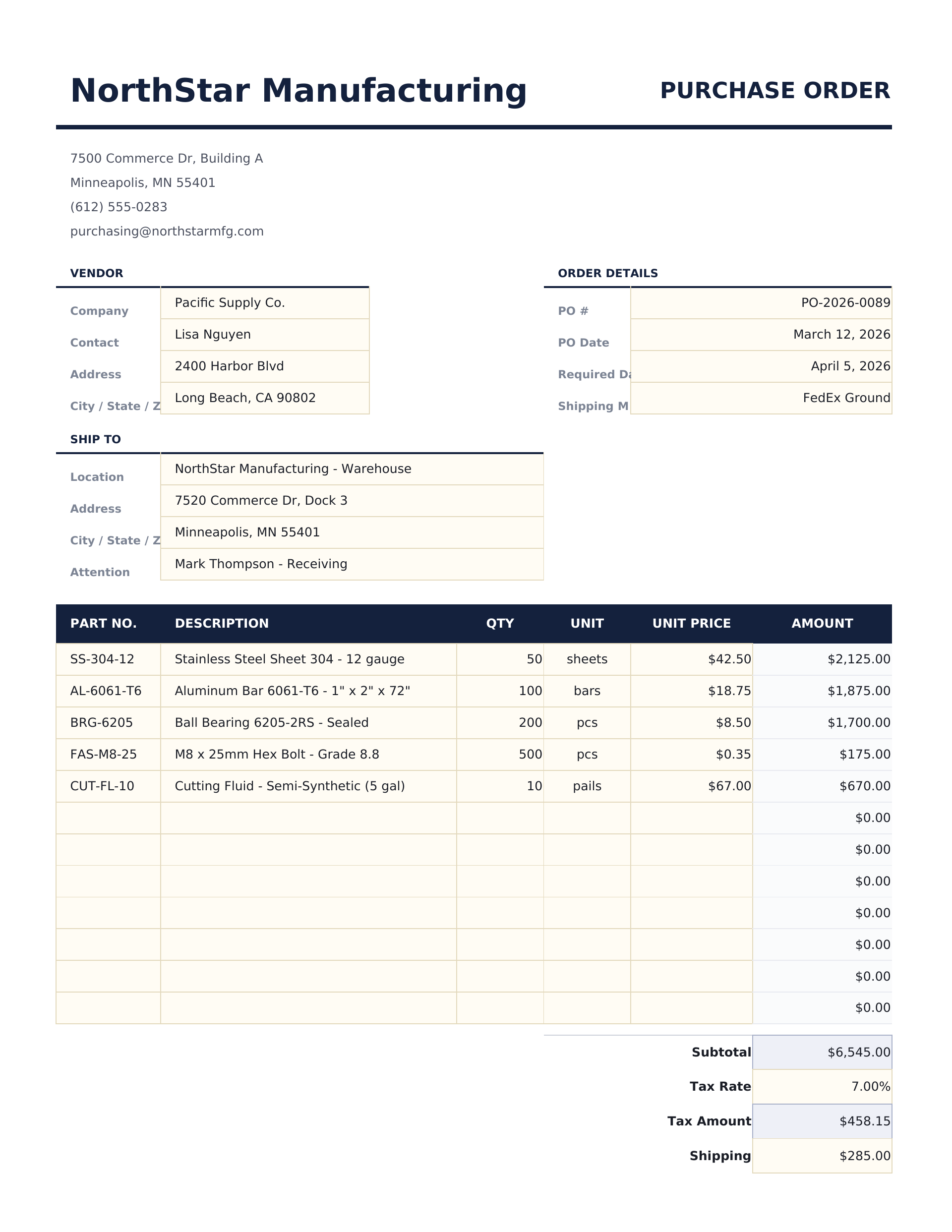
How to Use This Purchase Order Template
Enter PO details
Fill in the PO number, date, and your company information in the header section.
Add vendor information
Enter the vendor name, address, contact details, and any shipping instructions.
List items to order
Enter each item with description, quantity, unit price, and any item reference number. Line totals calculate automatically.
Submit to vendor
Review the subtotal, tax, and grand total. Print or export to PDF and send to the vendor for fulfillment.
Built by Claude AI. Perfected by us.
We use Claude AI to draft each free template, after a deep research. Then our team steps in. We refine the layout, stress-test every formula, fix edge cases, and polish the design until it feels like something we would actually use ourselves. The AI gets us 80% there. The last 20% is all human judgment.
Frequently Asked Questions
How do I track the PO after sending?
Save the PO with its number. When the vendor invoice arrives, match it against the PO number to verify quantities and pricing.
Can I add shipping instructions?
Yes. The template includes fields for shipping address, delivery method, and any special handling or delivery instructions.
Does it calculate tax?
Yes. Enter the applicable tax rate and the template computes the tax amount and grand total automatically.
Can I reference a quote or contract?
Add a reference or notes field to link the PO to a vendor quote, contract number, or prior agreement.
How do I open this in Google Sheets?
Upload the .xlsx file to Google Drive, then open it with Google Sheets. All formulas and formatting will be preserved.
What license is this template under?
All free templates are released under CC BY 4.0 (Creative Commons Attribution). You can use, modify, and share them freely - including for commercial purposes - as long as you credit FinancialAha.com. They are provided as-is and do not constitute financial advice.
More Free Invoicing & Billing Templates
Looking for premium spreadsheet templates?
Our paid templates include advanced multi-sheet dashboards, native Excel charts, and ongoing updates.