Free Packing Slip Spreadsheet Template
Create packing slips for shipments with item details and quantities. Include shipping and recipient information for package contents documentation.
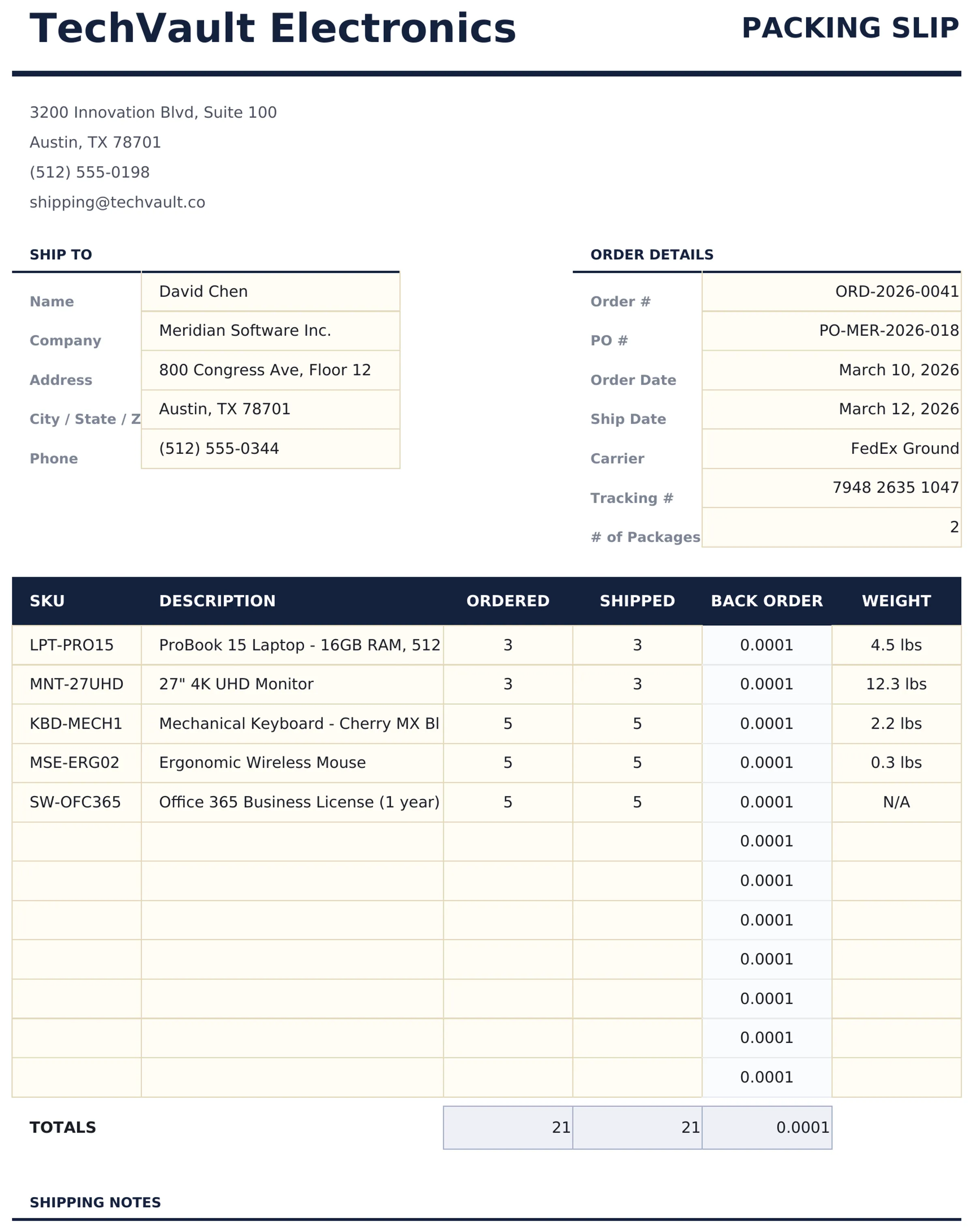
What's Included
- Packing slip layout with order number, ship date, and carrier information fields at the top
- Item list with product name, SKU, quantity ordered, and quantity shipped columns for accurate fulfillment
- Shipping and recipient details with ship-to address, contact name, phone number, and tracking information
- Order reference number linking the packing slip back to the original sales order or invoice for records
- Special instructions field for handling notes and a print-ready format with clean professional styling
- Works in Microsoft Excel, Google Sheets, and LibreOffice Calc with no setup required
Preview
See what's inside this template
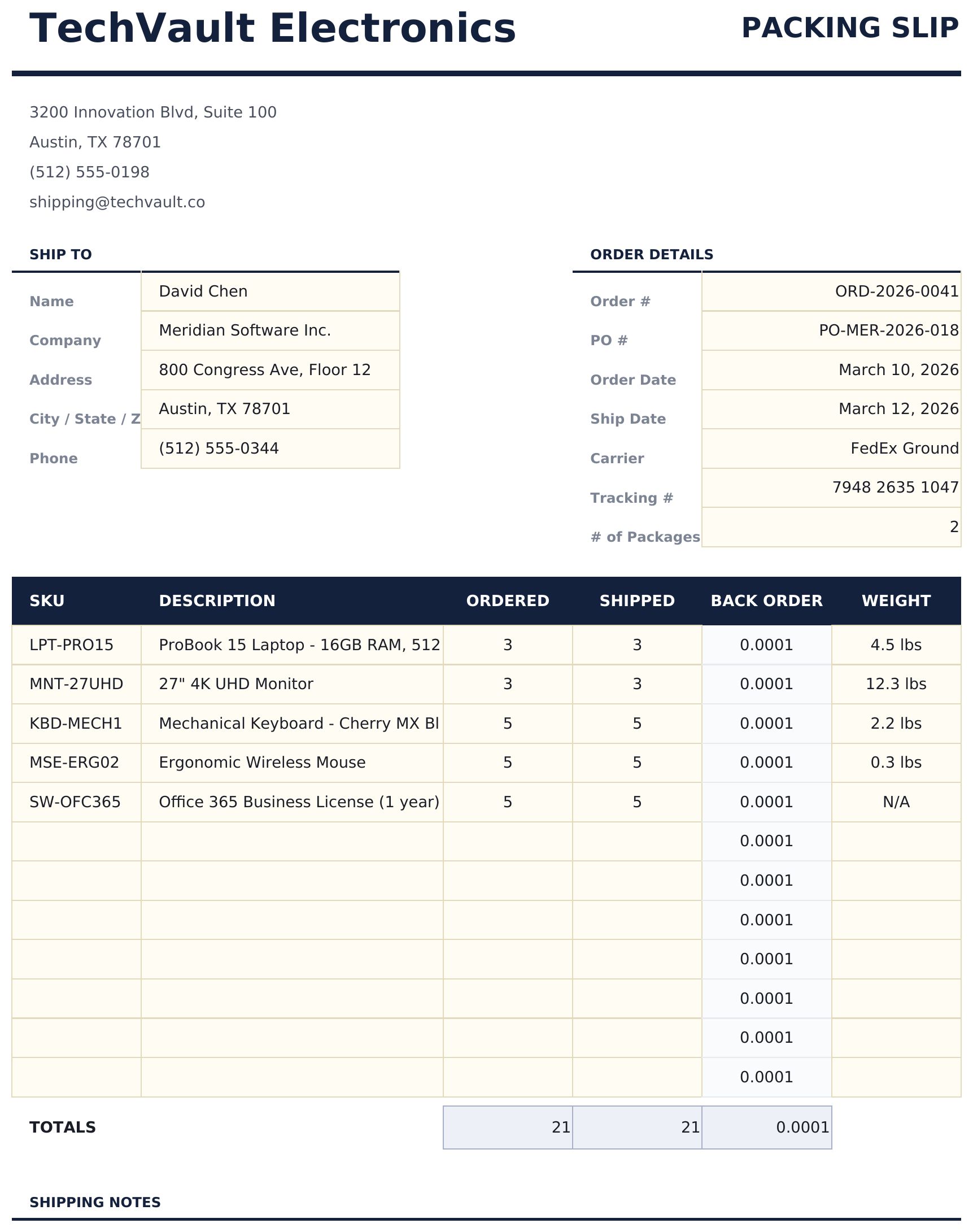
How to Use This Packing Slip Template
Enter order details
Fill in the order number, ship date, and carrier information at the top of the packing slip.
Add shipping addresses
Enter the ship-to address, contact name, and phone number for the recipient.
List shipped items
Add each item with product name, SKU, quantity ordered, and quantity shipped. Note any backorders.
Include with shipment
Print the packing slip and include it in the package so the recipient can verify contents against the order.
Built by Claude AI. Perfected by us.
We use Claude AI to draft each free template, after a deep research. Then our team steps in. We refine the layout, stress-test every formula, fix edge cases, and polish the design until it feels like something we would actually use ourselves. The AI gets us 80% there. The last 20% is all human judgment.
Frequently Asked Questions
Does the packing slip show prices?
No. Packing slips list items and quantities but not prices. This is standard practice so the slip can be included with gift shipments.
Can I note partial shipments?
Yes. The quantity ordered and quantity shipped columns let you show when fewer items are shipped. Add a backorder note for remaining items.
Does it link to the invoice?
The order reference number field connects the packing slip to the original order or invoice for record matching.
Can I add special instructions?
Yes. The special instructions field at the bottom is for handling notes, delivery instructions, or messages to the recipient.
How do I open this in Google Sheets?
Upload the .xlsx file to Google Drive, then open it with Google Sheets. All formulas and formatting will be preserved.
What license is this template under?
All free templates are released under CC BY 4.0 (Creative Commons Attribution). You can use, modify, and share them freely - including for commercial purposes - as long as you credit FinancialAha.com. They are provided as-is and do not constitute financial advice.
More Free Invoicing & Billing Templates
Looking for premium spreadsheet templates?
Our paid templates include advanced multi-sheet dashboards, native Excel charts, and ongoing updates.