Free Business Budget Spreadsheet Template
Plan and track business income and expenses on a monthly basis. Covers operating costs, revenue, and departmental budgets.
What's Included
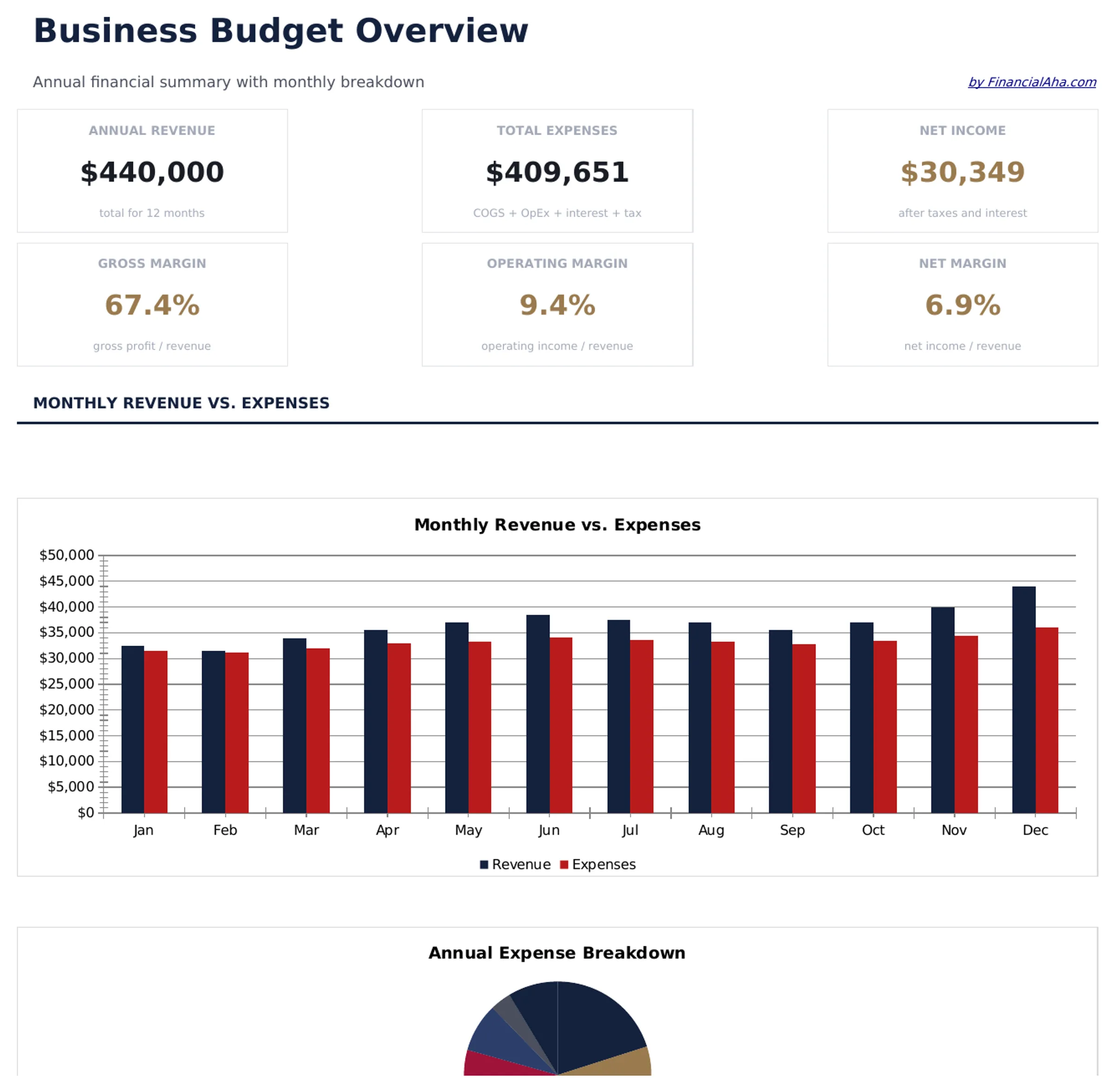
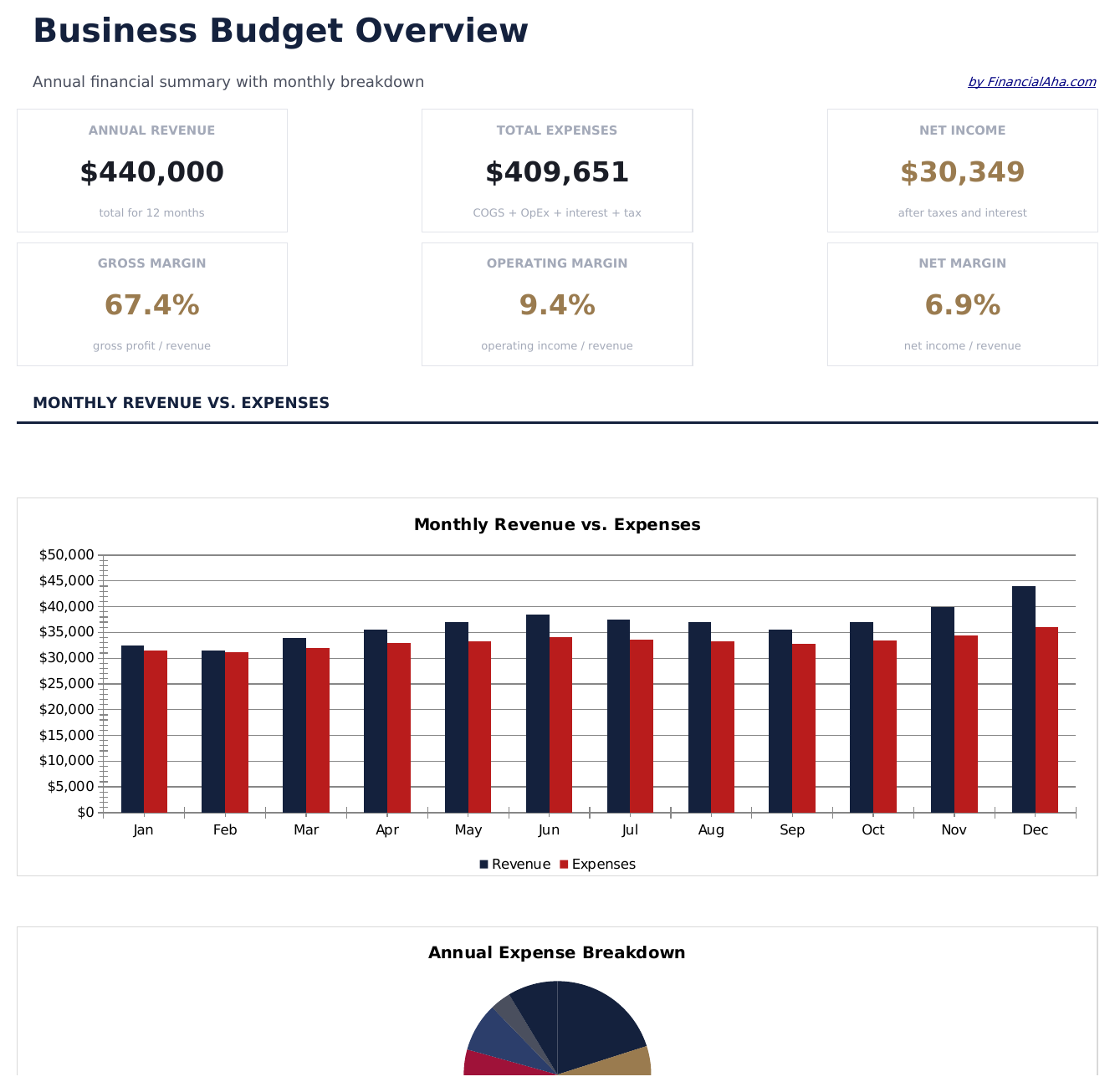
- Dashboard with business budget overview showing total revenue, total expenses, net income, and budget utilization
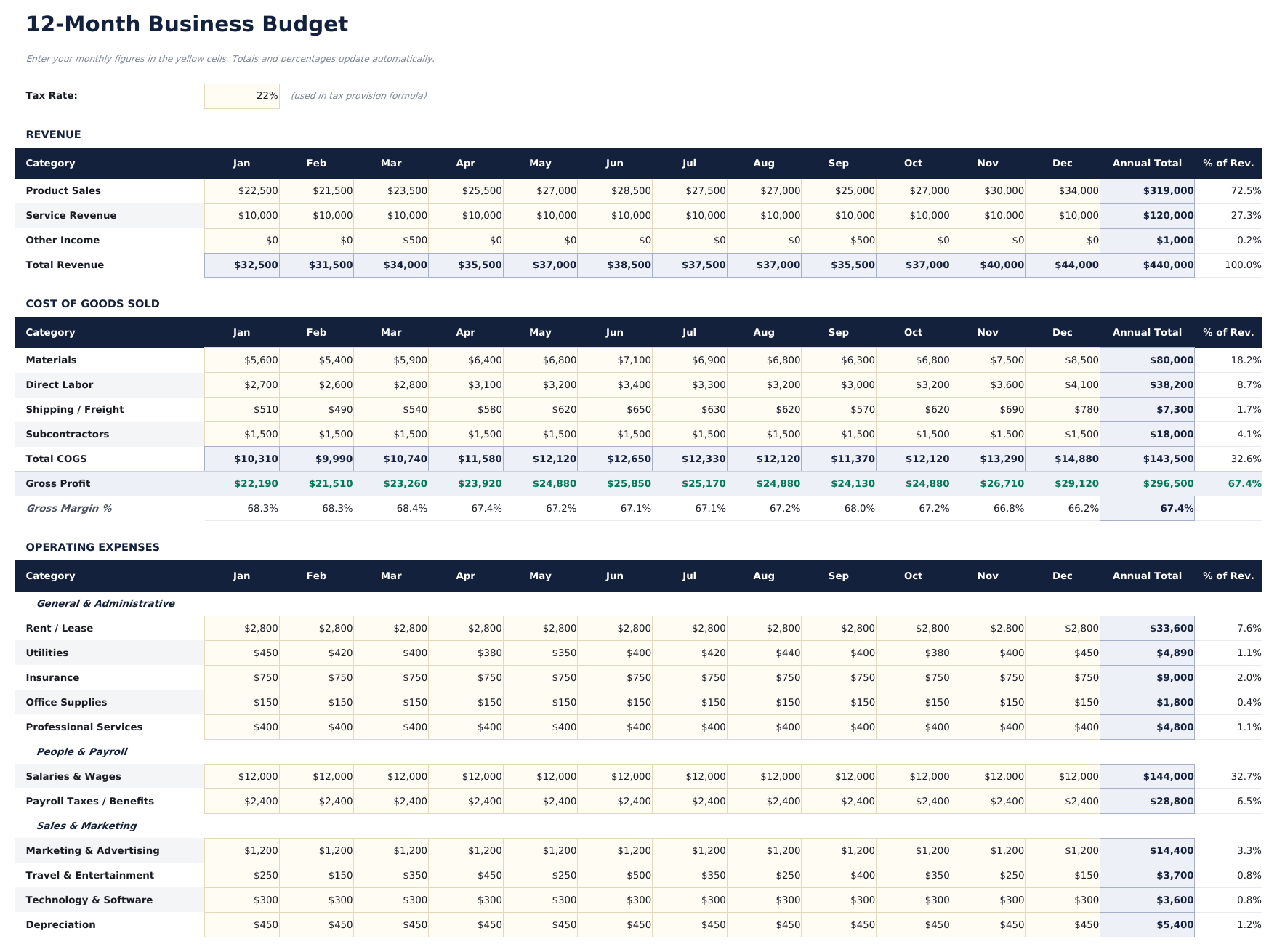
- Monthly budget with revenue categories and expense line items for payroll, rent, marketing, utilities, and supplies
- Department or category breakdowns allowing separate budget tracking for sales, operations, admin, and other teams
- Budget vs. actual comparison columns with automatic variance calculations for every revenue and expense line
- Color-coded variance indicators highlighting favorable and unfavorable variances with auto-calculated percentages
- Works in Microsoft Excel, Google Sheets, and LibreOffice Calc with no setup required
Need more from this template?
The free version covers the basics. The Pro version goes further.
- Budget revenue and expenses across 6 categories for a single year
- Dashboard with total revenue, expenses, and net budget
- Monthly budget totals and annual summary
- Works in Excel and Google Sheets
- Revenue Budget sheet with up to 10 revenue streams, monthly targets, and annual totals with editable growth assumptions
- Expense Budget sheet covering up to 15 expense categories across 12 months with monthly and annual totals
- Department Budgets sheet allocating budget across up to 6 departments with headcount, salary, and operating expense breakdowns
- Dashboard with 6 KPI cards: budgeted revenue, budgeted expenses, net budget, largest expense category, revenue growth rate, and operating margin
- Quarterly Review sheet comparing Q1 through Q4 budgeted vs actual revenue, expenses, and net income with variance analysis
Preview
See what's inside this template
How to Use This Business Budget Template
Enter revenue categories
List each revenue source with budgeted monthly amounts - product sales, service fees, subscriptions, or other income streams.
Add expense line items
Fill in operating expenses by category - payroll, rent, marketing, utilities, supplies, and insurance with monthly budgets.
Enter actual amounts
As the month progresses, record actual revenue and expenses. The variance columns show where you are over or under budget.
Review the dashboard
The dashboard summarizes total revenue, total expenses, net income, and overall budget utilization with variance highlights.
Built by Claude AI. Perfected by us.
We use Claude AI to draft each free template, after a deep research. Then our team steps in. We refine the layout, stress-test every formula, fix edge cases, and polish the design until it feels like something we would actually use ourselves. The AI gets us 80% there. The last 20% is all human judgment.
Frequently Asked Questions
Can I budget by department?
Yes. Organize expense categories by department - sales, marketing, operations, admin. Add department subtotals for departmental budget tracking.
How does variance tracking work?
The template calculates the difference between budgeted and actual amounts for each line. Favorable variances (under budget) and unfavorable ones (over budget) are color-coded.
Can I extend it to a full year?
Yes. Add columns for each month through 12 months. The template format supports monthly tracking across the full fiscal year.
Is this for small or large businesses?
It works for any size. Small businesses use fewer categories while larger ones add more line items and departmental breakdowns.
How do I open this in Google Sheets?
Upload the .xlsx file to Google Drive, then open it with Google Sheets. All formulas and formatting will be preserved.
What license is this template under?
All free templates are released under CC BY 4.0 (Creative Commons Attribution). You can use, modify, and share them freely - including for commercial purposes - as long as you credit FinancialAha.com. They are provided as-is and do not constitute financial advice.
More Free Business Finance Templates
Looking for premium spreadsheet templates?
Our paid templates include advanced multi-sheet dashboards, native Excel charts, and ongoing updates.