Free Accounts Receivable Tracker Spreadsheet Template
Track money owed to the business by clients. Monitor invoice status, aging, and total outstanding receivables.
What's Included
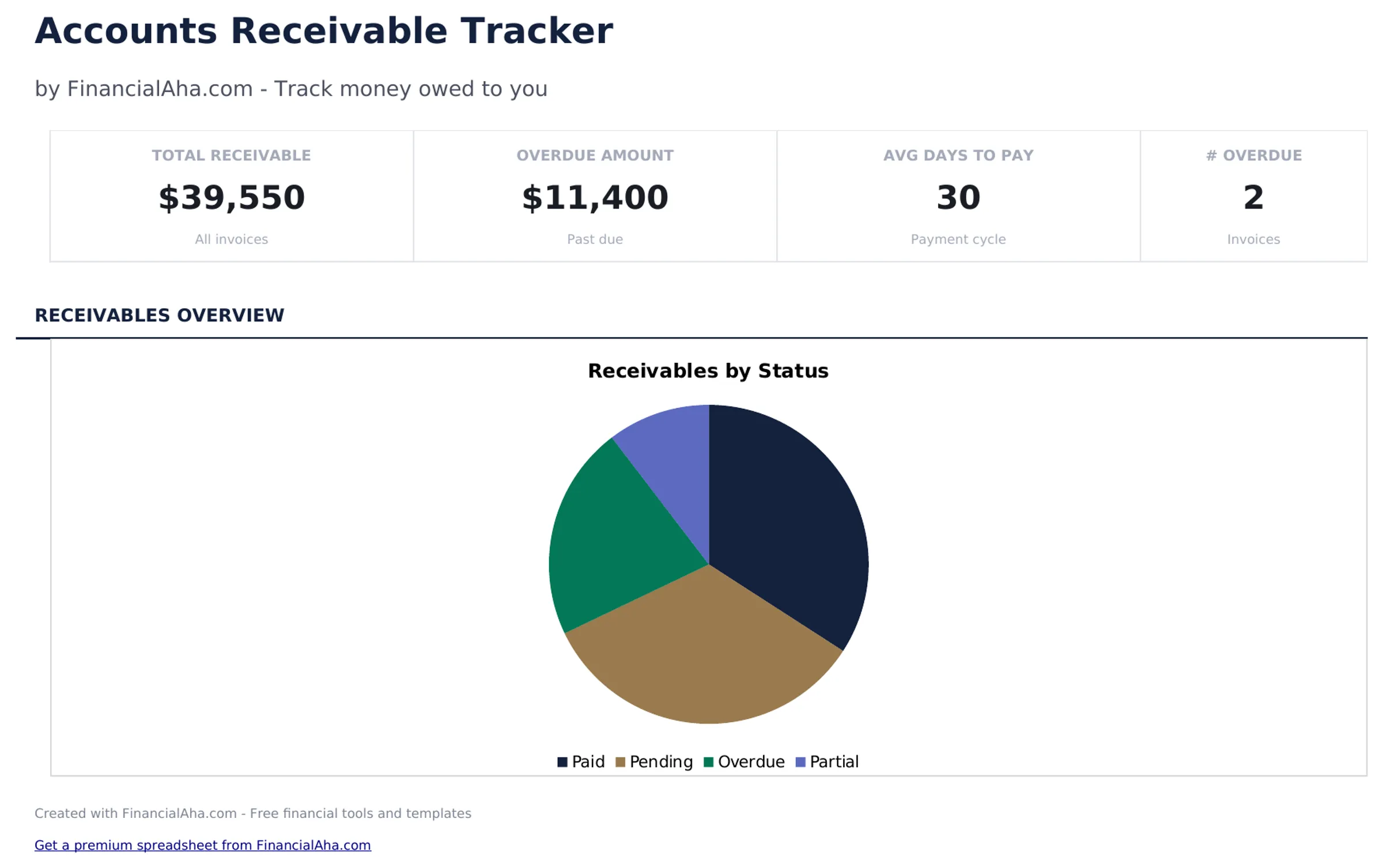
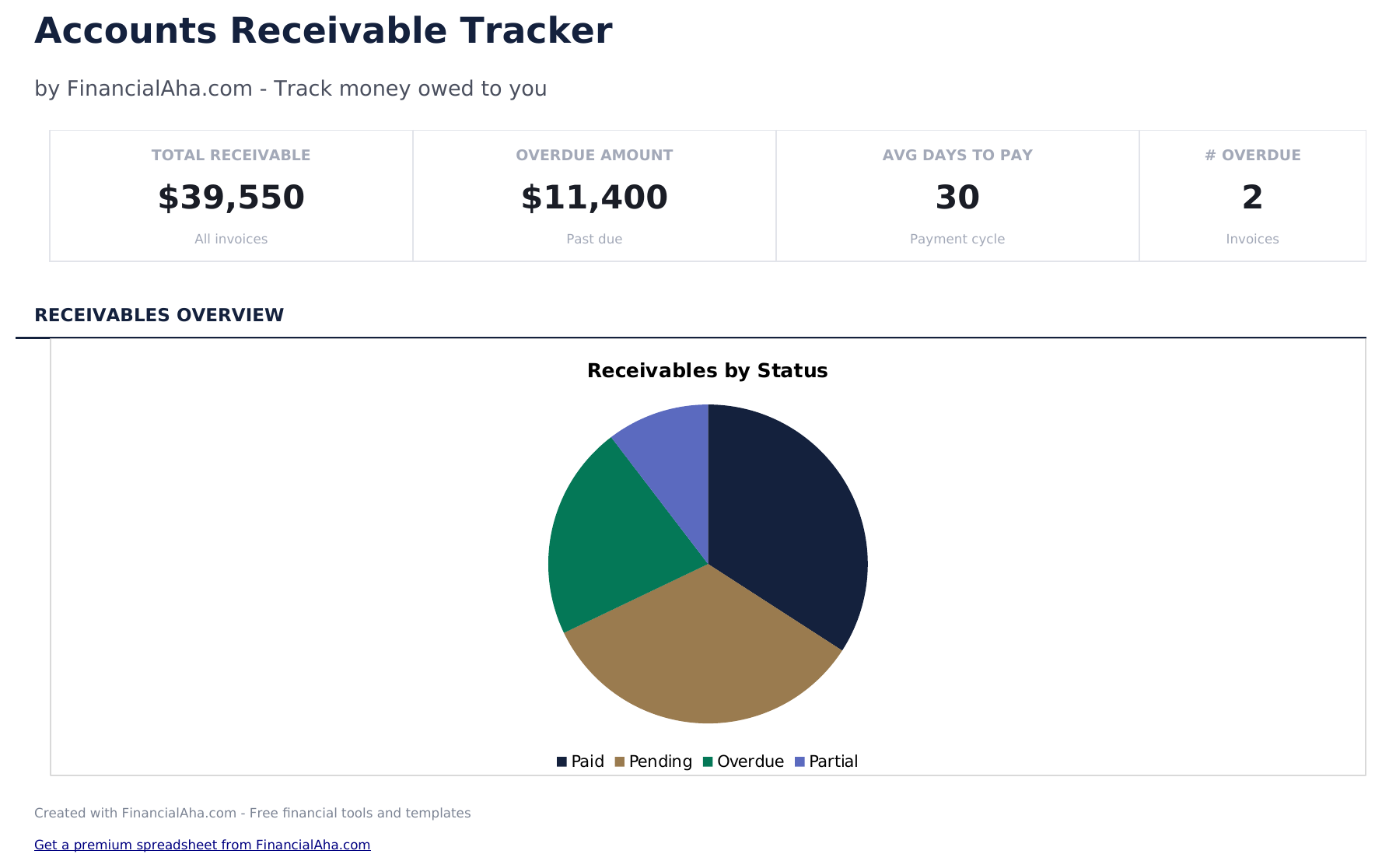
- Dashboard with receivables summary showing total outstanding, total collected, overdue amount, and client count
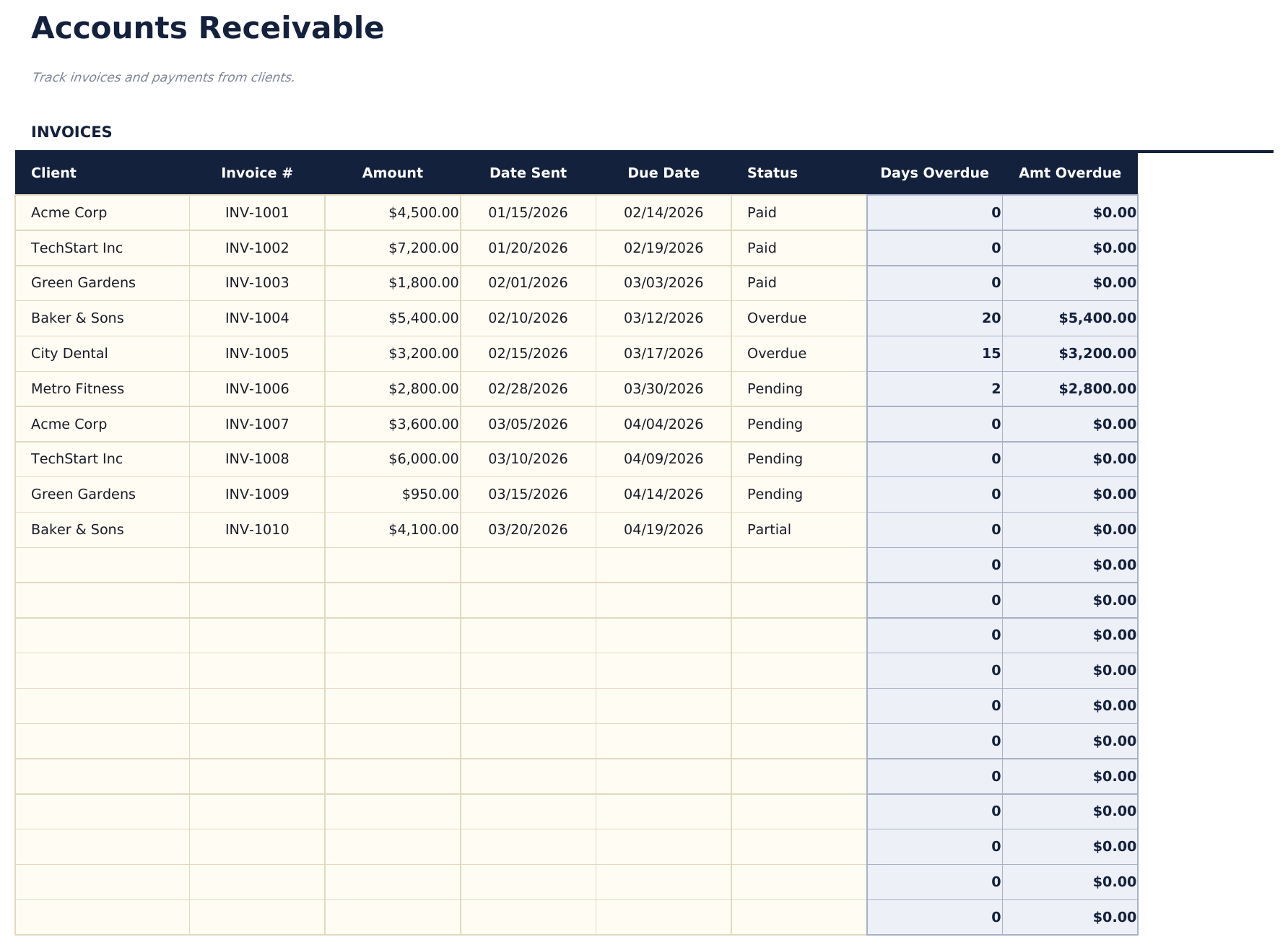
- Receivables log with client name, invoice number, amount, issue date, due date, and payment status columns
- Aging categories for overdue accounts grouping outstanding invoices into current, 30, 60, and 90-plus day buckets
- Payment status tracking with fields to mark each receivable as pending, partial, paid, or written off
- Automatic outstanding balance totals with color-coded aging indicators for quick overdue identification
- Works in Microsoft Excel, Google Sheets, and LibreOffice Calc with no setup required
Preview
See what's inside this template
How to Use This Accounts Receivable Tracker Template
Enter each receivable
Add client name, invoice number, amount, issue date, and due date for every outstanding invoice or payment owed.
Update payment status
Mark each entry as pending, partial, paid, or written off as payments come in. The totals update automatically.
Monitor aging buckets
The aging categories show how long invoices have been outstanding - current, 30 days, 60 days, and 90-plus days.
Review the dashboard
Check total outstanding, total collected, overdue amount, and client count on the dashboard for a receivables overview.
Built by Claude AI. Perfected by us.
We use Claude AI to draft each free template, after a deep research. Then our team steps in. We refine the layout, stress-test every formula, fix edge cases, and polish the design until it feels like something we would actually use ourselves. The AI gets us 80% there. The last 20% is all human judgment.
Frequently Asked Questions
How does aging work?
The template groups unpaid invoices by how many days past due they are. This helps prioritize collection efforts on the oldest outstanding amounts.
Can I track partial payments?
Yes. Enter the amount received and mark the status as partial. The remaining balance is the original amount minus payments received.
Does it show totals per client?
Yes. Filter or sort by client name to see each client total outstanding amount. The dashboard also shows total receivables across all clients.
When should I write off a receivable?
The template lets you mark items as written off. This is an accounting decision based on your business policies and how long the amount has been outstanding.
How do I open this in Google Sheets?
Upload the .xlsx file to Google Drive, then open it with Google Sheets. All formulas and formatting will be preserved.
What license is this template under?
All free templates are released under CC BY 4.0 (Creative Commons Attribution). You can use, modify, and share them freely - including for commercial purposes - as long as you credit FinancialAha.com. They are provided as-is and do not constitute financial advice.
More Free Business Finance Templates
Looking for premium spreadsheet templates?
Our paid templates include advanced multi-sheet dashboards, native Excel charts, and ongoing updates.